

Best picks
Best 10Gb Network Cards for a Home NAS or Desktop
Fit First
Choose a 10Gb network card by exact hardware revision, PCIe lanes, bracket, driver and network port. Clear desktop and NAS picks, plus a purchase checklist.
By thisPING EditorialUpdated November 3, 20267 min read
On this page · Quick picks
For a desktop with copper Ethernet, start with the TP-Link TX401 US V2.6, provided its driver and PCIe slot requirements match your PC; it includes both bracket profiles and a Cat6A patch cable. The ASUS XG-C100C V3 is the copper alternative to compare, while the QNAP QXG-10G2SF-NXE is our conditional SFP+ pick for a compatible NAS or PC. Buy a 10Gb network card only after matching the exact revision, electrical lanes, OS driver and port at the other end.
Quick picks
These recommendations follow the official fit and support documentation. Use the maker links to confirm the version being supplied.
Compare specifications and all conditions
TP-Link TX401 US V2.6
- Choose it for
- A copper desktop upgrade
- Host interface
- PCIe 3.0 x4
- Network connection
- One RJ45: 10/5/2.5/1Gbps, 100Mbps
All specifications
- Bracket and clearance check
- Standard and low-profile brackets; 120.8 × 98.2 × 21.5mm
ASUS XG-C100C V3
- Choose it for
- A copper alternative after revision confirmation
- Host interface
- PCIe 3.0/2.1/2.0 x4
- Network connection
- One RJ45: 10/5/2.5/1Gbps, 100Mbps
All specifications
- Bracket and clearance check
- Short bracket listed; confirm V3 dimensions with supplier
QNAP QXG-10G2SF-NXE
- Choose it for
- A documented SFP+ path
- Host interface
- PCIe Gen3 x8
- Network connection
- Two SFP+ ports: 10G/1G
All specifications
- Bracket and clearance check
- Fan and heatsinks; confirm bracket bundle and space
Full comparison table
Swipe to compare. Row labels stay visible.
| Pick and exact version | Choose it for | Host interface | Network connection | Bracket and clearance check |
|---|---|---|---|---|
| TP-Link TX401 US V2.6 | A copper desktop upgrade | PCIe 3.0 x4 | One RJ45: 10/5/2.5/1Gbps, 100Mbps | Standard and low-profile brackets; 120.8 × 98.2 × 21.5mm |
| ASUS XG-C100C V3 | A copper alternative after revision confirmation | PCIe 3.0/2.1/2.0 x4 | One RJ45: 10/5/2.5/1Gbps, 100Mbps | Short bracket listed; confirm V3 dimensions with supplier |
| QNAP QXG-10G2SF-NXE | A documented SFP+ path | PCIe Gen3 x8 | Two SFP+ ports: 10G/1G | Fan and heatsinks; confirm bracket bundle and space |
Scroll horizontally to see every column
| Pick and exact version | Choose it for | Host interface | Network connection | Bracket and clearance check |
|---|---|---|---|---|
| TP-Link TX401 US V2.6 | A copper desktop upgrade | PCIe 3.0 x4 | One RJ45: 10/5/2.5/1Gbps, 100Mbps | Standard and low-profile brackets; 120.8 × 98.2 × 21.5mm |
| ASUS XG-C100C V3 | A copper alternative after revision confirmation | PCIe 3.0/2.1/2.0 x4 | One RJ45: 10/5/2.5/1Gbps, 100Mbps | Short bracket listed; confirm V3 dimensions with supplier |
| QNAP QXG-10G2SF-NXE | A documented SFP+ path | PCIe Gen3 x8 | Two SFP+ ports: 10G/1G | Fan and heatsinks; confirm bracket bundle and space |
Before ordering, write down the motherboard's slot specification and your OS version. Dell's PCIe explanation distinguishes physical slot sizes and lane configurations; ASUS's support guidance also warns about bandwidth shared with M.2 storage. Check those motherboard footnotes, GPU clearance and the case's bracket opening.
- Yes: Buy after the exact card revision, driver and slot specification match
- Partly: A longer PCIe slot: confirm its electrical lanes and shared-bandwidth rules
- No: Stop if the required bracket or network connector does not match your build
Best starting point for a copper desktop: TP-Link TX401 US V2.6
Choose this for a desktop that needs RJ45 Ethernet and matches the US V2.6 driver selection. TP-Link labels the selector V2.60 but names its packages V2.6. The linked V2.6 datasheet specifies PCIe 3.0 x4, the five link rates in the table, both bracket profiles and a 1.5m Cat6A cable.
That bundle makes it our starting recommendation when you need the card, a short patch lead and a low-profile bracket together. Measure against the published dimensions before ordering; an included bracket does not resolve the rest of your case layout.
The driver page offers a Windows package for Windows 11 and Windows 10 versions after 1909, with a separate package for Windows 10 version 1909 and earlier. Its Linux download states kernel 3.10 or later. Treat that as TP-Link's published package scope; confirm your actual distribution and kernel before committing to a Linux build.
The revision trap: TP-Link's US end-of-sale inventory lists TX401 1.0 UN with an EOS date of June 28, 2025, and 3.6 US with August 22, 2025. The latter row even calls it an “11 Gigabit” adapter; that wording is a document inconsistency, not another speed class. These entries concern those listed versions, so do not describe the whole TX401 family as discontinued or substitute old stock without checking.
Check TX401 specifications and match the label to its support selector before buying.
Copper alternative with documented revisions: ASUS XG-C100C V3
Choose a confirmed V3 if its driver coverage suits your machine. ASUS's US specifications explicitly separate V1: x4, V2: x2 and V3: x4, each listing PCIe 3.0/2.1/2.0. A model name without the revision cannot settle your lane requirement.
ASUS lists a short bracket, but presents two dimension sets without assigning them to revisions in the text. We therefore leave V3 dimensions unresolved: obtain the actual assembly measurements before buying for a tight case. The V3 manual page establishes a separate V3 documentation path; it does not establish which revision a seller will ship.
The shared driver page lists package 5.3.0.2, dated October 17, 2024, explicitly covering V3, V2 and V1. It specifies Windows 11 64-bit, Windows 10 32/64-bit and Linux kernels 3.10–5.11. Do not read the broad “Linux” marketing description as confirmation for a newer kernel.
Firmware is a separate check. ASUS's firmware FAQ restricts its described update to V1. Do not apply that procedure to V3 merely because both cards say XG-C100C.
Check ASUS specifications before accepting a revision substitution.
Best documented SFP+ option here: QNAP QXG-10G2SF-NXE
Consider this when your intended connection uses SFP+ and you can verify the host. QNAP documents two 10G/1G SFP+ ports, PCIe Gen3 x8, and a cooling fan with heatsinks on its product page. Allow space for that cooling assembly and confirm the supplied bracket with QNAP before ordering.
QNAP specifies QTS 5.2.1 or later or QuTS hero h5.2.1 or later for NAS use, with a model compatibility checker. Its PC requirements name Windows 11 22H2, Windows Server 2022 21H2, and Ubuntu 24.04 LTS, with drivers required. Use that explicit list rather than assuming every Windows or Linux installation qualifies.
QNAP lists compatible DAC cables and an optical transceiver as accessories. Choose a documented cable or optical combination for both endpoints; a normal RJ45 patch lead does not directly fit these SFP+ slots. Include the cooling assembly and connection hardware in your purchase decision.
Why isn’t the QXG-10G1T a pick? Its current page points driver links to Marvell, while the installation text asks Ubuntu users for r8127. We could not resolve that controller/driver identity conflict from the official documentation, so it remains unranked. Obtain exact hardware and matching driver confirmation from QNAP before choosing it.
Check the QXG-10G2SF-NXE requirements before building an SFP+ path around it.
Buying guide: trace the entire connection
Keep the existing NIC when it meets the job. If your current 2.5Gbps connection already handles your backups within the time available, keep it. A faster card becomes useful when you can identify the network link as the constraint and provide a matching path at the other end. TP-Link explicitly says actual wired throughput depends on the cable, computer performance and environmental factors.
Count suitable switch ports. The QNAP QSW-2104-2T-R2 has two 10G RJ45 ports and four 2.5G RJ45 ports. Connecting a copper desktop and a copper NAS to its two 10G ports uses both; put the router on a 2.5G port if that uplink meets your needs. Connecting either endpoint to a 2.5G port instead limits that link to 2.5G. Our multi-gig switch guide handles the rest of the network layout.
Match copper and SFP+ deliberately. TX401 and XG-C100C are RJ45 choices; QXG-10G2SF-NXE is an SFP+ choice. For a replacement copper patch lead, Cable Matters 160012 documents Cat6A and up to 10Gbps. Confirm length and pack quantity before ordering. See Cat6 vs Cat6A vs Cat8 for cable selection.
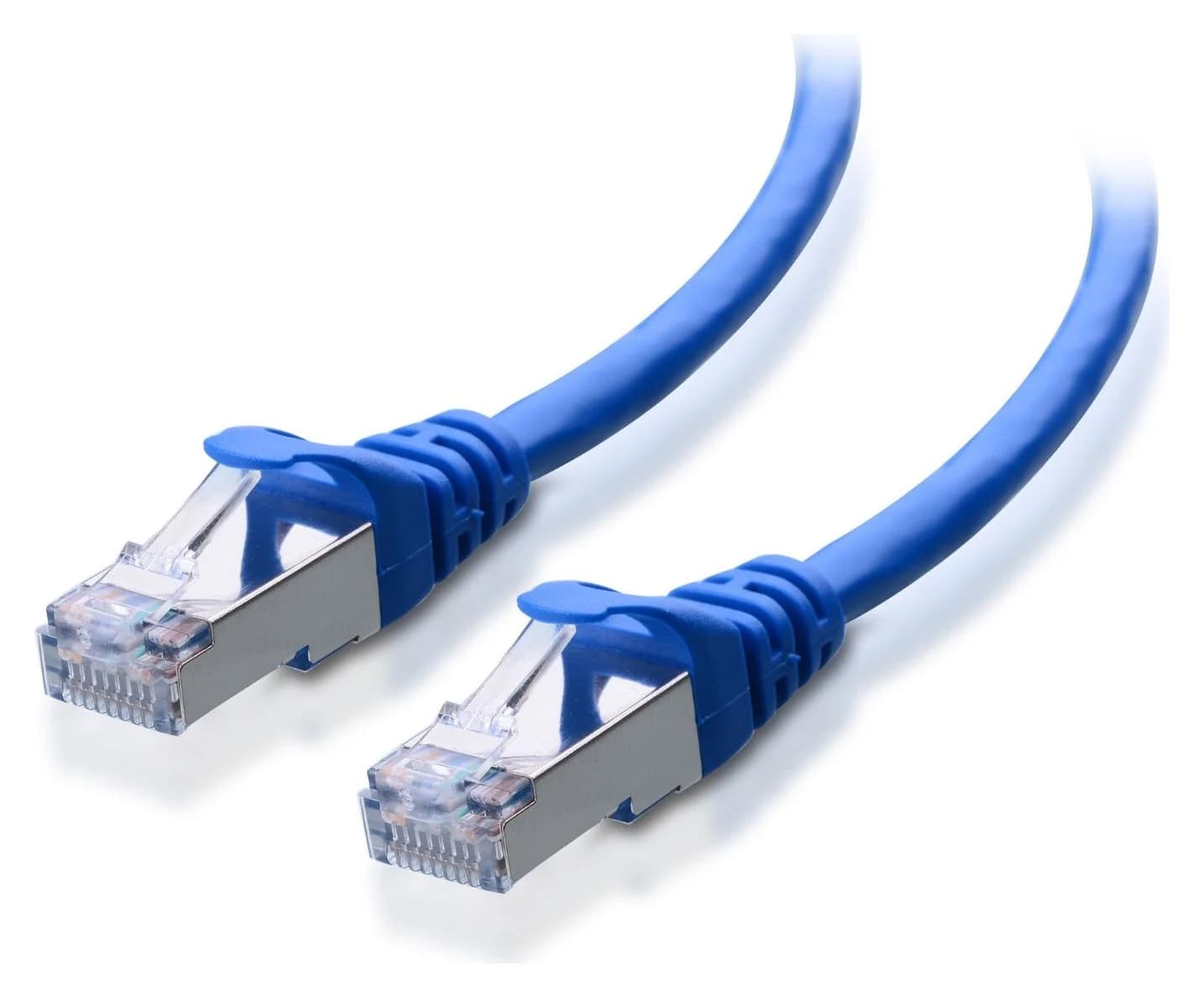
Cable Matters
A Cat6A equipment patch lead with S/FTP shielding, bare-copper conductors and shielded RJ45 connectors.
Check package and model options
Separate network rate from storage performance. Microsoft's SMB guidance identifies sustained storage throughput, CPU capacity and small-file overhead as potential limits. A transfer that slows after a fast start can reflect exhausted memory or storage caches. Check the desktop's source drive and the NAS destination, then reverse direction to investigate reads versus writes. Our home NAS guide covers enclosure selection.
Install and verify before tuning
TP-Link's installation guide says to shut down and unplug the computer before fitting TX401. Follow the exact card and host manuals, fit the correct bracket and install the matching official driver.
On Windows, Microsoft's Get-NetAdapter documentation provides commands to inspect adapter properties and driver details:
Get-NetAdapter | Format-List -Property *
Get-NetAdapter | Format-Table -View Driver
Check the reported link speed for the intended adapter and compare it with the switch port status. On a NAS, use its network-interface status screen. Record the negotiated rate before judging a file copy; if it is lower than expected, verify the peer port, cable and driver first.
Identify the adapter
Match its hardware label to the official driver selection.
Confirm the link
Compare the negotiated rate with the intended peer port.
Check a real workload
Investigate storage and CPU limits if file copies remain slow.
Keep an initial working configuration before experimenting with jumbo frames. Change one setting at a time so you can trace the result.
How we choose
We compare manufacturer specifications, revision-specific manuals, driver release notes and support selectors, with Microsoft documentation for Windows troubleshooting. No physical testing or throughput measurements inform these picks. We prioritize documented fit and support over marketing speed claims; unresolved dimensions and driver identity remain explicit. Sources were checked November 2, 2026. See How we choose.
Purchase checklist: save the exact model and revision, slot's physical size and electrical lanes, shared-bandwidth notes, bracket and clearance measurements, OS/build/kernel, driver package, peer connector/rate and required cable. For NAS use, save the maker's compatibility result too. If any item is unresolved, settle it before ordering.
Verdict
Start with TX401 US V2.6 for a compatible copper desktop and its useful bracket/cable bundle. Compare XG-C100C V3 when the confirmed revision and documented driver scope suit your build. Choose QXG-10G2SF-NXE only for a verified SFP+ setup with a compatible host. Keep your existing connection when it already completes the job.
Frequently asked questions
Will a 10Gb network card work with a 2.5Gb switch?
The TX401 and XG-C100C both list 2.5Gbps among their supported RJ45 link rates, so they can negotiate that common rate with a suitable copper switch. That connection remains a 2.5Gbps link. Do not extend this promise to every SFP+ card: QNAP lists 10G/1G for the QXG-10G2SF-NXE. Match the port type and supported rates on both ends before buying.
Can I put a 10Gb card in a PCIe x1 slot?
Do not buy these picks for a closed x1 slot. TP-Link's installation guide specifies an x4, x8 or x16 slot for TX401; ASUS specifies x4 for XG-C100C V3; QNAP publishes Gen3 x8 for its SFP+ card. Check physical fit and electrical lanes separately in the motherboard manual. A longer connector alone is insufficient evidence that the intended slot supplies the card's documented interface.
Does a 10Gb network card make NAS file copies run at 10Gbps?
It supplies a possible network link rate, not a guaranteed file-copy result. TP-Link explicitly says actual throughput depends on cabling, computer performance and other conditions. Microsoft's SMB guidance also identifies sustained storage performance, CPU work and small-file overhead as limits. Check the negotiated link first, then investigate storage and workload behavior before replacing a card that already links at the intended rate.
Related guides
Best picks · Network Adapters
Best Wi-Fi Adapters for PC: USB, PCIe and Compatibility First
Choose a PC Wi-Fi adapter with exact Windows, Linux, CPU and slot checks. Compare USB and PCIe picks, antenna placement, drivers and misleading speed claims.
Comparison · Network Adapters
MoCA vs Powerline in 2026: Wired Internet Without New Cables
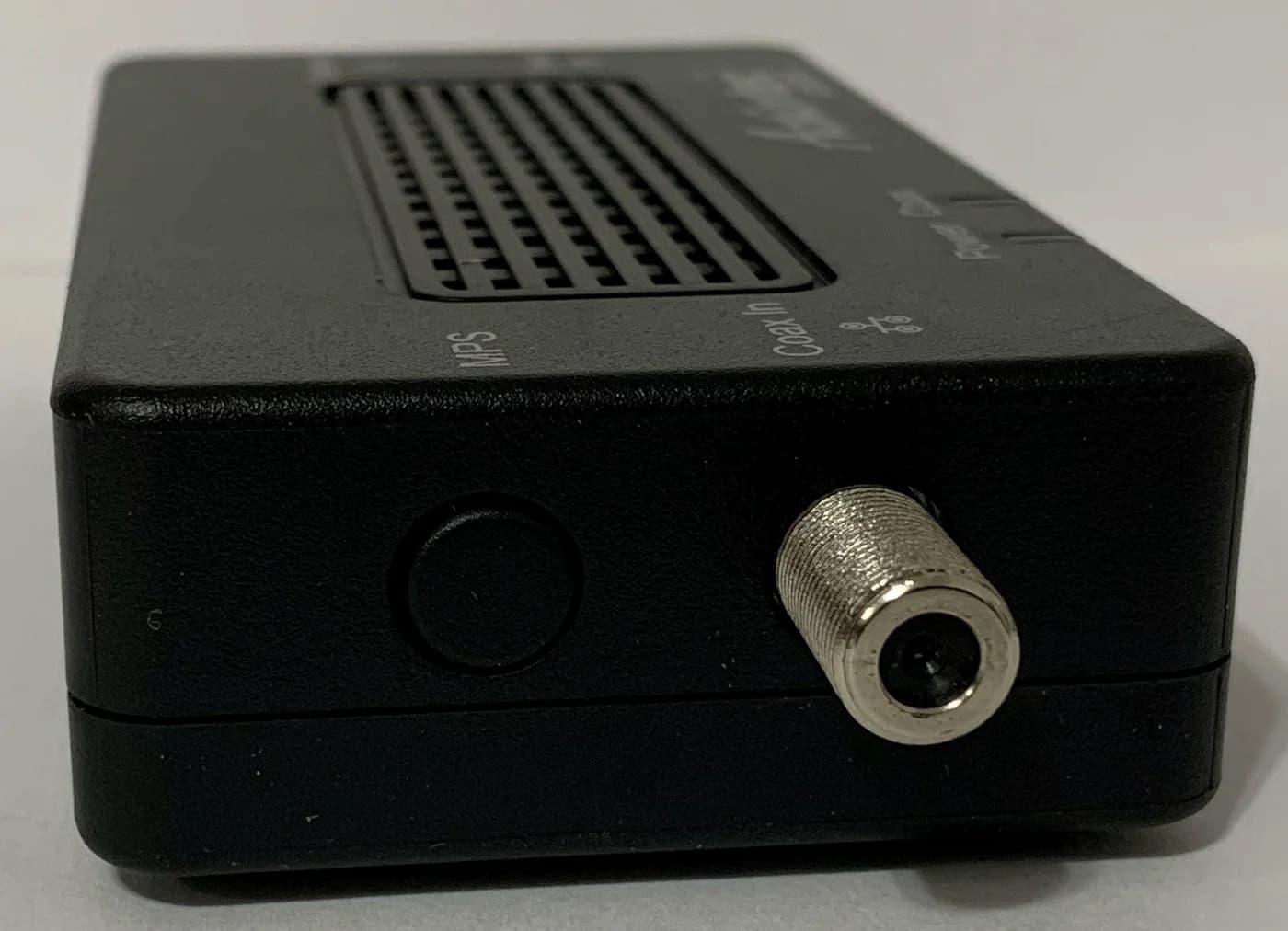
MoCA uses your TV coax, powerline uses your power outlets. Which one fits your home, the filter, splitter and outlet rules that trip people up, and what to buy.