

Best picks
Best 10GbE Switches for a Home NAS
Copper, SFP+ and Usable Ports
Choose a 10GbE switch for your NAS and PC: compare usable copper and SFP+ ports, check NETGEAR revisions, and match cables, adapters, cooling and storage.
By thisPING EditorialUpdated November 3, 20267 min read
On this page · Quick picks and usable ports
For a home NAS and one desktop with 10G RJ45 ports, the QNAP QSW-2104-2T-R2 is our best 10GbE switch pick: it combines two 10G ports, four 2.5G ports and fanless cooling. Choose the QSW-3205-5T for more copper connections, or the QSW-2104-2S-A for two SFP+ endpoints. The NETGEAR XS505Mv2 is another all-copper option, but check the revision: the original XS505M has a different port layout.
Quick picks and usable ports
These are manufacturer-specification picks, checked November 2, 2026. In the table, a router link consumes a switch port; the remaining counts include the ports you will use for the NAS and PC.
Compare specifications and all conditions
One copper NAS and PC
- Exact switch and official specs
- QNAP QSW-2104-2T-R2
- Ports usable together
- Two 10G RJ45 + four 2.5G RJ45
- After connecting the router
- Two 10G + three 2.5G, using a slower port for the router
All specifications
- Cooling
- Fanless
Copper expansion
- Exact switch and official specs
- QNAP QSW-3205-5T
- Ports usable together
- Five 10G RJ45
- After connecting the router
- Four 10G-capable device ports
All specifications
- Cooling
- Fanless
Two SFP+ endpoints
- Exact switch and official specs
- QNAP QSW-2104-2S-A
- Ports usable together
- Two 10G SFP+ + four 2.5G RJ45
- After connecting the router
- Two SFP+ + three 2.5G, using RJ45 for the router
All specifications
- Cooling
- Fanless
NETGEAR copper alternative
- Exact switch and official specs
- XS505Mv2, XS505M-200NAS
- Ports usable together
- Five 10G RJ45; no SFP+
- After connecting the router
- Four 10G-capable device ports
All specifications
- Cooling
- One active fan
Full comparison table
Swipe to compare. Row labels stay visible.
| Pick | Exact switch and official specs | Ports usable together | After connecting the router | Cooling |
|---|---|---|---|---|
| One copper NAS and PC | QNAP QSW-2104-2T-R2 | Two 10G RJ45 + four 2.5G RJ45 | Two 10G + three 2.5G, using a slower port for the router | Fanless |
| Copper expansion | QNAP QSW-3205-5T | Five 10G RJ45 | Four 10G-capable device ports | Fanless |
| Two SFP+ endpoints | QNAP QSW-2104-2S-A | Two 10G SFP+ + four 2.5G RJ45 | Two SFP+ + three 2.5G, using RJ45 for the router | Fanless |
| NETGEAR copper alternative | XS505Mv2, XS505M-200NAS | Five 10G RJ45; no SFP+ | Four 10G-capable device ports | One active fan |
Scroll horizontally to see every column
| Pick | Exact switch and official specs | Ports usable together | After connecting the router | Cooling |
|---|---|---|---|---|
| One copper NAS and PC | QNAP QSW-2104-2T-R2 | Two 10G RJ45 + four 2.5G RJ45 | Two 10G + three 2.5G, using a slower port for the router | Fanless |
| Copper expansion | QNAP QSW-3205-5T | Five 10G RJ45 | Four 10G-capable device ports | Fanless |
| Two SFP+ endpoints | QNAP QSW-2104-2S-A | Two 10G SFP+ + four 2.5G RJ45 | Two SFP+ + three 2.5G, using RJ45 for the router | Fanless |
| NETGEAR copper alternative | XS505Mv2, XS505M-200NAS | Five 10G RJ45; no SFP+ | Four 10G-capable device ports | One active fan |
The remaining-port figures are our arithmetic from the makers' port inventories, not extra uplinks. All four switches are unmanaged. For VLAN configuration or LACP, start with our managed versus unmanaged switch guide: TP-Link documents the VLAN requirement, and NETGEAR excludes link aggregation on unmanaged switches.
- 2 × 10GQSW-2104-2T-R2 fast copper ports: enough for the NAS and PC
- 5 × 10GQSW-3205-5T copper ports before allocating a router connection
Best for one copper NAS and PC: QNAP QSW-2104-2T-R2
Buy this when your fast storage path ends at a NAS and desktop, both using RJ45. QNAP's R2 feature page specifies two copper ports supporting 100 Mbps, 1G, 2.5G, 5G and 10G, plus four ports supporting 100 Mbps, 1G and 2.5G. It also documents fanless cooling and automatic loop detection and blocking.
Put the NAS and PC on the fast ports, then connect a slower port to the router's LAN. With the NAS and PC in the same local subnet, their transfer path stays within the switch; it does not detour through the router. NETGEAR's switch explanation distinguishes local frame forwarding from the router's internet role.
That arrangement leaves no spare 10G port and three spare 2.5G ports, calculated after connecting the NAS, PC and router. If the router itself needs a 10G uplink, only one fast device port remains. Choose the next pick for that layout.
Version check: this recommendation covers 2T-R2. The 2S-A below uses different connection hardware for its fast ports.
See the QSW-2104-2T-R2 at QNAP.
Best for copper expansion: QNAP QSW-3205-5T
The QSW-3205-5T is our choice when the port plan includes more than the NAS and desktop. All five RJ45 ports support 100 Mbps, 1G, 2.5G, 5G and 10G, so you can retain slower devices while expanding the fast network. QNAP specifies fanless cooling, unmanaged operation and automatic loop blocking.
Allocate a port to the router and four device connections remain. Connect the NAS and PC as well, and two ports remain for expansion. That is the practical advantage over the mixed-speed pick: another workstation or a fast router uplink need not displace a storage endpoint.
Its 100 Gbps switching-capacity specification is an aggregate fabric figure. Each port still tops out at 10 Gbps; the larger total does not promise that rate for a file copy. There is no SFP+ slot in its documented port inventory, so choose another model for a native DAC connection.
Best for two SFP+ endpoints: QNAP QSW-2104-2S-A
QNAP's current page is headed QSW-2104-2S-A, despite the shorter URL. It specifies two 10G/1G SFP+ slots, four 2.5G/1G/100M RJ45 ports and a fanless design. Choose it when the NAS and PC already have suitable SFP+ interfaces, rather than buying copper adapters to match a copper switch.
QNAP explicitly supports connecting SFP+ devices with direct-attach copper cables. A switched NAS-and-PC setup needs two compatible DAC links, one from each endpoint to the switch. Put the router on RJ45 and three slower copper ports remain. Both SFP+ slots are then occupied; this is a compact storage pair, with no spare fast slot for expansion.
The existing Zyxel DAC10G-1M record describes a one-meter cable; Zyxel's accessory table specifies SFP+-to-SFP+ connectors. That does not establish approval for a QNAP switch and your particular NIC. Check both endpoint makers' compatibility information before selecting it. For fiber, budget approved optics at both ends and matching fiber, rather than ordering a bare patch lead alone.
See the QSW-2104-2S-A at QNAP.
NETGEAR copper alternative: XS505Mv2, XS505M-200NAS
The current v2 datasheet identifies XS505M-200NAS as the North American model: five multi-speed RJ45 ports, an included external AC adapter and one active fan. It lists 29.96 dB at 25°C for acoustics. That is a manufacturer figure, not a desk-side noise measurement by thisPING; prefer a fanless QNAP if avoiding a cooling fan is a priority.
The v2 installation guide specifies 26.103 W maximum consumption; the datasheet rounds this to approximately 26 W. Neither is an idle-power figure. The datasheet lists a limited lifetime hardware warranty, and the installation guide requires registration for warranty activation and support. The datasheet lists firmware upgrading as not applicable.
Do not substitute the original XS505M. The original datasheet lists XS505M-100NAS, four copper ports and one SFP+ port. Its storefront instead calls the SFP+ connection a copper combo; the original installation guide assigns the shared 8/8F ports to XS508M, where they cannot operate simultaneously. The original storefront and datasheet also disagree on acoustics and warranty. Verify legacy hardware rather than treating these descriptions as interchangeable.
The v2 manual's sample drawing also contains SFP+ labels, but its model-specific interface list and datasheet specify five RJ45 ports. The v2 recommendation is for copper, with no SFP+ allocation.
How we choose
This is a document-based shortlist, without physical testing or transfer benchmarks. We compare current manufacturer model pages, port inventories, manuals, connection media, cooling specifications and support terms. Remaining-port counts are explicit planning calculations. We separate hardware generations and retain documentation conflicts instead of turning them into confident specifications. Our recommendations concern the described home-storage layouts, not a universal performance ranking. Full policy: How we choose.
Buying guide: check the complete storage path
Match the NIC and cable to the port
For a copper desktop upgrade, the TP-Link TX401 uses PCI Express 3.0 x4 and RJ45, with a 1.5 m Cat6A cable included. Check the available motherboard slot and case clearance. Its US download selector currently selects V2.60 and supplies Windows and Linux packages; match your actual hardware revision and operating system. It is not a direct SFP+ DAC endpoint.
For new copper cabling, choose Cat6A for a designed 100 m 10GBASE-T channel, following Fluke Networks' guidance. Existing Cat6 requires qualification: Fluke explains that operation between 37 and 55 m depends on alien crosstalk, and that length alone does not prove suitability. Check the complete installed channel, including its terminations. Our Cat6 versus Cat6A versus Cat8 guide covers that decision.
Cable Matters' 160012 Cat6A patch-cable family has bare-copper conductors, S/FTP shielding and documented 10-Gigabit support. The verified destination below is the black, 7-foot, five-pack variant; check the selected length, color and quantity.
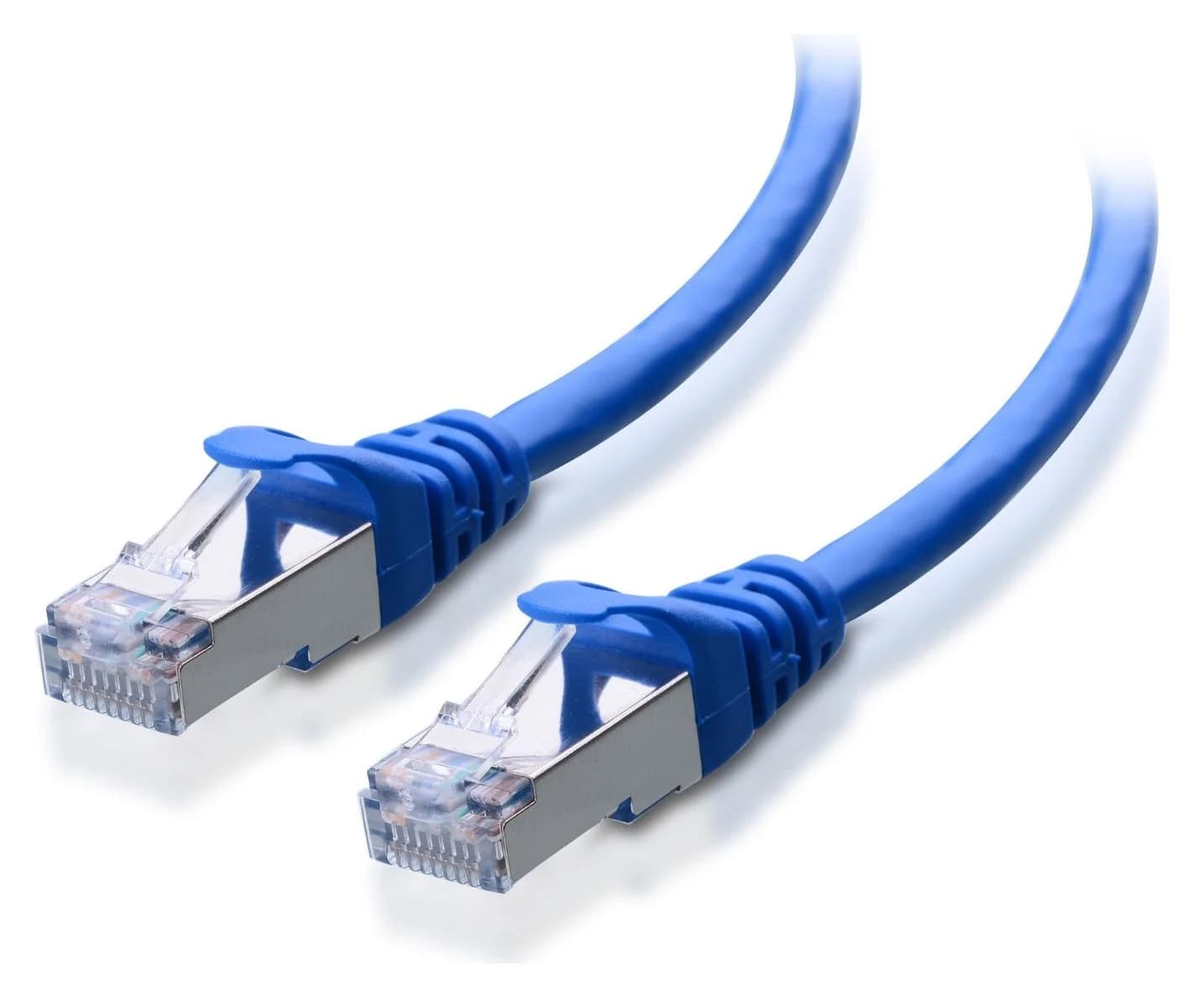
Cable Matters
A Cat6A equipment patch lead with S/FTP shielding, bare-copper conductors and shielded RJ45 connectors.
Check package and model options
- Yes: Copper NIC to copper switch: match RJ45 ports and a qualified Ethernet channel
- No: SFP+ DAC directly into the TX401: the connectors do not match
- Partly: SFP+ to SFP+: verify the exact cable or optics against both endpoint makers' support information
Check storage before paying for more network
A 10G label is a physical link rate, not a file-copy guarantee. Microsoft's SMB troubleshooting guide gives approximately 1.1 GB/s sustained storage throughput per 10 Gbps as a planning figure, assuming no other bottlenecks. It explains why transfers can slow when caches fill, why CPU load matters, and why many small files behave differently from one large file.
Before upgrading, compare a sustained large-file copy with the actual backup workload. Check negotiated link speeds, storage activity and CPU load. A faster switch cannot remove a storage limit. Keep the fast endpoints together: devices reached through a slower router link still cross that slower link.
Audit the holiday basket
Write down the exact switch suffix, NIC revision, cable routes and required spare ports before comparing a Black Friday bundle. Include the endpoint upgrades and connection hardware in the purchase decision. For each switch, confirm the supplied power adapter or cord matches your region and leave room for its ventilation. QNAP's accessible feature pages establish fanless cooling, but we could not verify their whole-switch wattage in the captured specification pages; we therefore leave those figures out.
If an access point needs PoE, check its power path separately. The XS505Mv2 page lists zero PoE+ ports; a multi-gig data port alone does not establish power delivery.
Map the local path
Identify the NAS, PC, router connection and spare ports you actually need.
Match the media
Check NIC interfaces, cable routes and endpoint-approved connection hardware.
Check the workload
Compare sustained storage performance with the file transfers you want to accelerate.
Finish the basket
Verify the exact revision, power supply, ventilation and warranty conditions.
Verdict
Choose the QSW-2104-2T-R2 for a copper NAS-and-PC pair, and the QSW-3205-5T when copper expansion matters. Choose the QSW-2104-2S-A for a pair of compatible SFP+ endpoints. The XS505Mv2 alternative is all copper with active cooling; order by the actual XS505M-200NAS part number and keep original XS505M documentation separate.
Frequently asked questions
What is the best 10GbE switch for a home NAS?
For a NAS and desktop with 10G RJ45 ports, our pick is QNAP's QSW-2104-2T-R2. Its two 10G ports serve those devices while a slower copper port can connect the router. Choose the QSW-3205-5T for additional 10G copper devices, or the QSW-2104-2S-A when both fast endpoints use compatible SFP+ connection hardware.
Do I need a 10G router or 10G internet for a NAS switch?
No, when the NAS and PC communicate within the same local subnet through the switch, their traffic stays on that local path. The router connection limits traffic that crosses it, including internet traffic and access from devices on the router's other ports. Connect the switch to the router's LAN side, and keep the fast storage endpoints together.
Can a 10G switch connect to 2.5G devices?
Check the exact port. The QSW-3205-5T and XS505Mv2 copper ports support 100 Mbps, 1G, 2.5G, 5G and 10G. The QSW-2104-2T-R2 has those rates on its two 10G ports, with four other ports topping out at 2.5G. QNAP specifies 1G/10G for the QSW-2104-2S-A's SFP+ slots; do not assume intermediate SFP+ link rates.
Will a 10GbE switch make NAS file copies run at 10Gbps?
The port label describes a physical link rate, not guaranteed file-copy throughput. Microsoft gives approximately 1.1 GB/s of sustained storage throughput per 10 Gbps as an SMB planning figure, assuming no other bottlenecks. Storage, CPU load, caching and the file workload still matter. Compare a sustained large-file copy with your small-file backup workload before deciding whether the network needs upgrading.
Related guides
Comparison · Network Switches
QNAP QSW-1108-8T-R2 vs TP-Link TL-SG108S-M2: Which 2.5G Switch?
Choose your eight-port 2.5G switch: QNAP R2 vs TP-Link V2, with a port plan, power-adapter checks, loop-prevention setup, cable advice and warranty guidance.
Comparison · Network Switches
Managed vs Unmanaged Switch: What Your Home Network Needs
Choose managed or unmanaged by the controls you need. Compare VLANs, monitoring and PoE, with clear picks and a complete router-to-AP segmentation example.
Best picks · Network Switches
Best 2.5Gb Switches for Home: Choose Five or Eight Ports
Choose a 2.5Gb switch for your NAS, PC and mesh: compare usable ports, fanless picks, exact revisions, warranty conflicts and the cables your upgrade needs.