

Comparison
QNAP QSW-2104-2T-R2 vs QSW-3205-5T
Count Your 10G Ports
Choose your QNAP 10Gb switch for a NAS and PCs: exact port ledgers, R2 and SFP+ variants, power ratings, and the NICs and cables to include before you order.
By thisPING EditorialUpdated November 3, 20267 min read
On this page · Quick picks
Buy the QNAP QSW-2104-2T-R2 for one 10G NAS and one 10G workstation when the router uplink can stay at 1G or 2.5G. Choose the QSW-3205-5T when a third connection needs more than 2.5G, including a second workstation or a 10G upstream link. The mixed-speed model has more physical ports, but the all-10G model has more fast connections: that is the purchase decision. (R2 port inventory, 3205 port inventory)
Quick picks
Compare specifications and all conditions
10G NAS + 10G PC + 1G/2.5G router
- Our pick
- QSW-2104-2T-R2
- Why
- Both fast ports have a job; three slower ports remain after the router
Add another 10G PC, or require a 10G router/uplink
- Our pick
- QSW-3205-5T
- Why
- Five ports can negotiate at 10G; the uplink consumes one of them
Already own the mixed-speed switch and need no additional fast link
- Our pick
- Keep it
- Why
- An unused fast port is not a reason to replace a working layout
Full comparison table
Swipe to compare. Row labels stay visible.
| Your actual connections | Our pick | Why |
|---|---|---|
| 10G NAS + 10G PC + 1G/2.5G router | QSW-2104-2T-R2 | Both fast ports have a job; three slower ports remain after the router |
| Add another 10G PC, or require a 10G router/uplink | QSW-3205-5T | Five ports can negotiate at 10G; the uplink consumes one of them |
| Already own the mixed-speed switch and need no additional fast link | Keep it | An unused fast port is not a reason to replace a working layout |
Scroll horizontally to see every column
| Your actual connections | Our pick | Why |
|---|---|---|
| 10G NAS + 10G PC + 1G/2.5G router | QSW-2104-2T-R2 | Both fast ports have a job; three slower ports remain after the router |
| Add another 10G PC, or require a 10G router/uplink | QSW-3205-5T | Five ports can negotiate at 10G; the uplink consumes one of them |
| Already own the mixed-speed switch and need no additional fast link | Keep it | An unused fast port is not a reason to replace a working layout |
QNAP specifies two 10G ports on the R2 and five 10G ports on the 3205. These counts include any connection to a router or another switch; there is no extra dedicated uplink in either published inventory. (R2 specifications, 3205 specifications)
- 210G-capable RJ45 ports on QSW-2104-2T-R2
- 510G-capable RJ45 ports on QSW-3205-5T
Compare the exact models
The table uses QNAP's R2 hardware specifications and 3205 hardware specifications, plus each model's linked feature page for negotiation and cooling.
QSW-2104-2T-R2
- Total Ethernet ports
- 6
- Native 10GBASE-T RJ45
- 2
- Additional 2.5GBASE-T RJ45
- 4
All specifications
- Rates on the 10G ports
- 10G / 5G / 2.5G / 1G / 100 Mbps
- Rates on the additional ports
- 2.5G / 1G / 100 Mbps
- Management
- Unmanaged; plug and play
- Cooling
- Fanless
- Maximum power consumption, per QNAP
- 18W
- DC input specification
- 12V / 1.5A
- Operating temperature
- 0–40°C
- Loop protection
- Automatic detection and blocking
QSW-3205-5T
- Total Ethernet ports
- 5
- Native 10GBASE-T RJ45
- 5
- Additional 2.5GBASE-T RJ45
- None
All specifications
- Rates on the 10G ports
- 10G / 5G / 2.5G / 1G / 100 Mbps
- Rates on the additional ports
- Not applicable
- Management
- Unmanaged; plug and play
- Cooling
- Fanless
- Maximum power consumption, per QNAP
- 36W
- DC input specification
- 12V / 3A
- Operating temperature
- 0–40°C
- Loop protection
- Automatic detection and blocking
Full comparison table
Swipe to compare. Row labels stay visible.
| Specification | QSW-2104-2T-R2 | QSW-3205-5T |
|---|---|---|
| Total Ethernet ports | 6 | 5 |
| Native 10GBASE-T RJ45 | 2 | 5 |
| Additional 2.5GBASE-T RJ45 | 4 | None |
| Rates on the 10G ports | 10G / 5G / 2.5G / 1G / 100 Mbps | 10G / 5G / 2.5G / 1G / 100 Mbps |
| Rates on the additional ports | 2.5G / 1G / 100 Mbps | Not applicable |
| Management | Unmanaged; plug and play | Unmanaged; plug and play |
| Cooling | Fanless | Fanless |
| Maximum power consumption, per QNAP | 18W | 36W |
| DC input specification | 12V / 1.5A | 12V / 3A |
| Operating temperature | 0–40°C | 0–40°C |
| Loop protection | Automatic detection and blocking | Automatic detection and blocking |
Scroll horizontally to see every column
| Specification | QSW-2104-2T-R2 | QSW-3205-5T |
|---|---|---|
| Total Ethernet ports | 6 | 5 |
| Native 10GBASE-T RJ45 | 2 | 5 |
| Additional 2.5GBASE-T RJ45 | 4 | None |
| Rates on the 10G ports | 10G / 5G / 2.5G / 1G / 100 Mbps | 10G / 5G / 2.5G / 1G / 100 Mbps |
| Rates on the additional ports | 2.5G / 1G / 100 Mbps | Not applicable |
| Management | Unmanaged; plug and play | Unmanaged; plug and play |
| Cooling | Fanless | Fanless |
| Maximum power consumption, per QNAP | 18W | 36W |
| DC input specification | 12V / 1.5A | 12V / 3A |
| Operating temperature | 0–40°C | 0–40°C |
| Loop protection | Automatic detection and blocking | Automatic detection and blocking |
Best for a NAS and one PC: QSW-2104-2T-R2
The R2 is our default for a small copper storage network. Its four 2.5G ports leave room for slower equipment while the NAS and workstation use the two 10G ports. QNAP specifies auto-negotiation, so a compatible slower device can also use a fast port. (QNAP R2 features)
The limitation is expansion above 2.5G. A 5G connection needs one of those same fast ports; the other four do not become 5G ports. If your current NAS-and-PC arrangement already works and you cannot name another fast endpoint, keep this layout rather than replacing the switch for its own sake.
See the exact QSW-2104-2T-R2 at QNAP
Best for more fast endpoints: QSW-3205-5T
The 3205 gives every port the same 10G / 5G / 2.5G / 1G / 100 Mbps negotiation options. It is the better fit when fast connections outnumber the R2's fast ports, even if some of your equipment initially runs slower. (QNAP 3205 features)
Its trade-off is five total connections, versus the R2's six. Putting a printer or a slower router on it still consumes a port that could otherwise serve a fast device. Do not confuse five 10G-capable ports with five device connections plus an uplink.
See the exact QSW-3205-5T at QNAP
Connection ledger: NAS, one workstation and a slower router
Assume the NAS and PC have compatible 10G RJ45 interfaces, and the router has a 2.5G LAN connection. These are planning allocations calculated from the published port inventories, not performance results.
NAS at 10G
- QSW-2104-2T-R2 allocation
- First 10G port
- QSW-3205-5T allocation
- First port at 10G
Workstation at 10G
- QSW-2104-2T-R2 allocation
- Second 10G port
- QSW-3205-5T allocation
- Second port at 10G
Router LAN at 2.5G
- QSW-2104-2T-R2 allocation
- One of the four 2.5G ports
- QSW-3205-5T allocation
- Third port, negotiated at 2.5G
Ports left
- QSW-2104-2T-R2 allocation
- No 10G ports; three 2.5G ports
- QSW-3205-5T allocation
- Two ports, each 10G-capable
Full comparison table
Swipe to compare. Row labels stay visible.
| Connection | QSW-2104-2T-R2 allocation | QSW-3205-5T allocation |
|---|---|---|
| NAS at 10G | First 10G port | First port at 10G |
| Workstation at 10G | Second 10G port | Second port at 10G |
| Router LAN at 2.5G | One of the four 2.5G ports | Third port, negotiated at 2.5G |
| Ports left | No 10G ports; three 2.5G ports | Two ports, each 10G-capable |
Scroll horizontally to see every column
| Connection | QSW-2104-2T-R2 allocation | QSW-3205-5T allocation |
|---|---|---|
| NAS at 10G | First 10G port | First port at 10G |
| Workstation at 10G | Second 10G port | Second port at 10G |
| Router LAN at 2.5G | One of the four 2.5G ports | Third port, negotiated at 2.5G |
| Ports left | No 10G ports; three 2.5G ports | Two ports, each 10G-capable |
A slower router does not automatically mean slower local storage access. In this example, put the NAS and PC on the same local subnet and access the NAS's local address. Their traffic stays within the switch; traffic crossing the router connection shares that connection's capacity. This is a topology inference from NETGEAR's local-switching explanation and the Internet host standard's local/remote routing rule, not a benchmark or a promise about routed transfers.
That makes the R2 a complete fit for this ledger. Buy the 3205 here only if its spare fast ports already have a likely next job.
Growth ledger: add a workstation and a 10G uplink
Now require another 10G workstation and a 10G connection to the router or upstream switch. The required connections become:
NAS at 10G
- QSW-2104-2T-R2
- Uses one fast port
- QSW-3205-5T allocation
- First port
Workstation A at 10G
- QSW-2104-2T-R2
- Uses the other fast port
- QSW-3205-5T allocation
- Second port
Workstation B at 10G
- QSW-2104-2T-R2
- No fast port available
- QSW-3205-5T allocation
- Third port
Router/upstream at 10G
- QSW-2104-2T-R2
- No fast port available
- QSW-3205-5T allocation
- Fourth port
Result
- QSW-2104-2T-R2
- Cannot meet every requested rate
- QSW-3205-5T allocation
- One 10G-capable port remains
Full comparison table
Swipe to compare. Row labels stay visible.
| Required endpoint | QSW-2104-2T-R2 | QSW-3205-5T allocation |
|---|---|---|
| NAS at 10G | Uses one fast port | First port |
| Workstation A at 10G | Uses the other fast port | Second port |
| Workstation B at 10G | No fast port available | Third port |
| Router/upstream at 10G | No fast port available | Fourth port |
| Result | Cannot meet every requested rate | One 10G-capable port remains |
Scroll horizontally to see every column
| Required endpoint | QSW-2104-2T-R2 | QSW-3205-5T allocation |
|---|---|---|
| NAS at 10G | Uses one fast port | First port |
| Workstation A at 10G | Uses the other fast port | Second port |
| Workstation B at 10G | No fast port available | Third port |
| Router/upstream at 10G | No fast port available | Fourth port |
| Result | Cannot meet every requested rate | One 10G-capable port remains |
This is again subtraction from QNAP's two-port fast inventory and five-port fast inventory. If you add only the fast uplink, keeping one workstation, the 3205 leaves two ports. If you add the second workstation but keep the router at 2.5G, it leaves one port because the slower router still occupies a socket.
Also count the storage side honestly: in these examples both workstations share the NAS's single 10G connection. Extra switch ports add connection choices; they do not add a second NAS interface or guarantee simultaneous full-rate file transfers.
Power, cooling and placement
QNAP publishes 18W maximum power consumption for the R2 and 36W for the 3205. The respective DC inputs are 12V/1.5A and 12V/3A. These are published specifications, not idle or typical wall-power measurements; do not turn their ratio into an everyday energy-saving claim.
Source: QNAP R2 hardware specifications and 3205 hardware specifications
Both feature pages describe fanless, ventilated construction; both hardware sheets specify 0–40°C operation. Give the vents breathing room and use the correct supplied power adapter. Fanless is useful for desk placement, but the specification does not establish an acoustic or chassis-temperature winner.
Check the R2 suffix and the connector variant
Match QSW-2104-2T-R2 on the order and device label. QNAP's unsuffixed 2T URL currently identifies QSW-2104-2T-A, also with two 10G RJ45 and four 2.5G RJ45 ports. Similar port counts do not establish that a listing is the R2; this comparison's power figures apply to the explicitly named R2.
The 2S page currently identifies QSW-2104-2S-A: its fast connections are two 10G SFP+ slots, alongside four 2.5G RJ45 ports. QNAP describes using DAC cables to connect compatible SFP+ equipment. That is a different cable basket from these native RJ45 switches; choose by the connector already on your NAS and NIC.
Buying guide: complete the NIC and cable basket
Check the computer before buying an adapter. The TP-Link TX401 is a desktop PCIe 3.0 x4 card with an RJ45 connection, standard and low-profile brackets, and an included 1.5 m Cat6A cable. Confirm an available compatible slot and case clearance. Its US support selector currently selects V2.60, with V2.6 Windows and Linux driver packages; match the hardware label and OS. Do not treat that as confirmation for an arbitrary NAS or laptop.
Count the extras before comparing offers. For the first ledger, budget one switch and three Ethernet leads. If only the PC needs upgrading, add one compatible NIC; the TX401's included lead can cover its link if 1.5 m reaches, leaving two other leads to supply or reuse. For the growth ledger, budget four leads. If both PCs need TX401 cards, their two included leads can cover the PC links, leaving two other leads for the NAS and uplink. Verify any required NAS upgrade separately against its maker's supported hardware.
For equipment patching, the existing site selection is the Cable Matters 160012 shielded Cat6A family, documented for 10-Gigabit Ethernet with shielded RJ45 plugs and bare-copper conductors. Its maker page offers different lengths and colors; the linked selection is black, 7 ft, five-pack. Buy only the lengths and quantity your ledger needs.
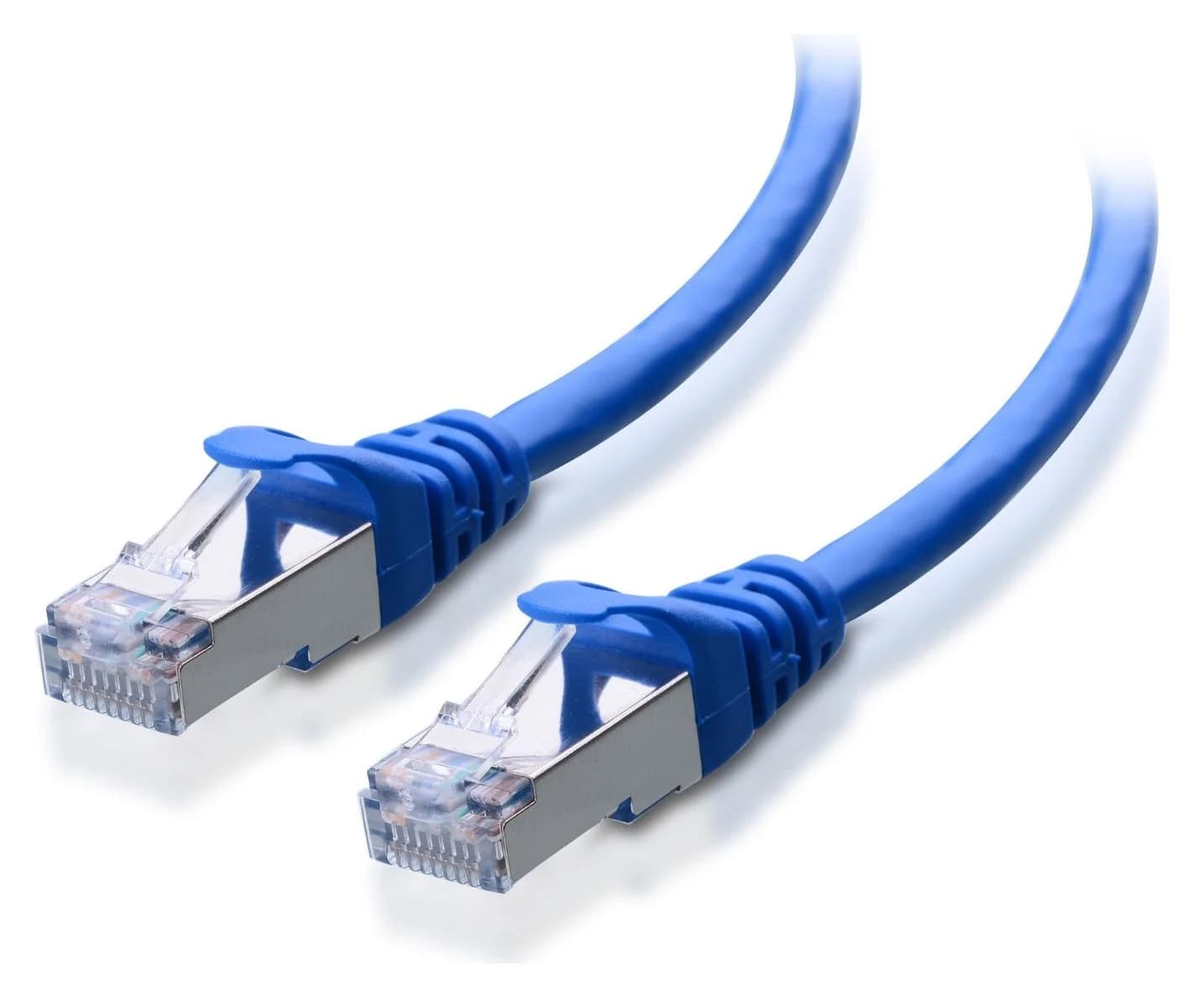
Cable Matters
A Cat6A equipment patch lead with S/FTP shielding, bare-copper conductors and shielded RJ45 connectors.
Check package and model options
For new installed wiring designed for 10G over 100 m, Fluke recommends Cat6A. Existing Cat6 needs qualification: Fluke describes 37–55 m as conditional on alien crosstalk and says testing is needed to establish suitability. A patch-cable purchase does not qualify the wiring inside a wall. Our Cat6 vs Cat6A vs Cat8 guide covers that wider installation decision.
If you need configurable VLANs or link aggregation, change the shortlist: both QNAP models are unmanaged. QNAP specifically associates port trunking with its managed series. Our multi-gig switch guide covers management choices and other port layouts.
How we choose
This is a comparison of official product specifications, hardware sheets, adapter support downloads and cabling guidance, checked November 2, 2026. It includes no physical speed, power or noise measurements. We prioritize required endpoint rates, subtract the router connection, and then check connectors, cooling and the complete accessory order. The ledgers and cable quantities are explicit planning calculations; they assume the endpoint capabilities stated in each example. See How we choose.
Verdict
Choose QSW-2104-2T-R2 when the NAS and PC fill its fast ports and the other connections fit at 2.5G or below. Choose QSW-3205-5T when another endpoint or uplink needs a fast port. If the mixed-speed switch already satisfies your ledger, keep it and spend only on the missing NIC or cabling your equipment actually requires.
Frequently asked questions
Which QNAP 10Gb switch should I buy for a NAS and a PC?
Choose QSW-2104-2T-R2 if the NAS and PC are your only 10G endpoints and the router connects at 1G or 2.5G. Its two fast ports serve the NAS and PC; the router uses a slower port. Choose QSW-3205-5T when another workstation, router or upstream switch also needs a connection faster than 2.5G. Count that uplink as an endpoint.
Will a 2.5G router connection slow down local 10G NAS transfers?
In the illustrated layout, the NAS and PC connect to the same switch and communicate on the same local subnet using the NAS's local address. Their traffic stays on the switch, so the router uplink does not set their link speed. Traffic to devices beyond that uplink shares its capacity. This reasoning does not apply to transfers routed between different subnets.
Can the QSW-3205-5T connect 2.5G and 5G devices?
Yes. QNAP specifies 10G, 5G, 2.5G, 1G and 100 Mbps auto-negotiation on all five RJ45 ports. Slower equipment can occupy any port, but it still consumes a physical connection. A NAS, two workstations and a router use four ports, leaving one. The switch does not turn a slower endpoint into a 10G device.
Are these switches fanless, and which uses less power?
QNAP describes both models as fanless. It publishes maximum power consumption of 18W for QSW-2104-2T-R2 and 36W for QSW-3205-5T. Those are maximum specifications, not idle measurements or a household energy comparison. Both specify an operating temperature of 0–40°C. Choose placement with ventilation, and avoid inferring everyday consumption or a noise measurement from those specifications.
Related guides
Comparison · Network Switches
QNAP QSW-1108-8T-R2 vs TP-Link TL-SG108S-M2: Which 2.5G Switch?
Choose your eight-port 2.5G switch: QNAP R2 vs TP-Link V2, with a port plan, power-adapter checks, loop-prevention setup, cable advice and warranty guidance.
Best picks · Network Switches
Best 10GbE Switches for a Home NAS: Copper, SFP+ and Usable Ports
Choose a 10GbE switch for your NAS and PC: compare usable copper and SFP+ ports, check NETGEAR revisions, and match cables, adapters, cooling and storage.
Comparison · Network Switches
Managed vs Unmanaged Switch: What Your Home Network Needs
Choose managed or unmanaged by the controls you need. Compare VLANs, monitoring and PoE, with clear picks and a complete router-to-AP segmentation example.