

ScreenBeam
ScreenBeam ECB7250 Bonded MoCA 2.5 Network Adapter (2.5GbE)
A bonded MoCA 2.5 network adapter with a 2.5 Gbps Ethernet port that turns coax wiring into a wired backbone.
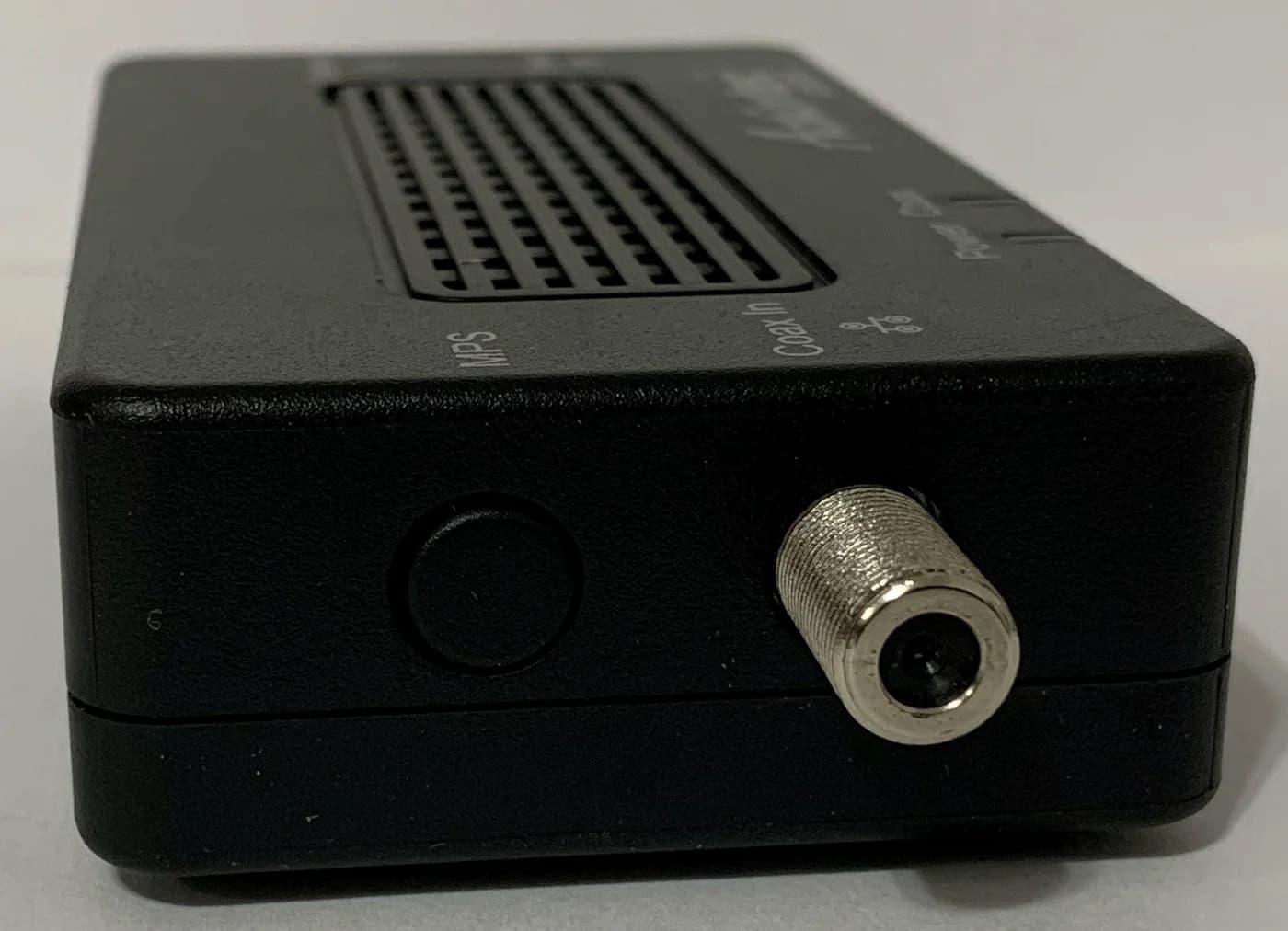
1 / 1 · hero · hover to zoom
Photo: ScreenBeam
Key facts
- Standard
- MoCA 2.5, backward compatible with MoCA 1.0, 1.1 and 2.0
- Throughput (maker)
- Up to 2.5 Gbps; ScreenBeam says actual speeds depend on the coax wiring and noise
- Ethernet
- 1x 10/100/2500BASE-T (IEEE 802.3bz)
- Coax
- F-type, 75 ohm; extended D-band 1125-1675 MHz
- Network size
- Up to 16 MoCA devices in total
- Link delay
- 3.6 ms typical, 6.3 ms maximum
- Security
- MoCA Protected Setup (MPS); MoCA encryption off by default
Which version should you buy?
This page covers: ECB7250K02 two-adapter starter kit.
ECB7250 two-adapter starter kit
This pageModel: ECB7250K02
- What differs
- Two ECB7250 adapters with 2.5 Gbps Ethernet ports, plus cables, splitters and power adapters.
- Best for
- Starting a MoCA link when you need an adapter at both ends.
ECB7250 single add-on
Model: ECB7250S02
- What differs
- One ECB7250 adapter with the same 2.5 Gbps Ethernet port. It needs another adapter or an existing MoCA-ready network.
- Best for
- Adding one endpoint to an existing MoCA network.
ECB6250 gigabit model
Model: ECB6250K02
- What differs
- A different model: it also uses MoCA 2.5, but its Ethernet port is limited to 1 Gbps.
- Best for
- Connections that only need gigabit Ethernet.
Watch out
- K02 is the two-adapter starter kit; S02 is the single add-on.
- One add-on is enough only if another compatible MoCA device is already present.
- MoCA 2.5 appears on both ECB7250 and ECB6250; check the Ethernet port speed, not just the MoCA version.
Why people pick it
- 2.5 Gbps Ethernet port
- Backward compatible with older MoCA versions
- Up to 16 devices in total on one MoCA network
Know before you buy
- ScreenBeam excludes satellite TV, AT&T internet and AT&T U-verse coax networks
- Possible conflicts with some DOCSIS 3.1 modems (maker note)
- MoCA encryption is off until enabled
Full specifications
| Standard | MoCA 2.5, backward compatible with MoCA 1.0, 1.1 and 2.0 |
|---|---|
| Throughput (maker) | Up to 2.5 Gbps; ScreenBeam says actual speeds depend on the coax wiring and noise |
| Ethernet | 1x 10/100/2500BASE-T (IEEE 802.3bz) |
| Coax | F-type, 75 ohm; extended D-band 1125-1675 MHz |
| Network size | Up to 16 MoCA devices in total |
| Link delay | 3.6 ms typical, 6.3 ms maximum |
| Security | MoCA Protected Setup (MPS); MoCA encryption off by default |
| Power | 5V DC, 2A adapter (100-240V input) |
| Not compatible with (maker) | DirecTV, Dish or other satellite TV, AT&T internet and AT&T U-verse coax networks |
| DOCSIS 3.1 note (maker) | Some DOCSIS 3.1 modems can conflict with MoCA (frequency overlap); check with your ISP |
| Cable internet note (maker) | With cable internet on the same coax, install a MoCA PoE filter at the internet service entry point and contact your service provider; MoCA cannot share coax with satellite TV |
From manufacturer documentation, checked November 2, 2026. Spotted an error? Tell us.
Featured in
MoCA vs Powerline in 2026: Wired Internet Without New Cables
MoCA uses your TV coax, powerline uses your power outlets. Which one fits your home, the filter, splitter and outlet rules that trip people up, and what to buy.
Updated November 2, 2026Read
Wi-Fi Extender vs Mesh: When an Extender Is Enough
Fix weak Wi-Fi without buying the wrong system: compare extenders, compatible mesh nodes and wired options, with clear picks, placement and compatibility tips.
Updated November 2, 2026Read