

Best picks
Best Cable Modems in 2026: DOCSIS 3.1 Picks Checked Against Xfinity, Spectrum and Cox
Four DOCSIS 3.1 cable modems checked against Xfinity's, Spectrum's and Cox's own device lists on November 1, 2026: supported plans, 2.5G ports, upload limits.
By thisPING EditorialUpdated November 2, 20269 min read1 picks
Our picks at a glance
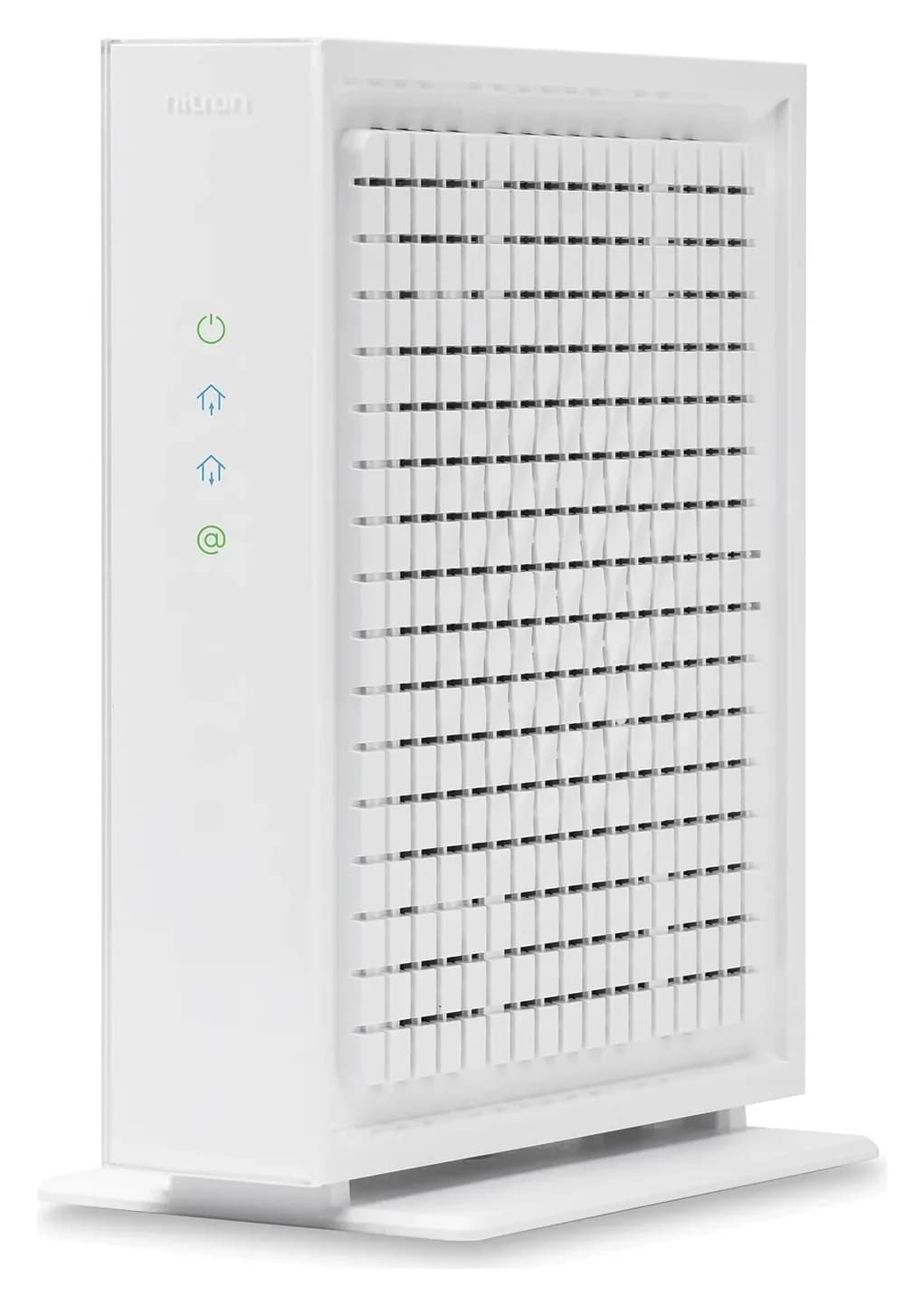
For most cable internet plans, the Netgear Nighthawk CM3000 is the modem to buy: a DOCSIS 3.1 modem with a 2.5 Gbps port, mid- and high-split support for faster upload tiers, and a place on Xfinity's, Spectrum's and Cox's own approved lists. The ARRIS SURFboard S34 is the alternative with a two-year warranty, and the Netgear CM2500 is enough for plans up to 1 Gbps. ISP lists checked November 1, 2026.
Each pick below is shown against the provider's own device list, because that list, not the modem box, decides what works. Check it again for your address before you buy.
Tap a label to explore. You can also hover or use your keyboard.
Cable modemNETGEAR CM3000 · DOCSIS 3.1
First verify compatibility and support for your internet speed; Xfinity uses My Device Info. The CM3000 Ethernet port is limited to 2.5 Gbps.
Sources: 1: Xfinity tells buyers to verify compatibility and support for their internet speed., 2: The CM3000 is a DOCSIS 3.1 cable modem., 4: The standard capability is not the modem Ethernet speed: NETGEAR contrasts the DOCSIS 3.1 maximum of 10 Gbps with the CM3000 port limit of 2.5 Gbps., 5: NETGEAR says internet speed can be reduced by network traffic and the service plan.- Modem Ethernet → router WAN / Internet
Router WAN and LANWAN / Internet in · LAN out
Connect the modem to the router port labelled WAN or Internet. A separate Ethernet cable runs from a LAN port toward the wired device.
Sources: 3: NETGEAR connects the CM3000 2.5 Gig port directly to a router multi-gig Internet port., 6: For the wired local connection, the slowest link includes Ethernet ports at both ends, any switch and the cabling., 7: NETGEAR identifies the router WAN port as the Internet port and connects it to the modem using Ethernet., 8: ASUS distinguishes WAN/LAN ports from LAN-only ports on the RT-BE92U; those are the port labels used in this diagram. - Router LAN → device, through any switch
Wired deviceCheck ports, switch and cabling
The wired connection runs at its slowest link, including the Ethernet ports at both ends, any switch and the cabling. Inspect the whole path rather than the modem alone.
Sources: 6: For the wired local connection, the slowest link includes Ethernet ports at both ends, any switch and the cabling.
DOCSIS 3.1 standard: up to 10 Gbps; CM3000 Ethernet: limited to 2.5 Gbps. Actual internet speed can also be reduced by the service plan and network traffic.
Source notes8 references
Xfinity tells buyers to verify compatibility and support for their internet speed.
www.xfinity.com — source for Xfinity tells buyers to verify compatibility and support for their internet speed.Before you buy a device, make sure it works with Xfinity services and supports your internet speed.
The CM3000 is a DOCSIS 3.1 cable modem.
www.netgear.com — source for The CM3000 is a DOCSIS 3.1 cable modem.this mid/high-split DOCSIS ® 3.1 cable modem delivers up to 2.5Gbps of download speeds
NETGEAR connects the CM3000 2.5 Gig port directly to a router multi-gig Internet port.
www.netgear.com — source for NETGEAR connects the CM3000 2.5 Gig port directly to a router multi-gig Internet port.Connect for multi-gig internet speed by plugging your router's multi-gig Internet port directly into the modem's 2.5Gig port.
The standard capability is not the modem Ethernet speed: NETGEAR contrasts the DOCSIS 3.1 maximum of 10 Gbps with the CM3000 port limit of 2.5 Gbps.
www.netgear.com — source for The standard capability is not the modem Ethernet speed: NETGEAR contrasts the DOCSIS 3.1 maximum of 10 Gbps with the CM3000 port limit of 2.5 Gbps.10Gbps is the maximum data transfer rate in the DOCSIS ® 3.1 standard. In practice, your Internet speeds will be less, as the transfer rate through the CM3000 Gigabit Ethernet port is limited to 2.5Gbps.
NETGEAR says internet speed can be reduced by network traffic and the service plan.
www.netgear.com — source for NETGEAR says internet speed can be reduced by network traffic and the service plan.The internet speeds may also be reduced by the volume of network traffic or your service plan.
For the wired local connection, the slowest link includes Ethernet ports at both ends, any switch and the cabling.
eero.com — source for For the wired local connection, the slowest link includes Ethernet ports at both ends, any switch and the cabling.In practice, the connection runs at the speed of the slowest link in the chain—that includes the Ethernet ports on both ends, plus any switch and cabling in between.
NETGEAR identifies the router WAN port as the Internet port and connects it to the modem using Ethernet.
www.netgear.com — source for NETGEAR identifies the router WAN port as the Internet port and connects it to the modem using Ethernet.Plug the Ethernet cable from the modem into the router’s WAN port, which is usually labeled Internet.
ASUS distinguishes WAN/LAN ports from LAN-only ports on the RT-BE92U; those are the port labels used in this diagram.
www.asus.com — source for ASUS distinguishes WAN/LAN ports from LAN-only ports on the RT-BE92U; those are the port labels used in this diagram.1 x 10Gbps for WAN/LAN 1 x 2.5Gbps for WAN/LAN 3 x 2.5 Gbps for LAN
Quick picks and ISP lists
| Modem | Ethernet | Xfinity (My Device Info) | Spectrum | Cox |
|---|---|---|---|---|
| Netgear CM3000 | 1x 2.5G, 2x 1G | Up to 2.33 Gbps down, 486 Mbps up | Tiers up to 1G | 2 Gig and lower |
| ARRIS SURFboard S34 | 1x 2.5G, 1x 1G | Up to 2.32 Gbps down, 444 Mbps up | Tiers up to 1G | 2 Gig and lower |
| Hitron CODA56 | 1x 2.5G | Up to 2.33 Gbps down, 455 Mbps up | Tiers up to 1G | 2 Gig and lower |
| Netgear CM2500 | 2x 1G | Up to 936 Mbps down, 456 Mbps up | Tiers up to 1G | 1 Gig and lower |
Sources: Xfinity My Device Info (default list, before entering an address), Spectrum's authorized retail modems ("Non-symmetrical Spectrum Internet tiers up to 1G") and Cox's certified cable modems. Xfinity marks all four "Supports enhanced speeds" and "Voice-enabled: No."
Source: Xfinity My Device Info, checked November 1, 2026
What your provider allows
- Xfinity: "You can use your own modem, router, or gateway instead of renting equipment from Xfinity," after checking it in My Device Info. Two limits: Xfinity says customer-owned modems "are not currently compatible with X-Class speeds" (its symmetrical tiers), and in upgraded areas only certified retail devices get the faster upload speeds, which Xfinity puts at 75-200 Mbps (Xfinity).
- Spectrum: you "may use a modem you already own that is authorized to work on the Spectrum network," but customer-owned modems are only authorized for non-symmetrical speed tiers, its retail list tops out at tiers up to 1G, and "Spectrum Home Phone service is not compatible with customer-owned modems." Spectrum also says it offers subscribers a compliant modem at no additional charge.
- Cox: certifies all four, but lists the CM2500 only for 1 Gig and lower. For its 2 Gbps service Cox also asks for a router with a 2.5 Gbps WAN port and a 2.5 Gbps LAN port. Cox's site now carries the line "Cox is now Spectrum," but its certified list was still on cox.com when we checked.
On every provider, support for your own modem comes from its maker: Spectrum says "only Spectrum-provided equipment is supported by our technicians," and Cox's Customer Support covers only modems bought or rented from Cox, unless you add its paid Complete Care plan.
Best overall: Netgear Nighthawk CM3000
The CM3000 covers today's multi-gig cable plans and the upload upgrades coming to them. Netgear's CM3000 page lists DOCSIS 3.1 with mid-split and high-split support, one 2.5 Gbps port and two 1 Gbps ports, and up to 2.5 Gbps download (limited by the port) and 1 Gbps upload. Netgear notes that mid-split is "currently being offered by some ISPs in some regions" and that high-split "may be offered by ISPs in the near future," so check with yours.
- Link aggregation: the two gigabit ports can be combined for up to 2 Gbps with a router that supports it, a fallback for routers without a 2.5G WAN port
- No Wi-Fi and no voice: pair it with a router or mesh system; Netgear says it isn't compatible with cable bundled voice services
- FCC: Netgear's Conditional Approval names its CM-series cable modems explicitly, April 14, 2026 to October 1, 2027 (DA 26-1130)
Netgear's End of Service policy ends firmware and security updates, in general, three years after the last sale date.
Best for a two-year warranty: ARRIS SURFboard S34
The S34 has one 2.5 Gbps Ethernet port and one 1 Gbps Ethernet port. SURFboard's S34 page lists DOCSIS 3.1 with 2 downstream x 2 upstream OFDM channels and 32x8 bonded DOCSIS 3.0 channels, plans up to 2.5 Gbps, "Next Generation Upload Speed Optimized" marketing, and a 2-year limited warranty. It has no Wi-Fi and no voice. SURFboard doesn't say whether "next gen upstream" means mid-split or high-split, so rely on your provider's list: Xfinity marks it as supporting enhanced speeds.
Best single-port pick: Hitron CODA56
Hitron
Hitron CODA56 Multi-Gig DOCSIS 3.1 Cable Modem
A DOCSIS 3.1 cable modem with one 2.5 Gbps Ethernet port, made for cable plans up to 2.5 Gbps.
Comes in 3 versions: see which to buy
- 2.5 Gbps port
The CODA56 keeps it simple: one 2.5 Gbps port, DOCSIS 3.1 with 2x2 OFDM/OFDMA and 32x8 channel bonding, and a switchable 5-42 or 5-85 MHz upstream in its datasheet. Hitron's figures for upload differ: its product page says up to 1 Gbps, while the datasheet lists up to 700 Mbps over DOCSIS 3.1 OFDMA and, as a separate figure, up to 320 Mbps over DOCSIS 3.0. The datasheet puts typical power use at 8.92 W. It comes in white or black.
The trade-off is the single port, and like the others it has no Wi-Fi and no voice support. Hitron's FCC Conditional Approval (June 22, 2026 to December 18, 2027) names its Wi-Fi gateways and standalone Wi-Fi routers, not standalone modems.
Best for plans up to 1 Gig: Netgear Nighthawk CM2500
The CM2500 is the CM3000 without the 2.5G port: DOCSIS 3.1 with mid- and high-split support, two gigabit ports with link aggregation, and up to 1 Gbps upload, per Netgear. On one cable it tops out at gigabit; Xfinity lists it at up to 936 Mbps download and Cox certifies it for 1 Gig and lower. Choose it if you're sure you'll stay on a gigabit plan.
DOCSIS 3.1, 2.5G ports and upload speed, briefly
DOCSIS 3.1 is the current cable standard; CableLabs says it brings download speeds of up to 10 Gbps and upstream speeds of up to 1 Gbps (CableLabs). What you actually get is capped by your plan and by the modem's Ethernet port.
The 2.5G port matters above 1 Gbps. A gigabit port can't pass a 2 Gig plan, which is why Cox asks for 2.5G ports end to end for its 2 Gbps service, and why the CM2500 tops out near 936 Mbps on Xfinity's list.
Upload upgrades (mid-split and high-split) give upload a bigger share of the cable's frequencies; Hitron's datasheet, for example, lists a switchable 5-42 or 5-85 MHz upstream. Your modem needs to support the version your provider uses: Xfinity's "Supports enhanced speeds" flag is the simplest check.
Modem or gateway? A gateway combines modem and router; the FCC counts these combined gateways as routers under its 2026 router rule, while it doesn't name standalone modems either way (FCC-26-50). Separate boxes let you replace the Wi-Fi without touching the modem; our modem vs router guide explains the split, and our Wi-Fi 7 router picks pair well with a 2.5G modem.
How we choose
We haven't lab-tested these modems. The picks come from each maker's spec page and datasheet, checked against the providers' own device lists (Xfinity's My Device Info, Spectrum's authorized retail modems and Cox's certified list) on November 1, 2026. Where a maker's figures disagree, as Hitron's upload numbers do, we show both. Provider lists change, and Xfinity's results depend on your address, so treat our table as a starting point. More on our method: How we choose.
Buying guide
Start with your provider and plan. Find your modem on its list for your plan tier. If your plan is symmetrical (X-Class on Xfinity, or Spectrum's symmetrical tiers), you need the provider's equipment.
Keep a phone line? None of these modems supports cable voice.
Count the boxes. Every pick needs a separate router or mesh system. For plans above 1 Gbps, the router needs a 2.5G WAN port too.
Check the equipment line on your bill. Spectrum includes a compliant modem at no additional charge, and Xfinity says its latest plans include its gateway at no extra cost, so owning a modem saves the most where you're paying for equipment today.
Verdict
The Netgear Nighthawk CM3000 is the best cable modem for most plans: a 2.5 Gbps port, mid- and high-split support and a place on all three providers' lists. Get the ARRIS SURFboard S34 for a two-year warranty, the Hitron CODA56 if one port is all you need, or the Netgear CM2500 if you'll stay at 1 Gbps or less.
Frequently asked questions
Do I need a DOCSIS 3.1 modem?
For any plan above 500 Mbps, yes in practice. On November 1, 2026, Cox listed DOCSIS 3.0 modems only for its 500 Mbps tier and below, and Spectrum listed older models such as Netgear's CM600 and C7000 only for tiers up to 500 Mbps. All four modems in this guide are DOCSIS 3.1 and appear on Xfinity's, Spectrum's and Cox's own lists.
Will my own modem work with Xfinity, Spectrum or Cox phone service?
Not with these four. None supports cable voice. Spectrum says its Home Phone service is not compatible with customer-owned modems, and Xfinity's device list flags which models are voice-enabled (all four here show 'No'). If you keep a cable phone line, check your provider's list for a voice modem or keep the provider's gateway.
Is a modem with a 2.5 Gbps port worth it on a 1 Gig plan?
It's worth it if you might move to a faster plan, because the 2.5G port is what lets the modem pass more than gigabit speed over one cable: Xfinity lists the gigabit-port Netgear CM2500 at up to 936 Mbps download, against 2.32-2.33 Gbps for the 2.5G models. On a plan you'll keep at 1 Gbps or less, the CM2500 is enough.