

Explainer
Modem vs Router: What Each Box Does, and What Your Internet Type Needs
A modem connects your home to your provider; a router shares that connection with your devices. Which boxes cable, fiber, 5G home internet and Starlink need.
By thisPING EditorialUpdated November 2, 20269 min read
A modem connects your home to your internet provider's network; a router shares that one connection with all your devices over Wi-Fi and Ethernet. Cable internet needs both (or a gateway that combines them), fiber needs the provider's fiber box plus a router, and 5G home internet and Starlink come with the provider's own unit. Provider policies checked November 1, 2026.
Spectrum's support pages define the split the same way: "While a modem establishes an internet connection in your home, a router broadcasts a WiFi signal that lets devices such as laptops, smartphones or tablets connect to the Internet wirelessly" (Spectrum).
The boxes, in one table
| Box | What it does | Who usually supplies it |
|---|---|---|
| Cable modem | Turns the provider's coax signal (DOCSIS) into an Ethernet connection | You or the provider; yours must be on the provider's list |
| Fiber ONT | The fiber terminal on the wall; hands your router an Ethernet connection | The provider |
| Router | Creates your home network and Wi-Fi, and forwards traffic between it and the internet | You or the provider |
| Gateway | A modem and a router in one box | The provider, or a retail combo |
The FCC's definition of a router, used for its 2026 router rule, is a consumer networking device that "forward[s] data packets, most commonly Internet Protocol (IP) packets, between networked systems" (DA 26-286). The FCC treats a combined modem-and-router box (a "residential gateway") as a router, but not a fiber ONT (FCC-26-50).
Tap a label to explore. You can also hover or use your keyboard.
Choose your connectionAlternative paths to your home network
Cable uses a modem or a combined cable gateway. In the Verizon Fios example, fiber terminates at an ONT.
Sources: 1: A cable modem converts the provider coaxial signal to Ethernet., 4: A cable gateway combines modem and Wi-Fi router functions., 5: In the Verizon Fios example, the ONT converts incoming fiber light to an electrical signal.Cable modemCoax wall connection → modem
The modem converts the provider’s coaxial signal into an Ethernet connection. Connect it to the router’s WAN port, usually labelled Internet.
Sources: 1: A cable modem converts the provider coaxial signal to Ethernet., 2: The cable modem connects by Ethernet to router WAN, usually labelled Internet.Fiber ONTFiber → Optical Network Terminal
The Fios ONT converts incoming light into an electrical signal. It delivers the connection to the router through Ethernet.
Sources: 5: In the Verizon Fios example, the ONT converts incoming fiber light to an electrical signal., 6: The Fios ONT delivers the information to the router over Ethernet.Cable gatewayCable modem + router in one enclosure
A cable gateway combines the modem and Wi-Fi router functions. The router function distributes the connection to devices over Wi-Fi or Ethernet.
Sources: 3: The router distributes the connection to devices over Wi-Fi or Ethernet., 4: A cable gateway combines modem and Wi-Fi router functions.Separate routerModem Ethernet → WAN / Internet
The router distributes the provider connection to devices over Wi-Fi or Ethernet. In the Fios path, the ONT supplies its Ethernet connection.
Sources: 2: The cable modem connects by Ethernet to router WAN, usually labelled Internet., 3: The router distributes the connection to devices over Wi-Fi or Ethernet., 6: The Fios ONT delivers the information to the router over Ethernet., 7: The Fios router supports Ethernet and Wi-Fi networking.Your devicesWi-Fi or Ethernet
Devices use the router’s local Wi-Fi or Ethernet connection. This router function is present in either the separate router or the combined cable gateway.
Outcome
Sources: 3: The router distributes the connection to devices over Wi-Fi or Ethernet., 4: A cable gateway combines modem and Wi-Fi router functions., 7: The Fios router supports Ethernet and Wi-Fi networking.The fiber path is a Verizon Fios example. The combined gateway shown here is a cable modem plus router.
Source notes7 references
A cable modem converts the provider coaxial signal to Ethernet.
www.netgear.com — source for A cable modem converts the provider coaxial signal to Ethernet.A modem converts the internet service provider signal coming through Coaxial Cables into a usable Ethernet network connection for your home.
The cable modem connects by Ethernet to router WAN, usually labelled Internet.
www.netgear.com — source for The cable modem connects by Ethernet to router WAN, usually labelled Internet.Using an Ethernet cable, connect the modem to the WAN port of the router (usually labeled “Internet”).
The router distributes the connection to devices over Wi-Fi or Ethernet.
www.netgear.com — source for The router distributes the connection to devices over Wi-Fi or Ethernet.The router receives the internet signal from your modem in a form that can be distributed to your connected devices via WiFi or Ethernet ports.
A cable gateway combines modem and Wi-Fi router functions.
www.netgear.com — source for A cable gateway combines modem and Wi-Fi router functions.A gateway modem is a hybrid device that combines the capabilities of a Modem and the capabilities of a WiFi router in a single device.
In the Verizon Fios example, the ONT converts incoming fiber light to an electrical signal.
www.verizon.com — source for In the Verizon Fios example, the ONT converts incoming fiber light to an electrical signal.When you access the internet with Fios, a fiber-optic cable carries laser-generated pulses of light that transmit a data signal to your office. Once the signal arrives, an Optical Network Terminal (ONT) converts it to an electrical signal that is understood by your computer.
The Fios ONT delivers the information to the router over Ethernet.
www.verizon.com — source for The Fios ONT delivers the information to the router over Ethernet.Your ONT takes all converted incoming information and delivers it to your router via an Ethernet cable.
The Fios router supports Ethernet and Wi-Fi networking.
www.verizon.com — source for The Fios router supports Ethernet and Wi-Fi networking.It supports networking using Ethernet or Wi-Fi.
What your connection type needs
| Your connection | The boxes | Can you bring your own? |
|---|---|---|
| Cable (Xfinity, Spectrum, Cox) | Cable modem + router, or a gateway | Yes: a modem from the provider's list plus any router, except on symmetrical-speed plans or with Spectrum Home Phone |
| Fiber | The provider's ONT + a router, or the provider's gateway | A router, usually yes; the ONT stays |
| 5G home internet (T-Mobile) | The provider's 5G gateway | You can add a router behind it; T-Mobile says its gateways can't switch to bridge mode |
| Starlink | The Starlink router | Yes: bypass mode hands the connection to your router |
Cable. Xfinity says you "can use your own modem, router, or gateway instead of renting equipment," as long as My Device Info lists it for your address (Xfinity); it also notes that "most modems need a separate router to provide WiFi." Spectrum and Cox keep their own lists, and both support only their own equipment. Our cable modem guide shows four DOCSIS 3.1 modems on all three providers' lists, with dates.
Fiber. There's no modem to buy: the provider installs the ONT, and a router connects to it. Cox describes its own Wi-Fi 7 fiber router as "only for Fiber customers hooking it up to an ONT," and Xfinity says members whose building gets fiber to the unit can use "any standard router compatible with your speed tier" (Cox, Xfinity). If your fiber provider gives you a combined box (a gateway) instead of a plain ONT, plug your router into that box.
5G home internet. The provider's gateway contains the 5G radio, so it stays. T-Mobile says a third-party router can connect to its gateway's Ethernet port, but its gateways "do not have the ability to enable and disable bridge mode" (T-Mobile), so your router plugs into it and runs either as a second router or as Wi-Fi access points.
Starlink. Bypass mode "allows you [to] turn off the Starlink router and connect a third-party router directly to Starlink," and the Starlink router's Wi-Fi features are then completely disabled (Starlink).
Gateway or separate boxes?
A gateway (a modem-router combo) means one box, one power plug and one support number. Xfinity, for instance, describes its gateway as "our modem + router in one." The case for separate boxes is flexibility: with a standalone modem, you can upgrade to a Wi-Fi 7 router or a mesh system without touching the modem, and the reverse.
- Yes: Separate modem and router: you want Wi-Fi 7 or mesh, more Ethernet ports, or to upgrade one box at a time
- Yes: Provider gateway: you want one box and full support from your provider, or you're on a tier that needs its equipment
- Partly: Your router behind a gateway: works, but two routers make two separate networks (double NAT); setting one of them to bridge mode keeps a single network
Which box is slowing you down?
When the internet feels slow, the bottleneck is usually one specific box or link. Work through it in this order:
Check the plan against the modem
A modem with only gigabit ports can't pass more than gigabit speed over one cable: Xfinity lists the gigabit-port Netgear CM2500 at up to 936 Mbps. Above 1 Gbps you need a 2.5 Gbps port.
Check the router's WAN port
The router's internet port has to be at least as fast as the plan. A 1 Gbps WAN port caps a 2 Gig plan at gigabit, however fast the Wi-Fi is.
Compare wired and wireless
Plug a computer into a router LAN port and run a speed test. If wired is close to your plan and Wi-Fi isn't, the modem is fine and the router, its placement or your home's size is the issue.
Check the device
A Wi-Fi 6 phone can't use a 6 GHz band, and a laptop's own Wi-Fi radio sets its ceiling. Newer routers help most when your devices can use what they add.
If the wired test is slow too, the modem or the line is the place to start: check that your modem is on your provider's list for your plan and contact the provider.
Owning vs renting
We don't show prices, so check the equipment line on your bill. Two things change the math:
- Some equipment is included. Spectrum says it offers a compliant modem "at no additional charge"; its Wi-Fi is a monthly add-on on some plans and included with others, such as Internet 1 Gig (Spectrum). Xfinity says "the latest Xfinity Internet plans include the Xfinity Gateway at no extra cost."
- Support changes. Spectrum says "only Spectrum-provided equipment is supported by our technicians," and Cox supports only modems bought or rented from Cox unless you pay for its Complete Care plan. With your own gear, its maker handles support and updates.
What to buy
For cable: a DOCSIS 3.1 modem with a 2.5 Gbps port if your plan is above 1 Gbps. Xfinity lists the Hitron CODA56, for example, at up to 2.33 Gbps download. More picks: best cable modems.
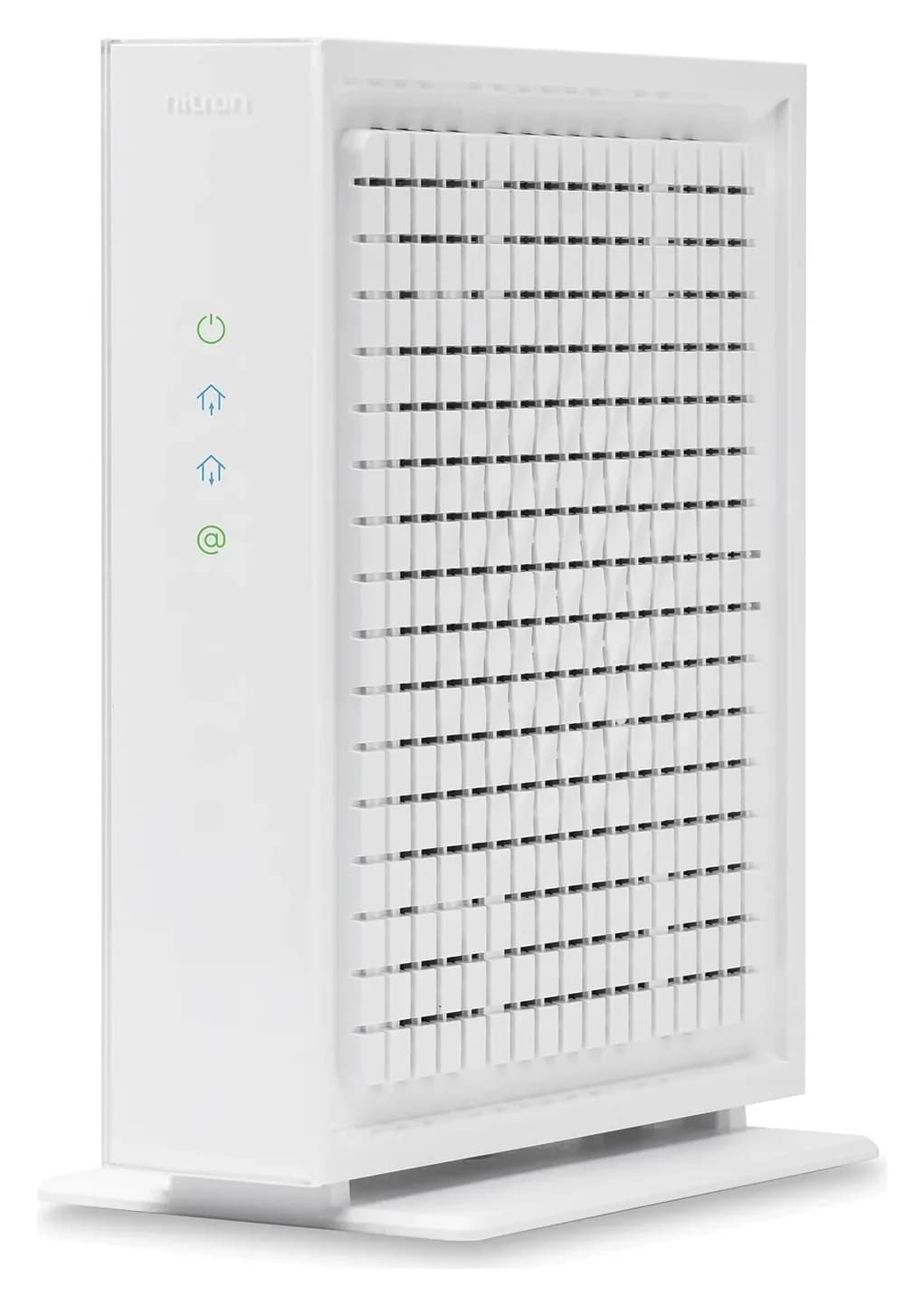
Hitron
Hitron CODA56 Multi-Gig DOCSIS 3.1 Cable Modem
A DOCSIS 3.1 cable modem with one 2.5 Gbps Ethernet port, made for cable plans up to 2.5 Gbps.
Comes in 3 versions: see which to buy
- 2.5 Gbps port
For any connection: a router whose internet (WAN) port matches your plan. A 2 Gig plan needs a 2.5 Gbps port at least; Cox lists a router "with at least 2.5Gbps Ethernet WAN interface" for its 2 Gbps service. See best Wi-Fi 7 routers, or best mesh Wi-Fi systems for long or multi-story homes.
Cables: the cable in the box is usually enough. IEEE's 802.3bz standard runs 2.5 Gbps Ethernet up to at least 100 m over Cat5e (IEEE).
How we choose
We haven't lab-tested these setups. This explainer is built from the providers' own support pages (Xfinity, Spectrum, Cox, T-Mobile and Starlink), the FCC's router definitions and the IEEE Ethernet standard, checked November 1, 2026. Provider rules change, so confirm on your provider's site before you buy. Our full method: How we choose.
Verdict
If you have cable, you need a modem and a router: buy a DOCSIS 3.1 modem from your provider's list and a router with a WAN port that matches your plan, or rent the provider's gateway if you'd rather have one box and its support. On fiber, the ONT stays and you choose the router. On 5G home internet and Starlink, keep the provider's unit and add your own router only if you need more coverage or features.
Frequently asked questions
Do I need both a modem and a router?
On cable internet, yes: the modem connects to the provider and the router creates your Wi-Fi, unless you use a gateway that combines both. Xfinity puts it plainly: most modems need a separate router to provide Wi-Fi. On fiber, the provider's fiber box (the ONT) takes the modem's place, so you add a router. 5G home internet and Starlink come with the provider's own equipment, including a router.
Can I use my own router with fiber internet?
Usually, yes. The fiber terminal (ONT) belongs to the provider, and your router plugs into it or into the provider's gateway. Xfinity, for example, says members with fiber delivered to their unit can use any standard router compatible with their speed tier. Check your provider's support pages for its exact setup.
Will a better router make my internet faster?
Only up to your plan's speed. A router can't add bandwidth your provider doesn't deliver, but it can get more of that bandwidth to your devices: a faster WAN port for multi-gig plans, better Wi-Fi coverage, and a 6 GHz band for newer phones and laptops. If your plan is 1 Gbps and devices near the router already see close to it, a new router won't change that.
Related guides
Best Wi-Fi 7 Routers in 2026, Matched to Your Internet Plan
Wi-Fi 7 routers picked by internet plan and home: the WAN port you need, what BE numbers mean, and each brand's FCC status and update policy, checked Nov 1.
Updated November 2, 2026Read
Buying a Router After the FCC's 2026 Rule: What Changed, What Still Gets Updates, Which Brands Are Approved
The FCC's 2026 router rule from its own documents: what changed on March 23, which existing routers can still be sold and updated, and which makers are approved.
Updated November 2, 2026Read