

Best picks
Best Wi-Fi 7 Routers in 2026, Matched to Your Internet Plan
Wi-Fi 7 routers picked by internet plan and home: the WAN port you need, what BE numbers mean, and each brand's FCC status and update policy, checked Nov 1.
By thisPING EditorialUpdated November 2, 202613 min read2 picks
Our picks at a glance
- See on Amazon1
- See on Amazon2
Best for gaming
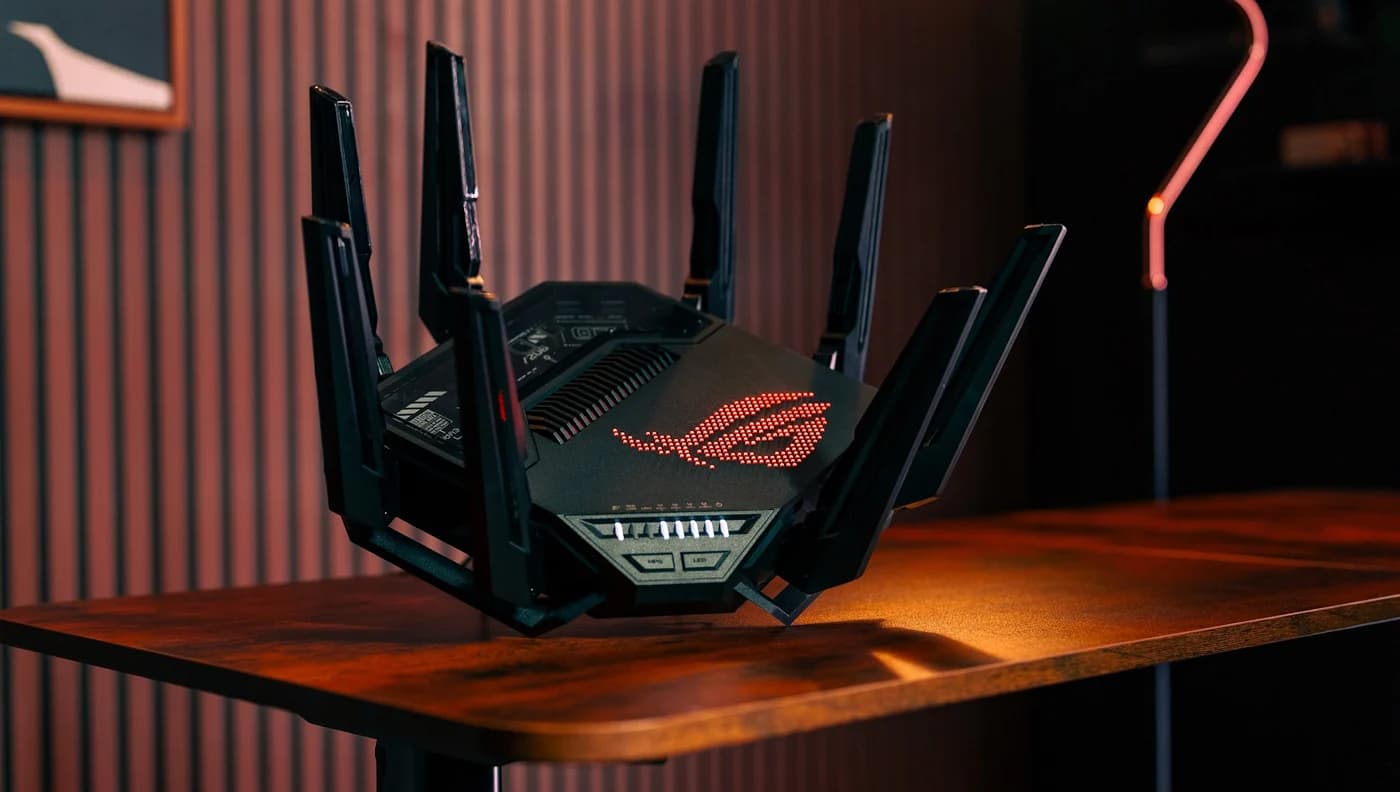
ASUS ROG Rapture GT-BE98 Pro Quad-Band Wi-Fi 7 Gaming RouterWi-Fi 7 · BE30000 · 4 bands · 10 Gbps port
For most homes, the ASUS RT-BE92U is the Wi-Fi 7 router to get: a 10 Gbps WAN/LAN port and four 2.5 Gbps ports cover any internet plan up to 10 Gig, and its 6 GHz band runs Wi-Fi 7's 320 MHz channels. On a plan of 2 Gbps or less, the Netgear Nighthawk RS300 has the 2.5 Gbps internet port you need, and in a smart home the eero Max 7 adds a Thread and Zigbee hub and the only dated security-update commitment in this guide. Specs, ISP requirements and FCC status checked November 1, 2026.
Every router here is tri-band or quad-band Wi-Fi 7 with a 6 GHz band. What separates them is the wired ports, the radios and the maker's support record, so start with your internet plan.
Quick picks
| Pick | Best for | Internet (WAN) port | Other Ethernet ports | FCC router status |
|---|---|---|---|---|
| ASUS RT-BE92U | Best overall, plans up to 10 Gig | 10 Gbps (WAN/LAN) | 1x 2.5 Gbps WAN/LAN, 3x 2.5 Gbps LAN | Approved to Mar 6, 2028 |
| Netgear Nighthawk RS300 | Plans up to 2 Gig | 2.5 Gbps | 2x 2.5 Gbps, 2x 1 Gbps | Approved to Oct 1, 2027 |
| eero Max 7 | Smart homes, simple setup | 10 GbE (ports auto-sense WAN or LAN) | 1x 10 GbE, 2x 2.5 GbE | Approved to Oct 31, 2027 |
| Netgear Nighthawk RS700S | Biggest single-router coverage claim | 10 Gbps | 1x 10 Gbps, 4x 1 Gbps | Approved to Oct 1, 2027 |
| ASUS ROG Rapture GT-BE98 Pro | Gaming and busy networks | 10 Gbps (WAN/LAN) | 1x 10 Gbps, 1x 2.5 Gbps WAN/LAN, 3x 2.5 Gbps, 1x 1 Gbps | Approved to Mar 6, 2028 |
| TP-Link Archer BE550 | Alternative with five 2.5G ports | 2.5 Gbps | 4x 2.5 Gbps | Not on the approval list (see note) |
What your internet plan needs from a router
The internet (WAN) port caps everything behind it. A 1 Gbps port can't pass a 2 Gig plan, and a 2.5 Gbps port can't pass a 5 Gig plan, whatever the BE number on the box says. Cox, for example, lists a "WiFi Router with at least 2.5Gbps Ethernet WAN interface" and a router with at least a 2.5 Gbps LAN port among its requirements for 2 Gbps service.
| Your plan | Router WAN port you need | Picks that fit |
|---|---|---|
| Up to 1 Gbps | 1 Gbps or faster | All six |
| Up to 2 Gbps | 2.5 Gbps or faster | All six |
| Up to 5 Gbps | 5 Gbps or faster | RT-BE92U, eero Max 7, RS700S, GT-BE98 Pro |
| Up to 10 Gbps | 10 Gbps | RT-BE92U, eero Max 7, RS700S, GT-BE98 Pro |
Then check the LAN side. A desktop or NAS only sees multi-gig speeds through a multi-gig LAN port, and some routers pair a fast WAN port with gigabit LAN ports. The modem or fiber box has to keep up too: our modem vs router guide explains which box does what, and our cable modem picks list the 2.5 Gbps models each cable provider accepts.
Wi-Fi 7 vs Wi-Fi 6E vs Wi-Fi 6
Wi-Fi 6 brought OFDMA, 160 MHz channels and 1024-QAM on 2.4 and 5 GHz, and Wi-Fi 6 also introduced Wi-Fi in the 6 GHz band (devices that use it are sold as Wi-Fi 6E). Wi-Fi 7 adds three things that matter at home, according to the Wi-Fi Alliance:
Tap a label to explore. You can also hover or use your keyboard.
Scroll across to see every column
| Option | Capability | What to check |
|---|---|---|
Wider channelsChannel capabilityWi-Fi 6 includes 160 MHz channels. The Wi-Fi 7 feature is 320 MHz channels in the 6 GHz band. Sources: 1: Wi-Fi 6 includes a 160 MHz channel utilization capability., 2: Wi-Fi 7 320 MHz channels are available in the 6 GHz band; the Wi-Fi Alliance compares them with twice the Wi-Fi 6 throughput capability. | Wi-Fi 6: 160 MHz | Wi-Fi 7: 320 MHz in 6 GHz |
Multi-Link OperationMLOMLO distributes traffic among links for increased throughput and reliability. eero describes its MLO benefits for Wi-Fi 7 client devices. Sources: 3: MLO distributes traffic among links for greater throughput and reliability., 7: eero describes MLO benefits for Wi-Fi 7 client devices, rather than every client attached to the router. | Traffic shared across links | Router and Wi-Fi 7 client support |
Denser modulation4K QAMThe Wi-Fi Alliance gives 4K QAM a 20% transmission-rate increase over Wi-Fi 6’s 1024 QAM. This is a feature comparison rather than a measured internet speed. Sources: 4: The Wi-Fi Alliance states 4K QAM has 20% higher transmission rates than Wi-Fi 6 1024 QAM. | 20% higher transmission rates | 4K QAM versus Wi-Fi 6’s 1024 QAM |
Model example: eero 7Dual-band Wi-Fi 7The eero 7 uses 2.4 and 5 GHz antennas. Its Wi-Fi 7 label does not mean it has a 6 GHz radio. Sources: 5: The eero 7 is a dual-band Wi-Fi 7 router., 6: The eero 7 uses 2.4 and 5 GHz antennas, demonstrating that a Wi-Fi 7 model can lack a 6 GHz radio. | 2.4 and 5 GHz | No 6 GHz radio on this model |
Check the client tooBenefits depend on device supporteero says MLO can reduce latency and improve connectivity and speed for Wi-Fi 7 devices. Check the actual router and client features together. Sources: 7: eero describes MLO benefits for Wi-Fi 7 client devices, rather than every client attached to the router. | MLO can reduce latency | Benefit described for Wi-Fi 7 devices |
Bars start at zero and share a scale within each column.
The eero 7 is the model example, not a list of every Wi-Fi 7 feature it supports. Its dual-band radios do not include 6 GHz.
Source notes7 references
Wi-Fi 6 includes a 160 MHz channel utilization capability.
www.wi-fi.org — source for Wi-Fi 6 includes a 160 MHz channel utilization capability.160 MHz channel utilization capability increases bandwidth to deliver greater performance with low latency
Wi-Fi 7 320 MHz channels are available in the 6 GHz band; the Wi-Fi Alliance compares them with twice the Wi-Fi 6 throughput capability.
www.wi-fi.org — source for Wi-Fi 7 320 MHz channels are available in the 6 GHz band; the Wi-Fi Alliance compares them with twice the Wi-Fi 6 throughput capability.320 MHz channels available in the 6 GHz band provide twice the throughput of Wi-Fi 6, enabling multigigabit Wi-Fi device speeds
MLO distributes traffic among links for greater throughput and reliability.
www.wi-fi.org — source for MLO distributes traffic among links for greater throughput and reliability.Multi-link operation supports more efficient load balancing of traffic among links, resulting in increased throughput and enhanced reliability
The Wi-Fi Alliance states 4K QAM has 20% higher transmission rates than Wi-Fi 6 1024 QAM.
www.wi-fi.org — source for The Wi-Fi Alliance states 4K QAM has 20% higher transmission rates than Wi-Fi 6 1024 QAM.4K quadrature amplitude modulation mode (4K QAM) achieves 20% higher transmission rates than Wi-Fi 6’s 1024 QAM for greater efficiency
The eero 7 is a dual-band Wi-Fi 7 router.
eero.com — source for The eero 7 is a dual-band Wi-Fi 7 router.The eero 7 is a dual-band Wi-Fi 7 router built to provide speed and performance
The eero 7 uses 2.4 and 5 GHz antennas, demonstrating that a Wi-Fi 7 model can lack a 6 GHz radio.
eero.com — source for The eero 7 uses 2.4 and 5 GHz antennas, demonstrating that a Wi-Fi 7 model can lack a 6 GHz radio.Each eero 7 features two auto-sensing 2.5 GbE ports and dual-band 2.4 and 5 GHz antennas.
eero describes MLO benefits for Wi-Fi 7 client devices, rather than every client attached to the router.
eero.com — source for eero describes MLO benefits for Wi-Fi 7 client devices, rather than every client attached to the router.Multi-Link operation (MLO) support, which can reduce latency and improve connectivity and speed for Wi-Fi 7 devices when compared to standard operation.
- 320 MHz channels in the 6 GHz band, twice the width Wi-Fi 6 can use, for multi-gigabit device speeds.
- Multi-Link Operation (MLO), which spreads traffic across links for "increased throughput and enhanced reliability."
- 4K QAM, which the Alliance puts at 20% higher transmission rates than Wi-Fi 6's 1024 QAM.
Your devices decide how much of that you get. Apple lists Wi-Fi 7 (802.11be) for the iPhone 17 and the M5 MacBook Air; Google lists Wi-Fi 6E for the Pixel 10. Older devices still connect (eero lists 802.11a/b/g/n/ac/ax/be support).
- Yes: Wi-Fi 7 device: check its bands and channel widths; iPhone 17 supports 6 GHz and MLO, with channels up to 160 MHz
- Partly: Wi-Fi 6E device (for example Pixel 10): the 6 GHz band, with channels up to 160 MHz and no MLO
- No: Wi-Fi 6 or older: 2.4 and 5 GHz only, at that device's own Wi-Fi generation limits
What "BE9700" actually means
A BE number adds up every band's maximum theoretical rate. ASUS publishes the split for the RT-BE92U:
Source: ASUS RT-BE92U tech specs
No device gets the 9,700 Mbps total; its own radio and the band it uses set the ceiling. Netgear's footnote on its BE9300 rating calls it a "maximum wireless signal rate derived from IEEE 802.11be specifications" and says actual throughput "will vary and be lowered" by conditions. Compare ports and radios, not BE numbers.
Best overall: ASUS RT-BE92U
The RT-BE92U gets the ports right. ASUS's US spec page lists one 10 Gbps WAN/LAN port, one 2.5 Gbps WAN/LAN port and three 2.5 Gbps LAN ports. Put a 10 Gig fiber line or a multi-gig cable modem on the 10G port, and four multi-gig ports remain for a NAS, a desktop and a console, with no switch needed.
- Tri-band Wi-Fi 7 (BE9700), up to 320 MHz channels and 4096-QAM
- Radios: 3x3 on 2.4 GHz, 2x2 on 5 GHz and 6 GHz; four external antennas
- 2.0 GHz quad-core processor, 1 GB RAM
- AiMesh for adding ASUS mesh nodes later; managed in the ASUS Router app or the ASUSWRT web interface
The trade-offs: the 5 and 6 GHz radios are 2x2, where the RS700S has four streams on every band. ASUS's networking end-of-life page states no fixed support period. ASUS's RT series holds FCC Conditional Approval from September 9, 2026 to March 6, 2028.
Best for plans up to 2 Gig: Netgear Nighthawk RS300
If your plan is 2 Gbps or less, the RS300 covers it. Netgear's RS300 page lists a 2.5 Gbps internet port, two 2.5 Gbps LAN ports, two 1 Gbps LAN ports and USB 3.0.
- Tri-band BE9300 with a 6 GHz band
- Quad-core 2.0 GHz processor, four internal antennas with high-power amplifiers
- Coverage claim: up to 2,500 sq ft; up to 100 connected devices (Netgear)
- Set up in the Nighthawk app; Netgear says it supports automatic firmware updates
The trade-offs: only two of the four LAN ports are multi-gig, and NETGEAR Armor (Bitdefender) security needs a subscription after the included trial. Under Netgear's End of Service policy, firmware and security updates generally end three years after the product's last sale date. The Nighthawk RS series is FCC-approved to October 1, 2027.
Best for smart homes: eero Max 7
eero
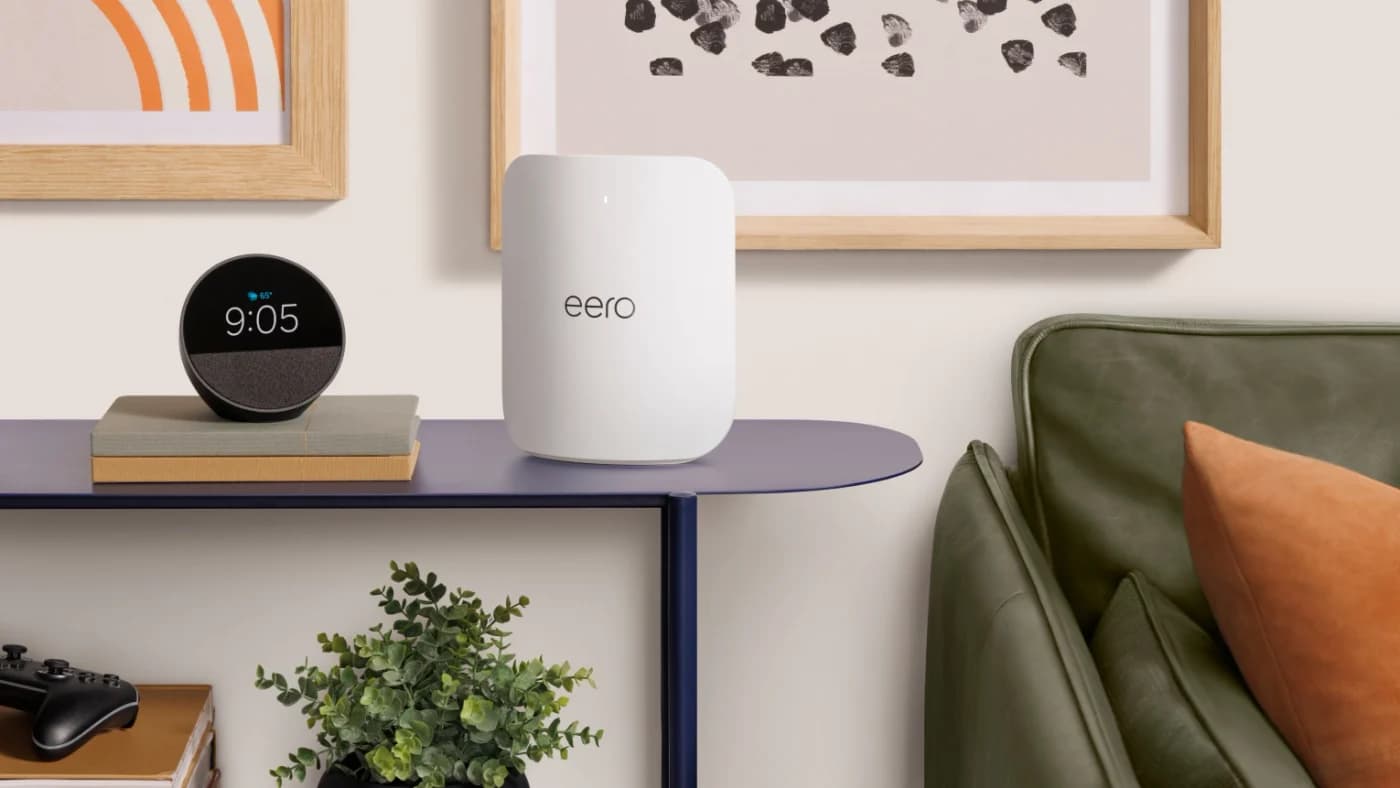
eero Max 7 Tri-Band Wi-Fi 7 Mesh Router
eero's top Wi-Fi 7 router, with two 10 GbE and two 2.5 GbE ports, for multi-gig plans and wired mesh backhaul.
Comes in 3 versions: see which to buy
- Wi-Fi 7
- 3 bands
- 10 Gbps port
The Max 7 is eero's top Wi-Fi 7 unit, usable alone or as the first node of a mesh. eero's Max 7 page and support article list:
- Two 10 GbE and two 2.5 GbE ports, all auto-sensing; eero's support article says plans up to 10 Gbps, its compare page 9.4 Gbps
- Tri-band 2.4, 5 and 6 GHz with 2:4:4 streams and channels up to 320 MHz on 6 GHz
- Coverage claim up to 2,500 sq ft and 250+ devices (eero)
- A Thread and Zigbee smart home hub, Matter controller and Bluetooth LE built in
- Security updates at least through October 31, 2031, or five years after you bought it new on eero.com or Amazon.com, whichever is later (eero policy)
The trade-offs: eero says setup requires its app. Extras such as ad blocking, VPN and advanced security come with the eero Plus subscription. On a plan of 5 Gbps or less, the eero Pro 7's two 5 GbE ports are enough, and our eero 7 vs Pro 7 vs Max 7 comparison covers all three. eero's routers are FCC-approved to October 31, 2027.
Best single router for big homes: Netgear Nighthawk RS700S
The RS700S has the largest coverage claim of the routers here, up to 3,500 sq ft, and 4x4 radios on all three bands, per Netgear's RS700S page. It pairs a 10 Gbps internet port with one 10 Gbps LAN port.
- Tri-band BE19000 (1 + 6 + 12 Gbps maximum signal rates)
- Quad-core 2.6 GHz processor, eight internal antennas
- Link aggregation: the internet port plus a LAN port, or two gigabit LAN ports, for up to 2 Gbps each
The trade-offs: its other four LAN ports are gigabit, and Armor needs a subscription after the included trial here too. Netgear's update policy and FCC approval are the same as for the RS300.
Best for gaming: ASUS ROG Rapture GT-BE98 Pro
The GT-BE98 Pro is quad-band, with two separate 6 GHz bands, each 4x4 with 320 MHz channels, per the ROG spec page. A second 6 GHz band doubles the 6 GHz capacity, which helps when several Wi-Fi 7 devices, or a mesh link, share that band. It also has the most Ethernet ports here: seven, two of them 10 Gbps.
ASUS
ASUS ROG Rapture GT-BE98 Pro Quad-Band Wi-Fi 7 Gaming Router
A quad-band Wi-Fi 7 gaming router with two 6 GHz bands, two 10G ports and seven Ethernet ports in all.
Comes in 3 versions: see which to buy
- Wi-Fi 7
- BE30000
- 4 bands
- 10 Gbps port
- BE30000: 1,376 + 5,764 + 11,529 + 11,529 Mbps
- 2.6 GHz quad-core processor, 2 GB RAM
- Ports: 10 Gbps WAN/LAN, 2.5 Gbps WAN/LAN, 10 Gbps LAN, three 2.5 Gbps LAN, one 1 Gbps LAN
- USB 3.2 Gen 1 and USB 2.0
The trade-offs: eight external antennas and a weight of 2 kg make it the biggest box here, and ASUS lists no coverage figure. ASUS sells a GT-BE98 and a GT-BE98 Pro Edition 20 separately, so check the exact model before you buy. ROG GT routers share ASUS's FCC approval to March 6, 2028.
Alternative with five 2.5G ports: TP-Link Archer BE550
On paper the BE550 has a well-balanced port set for 2 Gig plans: five 2.5 Gbps ports (one WAN, four LAN), tri-band Wi-Fi 7 with 320 MHz channels, and EasyMesh support, according to TP-Link's Archer BE550 page. TP-Link gives a range of "4-bedroom houses" rather than a square-foot figure, and it can be managed in the Tether app or a browser.
Two more things to check. TP-Link's product page lists the 2.4 GHz band as Wi-Fi 6 (802.11ax, 574 Mbps), while its V2 datasheet lists 802.11be on 2.4 GHz at 688 Mbps, so confirm which hardware version you're getting; the datasheet also says the router "may not support all the mandatory features as ratified in the IEEE 802.11be specification." TP-Link's End of Life policy puts End of Maintenance usually three years after the End of Sales date.
How we choose
We haven't lab-tested or speed-tested these routers. Ports, bands, radios, BE ratings and coverage claims come from ASUS's, Netgear's, eero's and TP-Link's own pages, linked in each section; Wi-Fi 7 features from the Wi-Fi Alliance; multi-gig port requirements from providers such as Cox; and update policies and FCC status from the makers and the FCC's October 21, 2026 list, all checked November 1, 2026. Picks are sorted by the plan each WAN port can carry and the multi-gig LAN ports left over. Full method: How we choose.
Buying guide
One router or mesh? A single router suits an apartment or a compact home. Coverage claims such as 2,500 sq ft (RS300) or 3,500 sq ft (RS700S) are each maker's best case. Long or multi-story homes do better with several units: see best mesh Wi-Fi systems.
Count your wired devices. A NAS, a desktop and a console each want a multi-gig port. The RT-BE92U and GT-BE98 Pro have four or more free; the RS300 has two; the RS700S has one.
Verdict
The ASUS RT-BE92U is the best all-round Wi-Fi 7 router: a 10 Gbps port, four 2.5 Gbps ports and 320 MHz on 6 GHz handle any plan up to 10 Gig. On a plan of 2 Gbps or less, the Netgear Nighthawk RS300 has the 2.5 Gbps port you need. Smart-home households should get the eero Max 7 for its Thread and Zigbee hub and dated update commitment. Pick the RS700S for single-router coverage in a big home, or the quad-band ROG Rapture GT-BE98 Pro for gaming and busy networks. The TP-Link Archer BE550 has five 2.5G ports, but read its FCC status note first.
Frequently asked questions
Is Wi-Fi 7 worth it if my devices are Wi-Fi 6?
A Wi-Fi 7 router works with older devices, but 320 MHz channels in the 6 GHz band and Multi-Link Operation need a Wi-Fi 7 phone or laptop that supports those features. Upgrading makes sense if your plan is faster than 1 Gbps (you need a 2.5 Gbps or faster internet port anyway), if you already own Wi-Fi 6E or Wi-Fi 7 devices, or if your current router no longer gets security updates.
What does BE9300 or BE19000 mean on a router?
It is the router's Wi-Fi rates on every band added together, using each band's maximum theoretical rate. ASUS's RT-BE92U, rated BE9700, lists 1,032 Mbps on 2.4 GHz, 2,882 Mbps on 5 GHz and 5,764 Mbps on 6 GHz. No phone or laptop gets the total: its own Wi-Fi radio and the band it uses set its ceiling, and real throughput is lower.
Can I still buy a TP-Link router in the US?
Yes, for models the FCC authorized before March 23, 2026. The FCC says its router rule does not prohibit the import, sale or use of existing authorized models, and those routers may keep receiving software and firmware updates that mitigate harm to U.S. consumers at least until January 1, 2029. TP-Link is not on the FCC's October 21, 2026 Conditional Approval list, which matters for new models, not for ones already on sale.
Related guides
Buying a Router After the FCC's 2026 Rule: What Changed, What Still Gets Updates, Which Brands Are Approved
The FCC's 2026 router rule from its own documents: what changed on March 23, which existing routers can still be sold and updated, and which makers are approved.
Updated November 2, 2026Read
Modem vs Router: What Each Box Does, and What Your Internet Type Needs
A modem connects your home to your provider; a router shares that connection with your devices. Which boxes cable, fiber, 5G home internet and Starlink need.
Updated November 2, 2026Read