

Comparison
NETGEAR CM2500 vs Hitron CODA56
Best Modem for Spectrum?
Compare NETGEAR CM2500, Hitron CODA56 and Spectrum's supplied modem: current authorization, Ethernet limits, phone support, the kit and activation advice.
By thisPING EditorialUpdated November 3, 20268 min read1 pick
On this page · Our picks at a glance
Our picks at a glance
- 1
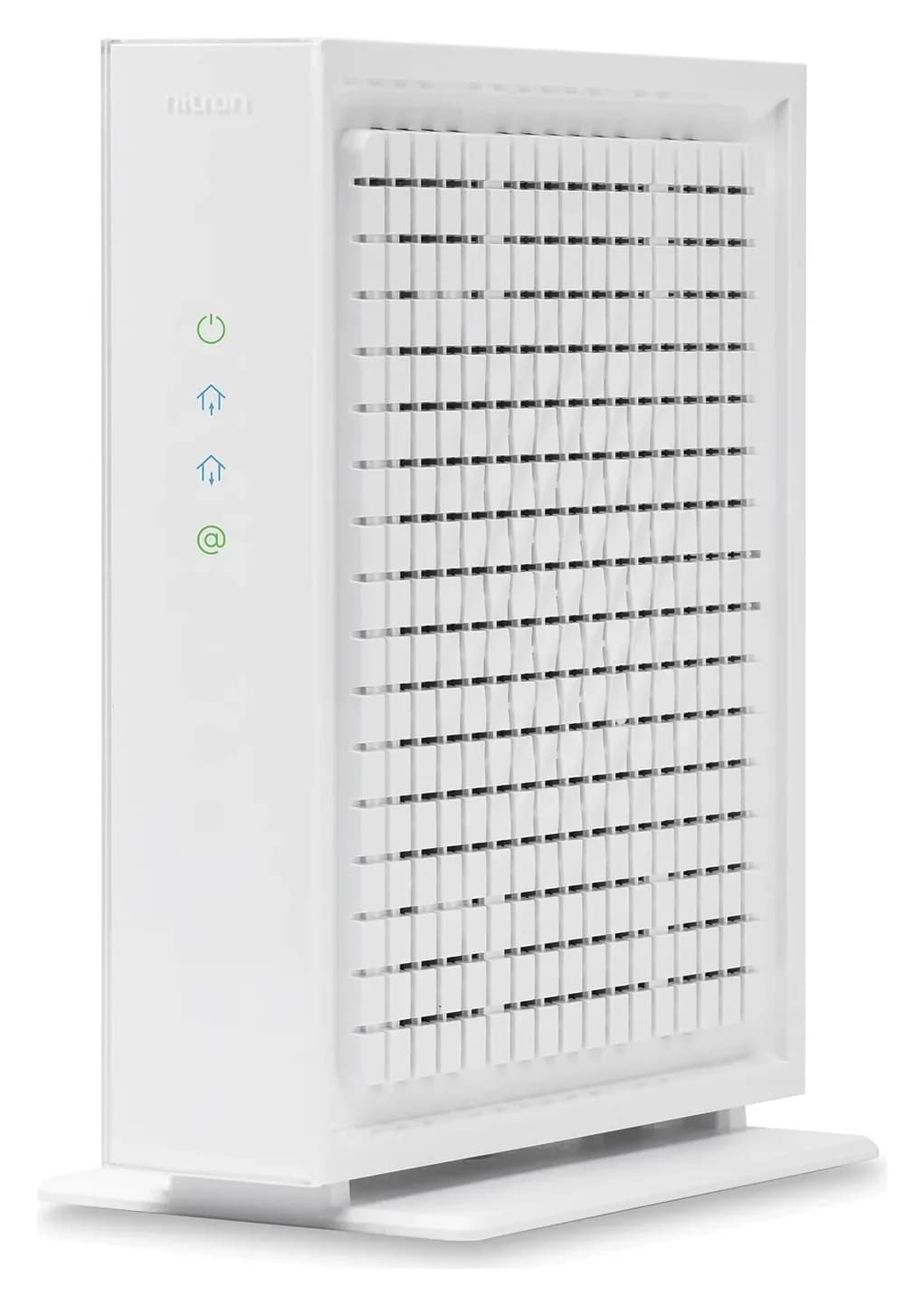
Choose for: Intentionally buying for an eligible non-symmetrical plan
Check before buying: Only one Ethernet port
For most Spectrum homes, keep the supplied modem: Spectrum offers one at no additional charge and requires its equipment for symmetrical service and Home Phone. If you deliberately want a retail modem for an eligible non-symmetrical plan, choose Hitron CODA56 for its single 2.5 Gbps Ethernet port; CM2500 is a narrower fit for an existing gigabit or compatible aggregation setup. Spectrum equipment rules, Hitron specifications, NETGEAR specifications.
Authorization and manufacturer documents checked November 2, 2026. thisPING is reader-supported: when you buy through our links, we may earn a commission at no extra cost to you. As an Amazon Associate, thisPING earns from qualifying purchases.
Quick picks
Compare specifications and all conditions
Working supplied equipment, symmetrical service, or Home Phone
- Our pick
- Keep Spectrum's modem
- Buying condition
- Start here before spending anything
Intentionally buying for an eligible non-symmetrical plan
- Our pick
- Hitron CODA56
- Buying condition
- Confirm Spectrum authorization for your service; pair with a separate router
Already own CM2500, or specifically need its aggregation arrangement
- Our pick
- NETGEAR CM2500
- Buying condition
- Accept gigabit physical links and verify router compatibility
Full comparison table
Swipe to compare. Row labels stay visible.
| Your situation | Our pick | Buying condition |
|---|---|---|
| Working supplied equipment, symmetrical service, or Home Phone | Keep Spectrum's modem | Start here before spending anything |
| Intentionally buying for an eligible non-symmetrical plan | Hitron CODA56 | Confirm Spectrum authorization for your service; pair with a separate router |
| Already own CM2500, or specifically need its aggregation arrangement | NETGEAR CM2500 | Accept gigabit physical links and verify router compatibility |
Scroll horizontally to see every column
| Your situation | Our pick | Buying condition |
|---|---|---|
| Working supplied equipment, symmetrical service, or Home Phone | Keep Spectrum's modem | Start here before spending anything |
| Intentionally buying for an eligible non-symmetrical plan | Hitron CODA56 | Confirm Spectrum authorization for your service; pair with a separate router |
| Already own CM2500, or specifically need its aggregation arrangement | NETGEAR CM2500 | Accept gigabit physical links and verify router compatibility |
For other providers, see cable modem buying guide.
Spectrum's authorized modem list: check the tier first
The current Spectrum modem list names “Netgear CM2500” and “Hitron CODA-56” under non-symmetrical Spectrum Internet tiers up to 1G. Spectrum's hyphenated CODA-56 entry corresponds to Hitron's CODA56 retail name. Authorization applies to the listed tier.
Spectrum supports only its own equipment and requires its modem for symmetrical tiers, with equal download and upload speeds. Home Phone is incompatible with customer-owned modems. A manufacturer's general compatibility label does not override those rules. Spectrum policy.
Confirm your download and upload rates, symmetry and exact model before ordering. For a faster tier outside the listing, keep the supplied modem unless Spectrum confirms another arrangement.
- Yes: Eligible non-symmetrical tier and exact model authorized: a retail modem is an option
- No: Symmetrical service: Spectrum requires its supplied modem
- No: Home Phone: customer-owned modems cannot replace the phone equipment
- Partly: Want technician support for the modem: Spectrum supports its own equipment
CM2500 vs CODA56: the specifications that matter
NETGEAR CM2500
- DOCSIS generation
- 3.1
- Ethernet sockets
- Two 1 Gbps ports
- Faster modem-to-router connection
- Up to 2 Gbps aggregate with compatible link aggregation
All specifications
- Upstream hardware description
- Mid/high-split, per NETGEAR
- Built-in Wi-Fi
- None
- Bundled telephone service
- Unsupported
- Documented box contents
- Modem, Ethernet cable, power adapter, quick guide
Hitron CODA56
- DOCSIS generation
- 3.1
- Ethernet sockets
- One 2.5 Gbps port
- Faster modem-to-router connection
- A single 2.5 Gbps link to a compatible router
All specifications
- Upstream hardware description
- Switchable 5–42 / 5–85 MHz, per Hitron's datasheet
- Built-in Wi-Fi
- None
- Bundled telephone service
- Unsupported
- Documented box contents
- Modem, Ethernet cable, coax cable, power adapter; quick guide available
Full comparison table
Swipe to compare. Row labels stay visible.
| Specification | NETGEAR CM2500 | Hitron CODA56 |
|---|---|---|
| DOCSIS generation | 3.1 | 3.1 |
| Ethernet sockets | Two 1 Gbps ports | One 2.5 Gbps port |
| Faster modem-to-router connection | Up to 2 Gbps aggregate with compatible link aggregation | A single 2.5 Gbps link to a compatible router |
| Upstream hardware description | Mid/high-split, per NETGEAR | Switchable 5–42 / 5–85 MHz, per Hitron's datasheet |
| Built-in Wi-Fi | None | None |
| Bundled telephone service | Unsupported | Unsupported |
| Documented box contents | Modem, Ethernet cable, power adapter, quick guide | Modem, Ethernet cable, coax cable, power adapter; quick guide available |
Scroll horizontally to see every column
| Specification | NETGEAR CM2500 | Hitron CODA56 |
|---|---|---|
| DOCSIS generation | 3.1 | 3.1 |
| Ethernet sockets | Two 1 Gbps ports | One 2.5 Gbps port |
| Faster modem-to-router connection | Up to 2 Gbps aggregate with compatible link aggregation | A single 2.5 Gbps link to a compatible router |
| Upstream hardware description | Mid/high-split, per NETGEAR | Switchable 5–42 / 5–85 MHz, per Hitron's datasheet |
| Built-in Wi-Fi | None | None |
| Bundled telephone service | Unsupported | Unsupported |
| Documented box contents | Modem, Ethernet cable, power adapter, quick guide | Modem, Ethernet cable, coax cable, power adapter; quick guide available |
Sources: NETGEAR, Hitron, datasheet and manual. Ethernet rates describe links, rather than measured throughput.
Speed figures need context. NETGEAR's table gives CM2500 a Spectrum rate of 900 Mbps down / 35 Mbps up; Spectrum's current list groups it up to 1G. Confirm your provisioned rate. Hitron's page advertises uploads up to 1 Gbps, while its datasheet separately lists 700 Mbps for DOCSIS 3.1 OFDMA and 320 Mbps for bonded DOCSIS 3.0 upstream channels. Do not add these into a promised Spectrum upload speed. Sources: the maker pages, datasheet and Spectrum list linked above.
Retail pick after approval: Hitron CODA56
Hitron
A DOCSIS 3.1 cable modem with one 2.5 Gbps Ethernet port, made for cable plans up to 2.5 Gbps.
Check package and model options
- 2.5 Gbps port
CODA56 is our retail pick because its single 2.5 Gbps socket makes the modem-to-router connection straightforward. Match it to a router with a 2.5 Gbps WAN port; a router's gigabit WAN port would remain a gigabit bottleneck. That extra Ethernet capacity does not change Spectrum's authorized service tier. Hitron specs, NETGEAR's Ethernet explanation.
Variants: confirm CODA56 finish and package separately from the model name. CODA without “56” is a different gigabit-port modem. Check condition, accessories and warranty. CODA56 options, original CODA.
When the NETGEAR CM2500 makes sense
Keep a working CM2500 on an eligible plan if it meets your needs. Buy it only when you accept gigabit links or have verified aggregation. Its name does not mean a 2.5 Gbps port: NETGEAR specifies two gigabit ports. Specifications.
The CM2500 manual requires LACP and Ethernet aggregation on the router's WAN ports. A router offering LAN aggregation for storage does not, by that fact alone, meet this requirement. The manual also says aggregation is disabled by default and the second port should remain unused in that mode.
Model trap: CM3000 has one 2.5 Gbps port plus two gigabit ports; check the carton. CM2500's mid/high-split hardware also does not override Spectrum's symmetrical-service restriction. NETGEAR comparison, Spectrum rules.
Why two sockets do not double one device's connection
Separate physical link rate, aggregate capacity and provisioned internet speed. NETGEAR advertises up to 2 Gbps aggregate through CM2500's two 1 Gbps ports when the connected equipment supports aggregation. A computer attached to a router through a single 1 Gbps LAN link still has that link's limit. A 2.5 Gbps modem cannot remove a gigabit bottleneck elsewhere either. CM2500 specifications, Ethernet limits.
Tap a label to explore. You can also hover or use your keyboard.
CM2500 modemTwo 1 Gbps Ethernet ports
The up-to-2 Gbps claim requires aggregation.
Sources: 1: CM2500 uses two gigabit ports and advertises up to 2 Gbps with link aggregation.- Two cables; up to 2 Gbps aggregate
Router with WAN aggregation
Configure LACP and WAN aggregation before connecting both cables.
Sources: 1: CM2500 uses two gigabit ports and advertises up to 2 Gbps with link aggregation., 2: The router must support LACP and WAN Ethernet port aggregation., 4: Configure aggregation on both devices before connecting multiple Ethernet cables. - One 1 Gbps Ethernet link
Computer on a gigabit LAN port
The final link remains gigabit.
Sources: 3: A single gigabit Ethernet port limits a connection's capacity.
Aggregate capacity requires compatible equipment and service. Spectrum's tier limits still apply.
Source notes4 references
CM2500 uses two gigabit ports and advertises up to 2 Gbps with link aggregation.
www.netgear.com — source for CM2500 uses two gigabit ports and advertises up to 2 Gbps with link aggregation.Connect the two Gigabit ports to a router with link aggregation for up to 2Gbps.
The router must support LACP and WAN Ethernet port aggregation.
www.downloads.netgear.com — source for The router must support LACP and WAN Ethernet port aggregation.802.3ad LACP ○ Ethernet port aggregation on its WAN ports
A single gigabit Ethernet port limits a connection's capacity.
kb.netgear.com — source for A single gigabit Ethernet port limits a connection's capacity.devices capable of 2.5 Gbps and 5 Gbps speeds do not operate at full capacity when connected to a single Gigabit Ethernet port.
Configure aggregation on both devices before connecting multiple Ethernet cables.
kb.netgear.com — source for Configure aggregation on both devices before connecting multiple Ethernet cables.Do not connect the devices to each other using more than one Ethernet cable until after you set up the LAG on each device.
For CODA56, use a single cable to the router's 2.5 Gbps WAN port. For CM2500, ordinary single-cable operation is gigabit; aggregation is a separate configuration. Do not connect both CM2500 ports to an unmanaged switch: NETGEAR warns this can cause a network loop. Hitron connection specification, CM2500 manual.
Complete the modem-to-router kit
Keep a suitable router you own. A new NETGEAR RS300 offers CODA56 a compatible arrangement: one 2.5 Gbps WAN port, two 2.5 Gbps LAN ports and two gigabit LAN ports. Put a compatible computer on multi-gig LAN. This kit does not establish RS300 support for CM2500 WAN aggregation. RS300 specs.
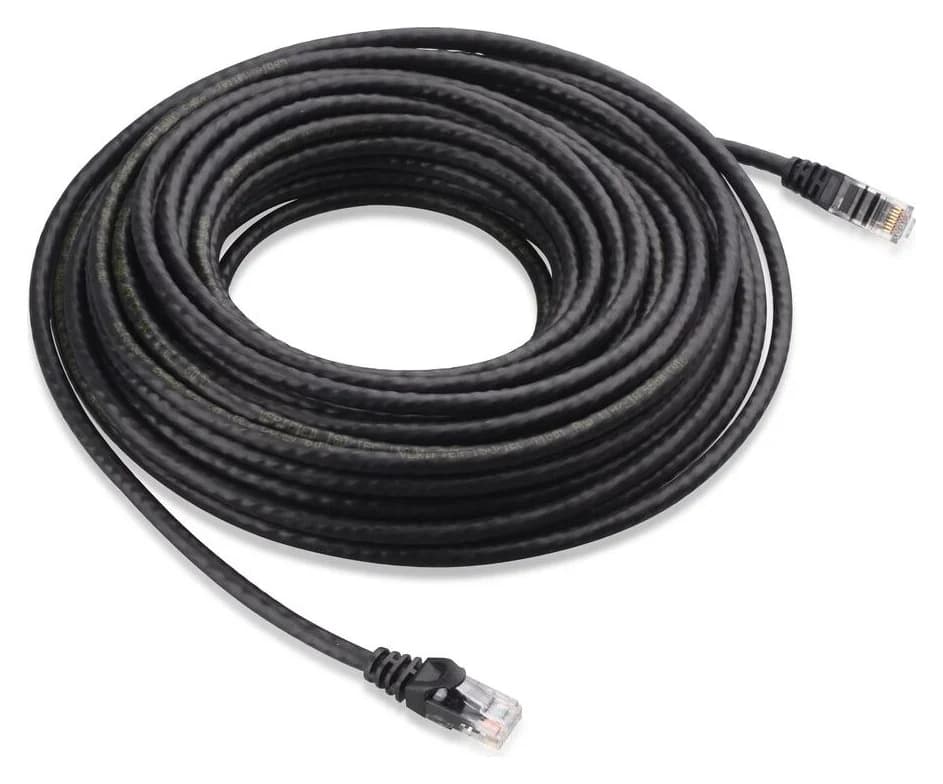
Cables and power: use the supplied Ethernet lead first. Both modems include Ethernet and power adapters; CODA56 also includes coax. An optional Cable Matters 160001 Cat6 lead is an indoor, bare-copper cable; the linked record covers one black 7 ft lead. Measure your route. NETGEAR contents, Hitron contents, Cable Matters options.
Cable Matters
An indoor unshielded Cat6 Ethernet patch cable with bare-copper conductors and snagless boots.
Check package and model options
Count modem, router if needed, coax, Ethernet leads, power adapters and outlets. See routers for Spectrum and modem vs router for further setup advice.
Activate, then verify the wired path
Have your account details and modem's CM MAC address ready. Hitron's quick guide lists Spectrum's activation route; its Xfinity app instructions apply to Xfinity customers. Installation guide.
Confirm service first
Recheck authorization, download and upload tier, and phone dependencies before disconnecting equipment.
Connect coax and power
Use the modem's supplied power adapter and wait for its online indication.
Activate with Spectrum
Register the CM MAC address using Spectrum's activation process; resolve any qualification warning with Spectrum.
Connect and restart the router
Connect modem Ethernet to router WAN, restart the router, then check a wired connection before judging Wi-Fi.
Source: Spectrum requirements and Hitron's installation sequence
For slow speeds, check for a gigabit Ethernet bottleneck. For no connection, check coax and activation with Spectrum. Keep old equipment until the replacement works, including phone service. Ethernet limits, setup guidance.
Firmware, warranty and holiday listing checks
The ISP deploys firmware on both models. Buying either does not provide manual update control. NETGEAR's general end-of-service policy is usually three years after its last sale date, rather than your purchase date; ISP deployment is separate. NETGEAR firmware, Hitron firmware, NETGEAR policy.
Check the package's warranty. CM2500 specifies a one-year limited warranty and 90-day complimentary support; NETGEAR requires an authorized reseller and registration. Hitron's CODA56 manual specifies a 180-day hardware warranty and 90 days of basic support; its current US warranty page says most products have a one-year limited warranty, with the box determining coverage. Its product page advertises free chat/email support. These terms conflict: confirm your package with Hitron. CM2500 datasheet, NETGEAR terms, Hitron manual, Hitron warranty, Hitron product page.
For holiday offers, check model, finish, new/refurbished condition, seller authorization, accessories and returns. Match bundled router ports and cables to your intended setup; confirm Spectrum eligibility before gifting.
How we choose
We compare current Spectrum authorization, maker specifications, manuals and support terms, prioritizing eligibility and the complete connection. We have no comparative performance measurements. Existing site records identify linked packages. See our research method.
Verdict
Keep Spectrum's modem for most households, especially symmetrical service or Home Phone. Buy CODA56 only after confirming an eligible plan and deciding you want ownership: its single multi-gig port is the simpler connection. Keep or choose CM2500 when its gigabit ports suit your needs and any intended WAN aggregation is explicitly supported. Buying the higher advertised modem speed does not change what Spectrum provisions.
Frequently asked questions
What is the best modem for Spectrum Gig?
For most households, keep Spectrum's supplied modem: it comes at no additional charge, and Spectrum supports its own equipment. The current authorized list includes CM2500 and CODA-56 for non-symmetrical tiers up to 1G. If you want to buy, CODA56 is our simpler connection choice because it has one 2.5 Gbps port. Confirm the exact plan first; symmetrical service requires Spectrum's modem.
Does the CM2500 have a 2.5 Gigabit Ethernet port?
No. CM2500 has two 1 Gbps Ethernet ports. NETGEAR's up-to-2 Gbps claim requires a compatible router or computer using link aggregation. Its manual specifies LACP and WAN aggregation support on a router. An ordinary single Ethernet connection remains a gigabit link. CM3000 is a different model: NETGEAR lists a 2.5 Gbps port plus two gigabit ports on that modem.
Will CODA56 deliver 2.5 Gbps on Spectrum?
Its 2.5 Gbps port describes the Ethernet connection, and Hitron advertises support for plans up to that speed. Spectrum's current authorization groups CODA-56 under non-symmetrical tiers up to 1G. That listing does not authorize a faster Spectrum tier. Use the provider's requirements for your address and service, and keep its modem for symmetrical service.
Can either modem replace my Spectrum Home Phone modem?
Neither is a replacement for Spectrum's phone equipment. Spectrum says Home Phone is incompatible with customer-owned modems, and both makers exclude bundled voice service. Keep the provider's phone-capable equipment and have Spectrum confirm the complete arrangement before changing anything. Both retail models also need a separate router to provide Wi-Fi.
Which modem gives better gaming ping?
We have no comparative latency measurements for these models, so we cannot name a ping winner. Our preference for CODA56 is based on its single 2.5 Gbps Ethernet connection, while CM2500 uses gigabit ports and optional aggregation. Treat those as connection specifications. They do not establish a measured latency advantage or guarantee that replacing a working modem will improve gaming.
Related guides
Comparison · Cable Modems
ARRIS S33 vs S34: Which Cable Modem Fits Your Upload Tier?
Keep your ARRIS S33 or choose S34 for a confirmed upload upgrade. Compare ports, provider approval, model revisions, voice limits and the kit you actually need.
Best picks · Cable Modems
Best Modem Router Combos: Check Your ISP Before Choosing
Choose a cable modem router combo by ISP approval, upload tier and Ethernet ports. Compare ARRIS G54, Netgear CAX80 and CAX30S, including bridge-mode options.
Best picks · Cable Modems
Best Cable Modems in 2026: DOCSIS 3.1 Picks Checked Against Xfinity, Spectrum and Cox
Four DOCSIS 3.1 cable modems checked against Xfinity's, Spectrum's and Cox's own device lists on November 1, 2026: supported plans, 2.5G ports, upload limits.