

Best picks
Best Routers for Spectrum
Match Your Modem, Plan and Home
Choose a router for Spectrum by modem port, internet plan and home layout. Compare ASUS, Netgear and eero, with modem limits and a practical setup worksheet.
By thisPING EditorialUpdated November 2, 20268 min read4 picks
Our recommendation: ASUS RT-BE92U
Best overall; several fast wired devices
Limit: Using 10G for WAN leaves no 10G LAN port
On this page · Our picks at a glance
Our picks at a glance
- 1
Choose for: Best overall; several fast wired devices
Limit: Using 10G for WAN leaves no 10G LAN port
- 2
Choose for: A straightforward choice through 2 Gig
Limit: Only two LAN ports are multi-gig
- 3
eero Pro 7, one unit
Choose for: Building a mesh across rooms or floors
Limit: Wired backhaul or a switch shares that remaining port
See the guide for availability.
- 4
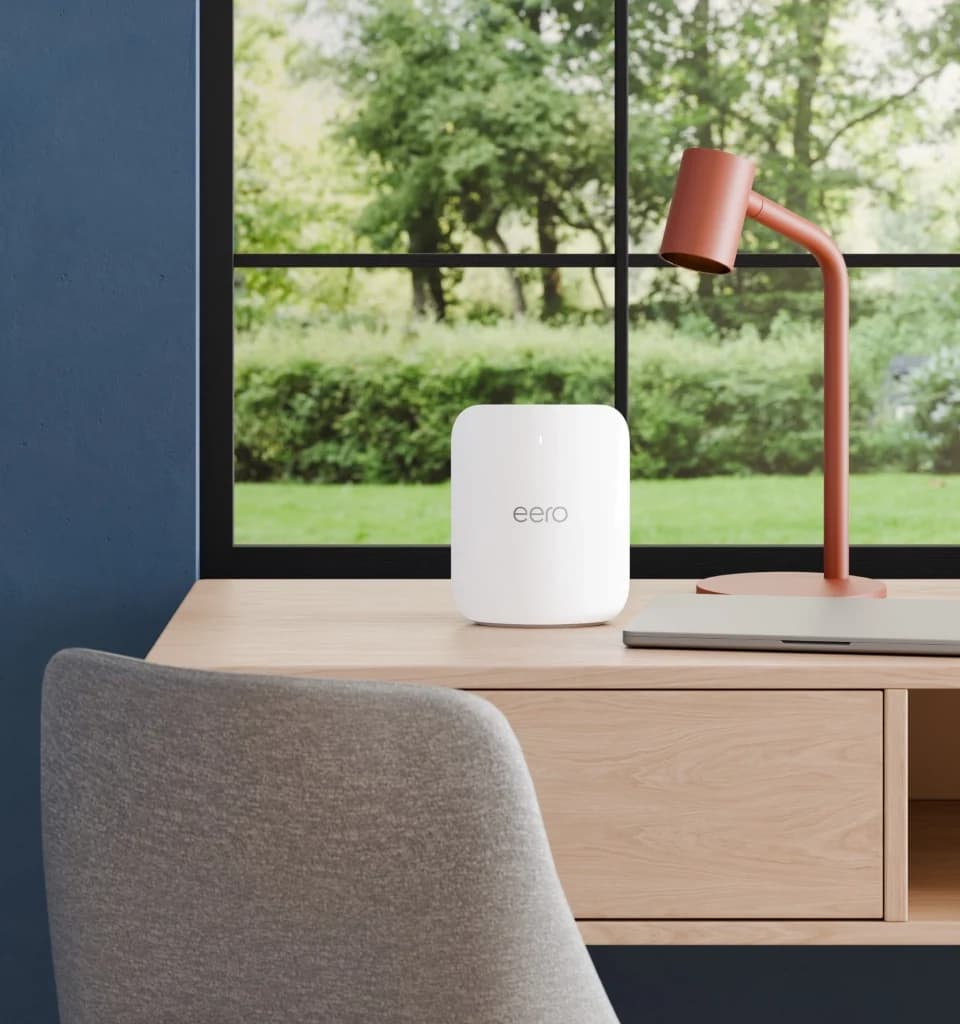
Choose for: Best for mesh coverage
Limit: eero Pro 7 has tri-band Wi-Fi 7 including 6 GHz and requires its phone app.
- Wi-Fi standard
- Wi-Fi 7
- Fastest wired port
- 5 Gbps
Specifications & conditions
- Bands
- 3 bands
- Speed class
- BE10800
Speed class: Sum of theoretical band rates; not a measured connection speed.
The ASUS RT-BE92U is our default upgrade for Spectrum households that need flexible wired connections: it has a 10 Gbps WAN/LAN port plus four 2.5 Gbps ports, according to ASUS. Choose the Netgear Nighthawk RS300 for a straightforward port match through 2 Gig, or eero Pro 7 when your buying decision is really about covering separate rooms. Start by keeping the supplied modem and checking the plan and Ethernet connection behind your new router.
Quick picks
ASUS RT-BE92U
- Choose it for
- Best overall; several fast wired devices
- Port used for internet
- 10 Gbps WAN/LAN
- Ethernet left after that connection
- Four 2.5 Gbps ports
All specifications
- Main trade-off
- Using 10G for WAN leaves no 10G LAN port
Netgear Nighthawk RS300
- Choose it for
- A straightforward choice through 2 Gig
- Port used for internet
- 2.5 Gbps WAN
- Ethernet left after that connection
- Two 2.5 Gbps LAN; two 1 Gbps LAN
All specifications
- Main trade-off
- Only two LAN ports are multi-gig
eero Pro 7, one unit
- Choose it for
- Building a mesh across rooms or floors
- Port used for internet
- One auto-sensing 5 GbE port
- Ethernet left after that connection
- One 5 GbE port
All specifications
- Main trade-off
- Wired backhaul or a switch shares that remaining port
Full comparison table
Swipe to compare. Row labels stay visible.
| Router | Choose it for | Port used for internet | Ethernet left after that connection | Main trade-off |
|---|---|---|---|---|
| ASUS RT-BE92U | Best overall; several fast wired devices | 10 Gbps WAN/LAN | Four 2.5 Gbps ports | Using 10G for WAN leaves no 10G LAN port |
| Netgear Nighthawk RS300 | A straightforward choice through 2 Gig | 2.5 Gbps WAN | Two 2.5 Gbps LAN; two 1 Gbps LAN | Only two LAN ports are multi-gig |
| eero Pro 7, one unit | Building a mesh across rooms or floors | One auto-sensing 5 GbE port | One 5 GbE port | Wired backhaul or a switch shares that remaining port |
| Router | Choose it for | Port used for internet | Ethernet left after that connection | Main trade-off |
|---|---|---|---|---|
| ASUS RT-BE92U | Best overall; several fast wired devices | 10 Gbps WAN/LAN | Four 2.5 Gbps ports | Using 10G for WAN leaves no 10G LAN port |
| Netgear Nighthawk RS300 | A straightforward choice through 2 Gig | 2.5 Gbps WAN | Two 2.5 Gbps LAN; two 1 Gbps LAN | Only two LAN ports are multi-gig |
| eero Pro 7, one unit | Building a mesh across rooms or floors | One auto-sensing 5 GbE port | One 5 GbE port | Wired backhaul or a switch shares that remaining port |
These are connection ratings from the maker specifications linked in each pick, not speed-test results.
Your Spectrum setup worksheet
Provider policies and specifications checked November 2, 2026. Fill this in before choosing hardware:
Service
Address-specific plan: ___; download/upload: ___; equal speeds or unequal speeds: ___
Modem
Exact label/model: ___; Ethernet port speed from its manual: ___
Wired devices
Desktop, console, NAS and mesh links: ___; required LAN ports: ___
Coverage
Weak rooms/floors: ___; usable Ethernet runs: ___; possible router locations: ___
Spectrum's plan page lists Internet 100, 500, 1 Gig and 2 Gig, with 2 Gig in select areas. It also promotes speeds up to 7 Gig in select areas; its FAQ says plans range from 100 Mbps to 2 Gig in select markets. Confirm availability for your address.
Keep the supplied modem unless you have a specific reason to replace it
Spectrum's equipment policy offers a compliant modem at no additional charge and permits your own router. Symmetrical tiers require a Spectrum-provided modem, and Spectrum Home Phone is incompatible with customer-owned modems. Its technicians support Spectrum-provided equipment.
That list places Hitron CODA-56 and Netgear CM3000 under non-symmetrical tiers up to 1G, not 2 Gig or symmetrical service. Their 2.5 Gbps Ethernet capability (Hitron, Netgear) does not override those limits; neither does Netgear's mid/high-split branding. Our cable-modem guide handles modem selection.
Read the modem's Ethernet speed, then match both router sides
Spectrum's modem manual distinguishes these examples:
E31N2V1, E31T2V1, E31U2V1
- Ethernet connection in that manual
- Up to 1 Gbps
EN2251, ET2251, EU2251, ES2251
- Ethernet connection in that manual
- Up to 2.5 Gbps
Full comparison table
Swipe to compare. Row labels stay visible.
| Modem label | Ethernet connection in that manual |
|---|---|
| E31N2V1, E31T2V1, E31U2V1 | Up to 1 Gbps |
| EN2251, ET2251, EU2251, ES2251 | Up to 2.5 Gbps |
| Modem label | Ethernet connection in that manual |
|---|---|
| E31N2V1, E31T2V1, E31U2V1 | Up to 1 Gbps |
| EN2251, ET2251, EU2251, ES2251 | Up to 2.5 Gbps |
For another model, use its manual. Spectrum specifically requires at least a D3.1 modem with a 2.5 Gbps Ethernet port for symmetrical Internet 1 Gig.
Our port-matching rule: for 2 Gig, choose at least 2.5 Gbps on the modem connection, router WAN, router LAN and computer adapter. A gigabit link anywhere on that path remains a bottleneck. Port ratings are ceilings; Netgear's footnotes require compatible service, modem and client hardware.
Above 2.5 Gbps, revisit both WAN and LAN rather than choosing RS300.
Best overall for wired flexibility: ASUS RT-BE92U
ASUS lists tri-band Wi-Fi 7 and the ports above in its US specifications. For 2 Gig, consider using 2.5G as WAN: that leaves 10G for a suitable desktop or NAS, plus three dedicated 2.5 Gbps LAN ports. The table shows the alternative with 10G assigned to WAN.
BE9700 adds the bands' theoretical maximum rates; it is not an individual device's internet speed. Buy the exact RT-BE92U model. ASUS supports access-point mode and AiMesh; extending coverage requires compatible additional hardware. See our Wi-Fi router guide for broader comparisons.
Best straightforward match for 2 Gig: Netgear Nighthawk RS300
The RS300 suits a multi-gig desktop plus other wired devices. Its tri-band radios include 6 GHz; Netgear claims coverage up to 2,500 sq ft, qualified by construction and conditions.
Read the model-specific specifications: that page contains generic 10 Gig marketing copy, but the RS300 port list and datasheet specify 2.5 Gbps WAN. BE9300 is its wireless class. Setup calls for the Nighthawk app and account registration. Choose ASUS for more multi-gig LAN ports.
Best for mesh coverage: eero Pro 7
eero
A tri-band Wi-Fi 7 router with a 6 GHz band and two 5 GbE ports, usable alone or as an eero mesh node.
Check package and model options
- Wi-Fi 7
- BE10800
- 3 bands
- 5 Gbps port
eero Pro 7 has tri-band Wi-Fi 7 including 6 GHz and requires its phone app. After the modem connection, one port remains for devices, a switch or backhaul. eero supports Ethernet backhaul and wireless links.
Choose the pack deliberately. This card covers one unit; the maker sells one-, two- and three-packs. Confirm unit count before ordering. eero 7 and Max 7 are different models; see our eero comparison.
The shop and support introduction claim 2,000 sq ft per Pro 7, but the support table says 2,500 sq ft. We use the lower maker claim as a planning reference, never a guarantee. Optional eero Plus adds security and management features.
Choose one router or mesh from your rooms and wiring
Try a centrally placed router first in a compact home. Spectrum recommends an open, raised location; its placement guide warns against media centers and closets. For rooms separated by floors or substantial walls, plan additional locations instead of trusting a square-foot claim.
Use existing Ethernet for mesh links where practical. eero says wireless links are typically slower and more susceptible to interference; place wireless nodes between the gateway and weak area, rather than inside the dead zone (placement guidance). Its wired topology is modem → gateway eero → switch → other eeros, or a daisy chain. Our mesh guide covers larger layouts.
Connect and activate the setup
For cable service, Spectrum's instructions connect coax to modem, then Ethernet to router Internet port. Put wired devices on router LAN and the distribution switch after the gateway:
Tap a label to explore. You can also hover or use your keyboard.
Cable modemCoax from the cable wall outlet
Connect wall-outlet coax to the modem.
Sources: 1: Spectrum's setup connects the cable outlet to the modem by coax.- Modem Ethernet to router WAN
Your routerWAN / Internet input
Connect modem Ethernet to router WAN. eero ports auto-sense their role, as described above.
Sources: 2: Spectrum's setup connects modem Ethernet to the router Internet port., 3: The eero Pro 7 has auto-sensing Ethernet ports. - Router LAN Ethernet
Wired networkLAN to a switch or wired eero
Put additional wired eeros after the gateway, directly or through a switch.
Sources: 4: eero supports a switch after the gateway.
Source notes4 references
Spectrum's setup connects the cable outlet to the modem by coax.
d15yx0mnc9teae.cloudfront.net — source for Spectrum's setup connects the cable outlet to the modem by coax.Connect one end of the coax cable to the cable wall outlet and the other end to the modem.
Spectrum's setup connects modem Ethernet to the router Internet port.
d15yx0mnc9teae.cloudfront.net — source for Spectrum's setup connects modem Ethernet to the router Internet port.Connect one end of the Ethernet cable to the modem and the other end to the yellow internet port on the WiFi router.
The eero Pro 7 has auto-sensing Ethernet ports.
eero.com — source for The eero Pro 7 has auto-sensing Ethernet ports.Each eero Pro 7 features two auto-sensing 5 GbE ports
eero supports a switch after the gateway.
eero.com — source for eero supports a switch after the gateway.You can connect all your eeros to your gateway eero via an Ethernet switch (with the gateway connected to the modem/ONT).
Follow the maker's restart sequence: eero unplugs the existing modem and router, connects the gateway, then powers them on. A replacement modem also needs Spectrum activation; supply its MAC ID, or CMAC if both are labelled. Configure WiFi in the router maker's interface. Our modem-versus-router explainer identifies the boxes.
Take the provider-feature route when you need it
Provider-feature route: Spectrum modem → compatible Spectrum router → supported Spectrum Extenders/Pods. Spectrum says Extenders pair with Advanced WiFi and Pods remain available for its WiFi 5, 6 and 6E routers (equipment options).
- Yes: Your own router: Spectrum explicitly allows it after the modem
- Partly: My Spectrum WiFi controls, Security Shield and Extenders: assess the Advanced WiFi features you use before replacing its router
- Partly: Mobile Speed Boost at home: Spectrum ties it to Advanced WiFi or Invincible WiFi
- Partly: Invincible WiFi backup: keep the compatible Spectrum equipment required by the service
- No: Customer-owned modem for Spectrum Home Phone or a symmetrical tier: Spectrum's policy does not support that substitution
Speed Boost is a Spectrum service feature; purchasing another Wi-Fi 7 router does not establish eligibility. Spectrum's manual documents its app controls and Security Shield. Invincible WiFi's terms require its equipment to remain connected to the cable modem. If you retain an upstream router and add another routing layer, eero warns that double NAT can affect games, VPNs or incoming connections. Choose a documented access-point or bridge arrangement before combining systems.
Check firmware support and FCC status
ASUS RT-BE92U
- Published support information
- ASUS's networking EOL list gives no fixed support term
- FCC Conditional Approval end date in the October 21, 2026 notice
- March 6, 2028, RT Router Series
Netgear RS300
- Published support information
- EOS generally occurs three years after last sale, not three years after your purchase
- FCC Conditional Approval end date in the October 21, 2026 notice
- October 1, 2027, Nighthawk RS series
eero Pro 7
- Published support information
- Security updates at least through October 31, 2031
- FCC Conditional Approval end date in the October 21, 2026 notice
- October 31, 2027, eero Pro class
Full comparison table
Swipe to compare. Row labels stay visible.
| Pick | Published support information | FCC Conditional Approval end date in the October 21, 2026 notice |
|---|---|---|
| ASUS RT-BE92U | ASUS's networking EOL list gives no fixed support term | March 6, 2028, RT Router Series |
| Netgear RS300 | EOS generally occurs three years after last sale, not three years after your purchase | October 1, 2027, Nighthawk RS series |
| eero Pro 7 | Security updates at least through October 31, 2031 | October 31, 2027, eero Pro class |
| Pick | Published support information | FCC Conditional Approval end date in the October 21, 2026 notice |
|---|---|---|
| ASUS RT-BE92U | ASUS's networking EOL list gives no fixed support term | March 6, 2028, RT Router Series |
| Netgear RS300 | EOS generally occurs three years after last sale, not three years after your purchase | October 1, 2027, Nighthawk RS series |
| eero Pro 7 | Security updates at least through October 31, 2031 | October 31, 2027, eero Pro class |
Sources: ASUS EOL list, Netgear EOS policy, eero update policy, and FCC notice. FCC approval dates are separate from firmware commitments. eero's policy can extend beyond its listed date for qualifying new purchases; check its purchase-channel conditions. For regulatory context, see our FCC router guide.
How we choose
This is document-based research, without physical speed or range testing. We compared official provider rules, ports, coverage qualifications, pack sizes and support policies. Rankings reflect plan and layout fit; manufacturer claims do not establish measured performance. Read our selection method.
Verdict
Choose ASUS RT-BE92U for wired flexibility, RS300 for a straightforward match through 2 Gig, and eero Pro 7 when you need to build coverage across locations. Before ordering, complete the worksheet: exact service tier, required provider equipment, modem Ethernet speed, router WAN assignment, remaining LAN ports and node count. Keeping the supplied modem is the first decision; choosing the router comes next.
Frequently asked questions
Can I use my own router with a Spectrum modem?
Yes. Spectrum explicitly permits buying your own router. Keep the Spectrum modem and connect its Ethernet output to the new router's WAN or Internet port; eero's ports auto-sense their role. This is a router replacement, so it does not require buying a retail cable modem. Spectrum says its technicians support Spectrum-provided equipment; use the router maker for its setup and firmware support.
Do I need to buy a modem with my Spectrum router?
Usually the better starting point is to keep the supplied modem: Spectrum provides a compliant modem at no additional charge. Its policy requires a Spectrum modem for symmetrical tiers, and customer-owned modems do not support Spectrum Home Phone. Its retail list places Hitron CODA-56 and Netgear CM3000 under non-symmetrical tiers up to 1G. Confirm the exact model and your tier before replacing anything.
What router ports do I need for Spectrum 2 Gig?
Our port-matching rule is to use at least a 2.5 Gbps WAN connection from the modem and a 2.5 Gbps LAN connection to a desktop if that desktop should access more than gigabit service. Its network adapter must also support that rate. The RS300 has both ports; the ASUS and eero picks offer faster port options. Port ratings are ceilings, not measured throughput promises.
Will buying my own router remove a Spectrum WiFi charge?
Check your actual bill and bundle first. Spectrum's plan page includes Advanced WiFi with Internet 1 Gig and Invincible WiFi with Internet 2 Gig; other combinations differ. Buying a router therefore does not establish a saving. Before returning equipment, check whether you use Spectrum's WiFi management, Extenders, Mobile Speed Boost or backup features, and confirm the account change with Spectrum.
Should I buy one eero Pro 7 or a multipack?
The product card here is the existing one-pack record. eero also sells two- and three-packs. Choose the number of locations that need coverage after considering placement and Ethernet wiring; do not treat a one-pack link as a whole-home kit. eero supports wired or wireless links between units, and recommends placing a wireless node between the gateway and the weak area rather than inside the dead zone.
Best overall; several fast wired devices
ASUS RT-BE92U
Related guides
Best Travel Routers: Hotel Wi-Fi, Ethernet and Tethering Explained
Choose a travel router for hotel Wi-Fi, Ethernet or phone tethering. Compare Beryl 7, Slate 7, Beryl AX and ASUS, with portal steps, power and package checks.
Updated November 2, 2026Read
Best Routers for Verizon Fios: Internet-Only, TV and Mesh
Choose a Verizon Fios router by your plan, ONT and TV boxes. Compare standalone and mesh picks, see wiring diagrams, and check the exact extra parts you need.
Updated November 2, 2026Read
Buying a Router After the FCC's 2026 Rule: What Changed, What Still Gets Updates, Which Brands Are Approved
The FCC's 2026 router rule from its own documents: what changed on March 23, which existing routers can still be sold and updated, and which makers are approved.
Updated November 2, 2026Read