

Best picks
Best Routers for Verizon Fios
Internet-Only, TV and Mesh
Choose a Verizon Fios router by your plan, ONT and TV boxes. Compare standalone and mesh picks, see wiring diagrams, and check the exact extra parts you need.
By thisPING EditorialUpdated November 2, 20269 min read4 picks
Our recommendation: ASUS RT-BE92U
Best internet-only replacement
Limit: no second 10G socket for a desktop.
On this page · Our picks at a glance
Our picks at a glance
- 1
Choose for: Best internet-only replacement
Limit: no second 10G socket for a desktop.
- 2
Choose for: Alternative for Fios 2 Gig
Limit: Important source conflict: the RS300 page also contains generic “10 Gig internet port” promotion, but its model-specific technical table specifies 2.5 Gbps.
- 3
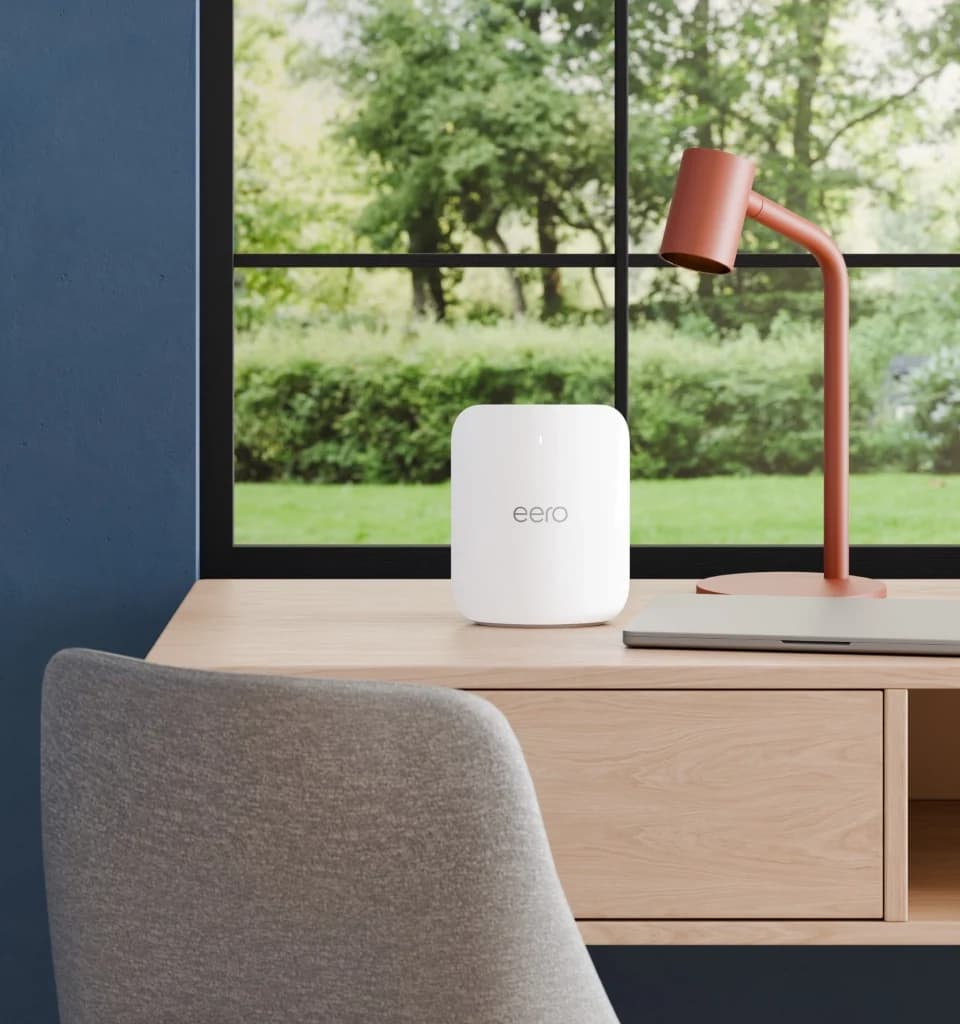
Choose for: Best mesh for Fios 2 Gig
Limit: Setup and management require the phone app.
- Wi-Fi standard
- Wi-Fi 7
- Fastest wired port
- 5 Gbps
Specifications & conditions
- Bands
- 3 bands
- Speed class
- BE10800
Speed class: Sum of theoretical band rates; not a measured connection speed.
- 4
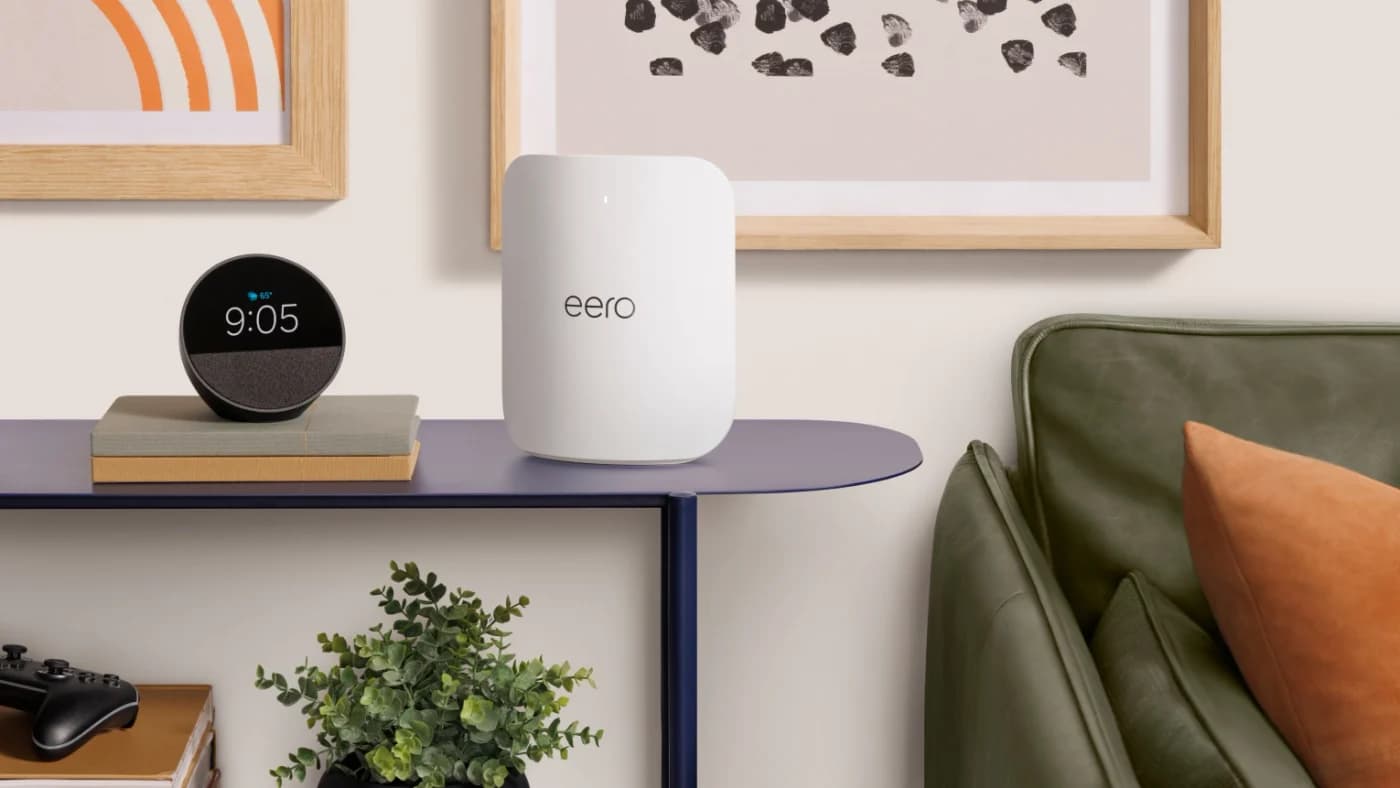
Choose for: Best mesh for Fios 5 Gig
Limit: These are published figures, not our measurements.
- Wi-Fi standard
- Wi-Fi 7
- Fastest wired port
- 10 Gbps
Specifications & conditions
- Bands
- 3 bands
Keep your included Verizon router if its coverage and wired connections meet your needs; our best replacement for internet-only Fios is the ASUS RT-BE92U. Choose eero Pro 7 for mesh on Fios 2 Gig, or eero Max 7 for mesh on 5 Gig. With Fios TV, keep Verizon routing initially and identify your exact TV equipment before changing connections.
Official sources checked November 2, 2026. We have not physically tested this equipment.
thisPING is reader-supported: when you buy through our links, we may earn a commission at no extra cost to you. As an Amazon Associate, thisPING earns from qualifying purchases.
Quick picks and port comparison
Port ratings below are not throughput measurements. “Remaining LAN” assumes the listed WAN handles internet.
Keep Verizon CR1000A/B or CHR30A
- Use it for
- Existing setup that already works
- WAN → remaining LAN
- 10 Gbps → 1× 10 + 2× 2.5 Gbps
ASUS RT-BE92U
- Use it for
- Standalone replacement
- WAN → remaining LAN
- 10 Gbps → 4× 2.5 Gbps
Netgear RS300
- Use it for
- Alternative through 2 Gig
- WAN → remaining LAN
- 2.5 Gbps → 2× 2.5 + 2× 1 Gbps
eero Pro 7
- Use it for
- Mesh through 2 Gig
- WAN → remaining LAN
- 5 Gbps → 1× 5 Gbps
eero Max 7
- Use it for
- Mesh for 5 Gig
- WAN → remaining LAN
- 10 Gbps → 1× 10 + 2× 2.5 Gbps
ScreenBeam ECB7250 kit
- Use it for
- Optional LAN over coax
- WAN → remaining LAN
- No WAN/router function; 2.5 Gbps Ethernet per adapter
Full comparison table
Swipe to compare. Row labels stay visible.
| Choice | Use it for | WAN → remaining LAN |
|---|---|---|
| Keep Verizon CR1000A/B or CHR30A | Existing setup that already works | 10 Gbps → 1× 10 + 2× 2.5 Gbps |
| ASUS RT-BE92U | Standalone replacement | 10 Gbps → 4× 2.5 Gbps |
| Netgear RS300 | Alternative through 2 Gig | 2.5 Gbps → 2× 2.5 + 2× 1 Gbps |
| eero Pro 7 | Mesh through 2 Gig | 5 Gbps → 1× 5 Gbps |
| eero Max 7 | Mesh for 5 Gig | 10 Gbps → 1× 10 + 2× 2.5 Gbps |
| ScreenBeam ECB7250 kit | Optional LAN over coax | No WAN/router function; 2.5 Gbps Ethernet per adapter |
| Choice | Use it for | WAN → remaining LAN |
|---|---|---|
| Keep Verizon CR1000A/B or CHR30A | Existing setup that already works | 10 Gbps → 1× 10 + 2× 2.5 Gbps |
| ASUS RT-BE92U | Standalone replacement | 10 Gbps → 4× 2.5 Gbps |
| Netgear RS300 | Alternative through 2 Gig | 2.5 Gbps → 2× 2.5 + 2× 1 Gbps |
| eero Pro 7 | Mesh through 2 Gig | 5 Gbps → 1× 5 Gbps |
| eero Max 7 | Mesh for 5 Gig | 10 Gbps → 1× 10 + 2× 2.5 Gbps |
| ScreenBeam ECB7250 kit | Optional LAN over coax | No WAN/router function; 2.5 Gbps Ethernet per adapter |
The retail router picks are tri-band Wi-Fi 7; the ScreenBeam kit is an accessory.
First choice: keep the Verizon equipment you already have
Verizon's current plans include a router; some list Whole-Home Wi-Fi. Check your account's entitlement before buying mesh or assuming replacement saves equipment charges.
The CR1000A/B already have tri-band Wi-Fi 6E and the ports above. Check whether 6 GHz is enabled for your devices before replacing one for that feature; Verizon's router FAQ describes enabling it.
Some markets now offer the CHR30A Wi-Fi Access Point, which can itself be a Wi-Fi 7 router or extender. Its datasheet lists the same Ethernet layout. Coax requires its separate MoCA Expansion Module, supplied as needed; Verizon calls previous-generation extender combinations unsupported. Confirm the hardware and module on your order.
Best internet-only replacement: ASUS RT-BE92U
Pick it when wired connections matter: the ASUS spec sheet lists a 10 Gbps WAN/LAN port, a 2.5 Gbps WAN/LAN port and three 2.5 Gbps LAN ports. With the 10G port on WAN, four multi-gig connections remain. ASUS also lists Automatic IP, browser management, access-point mode and AiMesh.
Trade-off: no second 10G socket for a desktop. Choose the exact RT-BE92U model. Check ASUS's EOL list for models whose firmware updates have ended.
Alternative for Fios 2 Gig: Netgear Nighthawk RS300
Choose this if its mix of two 2.5G and two gigabit LAN sockets suits your devices. Its WAN is 2.5 Gbps. Important source conflict: the RS300 page also contains generic “10 Gig internet port” promotion, but its model-specific technical table specifies 2.5 Gbps. Base the purchase on that table.
Skip it for 5 Gig. Netgear's update policy generally ends firmware support three years after the last sale date, rather than promising that duration from your purchase.
Best mesh for Fios 2 Gig: eero Pro 7
eero
A tri-band Wi-Fi 7 router with a 6 GHz band and two 5 GbE ports, usable alone or as an eero mesh node.
Check package and model options
- Wi-Fi 7
- BE10800
- 3 bands
- 5 Gbps port
The Pro 7 has two auto-sensing 5 GbE ports, leaving one after the upstream connection. Add a switch if that port must serve both wired backhaul and other wired devices. Setup and management require the phone app.
Coverage conflict: eero's support prose claims 2,000 sq ft per unit; its hardware table says 2,500. Neither promises coverage in your rooms. The linked record is one unit.
Best mesh for Fios 5 Gig: eero Max 7
eero
eero's top Wi-Fi 7 router, with two 10 GbE and two 2.5 GbE ports, for multi-gig plans and wired mesh backhaul.
Check package and model options
- Wi-Fi 7
- 3 bands
- 10 Gbps port
The Max 7 leaves one 10G and two 2.5G ports after a 10G upstream connection. That makes it our mesh choice for Verizon's quoted 5 Gig average wired range of 4.5–5.3 Gbps; Pro 7's maker-rated wired maximum is 4.7 Gbps. These are published figures, not our measurements.
The linked record is one Max 7. Both eero picks have security updates guaranteed through at least October 31, 2031, or five years after purchase new from eero or Amazon, whichever is later. Older eero nodes can reduce network performance.
Equipment worksheet: settle this before ordering
Record the router's bottom-label model, ONT handoff, every TV-box model and required features before using this worksheet.
Internet only; Ethernet ONT handoff
- Documented
- eero documents direct ONT replacement
- Confirm before removing Verizon routing
- Active Ethernet port, address's service tier and replacement-router setup
Internet handoff over coax
- Documented
- eero directs you to Verizon for Ethernet conversion
- Confirm before removing Verizon routing
- Conversion and cable route; keep existing router until ready
Fios TV One 4100 + IPC4100 Mini
- Documented
- Mini pairs with TV One VMS; Verizon's guide keeps router/TV coax
- Confirm before removing Verizon routing
- Activation, guide, on-demand, DVR and every Mini connection
VMS1100 + IPC1100
- Documented
- Verizon documents this paired equipment
- Confirm before removing Verizon routing
- Current supported wiring for these exact boxes
Fios TV+; record any VMS or DVR too
- Documented
- Support page gives conflicting router guidance
- Confirm before removing Verizon routing
- Router requirement, activation, live TV, guide, on-demand and DVR access
CHR30A with wireless Fios TV One
- Documented
- Verizon requires wired backhaul when the TV connects through an extender
- Confirm before removing Verizon routing
- Extender generation and Ethernet/MoCA connection
Full comparison table
Swipe to compare. Row labels stay visible.
| Your equipment | Documented | Confirm before removing Verizon routing |
|---|---|---|
| Internet only; Ethernet ONT handoff | eero documents direct ONT replacement | Active Ethernet port, address's service tier and replacement-router setup |
| Internet handoff over coax | eero directs you to Verizon for Ethernet conversion | Conversion and cable route; keep existing router until ready |
| Fios TV One 4100 + IPC4100 Mini | Mini pairs with TV One VMS; Verizon's guide keeps router/TV coax | Activation, guide, on-demand, DVR and every Mini connection |
| VMS1100 + IPC1100 | Verizon documents this paired equipment | Current supported wiring for these exact boxes |
| Fios TV+; record any VMS or DVR too | Support page gives conflicting router guidance | Router requirement, activation, live TV, guide, on-demand and DVR access |
| CHR30A with wireless Fios TV One | Verizon requires wired backhaul when the TV connects through an extender | Extender generation and Ethernet/MoCA connection |
| Your equipment | Documented | Confirm before removing Verizon routing |
|---|---|---|
| Internet only; Ethernet ONT handoff | eero documents direct ONT replacement | Active Ethernet port, address's service tier and replacement-router setup |
| Internet handoff over coax | eero directs you to Verizon for Ethernet conversion | Conversion and cable route; keep existing router until ready |
| Fios TV One 4100 + IPC4100 Mini | Mini pairs with TV One VMS; Verizon's guide keeps router/TV coax | Activation, guide, on-demand, DVR and every Mini connection |
| VMS1100 + IPC1100 | Verizon documents this paired equipment | Current supported wiring for these exact boxes |
| Fios TV+; record any VMS or DVR too | Support page gives conflicting router guidance | Router requirement, activation, live TV, guide, on-demand and DVR access |
| CHR30A with wireless Fios TV One | Verizon requires wired backhaul when the TV connects through an extender | Extender generation and Ethernet/MoCA connection |
Match the plan to both ends of the cable
300/500 Mbps or Gig
- Our minimum port recommendation
- 1 Gbps WAN and LAN; these picks exceed it
- Why
- Verizon lists Gig up to 940 Mbps
2 Gig
- Our minimum port recommendation
- 2.5 Gbps or faster WAN and LAN
- Why
- Verizon quotes average wired speeds of 1.5–2.3 Gbps
5 Gig, where available
- Our minimum port recommendation
- 10 Gbps WAN and LAN for one fast wired client
- Why
- Verizon quotes average wired speeds of 4.5–5.3 Gbps
Full comparison table
Swipe to compare. Row labels stay visible.
| Fios tier | Our minimum port recommendation | Why |
|---|---|---|
| 300/500 Mbps or Gig | 1 Gbps WAN and LAN; these picks exceed it | Verizon lists Gig up to 940 Mbps |
| 2 Gig | 2.5 Gbps or faster WAN and LAN | Verizon quotes average wired speeds of 1.5–2.3 Gbps |
| 5 Gig, where available | 10 Gbps WAN and LAN for one fast wired client | Verizon quotes average wired speeds of 4.5–5.3 Gbps |
| Fios tier | Our minimum port recommendation | Why |
|---|---|---|
| 300/500 Mbps or Gig | 1 Gbps WAN and LAN; these picks exceed it | Verizon lists Gig up to 940 Mbps |
| 2 Gig | 2.5 Gbps or faster WAN and LAN | Verizon quotes average wired speeds of 1.5–2.3 Gbps |
| 5 Gig, where available | 10 Gbps WAN and LAN for one fast wired client | Verizon quotes average wired speeds of 4.5–5.3 Gbps |
These recommendations compare port ceilings with the provider's range; they do not guarantee throughput. Check the ONT, upstream router, switch and client port together. For the ONT's role, see modem vs router.
Wiring A: internet-only replacement
Use an active ONT Ethernet handoff. eero documents direct replacement; Verizon's manual identifies the WAN-to-ONT Ethernet connection. The example below uses eero.
Tap a label to explore. You can also hover or use your keyboard.
Verizon ONT
Keep the optical terminal and active Ethernet handoff.
Sources: 1: Verizon connects WAN to ONT by Ethernet., 2: eero documents internet-only ONT replacement.- Ethernet to WAN
Gateway eero
Replaces Verizon routing for internet-only Fios.
Sources: 2: eero documents internet-only ONT replacement.
Coax internet handoff? Ask Verizon to enable Ethernet first.
Source notes2 references
Verizon connects WAN to ONT by Ethernet.
www.verizon.com — source for Verizon connects WAN to ONT by Ethernet.Connect the Ethernet cable from your router’s WAN port to an Ethernet outlet or ONT.
eero documents internet-only ONT replacement.
eero.com — source for eero documents internet-only ONT replacement.If you have Fios internet only (no TV), you can connect eero directly to your Optical Network Terminal (ONT).
Parts: powered router, included Ethernet lead and an ONT cable route; no cable modem. Follow eero's linked DHCP-lease release guidance when swapping; ask Verizon to clear the lease if needed. ASUS lists Automatic IP as a WAN option.
Wiring B: keep Verizon routing, add mesh Wi-Fi
For Fios TV plus internet, eero directs you to connect behind the existing router, complete setup and then bridge the eeros. Leave Verizon's TV connections, including its TV Wi-Fi network where used, intact.
Tap a label to explore. You can also hover or use your keyboard.
Verizon router
Retain ONT Ethernet and existing TV connections.
Sources: 1: Verizon connects WAN to ONT by Ethernet., 2: eero retains Verizon routing for Fios TV.- Verizon LAN → eero
Gateway eero
Connect behind Verizon; bridge after setup.
Sources: 2: eero retains Verizon routing for Fios TV.
Keep the separate TV/coax path.
Source notes2 references
Verizon connects WAN to ONT by Ethernet.
www.verizon.com — source for Verizon connects WAN to ONT by Ethernet.Connect the Ethernet cable from your router’s WAN port to an Ethernet outlet or ONT.
eero retains Verizon routing for Fios TV.
eero.com — source for eero retains Verizon routing for Fios TV.If you have Fios TV and internet, you will need to set up your eeros behind your existing router (connected to the Fios router rather than the modem). Once your eero network is fully online, put your eeros in bridge mode .
Parts/settings: retain Verizon equipment; use eero's included Ethernet lead upstream. Select Settings → Advanced networking → DHCP & NAT → Bridge. All further eeros connect downstream of this gateway. Advanced Security, ad blocking and other listed eero Plus features do not work in bridge mode.
Wiring C: documented Fios TV One coax arrangement
Verizon's TV One setup guide uses coax for both the router and TV One, with an optional supplied splitter at a shared outlet. This is the TV One arrangement, not a universal Fios TV+ recipe.
Tap a label to explore. You can also hover or use your keyboard.
Shared coax outlet
Existing Verizon coax connection.
Sources: 1: TV One and router share a coax outlet.- Coax
Supplied splitter
Feeds router and TV One in parallel.
Sources: 1: TV One and router share a coax outlet., 2: Verizon supplies an optional splitter. - Parallel coax branches
Router + TV One
Keep both coax connections.
Sources: 1: TV One and router share a coax outlet.
The router and TV One are parallel branches.
Source notes2 references
TV One and router share a coax outlet.
www.verizon.com — source for TV One and router share a coax outlet.Fios TV One and router to the same coax outlet.
Verizon supplies an optional splitter.
www.verizon.com — source for Verizon supplies an optional splitter.Optional: Use the provided splitter to connect a
Parts: Verizon router, coax leads, supplied splitter if sharing, TV One, HDMI and power supplies. Retain Ethernet WAN. For CHR30A coax, confirm the separate MoCA Expansion Module. Activate and check every box before returning equipment.
Optional coax backhaul: ScreenBeam ECB7250 kit
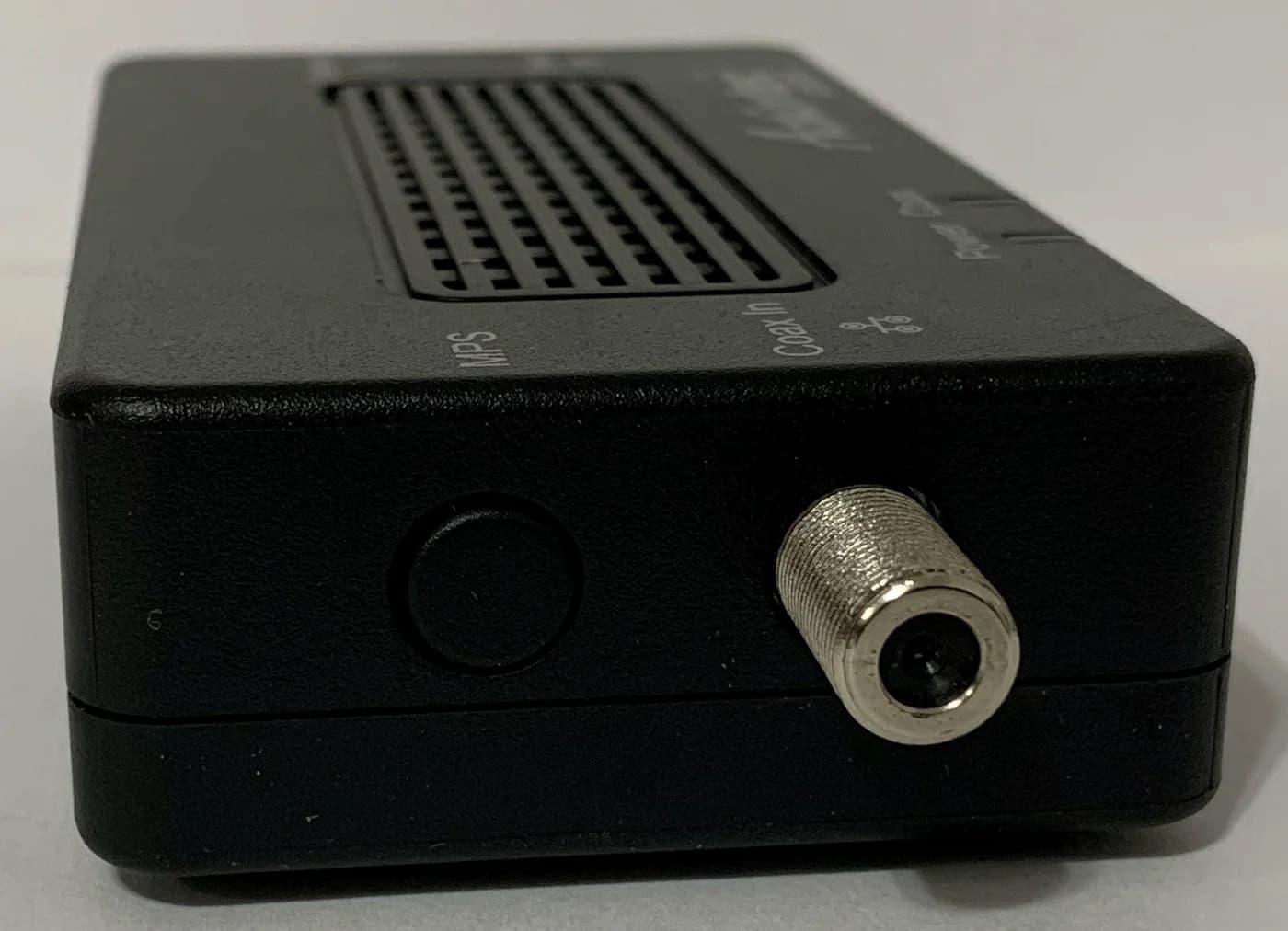
ScreenBeam
A bonded MoCA 2.5 network adapter with a 2.5 Gbps Ethernet port that turns coax wiring into a wired backbone.
Check package and model options
- 2.5 Gbps port
Use this for a LAN connection over existing coax after deciding the TV topology. ScreenBeam requires two adapters unless compatible MoCA is already built into the network. Its kit includes two adapters, coax leads, Ethernet leads, splitters and power adapters. The linked existing record is the two-adapter kit; one endpoint may suffice with a retained compatible MoCA router.
Check ECB7250, with 2.5G Ethernet, versus ECB6250, whose Ethernet is gigabit despite also using MoCA 2.5. Confirm the outlets share a coax system. Neither the adapter nor its kit establishes Fios TV+ activation compatibility.
Buy the node count you need: Pro 7 offers single and multipack options; linked Pro/Max records each cover one unit. See mesh Wi-Fi systems and MoCA vs powerline.
How we choose
We researched official Verizon setup guides and exact-model maker specifications. Picks prioritize existing equipment, WAN/LAN port balance and documented setup paths. Port recommendations are deductions from published ratings; conflicting documentation stays flagged. See our FCC router guide and research method.
Verdict
Keep a working included Verizon router first. For internet-only replacement, choose RT-BE92U for its port balance, or RS300 if its connections fit a plan through 2 Gig. Choose Pro 7 for 2 Gig mesh and Max 7 for 5 Gig mesh. With TV, settle the worksheet before returning equipment; buy MoCA adapters only for a confirmed coax need.
Frequently asked questions
Can I use my own router with Verizon Fios?
Yes for an internet-only Ethernet setup: eero explicitly documents connecting its gateway directly to the ONT. ASUS and Netgear are our spec-based alternatives, rather than claims of Verizon certification. If your ONT currently hands off internet over coax, have Verizon confirm an Ethernet conversion first. With Fios TV, identify the exact boxes and follow the equipment worksheet before removing Verizon routing.
Do I need a modem for Verizon Fios?
For the internet-only setup documented here, connect the router to the optical network terminal, or ONT. eero explains that the ONT converts optical signals to electrical signals for the router. A cable modem is therefore absent from this shopping list. An older coax handoff is a reason to ask Verizon about switching to Ethernet before buying replacement equipment.
Can a MoCA adapter replace the Verizon router for Fios TV+?
Do not assume it can. Verizon's Fios TV+ support page says a Verizon router is required, yet also includes a bring-your-own-router Wi-Fi procedure. That procedure does not settle the conflicting requirement or every VMS, DVR and activation arrangement. Keep the Verizon router until Verizon confirms your exact equipment and features; a MoCA adapter's Ethernet bridge function alone is insufficient evidence.
Should I put Verizon or eero in bridge mode with Fios TV?
For Fios TV plus internet, eero's own instructions say to keep the existing router upstream and put eero in bridge mode after setup. eero continues providing Wi-Fi, while its routing services are disabled. Keep one gateway eero wired upstream and connect the other eero nodes downstream of it. Some eero Plus features, including Advanced Security and ad blocking, do not work in bridge mode.
Best internet-only replacement
ASUS RT-BE92U
Related guides
Best Routers for Spectrum: Match Your Modem, Plan and Home
Choose a router for Spectrum by modem port, internet plan and home layout. Compare ASUS, Netgear and eero, with modem limits and a practical setup worksheet.
Updated November 2, 2026Read
Best Travel Routers: Hotel Wi-Fi, Ethernet and Tethering Explained
Choose a travel router for hotel Wi-Fi, Ethernet or phone tethering. Compare Beryl 7, Slate 7, Beryl AX and ASUS, with portal steps, power and package checks.
Updated November 2, 2026Read
Buying a Router After the FCC's 2026 Rule: What Changed, What Still Gets Updates, Which Brands Are Approved
The FCC's 2026 router rule from its own documents: what changed on March 23, which existing routers can still be sold and updated, and which makers are approved.
Updated November 2, 2026Read