

Buying guide
Best PoE Injectors in 2026
Power One Access Point or Camera Without a New Switch
The right PoE injector for your access point or camera: which standard (802.3af, at, bt), how many watts, gigabit or 2.5 GbE, and when a small PoE switch is the better buy.
By thisPING EditorialUpdated November 5, 20268 min read3 picks
On this page · Our picks at a glance
Our picks at a glance
- 1
Best overall
Choose for: The PoE260S is the most future-proof injector here for the money.
Check before buying: it powers exactly one device, and it tops out at 30 W — a PoE++ access point drawing more than 30 W is out of spec.
- 2
Several low-power devices
Choose for: Several low-power devices
Check before buying: 802.3af only.
- 3
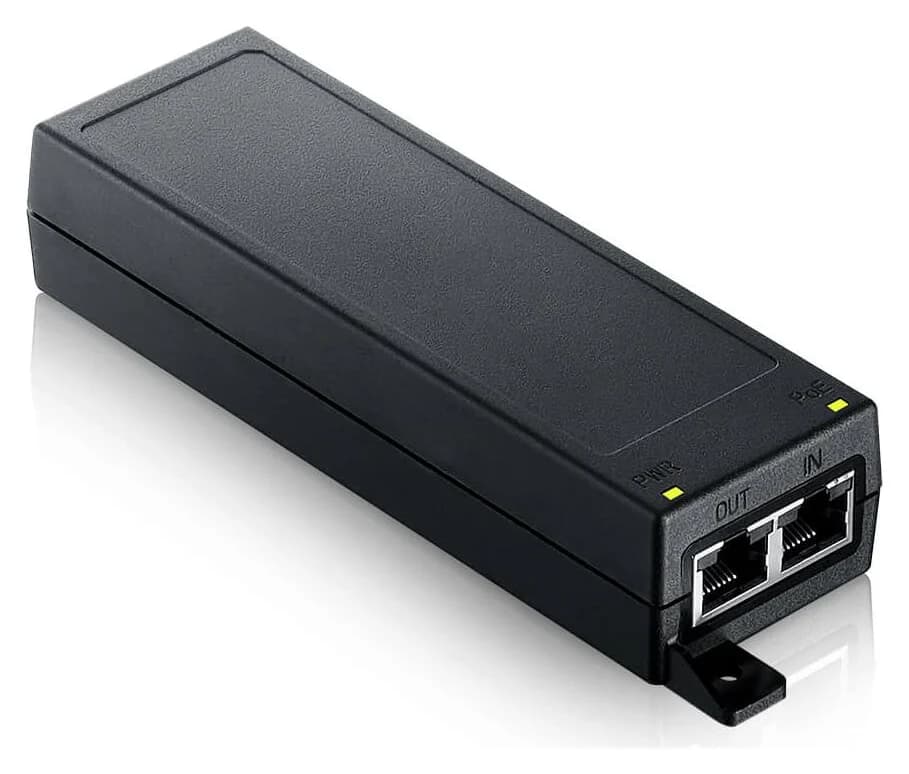
2.5 GbE alternative
Choose for: 2.5 GbE alternative
Check before buying: the 30 W model stops at 2.5 GbE; the 10G and higher-power figures belong to its siblings, which are separate models, not settings.
If you're adding one PoE access point or camera and your switch doesn't provide power, you don't need a new PoE switch — you need the right midspan injector. The TP-Link PoE260S (TL-POE260S) is the best all-round pick: it supplies standards-compliant 802.3af/at power up to 30 W, and both its data-in and power+data-out ports run at 2.5 Gbps, so it won't cap a multi-gig access point like the U7 Pro. Every number in this guide comes from the maker's own specification pages, checked November 5, 2026.
The short version: match the injector to the device's PoE standard (af, at or bt) and its data rate, then check the power budget. Here's how the picks compare.
Quick picks
Compare specifications and all conditions
TP-Link PoE260S
- Best for
- Best overall
- PoE standard
- 802.3af/at
- Power output
- Up to 30 W
All specifications
- Data rate
- 10/100/1000/2500 Mbps
- Devices powered
- 1
Ubiquiti U-PoE+
- Best for
- UniFi devices
- PoE standard
- PoE+
- Power output
- Up to 30 W
All specifications
- Data rate
- Gigabit LAN port
- Devices powered
- 1
Netgear GS305P
- Best for
- Several low-power devices
- PoE standard
- 802.3af
- Power output
- 15.4 W per port; up to 55.5 W total
All specifications
- Data rate
- 10/100/1000 Mbps
- Devices powered
- 4
Zyxel PoE12-30W
- Best for
- 2.5 GbE alternative
- PoE standard
- 802.3at
- Power output
- 30 W total
All specifications
- Data rate
- 100M/1G/2.5G
- Devices powered
- 1
Full comparison table
Swipe to compare. Row labels stay visible.
| Pick | Best for | PoE standard | Power output | Data rate | Devices powered |
|---|---|---|---|---|---|
| TP-Link PoE260S | Best overall | 802.3af/at | Up to 30 W | 10/100/1000/2500 Mbps | 1 |
| Ubiquiti U-PoE+ | UniFi devices | PoE+ | Up to 30 W | Gigabit LAN port | 1 |
| Netgear GS305P | Several low-power devices | 802.3af | 15.4 W per port; up to 55.5 W total | 10/100/1000 Mbps | 4 |
| Zyxel PoE12-30W | 2.5 GbE alternative | 802.3at | 30 W total | 100M/1G/2.5G | 1 |
Scroll horizontally to see every column
| Pick | Best for | PoE standard | Power output | Data rate | Devices powered |
|---|---|---|---|---|---|
| TP-Link PoE260S | Best overall | 802.3af/at | Up to 30 W | 10/100/1000/2500 Mbps | 1 |
| Ubiquiti U-PoE+ | UniFi devices | PoE+ | Up to 30 W | Gigabit LAN port | 1 |
| Netgear GS305P | Several low-power devices | 802.3af | 15.4 W per port; up to 55.5 W total | 10/100/1000 Mbps | 4 |
| Zyxel PoE12-30W | 2.5 GbE alternative | 802.3at | 30 W total | 100M/1G/2.5G | 1 |
Sources: TP-Link's PoE260S specification page, Ubiquiti's U-PoE+ product page, Netgear's GS305P datasheet and Zyxel's PoE injector series specifications.
How a PoE injector works
An injector is a small box, called a midspan, that sits between your existing switch or router and the powered device. Your network connects to the injector's data-in port; the injector adds power on the same cable and passes both out to the device. Nothing about your existing network changes, no configuration is needed on standards-compliant models, and the device keeps its full data rate as long as the injector's ports match it.
Check the device's PoE standard
A PoE device needs 15.4 W, a PoE+ device 30 W, a PoE++ device up to 60 W or 90 W at the source. Pick an injector that meets or exceeds the device's standard.
Match the data rate
The injector's ports pass your data as well as power. A 100 Mbps injector cripples a gigabit camera; a gigabit injector caps a 2.5 GbE access point.
Confirm the budget
On switches the per-port and total budgets differ; on single-device injectors the output figure is the budget. Higher-power PoE++ injectors exist for devices like PTZ cameras.
One warning that applies before any of that: never assume a cheap injector is standards-based.
Best overall: TP-Link PoE260S (TL-POE260S)
The PoE260S is the most future-proof injector here for the money. TP-Link's specification page lists two 10/100/1000/2500 Mbps RJ45 ports — one data-in, one power+data-out — with IEEE 802.3af/at power up to 30 W and an integrated AC supply (input 100-240 V), so there's no adapter brick to lose. It wall-mounts or sits on a desk, and TP-Link says it works with all 802.3af/at compliant powered devices, including 2.5 G access points, HD IP cameras and IP phones.
- 30 WPower output, IEEE 802.3af/at
- 2.5 GbpsData rate on both RJ45 ports
- 100 mMaximum cable run, category 5e or above
See the PoE260S specification at TP-Link
The trade-offs: it powers exactly one device, and it tops out at 30 W — a PoE++ access point drawing more than 30 W is out of spec. The cited page is TP-Link's global English site; confirm US store availability before ordering.
Best for UniFi devices: Ubiquiti U-PoE+
Ubiquiti's U-PoE+ is the Gigabit-speed injector UniFi owners can reach for when a switch port or its power budget runs out. Ubiquiti's US store page describes it as an adapter that "can power UniFi PoE+ devices, reduce dependency on PoE switch power, and provide a Gigabit LAN connection," delivering up to 30 W of PoE+ with surge, peak pulse and overcurrent protection. For UniFi devices needing more than 1 Gbps, Ubiquiti also sells the UACC-PoE+-2.5G, which it says provides a Multi-Gigabit LAN connection. The U-PoE+ lists a 48 V DC output at 0.65 A, a 100-240 V AC rated input and an IEC-320 C6 AC connector, and it powers on pins 4, 5 (+) and 7, 8 (-).
See the U-PoE+ at the Ubiquiti store
The trade-offs: the technical table lists a Gigabit LAN port and does not provide a U-PoE+ data-throughput rating, so confirm the speed with the seller before choosing it for a 2.5 GbE access point; the UACC-PoE+-2.5G is the clearer maker-supported multi-gig option. Like every injector here, it powers one device.
Best for several low-power devices: Netgear GS305P
If you're powering more than one thing, an injector stops being the right tool. The GS305P is a five-port unmanaged gigabit switch with 802.3af PoE on ports 1-4 and a total budget of up to 55.5 W, per Netgear's series datasheet. Four 802.3af cameras plus a fifth non-PoE connection in one unit, plug and play with no configuration, is more elegant than four injectors and a power strip. The datasheet lists a metal case and fanless design, and maximum PoE power is 15.4 W per port, not to exceed 55.5 W total.
Source: each maker's specification page or datasheet (linked in the product sections)
See the GS305P support pages at Netgear
The trade-offs: 802.3af only. Any PoE+ device — the U7 Pro and most current access points — is out of spec on its 15.4 W ports, and its gigabit ports cap 2.5 GbE devices. For PoE+ switching, our best PoE switches guide covers the Netgear GS308EPP, TP-Link TL-SG1005P and Zyxel XMG1915-10EP.
Best 2.5 GbE alternative: Zyxel PoE12-30W
The Zyxel PoE12-30W is the same idea as the PoE260S — a 30 W, 802.3at injector with one data-in port and one power+data-out port, each supporting 100M/1G/2.5G. Zyxel's series specifications list the separate PoE12-60W and PoE12-90W models with 60 W and 90 W PoE++ budgets and 100M/1G/2.5G/5G/10G data support (the PoE12-60W's 10G claim is qualified: Cat 6a or better, up to 30 meters). Zyxel's overview says the series targets WiFi 7 and WiFi 6 APs, PTZ cameras and POS terminals.
See the PoE injector series at Zyxel
The trade-offs: the 30 W model stops at 2.5 GbE; the 10G and higher-power figures belong to its siblings, which are separate models, not settings. Zyxel publishes one specification per injector model; confirm the regional package and plug type with the seller or Zyxel support before ordering.
How we choose
We haven't tested these injectors. Every power, standard and data-rate figure comes from the makers' specification pages and datasheets, plus standards-body documentation for IEEE power levels, linked in each section, checked November 5, 2026. Picks are ordered by how well a single-device injector matches a modern 2.5 GbE PoE+ access point, with the Netgear switch included for the multi-device case. No prices, ratings or sales ranks are used, and the ASINs here are unverified, pending the owner's check. Full method: How we choose.
Buying guide: what to check before ordering
The PoE standard comes first. Look up the powered device's stated draw. IEEE 802.3af, at, and bt sources allocate 15.4 W, 30 W, and 60 W or 90 W per port; the corresponding powered-device maximums are 13 W, 25.5 W, and 51 W or 71.3 W. PSEs must support PDs of equivalent or lower class, while PDs must interoperate with PSEs of all classes and types.
- Yes: 802.3af device (13 W class, e.g. a basic IP camera): all four picks meet the standard
- Yes: 802.3at PoE+ device up to 30 W (e.g. U7 Pro at 21 W max): PoE260S, U-PoE+, PoE12-30W
- No: 802.3bt PoE++ device above 30 W (e.g. a PTZ camera): none of these; see the Zyxel PoE12-60W/90W instead
Then the data rate. A multi-gig access point is wasted behind a gigabit or 100 Mbps injector. The PoE260S and PoE12-30W pass 2.5 Gbps; the U-PoE+ technical table lists a Gigabit LAN port, while the UACC-PoE+-2.5G provides a Multi-Gigabit LAN connection; some cheap injectors pass only 10/100. Our best Wi-Fi 7 access points and multi-gig switches guides cover the device side.
Budget and planning. On a single-device injector, the output watt is the whole budget. On switches, per-port and total budgets differ: the GS305P's ports each deliver up to 15.4 W, but only 55.5 W total across the four, so four max-class cameras together exceed it — plan for 13 W per af camera in practice. Our best PoE switches guide has the sizing worked through for larger installs.
Verdict
For one modern access point or camera, the TP-Link PoE260S is the pick: 802.3af/at power up to 30 W, 2.5 Gbps on both ports, and an integrated AC supply, per TP-Link's specification page. Choose the Ubiquiti U-PoE+ to power a UniFi device without spending PoE switch budget in a Gigabit-speed deployment; for a UniFi multi-gig link, check Ubiquiti's UACC-PoE+-2.5G. If you're powering three or four 802.3af devices, skip injectors and get the Netgear GS305P; the Zyxel PoE12-30W is the 2.5 GbE alternative. If you later need more power, buy the separate PoE12-60W or PoE12-90W injector. Whichever you choose, confirm the device's PoE standard and data rate before ordering — those two numbers, not the price, decide whether it works.
Frequently asked questions
Can a PoE injector damage a device that doesn't support PoE?
IEEE 802.3af/at/bt sources use powered-device classification and power management; check the product's documentation for its detection behavior before connecting non-PoE equipment. Passive injectors are different: they apply voltage to the cable without automatic negotiation, and only devices built for that exact voltage should be connected. Check which type you are buying.
What's the difference between PoE, PoE+ and PoE++?
They are the IEEE power levels. 802.3af (PoE) allocates 15.4 W per port at the source, 802.3at (PoE+) 30 W, and 802.3bt (PoE++) 60 W (Type 3) or 90 W (Type 4). At the powered device, the corresponding maximum figures are 13 W, 25.5 W, 51 W and 71.3 W. A device marked PoE+ needs an 802.3at or bt source; an 802.3af-only source, like the Netgear GS305P's 15.4 W ports, is out of spec for it.
Do I lose the 2.5 GbE port on my access point if I use an injector?
Only if the injector's ports are slower than the access point. The TP-Link PoE260S and Zyxel PoE12-30W pass 100M/1G/2.5G, matching a U7 Pro's 2.5 GbE uplink. The Ubiquiti U-PoE+ page displays 1G/2.5G badges while its technical table lists a Gigabit LAN port and no U-PoE+ 2.5 Gbps data-rate entry. Ubiquiti also sells the UACC-PoE+-2.5G, which it says provides a Multi-Gigabit LAN connection. Match the injector's data rate to the device.
PoE injector or a small PoE switch?
The injectors in this guide power exactly one device and use one existing network port, which is ideal for a single access point or camera. A PoE switch replaces your existing switch or adds ports: the Netgear GS305P powers up to four PoE devices with a 55.5 W total budget and still connects a fifth device. Our best PoE switches guide covers larger budgets and multi-gig options.
How far can I run the cable from a PoE injector?
Standards-based PoE supports 100 m of category cable between the injector and the powered device. TP-Link specifies category 5e or above for the PoE260S's 2.5GBASE-T ports, at up to 100 m. Long camera runs sometimes use extenders, but those trade speed or power; treat 100 m as the planning limit.
Best overall
TP-Link PoE260S
Related guides
Buying guide · Cables & Accessories
SFP Modules and Media Converters in 2026: Fiber for a Home Network
Pick the right SFP module or media converter for your home network: match the fiber type, speed and wavelength, and see our spec-checked picks.
Best picks · Cables & Accessories
Best Network Cable Testers: Verify, Qualify or Certify
Pick the right network cable tester: a cheap wiremap tester for home runs, Fluke LinkIQ for 10GbE qualification, or a DSX CableAnalyzer for certification.
Comparison · Cables & Accessories
CyberPower CP1500PFCLCD vs APC BE600M1: Which Router Backup Should You Buy?
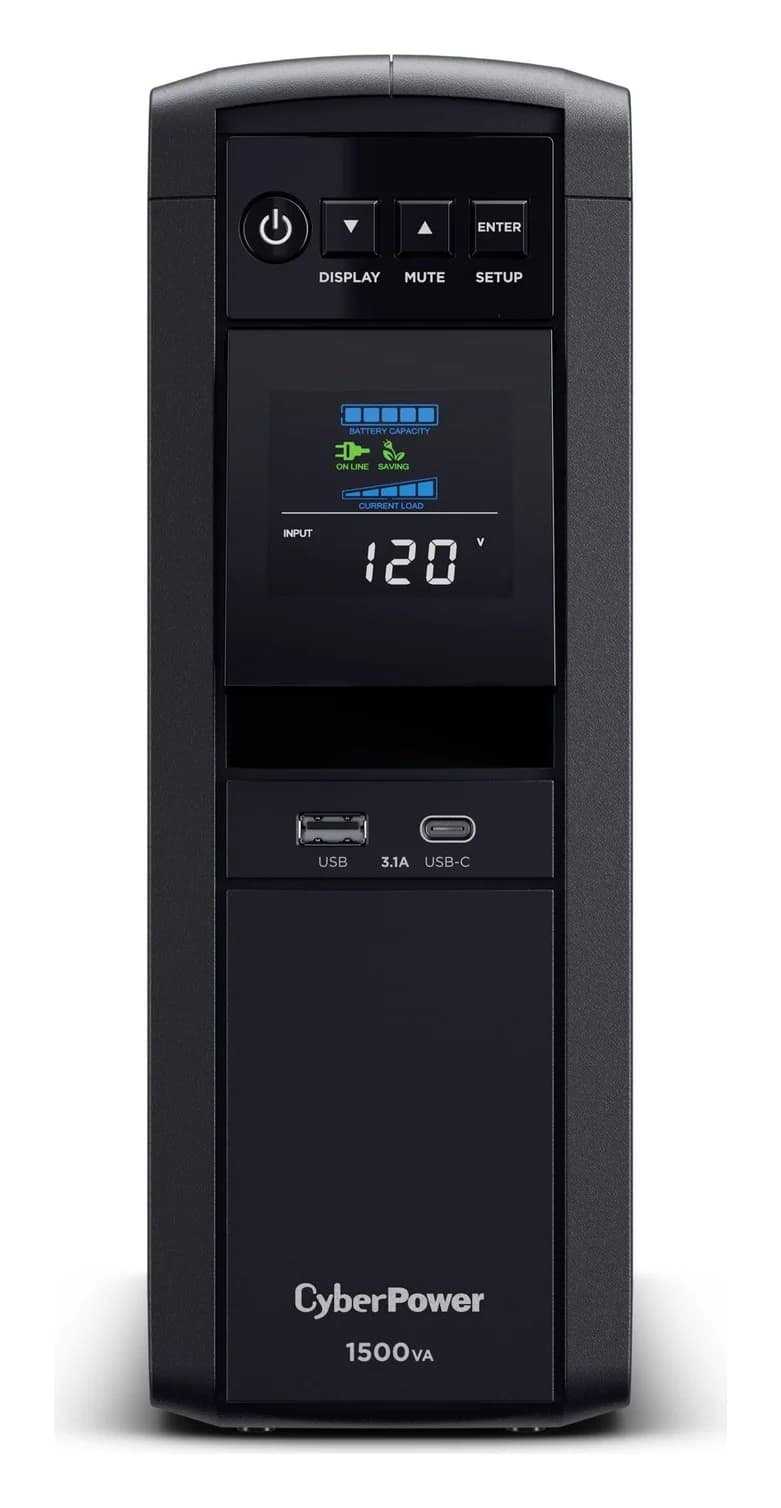
CyberPower CP1500PFCLCD or APC BE600M1 for a router, modem or NAS? Compare capacity, outlets, waveform, runtime curves and USB shutdown support before buying.