

Best picks
Best USB 2.5Gb Ethernet Adapters
Match Your Port and OS
Choose a USB 2.5Gb Ethernet adapter by connector, host speed and OS. Compare Plugable and D-Link, avoid revision traps, and build a laptop-to-NAS upgrade.
By thisPING EditorialUpdated November 3, 20268 min read
On this page · Quick picks and comparison
For a laptop or desktop with a suitable USB data port, the Plugable USBC-E2500 is our best overall 2.5Gb Ethernet adapter: its hybrid connector covers USB-C and USB-A, and Plugable documents several OS installation paths. The D-Link DUB-E250 is a conditional USB-C alternative for an installation whose revision and drivers you have already matched; its US store listing is sold out. Keep your existing gigabit connection if your internet plan and local transfers have no faster path to use.
Official specifications and support documents checked November 2, 2026. Recommendations are based on documentation, without physical performance testing.
Quick picks and comparison
Compare specifications and all conditions
Plugable USBC-E2500
- Choose it for
- Best overall; moving between USB-A and USB-C computers
- Host connector and package
- Hybrid USB-C/USB-A conversion included; USB 3.0 required for full performance
- Maximum Ethernet link
- 2.5Gbps
All specifications
- Buying catch
- Base model has no charging passthrough; check OS instructions below
D-Link DUB-E250
- Choose it for
- Conditional USB-C alternative for a matched driver deployment
- Host connector and package
- USB-C; no USB-A converter documented in the package guide
- Maximum Ethernet link
- 2.5Gbps
All specifications
- Buying catch
- US listing sold out; US hardware revision unspecified; UK support identifies A1
Full comparison table
Swipe to compare. Row labels stay visible.
| Exact model | Choose it for | Host connector and package | Maximum Ethernet link | Buying catch |
|---|---|---|---|---|
| Plugable USBC-E2500 | Best overall; moving between USB-A and USB-C computers | Hybrid USB-C/USB-A conversion included; USB 3.0 required for full performance | 2.5Gbps | Base model has no charging passthrough; check OS instructions below |
| D-Link DUB-E250 | Conditional USB-C alternative for a matched driver deployment | USB-C; no USB-A converter documented in the package guide | 2.5Gbps | US listing sold out; US hardware revision unspecified; UK support identifies A1 |
Scroll horizontally to see every column
| Exact model | Choose it for | Host connector and package | Maximum Ethernet link | Buying catch |
|---|---|---|---|---|
| Plugable USBC-E2500 | Best overall; moving between USB-A and USB-C computers | Hybrid USB-C/USB-A conversion included; USB 3.0 required for full performance | 2.5Gbps | Base model has no charging passthrough; check OS instructions below |
| D-Link DUB-E250 | Conditional USB-C alternative for a matched driver deployment | USB-C; no USB-A converter documented in the package guide | 2.5Gbps | US listing sold out; US hardware revision unspecified; UK support identifies A1 |
The Plugable link contains the maker's specifications and driver table. For D-Link, read the US listing, UK support page and datasheet together: the regional documents do not establish which revision a US seller will supply.
Check the USB data link before choosing a connector
USB-C describes the connector; verify the data speed separately. USB-IF distinguishes USB-C from USB data protocols and specifies 480Mbps for USB 2.0 Type-C. Its USB 3.2 guidance identifies Gen 1 as 5Gbps, and says USB operates at the lowest common capability.
Look for a documented USB 5Gbps or faster data port in your computer's specifications. Plugable requires USB 3.0 for full adapter performance; D-Link lists USB 3.1 Gen 1 and backward compatibility. Neither requires a Thunderbolt purchase merely to add this Ethernet speed. The USB-C guidance also explains why charging capability does not prove data capability.
- Yes: Computer: documented USB 5Gbps or faster data port and a matched OS installation path
- Partly: Dock or hub: check both its computer connection and the downstream port; repeat directly if performance disappoints
- No: USB 2.0 path: cannot deliver the adapter's full 2.5Gbps Ethernet rate
Best overall: Plugable USBC-E2500
Choose this for a shared accessory drawer or a laptop replacement cycle: the hybrid package converts between USB-C and USB-A. It avoids having to find a separate converter of uncertain data capability. Plugable's general adapter-selection advice warns that some USB-C-to-A converters are limited to USB 2.0; that warning is particularly relevant to improvised adapter chains.
The specified chipset is Realtek RTL8156B. Buy by the complete model and package, rather than assuming every adapter carrying a similar chipset has the same driver instructions. Plugable lists Windows, macOS, ChromeOS and Linux, but its setup notes distinguish basic Linux support from full support and treat older Macs differently from newer ones.
Check the suffix: the base USBC-E2500 has no power passthrough. The separate USBC-E2500PD adds USB-C charging advertised at 100W; Plugable's comparison identifies its host connection as USB-C. These are different configurations. For a laptop whose only available port must also charge it, evaluate that charging variant separately rather than expecting the base hybrid adapter to accept a charger.
The limitation is documentation detail, especially on Macs: Plugable says macOS 11+ uses its built-in NCM driver, while the driver table also flags minor issues on that OS family. Our pick favors the clear installation route, without promising identical throughput on every OS release.
Check the exact model and driver instructions at Plugable.
Conditional USB-C alternative: D-Link DUB-E250
The DUB-E250 adds a USB-C-connected RJ45 port with 10/100/1000/2500Mbps auto-negotiation, according to D-Link's datasheet. Its adapter draws power from USB; the package guide documents the adapter, without a USB-A converter. Choose it only when that connector fits your deployment and the appropriate driver is confirmed.
Availability and revision are unresolved for a fresh US order. D-Link's US store says sold out. Its UK page labels Revision A1 live and provides A1 downloads, but the US product text does not identify the supplied revision. A live regional support page is not evidence of US stock. Match the hardware label to the support package before ordering; the chipset is not specified in the cited D-Link documents, so we leave it unknown.
There is also an installation mismatch worth understanding. The UK page promotes preloaded installation software, while the US listing says to install drivers. The A1 quick-install guide resolves the procedure for its documented systems: Windows uses the virtual CD; Mac users download a driver. That does not establish compatibility with every current OS release.
The US listing also advertises 4.6Gbps combined full-duplex throughput, alongside a 2.5Gbps Ethernet port.
Check D-Link's US listing. If stock or OS support remains unclear, choose the documented Plugable route instead.
OS and driver requirements
Windows 11
- Plugable USBC-E2500
- Listed driver; Windows Update installation needs an existing internet connection
- D-Link DUB-E250
- Cited US requirements and A1 guide name Windows 7/8/10; obtain exact Windows 11 support confirmation
macOS
- Plugable USBC-E2500
- Setup says macOS 11+ uses built-in NCM; older releases have separate driver guidance
- D-Link DUB-E250
- Published requirements say Mac OS 10.6 or later; A1 guide requires a download; verify your exact current release
ChromeOS
- Plugable USBC-E2500
- Up-to-date ChromeOS documented; no additional setup
- D-Link DUB-E250
- No confirmed support in the cited documents
Linux
- Plugable USBC-E2500
- Basic support from kernel 3.2; setup recommends in-box support from kernel 5.x or a driver for older kernels
- D-Link DUB-E250
- No confirmed support in the cited documents
Full comparison table
Swipe to compare. Row labels stay visible.
| Host system | Plugable USBC-E2500 | D-Link DUB-E250 |
|---|---|---|
| Windows 11 | Listed driver; Windows Update installation needs an existing internet connection | Cited US requirements and A1 guide name Windows 7/8/10; obtain exact Windows 11 support confirmation |
| macOS | Setup says macOS 11+ uses built-in NCM; older releases have separate driver guidance | Published requirements say Mac OS 10.6 or later; A1 guide requires a download; verify your exact current release |
| ChromeOS | Up-to-date ChromeOS documented; no additional setup | No confirmed support in the cited documents |
| Linux | Basic support from kernel 3.2; setup recommends in-box support from kernel 5.x or a driver for older kernels | No confirmed support in the cited documents |
Scroll horizontally to see every column
| Host system | Plugable USBC-E2500 | D-Link DUB-E250 |
|---|---|---|
| Windows 11 | Listed driver; Windows Update installation needs an existing internet connection | Cited US requirements and A1 guide name Windows 7/8/10; obtain exact Windows 11 support confirmation |
| macOS | Setup says macOS 11+ uses built-in NCM; older releases have separate driver guidance | Published requirements say Mac OS 10.6 or later; A1 guide requires a download; verify your exact current release |
| ChromeOS | Up-to-date ChromeOS documented; no additional setup | No confirmed support in the cited documents |
| Linux | Basic support from kernel 3.2; setup recommends in-box support from kernel 5.x or a driver for older kernels | No confirmed support in the cited documents |
Use the Plugable driver table and D-Link A1 instructions, rather than treating an old minimum OS version as proof that every newer build was validated. For Windows on Arm, get explicit model-and-architecture confirmation before buying; this guide makes no confirmed Arm recommendation.
Trace the complete laptop-to-NAS path
Follow computer USB port → optional dock → adapter → cable → switch → NAS. At each hop, write down the capability you have verified. USB-IF's lowest-common-capability rule applies to the USB chain; on the network side, Plugable's performance guidance identifies older gigabit hardware as a local bottleneck.
You may be able to keep the router. Plugable explicitly says a router upgrade is unnecessary for a gigabit-or-slower internet plan when the local devices needing faster transfers share a 2.5Gbps-or-faster switch. Connect both the laptop adapter and the NAS's multi-gig port to that switch. A gigabit router uplink can remain for internet access; do not route the NAS transfer through a separate gigabit-only connection.
Keep suitable cables. Plugable says Cat5e or better is designed to carry its 2.5GbE signals. Try the existing lead and confirm negotiation before replacing it. For new patch leads, choose the required length and an appropriate installation rating; do not buy a cable category merely because its number is higher.
Check the NAS, too. Its Ethernet link is only part of the transfer. Synology's slow-file-transfer checklist covers drives, resource use and transfer settings as well as the network. A healthy network benchmark followed by a slow file copy is a reason to investigate that storage and workload path before replacing the adapter.
Install and verify before changing advanced settings
Save the appropriate documented installer while you still have connectivity. Plugable's Windows Update route needs an existing network connection; D-Link's A1 virtual-CD route is documented for Windows 7/8/10. Start with the adapter directly connected to the computer to reduce the number of links to diagnose.
Match the software
Use the maker's installation path for the exact adapter, revision and host OS.
Check negotiation
Confirm the wired adapter and its switch port negotiate the intended Ethernet link.
Separate local from internet
Check local network performance before blaming an internet speed result.
Reintroduce the dock
Repeat the same task through the intended dock or hub and compare with the direct connection.
On macOS, Plugable documents System Settings → Network → adapter → Details → Hardware. Its example shows 2500Base-T for a 2.5G link and 1000Base-T for gigabit. This is the negotiated link to the first switch, not an internet-speed measurement. On Windows, Microsoft's Get-NetAdapter documentation provides Get-NetAdapter -Name * | Format-List -Property * to inspect adapter properties; identify the wired interface and check its link-speed information.
If negotiation is lower than expected, try another cable and switch port, and bypass intermediate connections, as Plugable recommends. If the link looks right, its guide documents a local iPerf server with iperf3 -s, a client with iperf3 -c Server_IP, and -R for the reverse direction. Compare local results before diagnosing the ISP. These are checks you can perform, not benchmark results from thisPING.
Leave jumbo frames at the default initially. Plugable says jumbo frames must be supported and enabled across the whole path; its adapter FAQ specifically says macOS does not currently support them. They are not an installation requirement for this recommendation.
Buy the smallest complete upgrade
If a suitable switch, NAS port and cable are already present, buy just the matched adapter. If the missing piece is the switch, the existing catalog's QNAP QSW-1108-8T-R2 is an example: eight 2.5GbE RJ45 ports, unmanaged operation and fanless cooling. Keep the R2 suffix when comparing packages. Our multi-gig switch guide explains the wider switch choice.
For a new indoor patch lead, the Cable Matters 160001 Cat6 family specifies bare-copper conductors and RJ45 connectors. Check the selected length, color and pack quantity before ordering.
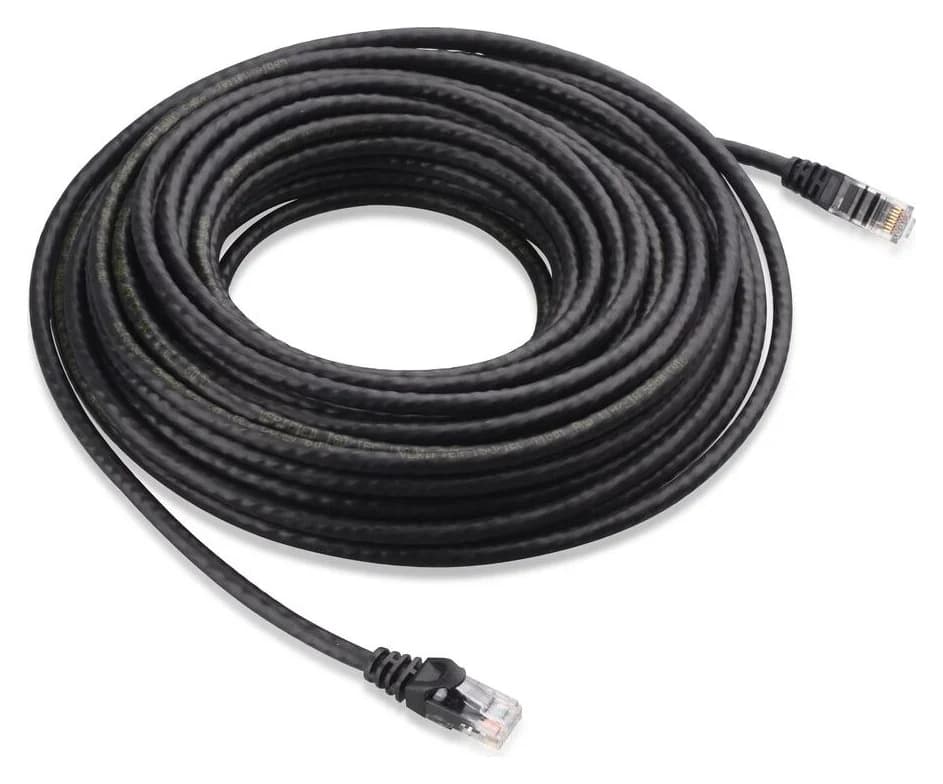
Cable Matters
An indoor unshielded Cat6 Ethernet patch cable with bare-copper conductors and snagless boots.
Check package and model options
For the other end, use our home NAS guide. If your current wired connection already serves your workload and there is no faster internet or local endpoint, keep gigabit. Plugable explicitly says a faster adapter cannot improve a gigabit internet plan. For a wireless upgrade instead, see Wi-Fi adapters for PC.
How we choose
We compare official model specifications, package contents, USB capabilities, installation documents and regional availability. The recommendation prioritizes a usable connector and documented OS path over a claimed speed advantage. Conflicting or incomplete support evidence stays visible. No physical testing or comparative throughput measurements inform these picks. See How we choose.
Verdict
Get the Plugable USBC-E2500 for its hybrid USB-A/USB-C package after confirming the USB data port and OS path. Treat the D-Link DUB-E250 as a conditional alternative whose revision, drivers and US availability need resolving first. Upgrade the missing links to a NAS together; keep gigabit when the workload has no faster path to use.
Frequently asked questions
Will a 2.5Gb Ethernet adapter make my internet faster?
Only when the internet plan and the network path can exceed gigabit. Plugable says a 2.5Gbps adapter will not improve a 1Gbps internet connection. It can still help local NAS transfers: connect the computer and a suitably equipped NAS to the same 2.5GbE switch. The router's internet link does not need upgrading for that local path.
Can a USB 2.0 port run a 2.5Gb Ethernet adapter at full speed?
No. USB-IF specifies up to 480Mbps for USB 2.0 Type-C, well below 2.5Gbps Ethernet. Plugable documents reduced-speed operation through USB 2.0. Choose a host port with a documented USB 5Gbps or faster data link, and check any intervening hub, dock or connector converter. A USB-C socket alone does not establish its data capability.
Do I need Cat6 or Cat8 for 2.5Gb Ethernet?
Do not replace working cabling automatically. Plugable says its 2.5GbE signals are designed for Cat5e or better. Check the negotiated link before buying another cable. For a new indoor patch lead, the Cable Matters 160001 Cat6 family is one option, with bare-copper conductors and RJ45 connectors. Select the actual length, color and quantity separately.
Do USB 2.5Gb Ethernet adapters need drivers on Mac or Windows?
It depends on the exact adapter and operating system. Plugable documents Windows Update installation and the built-in NCM driver for macOS 11 and later. D-Link's A1 quick-install guide instead describes a virtual-CD installer for Windows 7, 8 and 10, and a downloaded Mac driver. Neither a connector shape nor a chipset family replaces the model's installation instructions.
Related guides
Buying guide · Network Adapters
Wi-Fi 7 Devices: Check Your Laptop, Adapter and Router
Check Wi-Fi 7 devices before buying: match your exact laptop or phone, operating system, adapter and router, then decide what to keep and what to upgrade.
Best picks · Network Adapters
Best Powerline Adapters: Choose a US Kit and Check Your Outlets
Choose the right US powerline kit for a TV, console or office. Compare ports, pass-through sockets, hardware revisions and support, then run an outlet trial.
Comparison · Network Adapters
ScreenBeam ECB7250 vs goCoax MA2500D: Which MoCA Kit to Buy
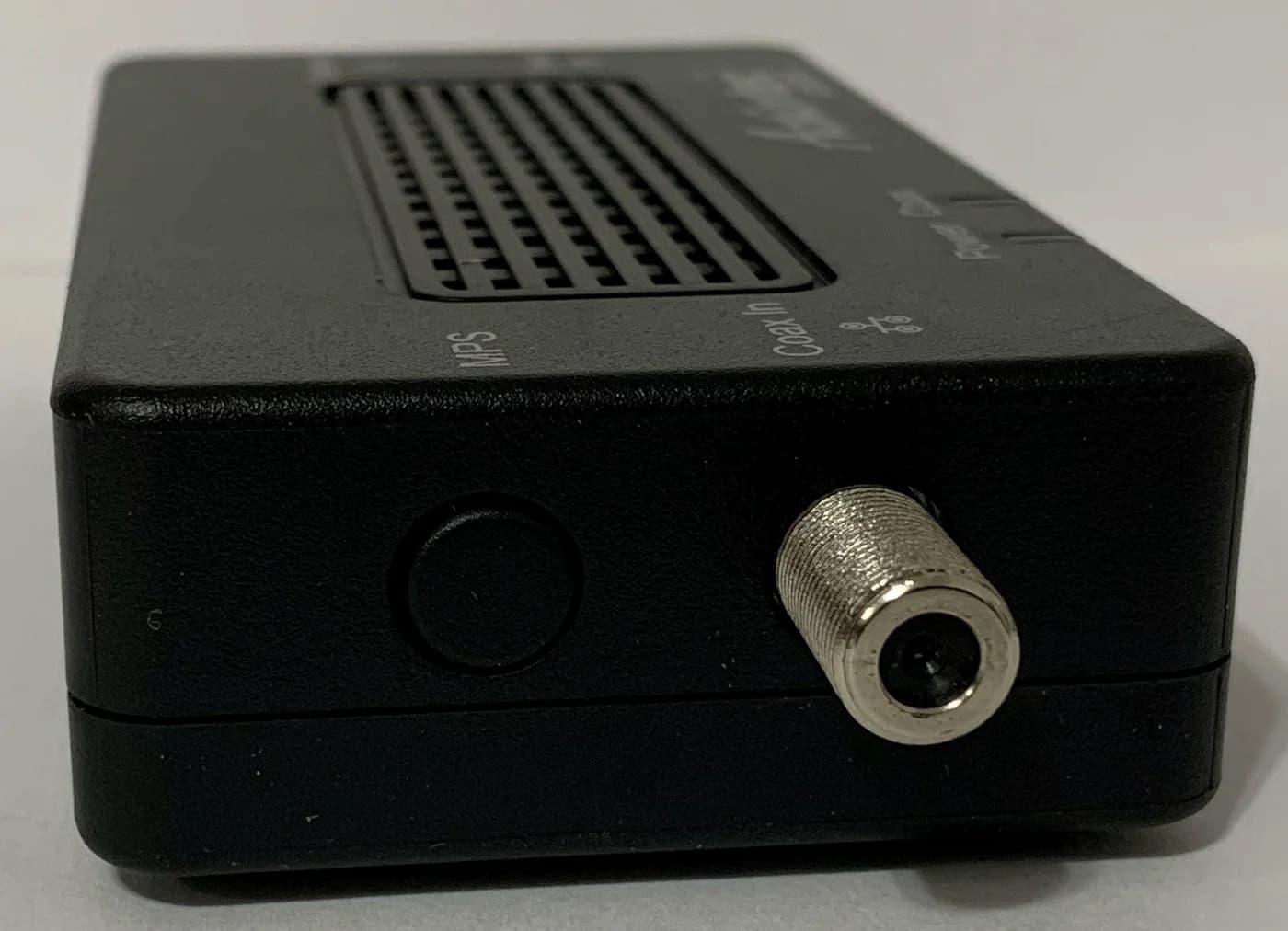
Compare ScreenBeam ECB7250 and goCoax MA2500D MoCA adapters: choose the right kit, count room connections and check splitters, power supplies and ISP conflicts.