

Buying guide
Wi-Fi 7 Devices: Check Your Laptop, Adapter and Router
Check Wi-Fi 7 devices before buying: match your exact laptop or phone, operating system, adapter and router, then decide what to keep and what to upgrade.
By thisPING EditorialUpdated November 3, 20268 min read1 pick
On this page · Our picks at a glance
Our picks at a glance
- 1
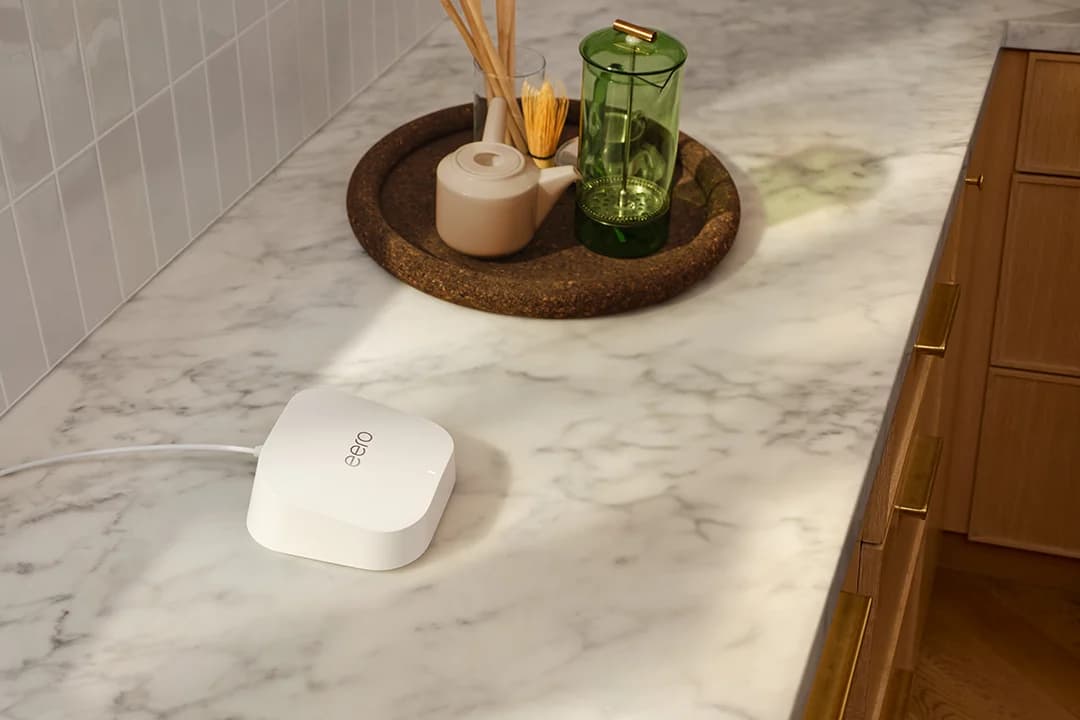
Choose for: You want Wi-Fi 7 without a 6 GHz requirement
Check before buying: No 6 GHz band, so channels top out at 240 MHz
Wi-Fi 7 devices need the right hardware and software at both ends: a new router cannot turn an older client radio into Wi-Fi 7. Keep your existing setup if it already meets your needs; when the missing feature is a router with 6 GHz, our pick here is the eero Pro 7. For an eligible Windows PC that needs a radio upgrade, start with the NETGEAR A9000 USB option, subject to the checks below. (Microsoft requirements, eero compatibility)
Official documentation checked November 2, 2026. Laptop and phone examples are references, not purchase recommendations.
Quick picks: keep, add an adapter, or replace the router
Compare specifications and all conditions
Keep your router
- Choose it when
- Your existing connection meets your needs
- Documented capability
- Compare its features with the device worksheet below
- Buying catch
- Establish the missing feature before spending
NETGEAR A9000
- Choose it when
- You want a USB upgrade for an eligible Windows PC
- Documented capability
- Wi-Fi 7 on 2.4, 5 and 6 GHz; USB 3.0
- Buying catch
- Windows 11 Consumer Editions; bands alternate rather than run concurrently
ASUS PCE-BE92BT
- Choose it when
- You have a desktop meeting ASUS's Intel platform requirements
- Documented capability
- Wi-Fi 7; 320 MHz on 6 GHz; PCIe x1
- Buying catch
- Check motherboard, CPU and driver support before ordering
eero Pro 7
- Choose it when
- Your router upgrade needs 6 GHz
- Documented capability
- 2.4, 5 and 6 GHz; 320 MHz; MLO; two 5 GbE ports
- Buying catch
- Requires the eero phone app
eero 7
- Choose it when
- You want Wi-Fi 7 without a 6 GHz requirement
- Documented capability
- 2.4 and 5 GHz; MLO; two 2.5 GbE ports
- Buying catch
- No 6 GHz radio; channel-width list stops at 240 MHz
Full comparison table
Swipe to compare. Row labels stay visible.
| Choice | Choose it when | Documented capability | Buying catch |
|---|---|---|---|
| Keep your router | Your existing connection meets your needs | Compare its features with the device worksheet below | Establish the missing feature before spending |
| NETGEAR A9000 | You want a USB upgrade for an eligible Windows PC | Wi-Fi 7 on 2.4, 5 and 6 GHz; USB 3.0 | Windows 11 Consumer Editions; bands alternate rather than run concurrently |
| ASUS PCE-BE92BT | You have a desktop meeting ASUS's Intel platform requirements | Wi-Fi 7; 320 MHz on 6 GHz; PCIe x1 | Check motherboard, CPU and driver support before ordering |
| eero Pro 7 | Your router upgrade needs 6 GHz | 2.4, 5 and 6 GHz; 320 MHz; MLO; two 5 GbE ports | Requires the eero phone app |
| eero 7 | You want Wi-Fi 7 without a 6 GHz requirement | 2.4 and 5 GHz; MLO; two 2.5 GbE ports | No 6 GHz radio; channel-width list stops at 240 MHz |
Scroll horizontally to see every column
| Choice | Choose it when | Documented capability | Buying catch |
|---|---|---|---|
| Keep your router | Your existing connection meets your needs | Compare its features with the device worksheet below | Establish the missing feature before spending |
| NETGEAR A9000 | You want a USB upgrade for an eligible Windows PC | Wi-Fi 7 on 2.4, 5 and 6 GHz; USB 3.0 | Windows 11 Consumer Editions; bands alternate rather than run concurrently |
| ASUS PCE-BE92BT | You have a desktop meeting ASUS's Intel platform requirements | Wi-Fi 7; 320 MHz on 6 GHz; PCIe x1 | Check motherboard, CPU and driver support before ordering |
| eero Pro 7 | Your router upgrade needs 6 GHz | 2.4, 5 and 6 GHz; 320 MHz; MLO; two 5 GbE ports | Requires the eero phone app |
| eero 7 | You want Wi-Fi 7 without a 6 GHz requirement | 2.4 and 5 GHz; MLO; two 2.5 GbE ports | No 6 GHz radio; channel-width list stops at 240 MHz |
For a wider shortlist, use our Wi-Fi adapter guide or Wi-Fi 7 router guide.
Start with the devices you already own
Copy this worksheet for each person and room. Record the exact model, configuration and purchase region, with separate maker links for the client and router or mesh node.
Your laptop
- Exact model, variant, region
- Fill in
- Wi-Fi chipset / adapter
- Fill in or unknown
- OS build; driver version and date
- Fill in
All specifications
- Bands; maximum width; MLO
- Record each separately
- Router or node; firmware; security
- Fill in
- Decision / missing evidence
- Keep / adapter / router / unknown
Your phone
- Exact model, variant, region
- Fill in
- Wi-Fi chipset / adapter
- Fill in or undocumented
- OS build; driver version and date
- Record software version
All specifications
- Bands; maximum width; MLO
- Record each separately
- Router or node; firmware; security
- Fill in
- Decision / missing evidence
- Keep / router / unknown
Full comparison table
Swipe to compare. Row labels stay visible.
| Device / room | Exact model, variant, region | Wi-Fi chipset / adapter | OS build; driver version and date | Bands; maximum width; MLO | Router or node; firmware; security | Decision / missing evidence |
|---|---|---|---|---|---|---|
| Your laptop | Fill in | Fill in or unknown | Fill in | Record each separately | Fill in | Keep / adapter / router / unknown |
| Your phone | Fill in | Fill in or undocumented | Record software version | Record each separately | Fill in | Keep / router / unknown |
Scroll horizontally to see every column
| Device / room | Exact model, variant, region | Wi-Fi chipset / adapter | OS build; driver version and date | Bands; maximum width; MLO | Router or node; firmware; security | Decision / missing evidence |
|---|---|---|---|---|---|---|
| Your laptop | Fill in | Fill in or unknown | Fill in | Record each separately | Fill in | Keep / adapter / router / unknown |
| Your phone | Fill in | Fill in or undocumented | Record software version | Record each separately | Fill in | Keep / router / unknown |
Use yes, no, or unknown for each feature. “Unknown” means the cited document does not establish it. A chipset's capabilities alone should not fill an undocumented laptop feature cell.
For Windows Wi-Fi 7, Microsoft specifies Windows 11 version 24H2 or later, a capable adapter and compatible drivers. Update through Windows Update and the exact PC or adapter maker's support page; record installed versions.
Identify the exact configuration
Record the model, region, adapter and installed software.
Save both maker pages
Capture the client and the router or mesh node's documented features.
Compare the shared features
Leave unsupported assumptions marked unknown.
Choose the smallest useful change
Keep the setup, add an eligible adapter, or replace the missing router capability.
Exact laptop and phone examples
Channel widths below are documented maxima, not a promised connection speed.
MacBook Air, 13-inch, M5, 2026
- Documented radio / chipset
- Wi-Fi 7; Apple N1
- 6 GHz
- Yes, where permitted
- Maximum channel width / MLO
- 160 MHz on 5 and 6 GHz; MLO documented
All specifications
- Remaining check
- Installed macOS and operating region
Dell XPS 13 9350, Core Ultra Series 2
- Documented radio / chipset
- Intel Killer Wi-Fi 7 1750i (BE201)
- 6 GHz
- Unknown in cited sheet
- Maximum channel width / MLO
- Width and MLO unknown in cited sheet
All specifications
- Remaining check
- Exact OS and current OEM driver
iPhone 17
- Documented radio / chipset
- Wi-Fi 7; Apple N1
- 6 GHz
- Yes, where permitted
- Maximum channel width / MLO
- 160 MHz on 5 and 6 GHz; MLO documented
All specifications
- Remaining check
- Installed iOS and operating region
Pixel 10, US specifications
- Documented radio / chipset
- Wi-Fi 6E; chipset unspecified
- 6 GHz
- Yes
- Maximum channel width / MLO
- Width unspecified; Wi-Fi 7 MLO inapplicable
All specifications
- Remaining check
- Installed software and router settings
Pixel 10 Pro, US specifications
- Documented radio / chipset
- Wi-Fi 7; chipset unspecified
- 6 GHz
- Yes
- Maximum channel width / MLO
- Width and MLO unspecified
All specifications
- Remaining check
- Obtain feature-specific evidence before relying on either
Full comparison table
Swipe to compare. Row labels stay visible.
| Exact reference device | Documented radio / chipset | 6 GHz | Maximum channel width / MLO | Remaining check |
|---|---|---|---|---|
| MacBook Air, 13-inch, M5, 2026 | Wi-Fi 7; Apple N1 | Yes, where permitted | 160 MHz on 5 and 6 GHz; MLO documented | Installed macOS and operating region |
| Dell XPS 13 9350, Core Ultra Series 2 | Intel Killer Wi-Fi 7 1750i (BE201) | Unknown in cited sheet | Width and MLO unknown in cited sheet | Exact OS and current OEM driver |
| iPhone 17 | Wi-Fi 7; Apple N1 | Yes, where permitted | 160 MHz on 5 and 6 GHz; MLO documented | Installed iOS and operating region |
| Pixel 10, US specifications | Wi-Fi 6E; chipset unspecified | Yes | Width unspecified; Wi-Fi 7 MLO inapplicable | Installed software and router settings |
| Pixel 10 Pro, US specifications | Wi-Fi 7; chipset unspecified | Yes | Width and MLO unspecified | Obtain feature-specific evidence before relying on either |
Scroll horizontally to see every column
| Exact reference device | Documented radio / chipset | 6 GHz | Maximum channel width / MLO | Remaining check |
|---|---|---|---|---|
| MacBook Air, 13-inch, M5, 2026 | Wi-Fi 7; Apple N1 | Yes, where permitted | 160 MHz on 5 and 6 GHz; MLO documented | Installed macOS and operating region |
| Dell XPS 13 9350, Core Ultra Series 2 | Intel Killer Wi-Fi 7 1750i (BE201) | Unknown in cited sheet | Width and MLO unknown in cited sheet | Exact OS and current OEM driver |
| iPhone 17 | Wi-Fi 7; Apple N1 | Yes, where permitted | 160 MHz on 5 and 6 GHz; MLO documented | Installed iOS and operating region |
| Pixel 10, US specifications | Wi-Fi 6E; chipset unspecified | Yes | Width unspecified; Wi-Fi 7 MLO inapplicable | Installed software and router settings |
| Pixel 10 Pro, US specifications | Wi-Fi 7; chipset unspecified | Yes | Width and MLO unspecified | Obtain feature-specific evidence before relying on either |
Apple's deployment tables supply the Air and iPhone channel widths and MLO support. They place the M4 MacBook Air, 2025, in a different group with 802.11ax, including 6 GHz: do not transfer the M5 row to it. Dell's launch sheet warns that Wi-Fi 7 depends on drivers and supported Windows software; its printed Wi-Fi 7 label does not establish today's installed configuration.
Region matters too. Apple says Wi-Fi 7 is supported in mainland China without 6 GHz. NETGEAR's A9000 datasheet requires country settings to match the operating country. Verify an imported gift against the documentation for its destination. (Apple, NETGEAR datasheet)
Best USB route for an eligible PC: NETGEAR A9000
Choose the A9000 when an external adapter suits your PC. NETGEAR specifies Windows 11 and above Consumer Editions, excludes Windows 10 and older, and recommends USB 3.0; USB 2.0 is compatible. The package includes a cradle and installation thumb drive.
Its important limitation is in the footnotes: the bands alternate, rather than operate concurrently. Do not buy it assuming simultaneous multi-band MLO. The product page also promotes 320 MHz while listing a maximum 6 GHz signal rate of 2,882 Mbps; the datasheet repeats that rate without establishing a channel-width specification. Leave the exact usable width unconfirmed before buying specifically for 320 MHz.
Follow the manual: run the installer first and insert the adapter when prompted. An official Windows software package is available; verify driver architecture for the recipient's PC. Mac, Linux and Windows on Arm support are unconfirmed in the cited documentation.
Best PCIe route for a qualifying desktop: ASUS PCE-BE92BT
The PCE-BE92BT documents 320 MHz on 6 GHz, but ASUS's US platform guide specifies Intel motherboards and Intel 13th-generation or later CPUs, plus a PCIe x1 slot. Obtain confirmation for the exact motherboard before ordering.
ASUS's pages need reading together: the overview specifies Windows 11, while the specification page also lists Windows 10. Its driver notes explain limited Windows 10 functionality and Windows 11 dependence for 6 GHz. Apply Microsoft's OS requirement above for Wi-Fi 7.
For the included Bluetooth 5.4 function, the quick-start guide connects the bundled cable to the motherboard's F_USB header. Record MLO as unknown: the cited product and driver pages do not establish it. ASUS also advertises a TAA-compliant option; its exact ordering SKU is unconfirmed here.
Router pick for clients with 6 GHz: eero Pro 7
The Pro 7 support page documents tri-band radios, 320 MHz channels, MLO and two auto-sensing 5 GbE ports. It requires the Android or iOS eero app. Choose it when your worksheet identifies a missing router-side feature; a capable client remains necessary.
For example, iPhone 17 with Pro 7 has documented 6 GHz and MLO support at both ends, but the phone's maximum channel width remains 160 MHz. Verify the actual connection after setup. Pro 7's support page claims both 2,000 and 2,500 sq. ft. of coverage; we exclude coverage from this selection.
Router pick without a 6 GHz requirement: eero 7
eero
A dual-band Wi-Fi 7 router with two 2.5 GbE ports that works on its own or as one node of an eero mesh.
Check package and model options
- Wi-Fi 7
- BE5000
- 2 bands
- 2.5 Gbps port
The eero 7 supports MLO with 2.4 and 5 GHz radios and has two auto-sensing 2.5 GbE ports. It lacks 6 GHz; its listed channel widths stop at 240 MHz. It also requires the eero app. Choose it only when those limits fit the worksheet.
Check the model and pack selector: eero 7 and Pro 7 are different hardware, while each model is sold in single-unit and multi-unit packs. Adding units does not add a missing radio. Our eero model comparison covers the wider choice. Both models have a published security-update commitment through at least October 31, 2031; qualifying new purchases directly from eero or Amazon receive at least five years if that runs later. (eero policy)
Buying guide: check the complete household before gifting
Keep a working router when the desired device already has a usable shared connection. A Pixel 10 paired with Pro 7 can share 6 GHz, but the phone remains Wi-Fi 6E. Buy an adapter first when the PC radio is the missing part and its platform qualifies. Buy the router first when an existing client can use the missing feature. These decisions follow the documented capabilities above.
- Yes: Pixel 10 plus Pro 7: documented 6 GHz capability at both ends, using the phone's Wi-Fi 6E standard
- No: eero 7: cannot provide a 6 GHz connection to any client
- Partly: PCE-BE92BT plus Pro 7: both document 320 MHz on 6 GHz; client MLO remains unconfirmed
Before ordering a gift, save the recipient's exact OS, motherboard or USB connection, driver download, regional model and intended router/node. Verify accessories and the selected pack. Resolve platform requirements before ordering.
For shared homes, check printers and smart-home devices before changing security. eero's encryption guide says its 6 GHz band requires WPA3 and warns that older devices can struggle with Hybrid or Enhanced encryption. Its MLO guide recommends disabling MLO on a mix of Wi-Fi 7 and older eero nodes.
Verify the connection after setup
On Windows, run netsh wlan show drivers and look for 802.11be under Radio types supported. This checks driver-reported support. Then open Settings → Network & internet → Wi-Fi → your network's properties and record the connection details. Microsoft says multiple bands under Network band (channel) indicate MLO support for that connection. A single band does not establish why MLO is absent. (Microsoft instructions)
For eero MLO, check the current app and firmware against its published requirements, then use Settings → Advanced networking → Wireless → Multi-link operation. Record the active node, band and security. If the interface does not expose channel width or MLO state, leave it unknown; a speed result alone should not fill those cells. (eero instructions)
How we choose
This documentation audit uses maker specifications, manuals and support notes, preserves conflicts, and leaves gaps visible. No physical performance results underpin these selections. For generation-level background, see the standards section in our router guide.
Verdict
Complete the worksheet before buying. Keep a setup that meets your needs; choose A9000 for a qualifying USB upgrade or PCE-BE92BT only after platform confirmation. Choose Pro 7 when 6 GHz is the missing router capability, or eero 7 when its documented bands suffice. Treat unknown capabilities as a reason to verify the exact configuration before ordering.
Frequently asked questions
How do I know if my laptop supports Wi-Fi 7?
Match its exact configuration to the maker's specifications, then check its adapter and software. Microsoft requires Windows 11 version 24H2 or later, a Wi-Fi 7 adapter and compatible drivers. Run netsh wlan show drivers and look for 802.11be under Radio types supported. That establishes driver-reported capability; inspect connection properties separately to check the network you actually joined.
Will a Wi-Fi 7 phone work with my existing router?
A shared supported Wi-Fi mode lets you keep using the phone without immediately replacing the router. Apple documents older Wi-Fi modes alongside Wi-Fi 7 for iPhone 17, for example. The connection still depends on compatible security settings. Upgrade when you can name a missing shared feature, rather than buying a router solely because the phone's box says Wi-Fi 7.
Does Wi-Fi 7 mean 6 GHz and 320 MHz?
Check the exact models. The eero 7 has only 2.4 and 5 GHz radios, although it supports Wi-Fi 7 and MLO. The eero Pro 7 adds 6 GHz and lists 320 MHz channels. Apple documents iPhone 17 and the M5 MacBook Air with Wi-Fi 7 and MLO but a maximum 160 MHz channel width on 5 and 6 GHz.
Can any desktop use an ASUS PCE-BE92BT?
Follow ASUS's platform guide before choosing it: the US overview specifies Intel motherboards and Intel 13th-generation or later CPUs, with a PCIe x1 slot. The specification page also lists Windows 10, but the driver page warns of limited functionality there and requires Windows 11 for 6 GHz. A matching slot alone is insufficient evidence of compatibility.
Related guides
Best picks · Network Adapters
Best Powerline Adapters: Choose a US Kit and Check Your Outlets
Choose the right US powerline kit for a TV, console or office. Compare ports, pass-through sockets, hardware revisions and support, then run an outlet trial.
Best picks · Network Adapters
Best USB 2.5Gb Ethernet Adapters: Match Your Port and OS
Choose a USB 2.5Gb Ethernet adapter by connector, host speed and OS. Compare Plugable and D-Link, avoid revision traps, and build a laptop-to-NAS upgrade.
Comparison · Network Adapters
ScreenBeam ECB7250 vs goCoax MA2500D: Which MoCA Kit to Buy
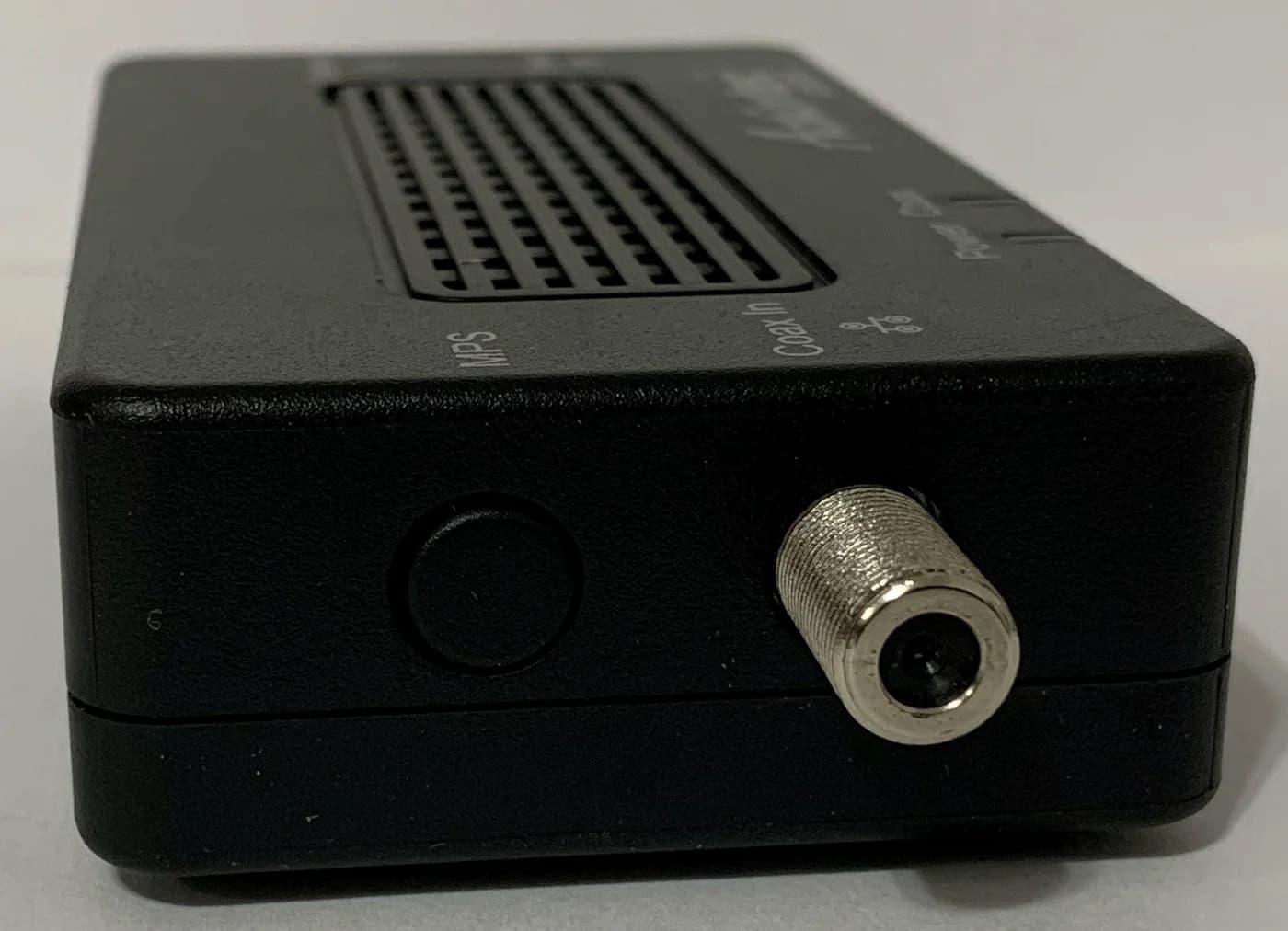
Compare ScreenBeam ECB7250 and goCoax MA2500D MoCA adapters: choose the right kit, count room connections and check splitters, power supplies and ISP conflicts.