

Comparison
Deco BE63 vs BE85: When Does a 10G Mesh Upgrade Make Sense?
Keep Deco BE63 or upgrade to BE85? Compare US revisions, equal-size packs, spare Ethernet ports, wired backhaul, NAS paths and the latest support checks.
By thisPING EditorialUpdated November 3, 20268 min read
On this page · Quick picks
Keep your Deco BE63 if coverage works and your internet plan is up to 2 Gbps; choose BE63 for a new Deco installation with the same needs. Move to Deco BE85 when you need a complete wired path above the BE63's 2.5 Gbps interfaces, such as faster internet or a NAS connection across mesh units. BE85 supplies 10G interfaces, but those ports do not establish faster Wi-Fi in your home. (BE63 specifications, BE85 specifications)
Official sources checked November 2, 2026. See the US status note before buying.
Quick picks
- Already own BE63: keep it if it meets your needs; check firmware and try wired backhaul before replacing it.
- Buying for a plan up to 2 Gig: choose the BE63 US V3.6 two-pack, subject to confirming the hardware label.
- Need faster internet or wired traffic between rooms: choose the BE85 US V3.6 two-pack, after counting its free 10G connections.
- Only local NAS copies need improvement: consider a switch connecting the NAS and PC in the same LAN; you may be able to keep BE63.
For choices across brands, use best mesh Wi-Fi systems and eero vs Orbi vs Deco.
Compare the same pack size and the right US revision
The reference kits contain two units each, using US V3.6 documentation from the BE63 and BE85 download selectors. The latter datasheet covers V3 and V3.6. A family name or pack count alone does not identify the revision.
Deco BE63 US V3.6, two-pack
- Current US branding
- Deco 7 Pro; BE10000
- Bands
- 2.4, 5 and 6 GHz
- Ethernet per unit
- 4× 2.5 Gbps, WAN/LAN auto-sensing
All specifications
- Maximum signal rate, 6 GHz
- 5,188 Mbps
- Maximum signal rate, 5 GHz
- 4,324 Mbps
- Maximum signal rate, 2.4 GHz
- 574 Mbps
- Operating modes
- Router or access point
- Kit contents
- 2 units, 2 power adapters, 1 RJ45 Ethernet cable, installation guide
Deco BE85 US V3.6, two-pack
- Current US branding
- Deco 7 Elite; BE22000
- Bands
- 2.4, 5 and 6 GHz
- Ethernet per unit
- 1× 10 Gbps RJ45, 1× 10 Gbps RJ45/SFP+ combo, 2× 2.5 Gbps; WAN/LAN auto-sensing
All specifications
- Maximum signal rate, 6 GHz
- 11,530 Mbps
- Maximum signal rate, 5 GHz
- 8,647 Mbps
- Maximum signal rate, 2.4 GHz
- 1,376 Mbps
- Operating modes
- Router or access point
- Kit contents
- 2 units, 2 power adapters, 1 RJ45 Ethernet cable, installation guide
Full comparison table
Swipe to compare. Row labels stay visible.
| Specification | Deco BE63 US V3.6, two-pack | Deco BE85 US V3.6, two-pack |
|---|---|---|
| Current US branding | Deco 7 Pro; BE10000 | Deco 7 Elite; BE22000 |
| Bands | 2.4, 5 and 6 GHz | 2.4, 5 and 6 GHz |
| Ethernet per unit | 4× 2.5 Gbps, WAN/LAN auto-sensing | 1× 10 Gbps RJ45, 1× 10 Gbps RJ45/SFP+ combo, 2× 2.5 Gbps; WAN/LAN auto-sensing |
| Maximum signal rate, 6 GHz | 5,188 Mbps | 11,530 Mbps |
| Maximum signal rate, 5 GHz | 4,324 Mbps | 8,647 Mbps |
| Maximum signal rate, 2.4 GHz | 574 Mbps | 1,376 Mbps |
| Operating modes | Router or access point | Router or access point |
| Kit contents | 2 units, 2 power adapters, 1 RJ45 Ethernet cable, installation guide | 2 units, 2 power adapters, 1 RJ45 Ethernet cable, installation guide |
Scroll horizontally to see every column
| Specification | Deco BE63 US V3.6, two-pack | Deco BE85 US V3.6, two-pack |
|---|---|---|
| Current US branding | Deco 7 Pro; BE10000 | Deco 7 Elite; BE22000 |
| Bands | 2.4, 5 and 6 GHz | 2.4, 5 and 6 GHz |
| Ethernet per unit | 4× 2.5 Gbps, WAN/LAN auto-sensing | 1× 10 Gbps RJ45, 1× 10 Gbps RJ45/SFP+ combo, 2× 2.5 Gbps; WAN/LAN auto-sensing |
| Maximum signal rate, 6 GHz | 5,188 Mbps | 11,530 Mbps |
| Maximum signal rate, 5 GHz | 4,324 Mbps | 8,647 Mbps |
| Maximum signal rate, 2.4 GHz | 574 Mbps | 1,376 Mbps |
| Operating modes | Router or access point | Router or access point |
| Kit contents | 2 units, 2 power adapters, 1 RJ45 Ethernet cable, installation guide | 2 units, 2 power adapters, 1 RJ45 Ethernet cable, installation guide |
Sources: the revision-linked BE63 datasheet and BE85 datasheet; branding from the US BE63 and BE85 pages. BE classes summarize maximum theoretical rates across bands; they are not single-device throughput. TP-Link warns that actual throughput and coverage vary with clients, obstacles and network conditions.
- 4 ports2.5 Gbps connections on every BE63
- 2 connections10 Gbps on every BE85; one is a shared RJ45/SFP+ combo
Avoid two variant traps. The BE85's US page uses a three-pack coverage banner, whereas BE63's banner is for a two-pack. Also, TP-Link's EU V1 BE85 datasheet labels that regional version BE19000: do not substitute it for the US BE22000 specifications here.
Keep or buy BE63: enough for the 2.5G path
BE63 gives every unit four 2.5 Gbps Ethernet connections. On a plan up to 2 Gbps, replacing working BE63 solely for BE85's faster WAN interface solves no identified port bottleneck. A desktop through a wired BE63 satellite still has a 2.5 Gbps Ethernet path, before overhead and other limits. (BE63 datasheet)
For a new purchase, prefer US V3.6 and confirm the label with the seller. See the manufacturer's BE63 options.
There is a documentation conflict: the BE63 family page lists 802.11ax on 2.4 GHz, while the US V3.6 datasheet lists ax/be; both give 574 Mbps. Do not treat the newer branding as proof of a different rate. Both models list MLO and 320 MHz features, but TP-Link says clients must support the corresponding features and that 320 MHz is available only on 6 GHz. (BE63 page, BE63 datasheet, BE85 datasheet)
Move to BE85: buy the path, then count the sockets
BE85 is the relevant choice for a 5 or 10 Gbps internet plan, provided the ISP equipment, cables and client path also support it. Its second 10G connection can serve a LAN device, a switch or wired backhaul. The installation guide makes a crucial distinction: the combo's RJ45 and SFP+ sockets are alternatives. Together with the separate 10G port and two 2.5G ports, that means four usable Ethernet connections per unit, despite the extra physical socket.
The following is port arithmetic, assuming router mode, WAN on a fastest port, and one cable for each backhaul link. Free ports are calculated from the documented inventories; a switch uplink or another wired device consumes another connection.
Main: WAN only; satellite uses wireless backhaul
- BE63 connections left
- 3× 2.5G
- BE85 connections left
- 1× 10G and 2× 2.5G
Main: WAN plus wired backhaul to one satellite
- BE63 connections left
- 2× 2.5G
- BE85 connections left
- 2× 2.5G; no 10G left
Satellite: one wired uplink
- BE63 connections left
- 3× 2.5G
- BE85 connections left
- 1× 10G and 2× 2.5G
Full comparison table
Swipe to compare. Row labels stay visible.
| Unit and occupied connections | BE63 connections left | BE85 connections left |
|---|---|---|
| Main: WAN only; satellite uses wireless backhaul | 3× 2.5G | 1× 10G and 2× 2.5G |
| Main: WAN plus wired backhaul to one satellite | 2× 2.5G | 2× 2.5G; no 10G left |
| Satellite: one wired uplink | 3× 2.5G | 1× 10G and 2× 2.5G |
Scroll horizontally to see every column
| Unit and occupied connections | BE63 connections left | BE85 connections left |
|---|---|---|
| Main: WAN only; satellite uses wireless backhaul | 3× 2.5G | 1× 10G and 2× 2.5G |
| Main: WAN plus wired backhaul to one satellite | 2× 2.5G | 2× 2.5G; no 10G left |
| Satellite: one wired uplink | 3× 2.5G | 1× 10G and 2× 2.5G |
Sources: BE63 inventory, BE85 inventory and single-WAN restriction, combo restriction.
For example, 10G WAN → main BE85 → 10G backhaul → satellite BE85 → 10G PC uses both main-unit 10G connections. A NAS plugged into the main's remaining 2.5G port adds a 2.5G limit to that NAS-to-PC path. Count three 10G switch ports for a LAN-side alternative: router uplink, NAS and satellite. A three-pack with two directly wired satellites needs additional 10G switch fan-out if the main already uses 10G WAN.
See the manufacturer's BE85 options; confirm US V3.6 and the two-pack.
Internet speed and NAS speed can justify different purchases
For internet traffic, trace ISP box → main WAN → LAN/backhaul → client. For local files, trace NAS → switch or mesh link → PC. TP-Link explicitly identifies Ethernet ports and cables among possible speed limits; the slowest link in the actual path is the relevant ceiling, before overhead. (BE85 speed limitations)
By topology, if a 10G NAS and PC share one local switch on the same LAN, their file traffic need not cross the Deco uplink. QNAP's QSW-2104-2T-R2 has two 10G RJ45 ports and four 2.5G ports. Put the NAS and PC on its two 10G ports, and connect BE63 through a 2.5G port. Conversely, a BE85 uplink occupying one 10G switch port leaves only one for another 10G device. Count a larger switch if needed; our multi-gig switch guide explains the choices.
File-copy speeds also depend on the NAS and PC. The QNAP example does not establish Deco backhaul compatibility.
Wired, wireless and mixed-model backhaul
TP-Link documents Ethernet backhaul on both models. Its setup FAQ says to add the units to one network in the Deco app first, then connect their cables. In router mode, wire satellites downstream of the main Deco's LAN, directly or through a LAN-side switch. In access point mode, satellites may connect to the upstream router. You can leave some satellites wireless.
Check the firmware-specific behavior. Both revision datasheets advertise simultaneous wired and wireless backhaul, but that generic FAQ says Wi-Fi backhaul disconnects when Ethernet takes over. Those statements conflict. We therefore budget the wired interfaces without adding wireless rates to them; verify the installed firmware's behavior in the app. TP-Link also warns that switch loop detection or failure to forward backhaul packets can cause problems; bypass the switch with a direct cable when troubleshooting.
For expansion, TP-Link explicitly permits mixing Deco models. It recommends a newer or higher-spec main unit, and the main determines the app's features. A BE85 main with retained BE63 satellites is useful when the fast devices connect at the main and the other rooms can retain 2.5G wired links. It does not turn those satellites into BE85s. Choose a matching BE85 pack when the faster wired path must extend across rooms. Higher advertised radio rates alone do not establish better wireless backhaul through your walls.
US support and regulatory checks
TP-Link's September 21 US sales list gives BE63 V1.6 packs an End of Sales date of June 28, 2025, and V2.6 one- and two-packs January 26, 2027. It contains no BE63 V3.6 or BE85 entry. Absence is not an update commitment: TP-Link's policy says End of Maintenance is usually three years after End of Sales, with exceptions.
FCC status, checked November 2, 2026: TP-Link is absent from the FCC's October 21 Conditional Approval list. The FCC says existing authorized models may still be sold and used, with qualifying updates allowed at least until January 1, 2029. That permission is not a TP-Link support promise. The selected datasheets state FCC certification but do not establish the authorization date of every retail revision; confirm the exact US unit rather than treating the family name as clearance. See our FCC router rule explainer.
Order the kit and connections you actually need
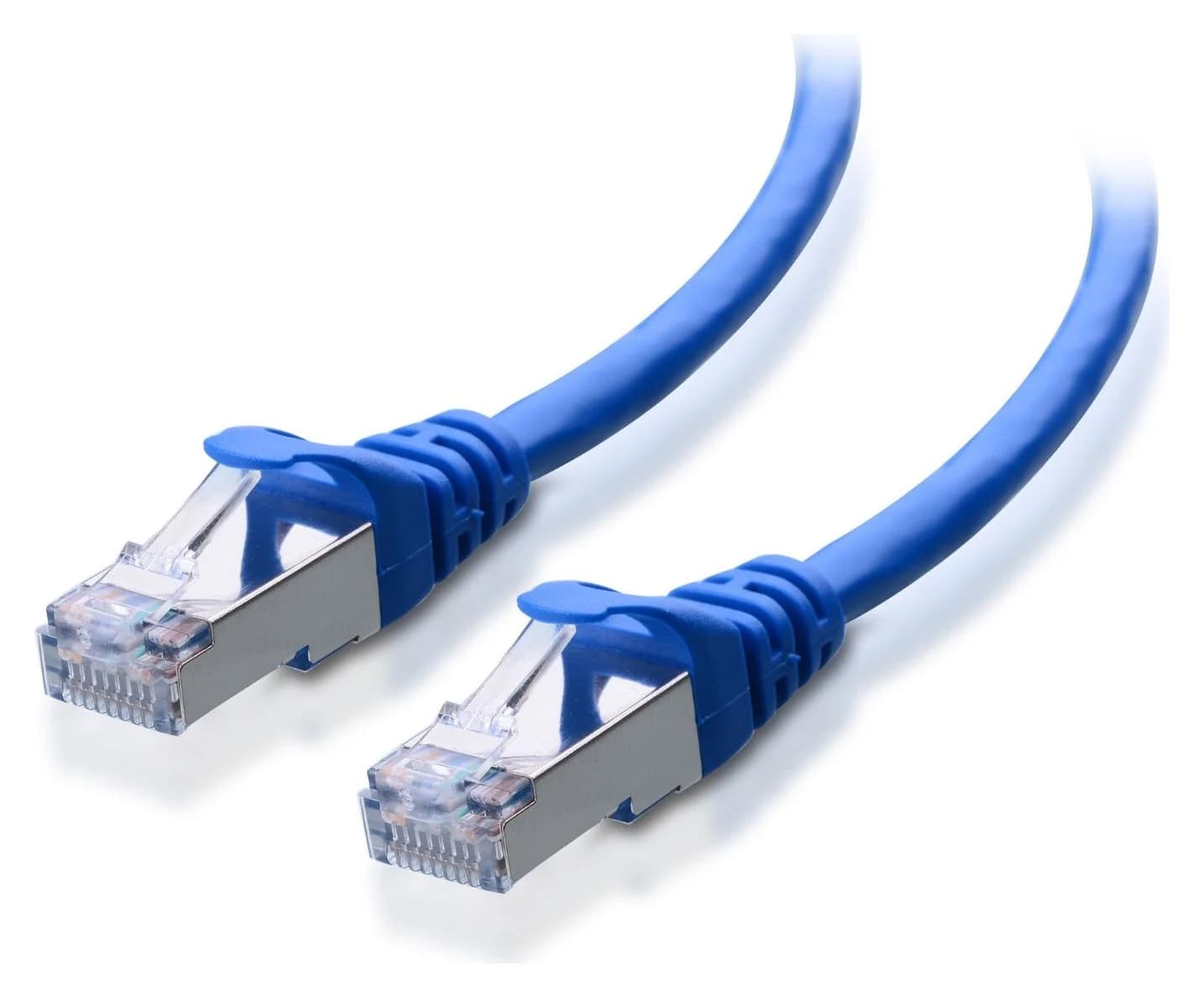
Both two-packs include only one RJ45 cable. A separate internet connection plus wired backhaul needs two cables in total; check what you already have. Cable Matters' existing 160012 Cat6A patch-cable record is an optional accessory: its maker page documents 10-Gigabit support. Match length and pack quantity.
Cable Matters
A Cat6A equipment patch lead with S/FTP shielding, bare-copper conductors and shielded RJ45 connectors.
Check package and model options
For SFP+, follow TP-Link's module guidance and check with the fiber ISP before attempting to bypass its gateway. The socket alone does not replace an ONT.
Confirm the label
Match US region, hardware revision and unit count to the documentation.
Draw the traffic path
Mark WAN, backhaul, switch uplinks and the remaining device connections.
Check support, then order
Read the revision's firmware and sales status; count cables and any required switch ports.
How we choose
We compared official revision pages, datasheets, installation guides, advisories and FCC documents. Port remainders are calculated; Wi-Fi rates are manufacturer ceilings. We have no performance measurements for these kits. Our preference is to keep equipment that meets your needs. More on how we choose.
Verdict
Keep BE63 for a working network within its interface limits. Buy BE63 US V3.6 for the same needs after confirming the revision and support status. Choose BE85 US V3.6 for a specific faster wired path, budgeting WAN, backhaul and device ports together. If only a nearby NAS and PC need faster links, start with their switch.
Frequently asked questions
Is Deco BE85 worth upgrading from BE63?
Keep BE63 if its coverage works and your internet plan is up to 2 Gbps. BE85 makes sense when you can use its 10G WAN and LAN connections throughout the required path. For a NAS and PC sharing a local switch, a switch upgrade can be enough. Neither model's advertised Wi-Fi class predicts measured speed in your home.
Can Deco BE63 and BE85 work together?
Yes. TP-Link documents mixing Deco models in one network, including Ethernet backhaul after adding them in the app. It recommends a newer or higher-spec main Deco, whose capabilities determine the app's feature set. A BE63 wired satellite still has 2.5 Gbps ports after a BE85 becomes the main unit; mixing models does not replace those interfaces.
Does the BE85 SFP+ port replace my fiber modem or ONT?
The socket alone does not establish that. TP-Link's SFP guidance says to consult the fiber provider before bypassing its gateway with a PON ONU stick, and distinguishes ordinary optical transceivers from modem equipment. The SFP+ socket also shares a combo connection with an RJ45 socket: only one side of that pair works at a time.
Which US Deco BE63 hardware version should I buy?
For a new purchase, our preference is the documented US V3.6 version, after confirming the label and pack contents. TP-Link lists an End of Sales date of January 26, 2027 for US V2.6 one- and two-packs, and June 28, 2025 for V1.6 packs. Those are sales milestones, not promised security-update deadlines. Existing owners should use their own revision's firmware page.
Related guides
Comparison · Mesh Wi-Fi Systems
Orbi 770 vs 970: Which Mesh Kit Fits Your Wiring and Internet Plan?
Choose Orbi 770 or 970 by your internet plan, spare Ethernet ports and backhaul. Compare exact packs, compatible satellites and subscriptions before buying.
Buying guide · Mesh Wi-Fi Systems
How to Set Up Mesh Wi-Fi: Place Nodes, Choose Modes and Verify
Set up mesh Wi-Fi with the right router or AP mode, sensible node placement and a room-by-room check. Includes eero and ASUS instructions and a gift checklist.
Comparison · Mesh Wi-Fi Systems
ASUS ZenWiFi BQ16 Pro vs BT10: Which Mesh Pack Fits Your Wiring?
Choose ASUS ZenWiFi BQ16 Pro or BT10 for your wiring: compare US packs, radio bands, ports left after backhaul, AiMesh limits and the kit you need to order.