

Comparison
eero vs Orbi vs Deco
Choose by Home, Plan and Wiring
Compare eero Pro 7, Max 7, Orbi 770/970 and Deco BE63 by exact US pack, ports left after backhaul, subscriptions and support. Pick the mesh that fits your home.
By thisPING EditorialUpdated November 2, 20269 min read5 picks
Our recommendation: eero Pro 7 — default eero
eero Pro 7 — default eero
Limit: Read the documented limits before choosing.
On this page · Our picks at a glance
Our picks at a glance
- 1
Choose for: eero Pro 7 — default eero
Limit: Read the documented limits before choosing.
- 2
Choose for: Orbi 770 — 2 Gig plans
Limit: Read the documented limits before choosing.
- 3
Choose for: eero Max 7 — wired 10G
Limit: Read the documented limits before choosing.
- 4
Choose for: Orbi 970 — dedicated backhaul
Limit: Read the documented limits before choosing.
- 5
Choose for: Deco BE63 — wired alternative
Limit: Read the documented limits before choosing.
For most households choosing eero vs Orbi, start with eero Pro 7 for app-managed mesh or Orbi 770 for more gateway ports on a 2 Gig plan. Choose eero Max 7 for wired 10G expansion, or consider Orbi 970 when a dedicated wireless-backhaul radio matters. Deco BE63 is a port-rich 2.5G alternative, subject to the dated FCC note below; these US recommendations come from official specifications, checked November 2, 2026.
thisPING is reader-supported: when you buy through our links, we may earn a commission at no extra cost to you. As an Amazon Associate, thisPING earns from qualifying purchases.
Quick picks and exact US packs
eero Pro 7 — default eero
- US pack choices; product card below
- 1, 2 or 3 routers; card is 1-pack
- Manufacturer coverage claim
- Up to 2,000 sq ft per unit; conflict below
Orbi 770 — 2 Gig plans
- US pack choices; product card below
- RBE772: 2 units; RBE773: 3; card is RBE773
- Manufacturer coverage claim
- 2-pack: 5,500 sq ft; 3-pack: 8,000 sq ft
eero Max 7 — wired 10G
- US pack choices; product card below
- 1, 2 or 3 routers; card is 1-pack
- Manufacturer coverage claim
- Up to 2,500 sq ft per unit
Orbi 970 — dedicated backhaul
- US pack choices; product card below
- RBE971S: router; RBE972S: 2 units; RBE973S: 3; card is RBE973S
- Manufacturer coverage claim
- Router: 3,300; 2-pack: 6,600; 3-pack: 10,000 sq ft
Deco BE63 — wired alternative
- US pack choices; product card below
- 1, 2 or 3 units; card is 2-pack
- Manufacturer coverage claim
- 2-pack: 5,800 sq ft
Full comparison table
Swipe to compare. Row labels stay visible.
| Model / recommendation | US pack choices; product card below | Manufacturer coverage claim |
|---|---|---|
| eero Pro 7 — default eero | 1, 2 or 3 routers; card is 1-pack | Up to 2,000 sq ft per unit; conflict below |
| Orbi 770 — 2 Gig plans | RBE772: 2 units; RBE773: 3; card is RBE773 | 2-pack: 5,500 sq ft; 3-pack: 8,000 sq ft |
| eero Max 7 — wired 10G | 1, 2 or 3 routers; card is 1-pack | Up to 2,500 sq ft per unit |
| Orbi 970 — dedicated backhaul | RBE971S: router; RBE972S: 2 units; RBE973S: 3; card is RBE973S | Router: 3,300; 2-pack: 6,600; 3-pack: 10,000 sq ft |
| Deco BE63 — wired alternative | 1, 2 or 3 units; card is 2-pack | 2-pack: 5,800 sq ft |
| Model / recommendation | US pack choices; product card below | Manufacturer coverage claim |
|---|---|---|
| eero Pro 7 — default eero | 1, 2 or 3 routers; card is 1-pack | Up to 2,000 sq ft per unit; conflict below |
| Orbi 770 — 2 Gig plans | RBE772: 2 units; RBE773: 3; card is RBE773 | 2-pack: 5,500 sq ft; 3-pack: 8,000 sq ft |
| eero Max 7 — wired 10G | 1, 2 or 3 routers; card is 1-pack | Up to 2,500 sq ft per unit |
| Orbi 970 — dedicated backhaul | RBE971S: router; RBE972S: 2 units; RBE973S: 3; card is RBE973S | Router: 3,300; 2-pack: 6,600; 3-pack: 10,000 sq ft |
| Deco BE63 — wired alternative | 1, 2 or 3 units; card is 2-pack | 2-pack: 5,800 sq ft |
Coverage is a maker claim, not a comparable home test. Walls, layout and placement affect it; choose node locations before multiplying a per-unit claim. For broader options, see best mesh Wi-Fi systems.
The eero cards link single units. For multipacks, use the manufacturer's Pro 7 pack selector or Max 7 pack selector, and check the selected unit count before ordering.
Compact home
Start with a single router; add nodes for identified coverage gaps.
Up to 2 Gig, rooms already wired
Compare Pro 7 plus a switch with Orbi 770; consider BE63 after its FCC note.
5 Gig plan or 10G local devices
Prefer Max 7 for its ports; Pro 7's stated wired maximum is 4.7 Gbps.
No Ethernet or usable coax
Consider Orbi 770; choose 970 specifically for its dedicated backhaul radio, without assuming a throughput win.
eero Pro 7: the default eero choice
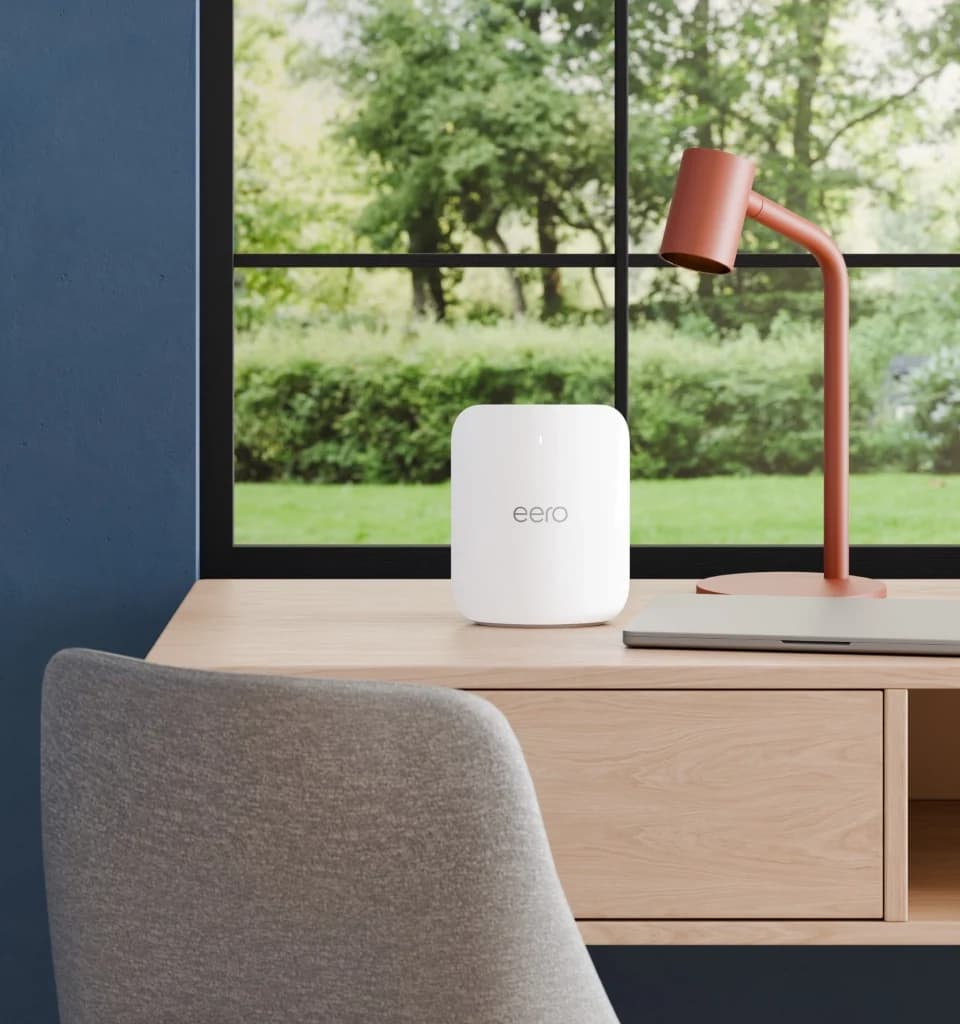
eero
A tri-band Wi-Fi 7 router with a 6 GHz band and two 5 GbE ports, usable alone or as an eero mesh node.
Check package and model options
- Wi-Fi 7
- BE10800
- 3 bands
- 5 Gbps port
Pro 7 combines tri-band Wi-Fi 7, a Thread/Zigbee hub and two 5 GbE ports. Choose it when you want the eero app and can accommodate a switch for wired expansion. Earlier eeros work, but eero warns that mixing generations may reduce network performance. Our eero 7 vs Pro 7 vs Max 7 guide handles the within-brand decision.
Check price on Amazon — Pro 7 single unit
Orbi 770: the Orbi choice for a 2 Gig plan
The RBE773 contains one RBE771 router and two RBE770 satellites. Its gateway has a 2.5 Gbps WAN port and three 2.5 Gbps LAN ports; each satellite has two LAN ports. The 770 uses shared 5/6 GHz backhaul. Buy it for this port layout and kit, rather than treating its BE11000 label as your download speed.
Check price on Amazon — RBE773 three-unit kit
eero Max 7: best for wired 10G expansion
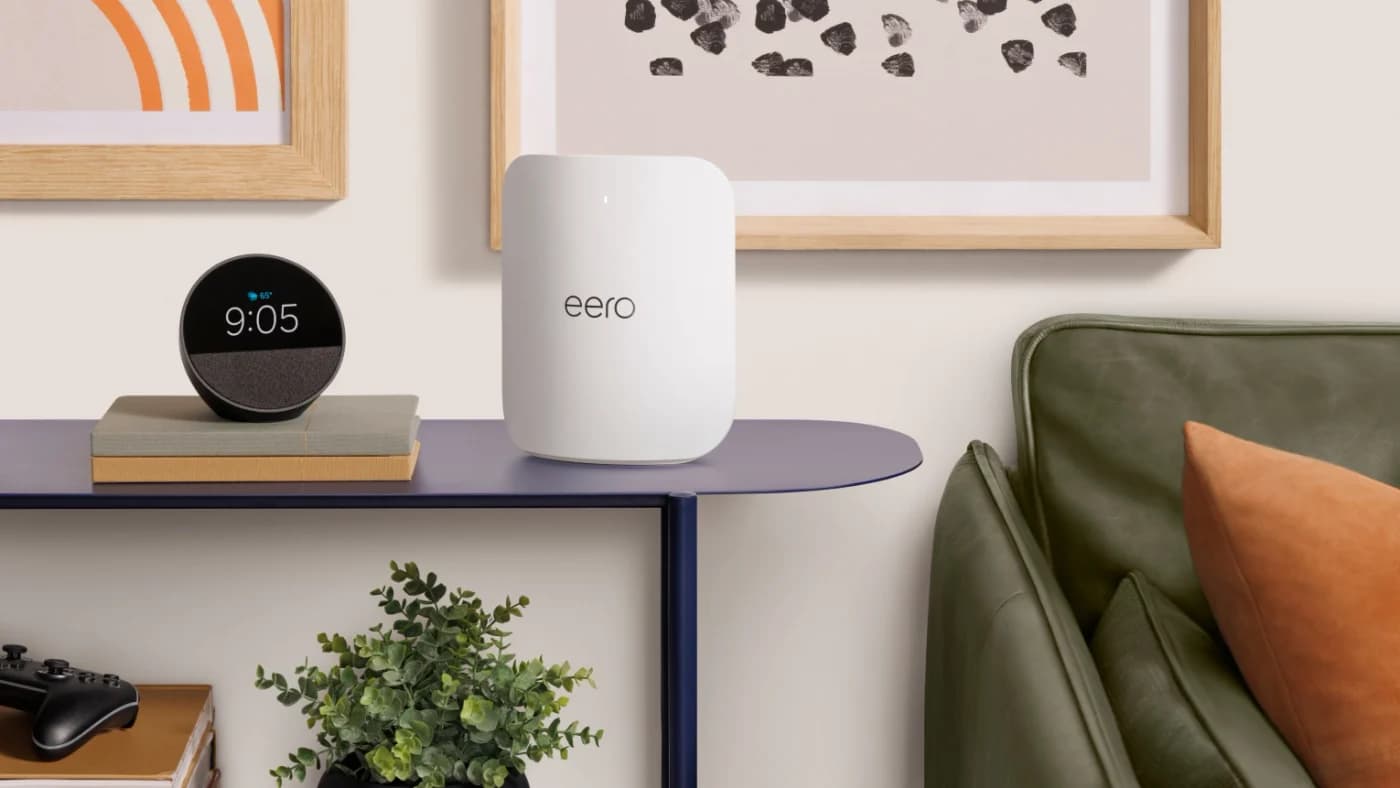
eero
eero's top Wi-Fi 7 router, with two 10 GbE and two 2.5 GbE ports, for multi-gig plans and wired mesh backhaul.
Check package and model options
- Wi-Fi 7
- 3 bands
- 10 Gbps port
Each Max 7 has two 10 GbE and two 2.5 GbE ports. A remote Max can use one 10G port for backhaul and the other for a workstation. At the gateway, 10G WAN plus 10G backhaul consumes both fast ports: add a 10G switch if a local NAS also needs 10G. These are port calculations, not throughput predictions.
eero's support page says plans up to 10 Gbps, while its comparison page says 9.4 Gbps; the support page also quotes a 9.4 Gbps wired maximum. Do not budget on full nominal line rate.
Check price on Amazon — Max 7 single unit
Orbi 970: choose for dedicated wireless backhaul
RBE973S includes a router and two satellites. Its quad-band design adds a dedicated 5 GHz backhaul radio: NETGEAR lists backhaul as dedicated 5 GHz-1 plus 6 GHz, and client links as 5 GHz-2 plus 6 GHz. The 6 GHz band is shared. A satellite has only one 10G port, so wired 10G backhaul leaves its two 2.5G ports for devices.
Check price on Amazon — RBE973S three-unit kit
Deco BE63: an alternative for wired 2.5G
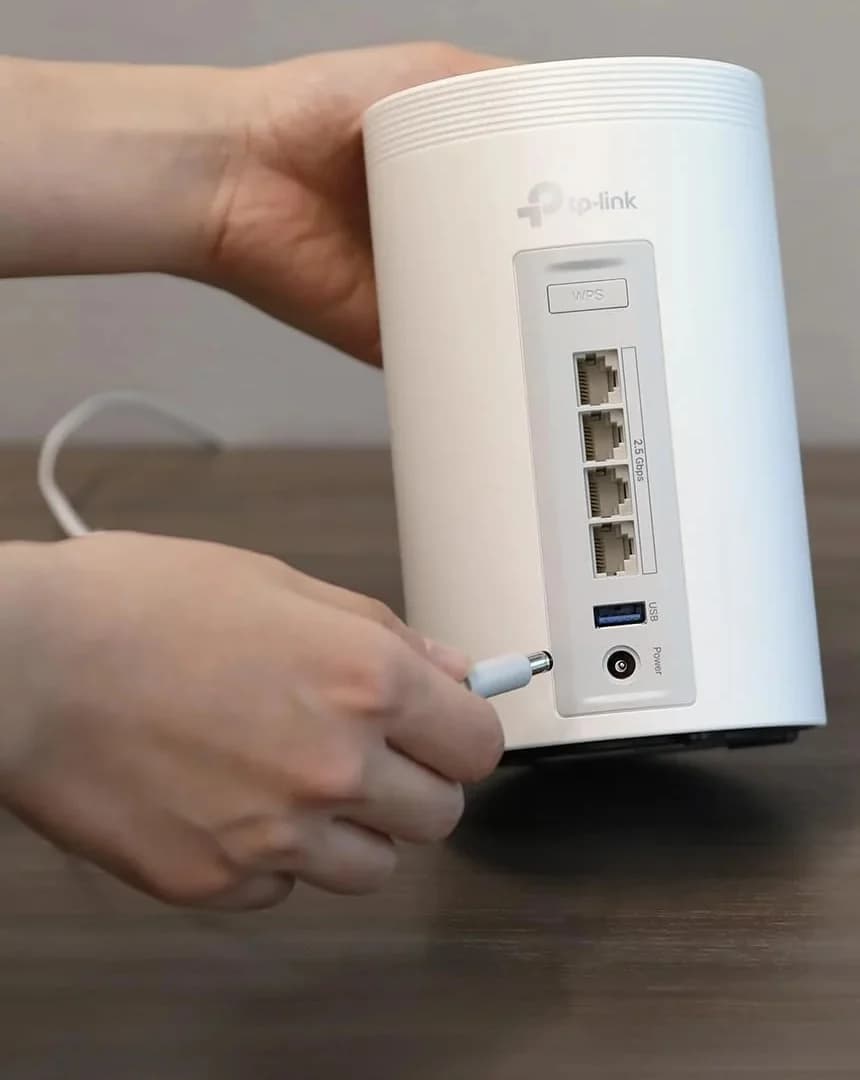
TP-Link
A tri-band Wi-Fi 7 mesh kit with four 2.5 Gbps ports on every unit and optional Ethernet backhaul.
Check package and model options
- Wi-Fi 7
- BE10000
- 3 bands
- 2.5 Gbps port
TP-Link now calls BE63 Deco 7 Pro BE10000. Four auto-sensing 2.5 Gbps ports on every unit make it attractive for wired rooms: after internet and one backhaul link, the main unit retains two ports. Check BE63, hardware revision and pack quantity; the marketing name alone is insufficient. Read the FCC note before choosing this alternative.
Check price on Amazon — BE63 two-unit kit
Count the ports left after WAN and backhaul
Calculated below for a gateway and one remote node: connect WAN at the fastest port and one wired backhaul at the fastest remaining port. Counts exclude any added switch and further branches. With wireless backhaul, those backhaul ports remain available. The slowest port, cable or intermediate equipment can cap a wired path.
Pro 7
- Wired backhaul link
- 5 GbE
- Gateway ports left after WAN + backhaul
- 0
- Remote ports left after backhaul
- 1 × 5 GbE
Max 7
- Wired backhaul link
- 10 GbE
- Gateway ports left after WAN + backhaul
- 2 × 2.5 GbE
- Remote ports left after backhaul
- 1 × 10 GbE + 2 × 2.5 GbE
Orbi 770
- Wired backhaul link
- 2.5 GbE
- Gateway ports left after WAN + backhaul
- 2 × 2.5 GbE
- Remote ports left after backhaul
- 1 × 2.5 GbE
Orbi 970
- Wired backhaul link
- 10 GbE
- Gateway ports left after WAN + backhaul
- 4 × 2.5 GbE
- Remote ports left after backhaul
- 2 × 2.5 GbE
Deco BE63
- Wired backhaul link
- 2.5 GbE
- Gateway ports left after WAN + backhaul
- 2 × 2.5 GbE
- Remote ports left after backhaul
- 3 × 2.5 GbE
Full comparison table
Swipe to compare. Row labels stay visible.
| Model | Wired backhaul link | Gateway ports left after WAN + backhaul | Remote ports left after backhaul |
|---|---|---|---|
| Pro 7 | 5 GbE | 0 | 1 × 5 GbE |
| Max 7 | 10 GbE | 2 × 2.5 GbE | 1 × 10 GbE + 2 × 2.5 GbE |
| Orbi 770 | 2.5 GbE | 2 × 2.5 GbE | 1 × 2.5 GbE |
| Orbi 970 | 10 GbE | 4 × 2.5 GbE | 2 × 2.5 GbE |
| Deco BE63 | 2.5 GbE | 2 × 2.5 GbE | 3 × 2.5 GbE |
| Model | Wired backhaul link | Gateway ports left after WAN + backhaul | Remote ports left after backhaul |
|---|---|---|---|
| Pro 7 | 5 GbE | 0 | 1 × 5 GbE |
| Max 7 | 10 GbE | 2 × 2.5 GbE | 1 × 10 GbE + 2 × 2.5 GbE |
| Orbi 770 | 2.5 GbE | 2 × 2.5 GbE | 1 × 2.5 GbE |
| Orbi 970 | 10 GbE | 4 × 2.5 GbE | 2 × 2.5 GbE |
| Deco BE63 | 2.5 GbE | 2 × 2.5 GbE | 3 × 2.5 GbE |
To wire several Pro 7 nodes back to the gateway, add a LAN-side switch; daisy-chaining uses the intermediate node's remaining port. Put the switch after the gateway, and choose port speeds to match the links you intend to carry.
Draw your backhaul route before buying
Ethernet links the gateway's LAN side to a remote mesh unit, directly or through a LAN switch. With suitable connected coax, a MoCA adapter at each end bridges that route over coax. Wireless backhaul connects the nodes by radio. For eero and Deco in router mode, keep the backhaul downstream of the main unit.
Tap a label to explore. You can also hover or use your keyboard.
Ethernet
Connect the gateway LAN to the remote mesh unit directly or through a LAN-side switch.
Sources: 1: eero places an Ethernet switch after the gateway, which connects to the modem., 2: Orbi supports wireless and Ethernet router-to-satellite backhaul.- Connection path
- Gateway LAN → Ethernet / LAN switch → mesh unit
MoCA over coax
Use Ethernet at each mesh unit and MoCA adapters to bridge the connected coax between rooms.
Sources: 1: eero places an Ethernet switch after the gateway, which connects to the modem., 3: MoCA provides an Ethernet network over existing coax instead of new Ethernet cabling., 4: A MoCA network requires at least two MoCA devices or adapters.- Connection path
- Gateway LAN → MoCA adapter → coax → MoCA adapter → mesh unit
Wireless
The remote node communicates with the gateway by radio instead of an Ethernet cable.
Sources: 2: Orbi supports wireless and Ethernet router-to-satellite backhaul.- Connection path
- Gateway → Wi-Fi backhaul → mesh unit
Full comparison table
Swipe to compare; option labels stay visible
| Option | Connection path |
|---|---|
EthernetConnect the gateway LAN to the remote mesh unit directly or through a LAN-side switch. Sources: 1: eero places an Ethernet switch after the gateway, which connects to the modem., 2: Orbi supports wireless and Ethernet router-to-satellite backhaul. | Gateway LAN → Ethernet / LAN switch → mesh unit |
MoCA over coaxUse Ethernet at each mesh unit and MoCA adapters to bridge the connected coax between rooms. Sources: 1: eero places an Ethernet switch after the gateway, which connects to the modem., 3: MoCA provides an Ethernet network over existing coax instead of new Ethernet cabling., 4: A MoCA network requires at least two MoCA devices or adapters. | Gateway LAN → MoCA adapter → coax → MoCA adapter → mesh unit |
WirelessThe remote node communicates with the gateway by radio instead of an Ethernet cable. Sources: 2: Orbi supports wireless and Ethernet router-to-satellite backhaul. | Gateway → Wi-Fi backhaul → mesh unit |
| Option | Connection path |
|---|---|
EthernetConnect the gateway LAN to the remote mesh unit directly or through a LAN-side switch. Sources: 1: eero places an Ethernet switch after the gateway, which connects to the modem., 2: Orbi supports wireless and Ethernet router-to-satellite backhaul. | Gateway LAN → Ethernet / LAN switch → mesh unit |
MoCA over coaxUse Ethernet at each mesh unit and MoCA adapters to bridge the connected coax between rooms. Sources: 1: eero places an Ethernet switch after the gateway, which connects to the modem., 3: MoCA provides an Ethernet network over existing coax instead of new Ethernet cabling., 4: A MoCA network requires at least two MoCA devices or adapters. | Gateway LAN → MoCA adapter → coax → MoCA adapter → mesh unit |
WirelessThe remote node communicates with the gateway by radio instead of an Ethernet cable. Sources: 2: Orbi supports wireless and Ethernet router-to-satellite backhaul. | Gateway → Wi-Fi backhaul → mesh unit |
The modem connects to the gateway before these LAN-side paths. Each route is an alternative.
Source notes4 references
eero places an Ethernet switch after the gateway, which connects to the modem.
eero.com — source for eero places an Ethernet switch after the gateway, which connects to the modem.When adding an Ethernet switch, connect it after your gateway eero in your network's setup. For most users, this means your modem connects directly to your gateway eero, and then the switch connects to the other available port on your gateway.
Orbi supports wireless and Ethernet router-to-satellite backhaul.
www.downloads.netgear.com — source for Orbi supports wireless and Ethernet router-to-satellite backhaul.Your Orbi satellite automatically connects wirelessly to your Orbi router to create a wireless backhaul. Your satellite and router also support Ethernet backhaul, which means that you can use an Ethernet cable to connect your satellite to your router.
MoCA provides an Ethernet network over existing coax instead of new Ethernet cabling.
www.gocoax.com — source for MoCA provides an Ethernet network over existing coax instead of new Ethernet cabling.MoCA technology allows you to create a high-speed Ethernet network without having to run new Ethernet cables throughout your home.
A MoCA network requires at least two MoCA devices or adapters.
www.gocoax.com — source for A MoCA network requires at least two MoCA devices or adapters.To build a MoCA network, you will need to have at least two MoCA devices or adapters.
For MoCA, ask your ISP about compatible splitters and point-of-entry filtering before using shared service coax; ScreenBeam specifically recommends checking the filter with your provider. Standard MoCA and satellite TV cannot share the same coax network, according to goCoax. See MoCA vs powerline for the installation decision. For wireless nodes, follow eero's advice to place relays between the gateway and the dead zone, where they still receive a good signal.
The goCoax MA2500D, for example, has a 2.5 GbE LAN port: 10 GbE mesh ports cannot turn that adapter into 10 GbE backhaul.
Management, subscriptions and expansion
eero
- Management and expansion
- Phone app; earlier eeros supported with a mixed-generation performance warning
- Optional paid features
- Plus: advanced security, ad blocking, extra controls and partner services
Orbi
- Management and expansion
- App or browser; match RBE771 with RBE770, RBE971 with RBE970
- Optional paid features
- Armor: optional security and VPN
Deco
- Management and expansion
- Deco app; TP-Link says all Deco models work together
- Optional paid features
- HomeShield: basic features included; advanced features paid
Full comparison table
Swipe to compare. Row labels stay visible.
| Ecosystem | Management and expansion | Optional paid features |
|---|---|---|
| eero | Phone app; earlier eeros supported with a mixed-generation performance warning | Plus: advanced security, ad blocking, extra controls and partner services |
| Orbi | App or browser; match RBE771 with RBE770, RBE971 with RBE970 | Armor: optional security and VPN |
| Deco | Deco app; TP-Link says all Deco models work together | HomeShield: basic features included; advanced features paid |
| Ecosystem | Management and expansion | Optional paid features |
|---|---|---|
| eero | Phone app; earlier eeros supported with a mixed-generation performance warning | Plus: advanced security, ad blocking, extra controls and partner services |
| Orbi | App or browser; match RBE771 with RBE770, RBE971 with RBE970 | Armor: optional security and VPN |
| Deco | Deco app; TP-Link says all Deco models work together | HomeShield: basic features included; advanced features paid |
If you keep your ISP router, Orbi and Deco offer access-point mode. eero bridge mode still requires traffic to funnel through a gateway eero and disables Plus advanced security, ad blocking and content filters. Check the intended operating mode before paying for filtering.
Update policies and dated FCC status
eero: Pro 7 and Max 7 have guaranteed security updates at least through October 31, 2031, or five years after purchase new directly from eero or Amazon, whichever is later. NETGEAR: firmware/security support generally ends three years after the last sale date. TP-Link: maintenance, including security support, usually ends three years after End of Sales. The latter policies do not give a fixed retirement date for these kits.
How we choose
We compared official US product pages, manuals and support policies, with snapshots and claim-level quotes in the research package. Recommendations follow wiring, port arithmetic, pack contents and expansion rules; no speed or roaming tests were performed. BE classes add theoretical band rates and do not describe a single device's throughput. Method: How we choose.
Specification caveats: Pro 7's support page says both 2,000 and 2,500 sq ft per unit, and lists 2x2 on 6 GHz while its compliance page says 4x4. Orbi 770's page lists a satellite at both 2,500 and 2,750 sq ft. We show pack claims and omit Pro 7 stream comparisons. BE63's US 2.6 datasheet includes 802.11be on 2.4 GHz, unlike its product page; it also advertises combined wired/wireless backhaul where the general Deco FAQ says wireless backhaul disconnects. Confirm hardware and firmware instead of assuming combined throughput.
Verdict
Buy Pro 7 for the eero app and hub if its port limit fits, Orbi 770 for its gateway LAN ports on a 2 Gig plan, and Max 7 for remote wired 10G devices. Choose Orbi 970 specifically for dedicated wireless backhaul; consider BE63 for wired 2.5G after reviewing its FCC status. Match the actual pack to your planned node locations.
Frequently asked questions
Is eero or Orbi better for a wired home?
Compare the ports left after backhaul. Pro 7 uses both gateway ports for internet and a wired mesh uplink, so allow for a switch. Max 7 retains a spare 10 GbE port at a wired remote node; an Orbi 970 satellite has only one 10G port, which the uplink consumes. That makes Max 7 our pick for a remote 10G workstation.
Do eero, Orbi and Deco require subscriptions?
Their basic mesh operation does not require the optional security subscription. eero supplies a free management app, with advanced security and ad blocking in eero Plus. NETGEAR Armor is optional, while TP-Link HomeShield has basic and paid advanced features. Check the specific filtering features you want before buying; putting eero in bridge mode disables several Plus network features.
Can I reuse old eero, Orbi or Deco nodes?
Follow each maker’s expansion rules. eero supports earlier generations but warns that mixing them can reduce performance. TP-Link says Deco models work together. Orbi requires a match from NETGEAR’s compatibility table: the RBE771 router pairs with RBE770 satellites, and RBE971 pairs with RBE970. Check the exact model before buying an add-on rather than relying on the brand name.
Can US buyers still purchase a Deco BE63?
The FCC says previously authorized router models may still be imported, sold and used. TP-Link is absent from the October 21, 2026 Conditional Approval list we checked; that list concerns exemptions for new authorizations. The firmware waiver permits qualifying updates for previously authorized routers at least through January 1, 2029. This regulatory permission does not promise that a manufacturer will supply updates.
eero Pro 7 — default eero
eero Pro 7 — default eero
Related guides
Wi-Fi Extender vs Mesh: When an Extender Is Enough
Fix weak Wi-Fi without buying the wrong system: compare extenders, compatible mesh nodes and wired options, with clear picks, placement and compatibility tips.
Updated November 2, 2026Read
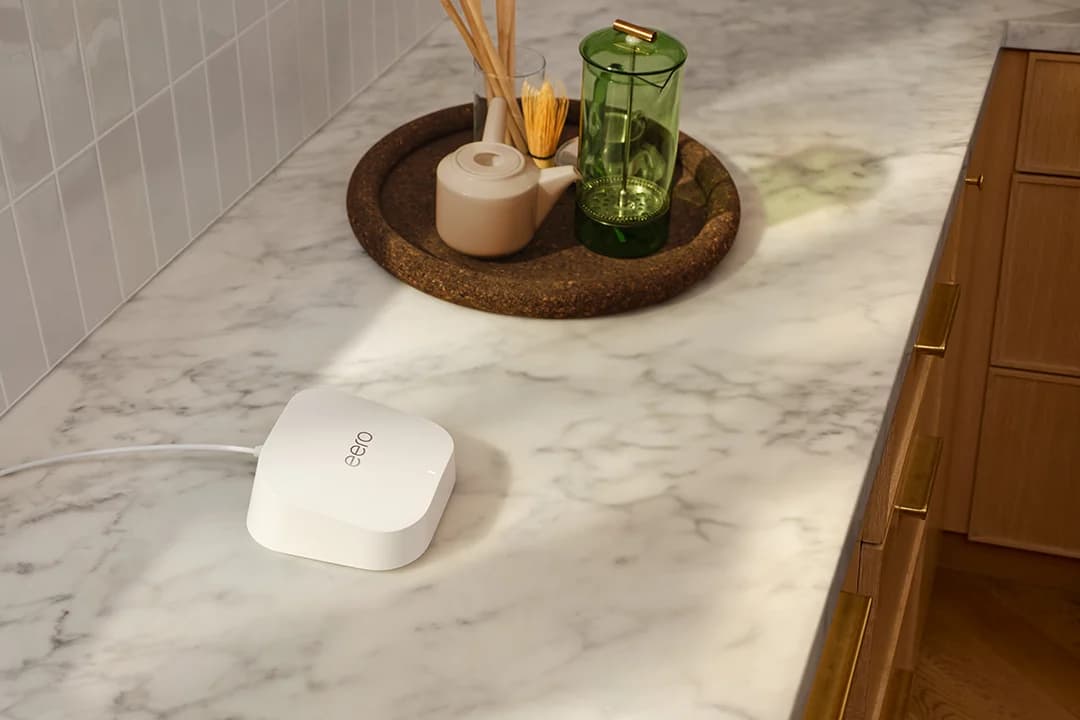
Best Wi-Fi 7 Mesh Systems in 2026: Picks by Home Size and Wiring
Wi-Fi 7 mesh kits from eero, Netgear Orbi and ASUS ZenWiFi matched to home size and wiring, with ports per unit, backhaul and FCC status checked Nov 1, 2026.
Updated November 2, 2026Read
eero 7 vs eero Pro 7 vs eero Max 7: Which eero Should You Buy?
eero 7, Pro 7 and Max 7 compared on bands, Ethernet ports, plan speeds and coverage claims, plus how each one stacks up against the Orbi 770 and the Deco BE63.
Updated November 2, 2026Read