

Comparison
Synology vs TrueNAS: Which Hardware Should You Buy?
Choose Synology or TrueNAS with matched storage baskets, exact host specifications, drive compatibility checks, expansion limits, and a practical recovery plan.
By thisPING EditorialUpdated November 3, 20269 min read1 pick
Our recommendation: Synology DS925+
Household backups and shared files
Limit: M.2 pools and cache need Synology-listed drives
On this page · Our picks at a glance
Our picks at a glance
- 1
Choose for: Household backups and shared files
Check before buying: M.2 pools and cache need Synology-listed drives
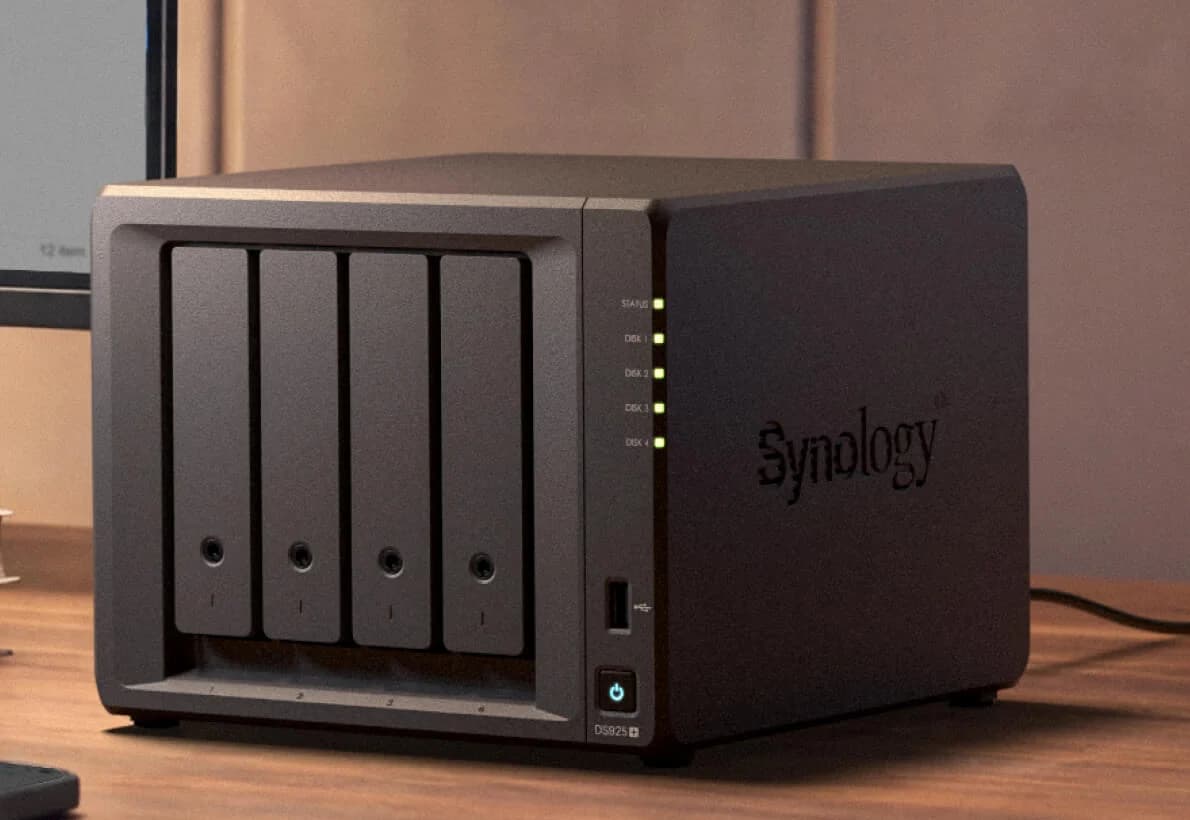
Buy the Synology DS925+ for household storage you want to manage as an appliance; choose TrueNAS when controlling the storage host is part of your homelab goal. Our compact TrueNAS pick is the Mini X+ with 32GB ECC memory; reuse an existing computer only after it passes the hardware and recovery checks below. For a larger new host, the 45HomeLab HL15 supplies an explicit parts reference, with TrueNAS installation still your responsibility.
For a smaller household file-sharing and backup job, also consider the UGREEN NASync DXP2800, a diskless NAS running UGOS. Its two SATA bays require a separate capacity and resilience plan; the matched double-parity baskets below remain the reference for the Synology-versus-TrueNAS comparison.
Quick picks: decide who owns the whole system
Compare specifications and all conditions
Household backups and shared files
- Our pick
- Synology DS925+
- What you take responsibility for
- DSM configuration, updates, backup destinations and restores
TrueNAS on factory-integrated compact hardware
- Our pick
- Mini X+, 32GB ECC, diskless data bays
- What you take responsibility for
- Pool layout, services and recovery; check purchased support coverage
Learn TrueNAS using suitable equipment already owned
- Our pick
- Keep the existing host if it passes the checklist
- What you take responsibility for
- Every component, firmware choice and hardware fault
Substantial future expansion
- Our pick
- Fully built HL15, EPYC 7252, 32GB ECC
- What you take responsibility for
- Installing TrueNAS, controller configuration and validation
Smaller household NAS with a separate storage plan
- Our pick
- Also consider UGREEN NASync DXP2800 with UGOS
- What you take responsibility for
- Drive selection, capacity and resilience planning, UGOS configuration and independent backups
Full comparison table
Swipe to compare. Row labels stay visible.
| Your priority | Our pick | What you take responsibility for |
|---|---|---|
| Household backups and shared files | Synology DS925+ | DSM configuration, updates, backup destinations and restores |
| TrueNAS on factory-integrated compact hardware | Mini X+, 32GB ECC, diskless data bays | Pool layout, services and recovery; check purchased support coverage |
| Learn TrueNAS using suitable equipment already owned | Keep the existing host if it passes the checklist | Every component, firmware choice and hardware fault |
| Substantial future expansion | Fully built HL15, EPYC 7252, 32GB ECC | Installing TrueNAS, controller configuration and validation |
| Smaller household NAS with a separate storage plan | Also consider UGREEN NASync DXP2800 with UGOS | Drive selection, capacity and resilience planning, UGOS configuration and independent backups |
Scroll horizontally to see every column
| Your priority | Our pick | What you take responsibility for |
|---|---|---|
| Household backups and shared files | Synology DS925+ | DSM configuration, updates, backup destinations and restores |
| TrueNAS on factory-integrated compact hardware | Mini X+, 32GB ECC, diskless data bays | Pool layout, services and recovery; check purchased support coverage |
| Learn TrueNAS using suitable equipment already owned | Keep the existing host if it passes the checklist | Every component, firmware choice and hardware fault |
| Substantial future expansion | Fully built HL15, EPYC 7252, 32GB ECC | Installing TrueNAS, controller configuration and validation |
| Smaller household NAS with a separate storage plan | Also consider UGREEN NASync DXP2800 with UGOS | Drive selection, capacity and resilience planning, UGOS configuration and independent backups |
The Synology specifications, Mini configurator and HL15 configurator establish the configurations below. Factory assembly does not transfer responsibility for your backups.
Also consider: UGREEN NASync DXP2800 for smaller household storage.

UGREEN
A two-bay NAS with an Intel N100, 8 GB DDR5, a 2.5GbE port, two M.2 NVMe slots and 4K HDMI output.
Check package and model options
- 2.5 Gbps port
- 2 bays
The DXP2800's catalog record lists an Intel N100, 8 GB DDR5 expandable to 16 GB, two SATA bays, two M.2 NVMe slots for cache or a separate SSD pool, and one 2.5GbE port. It is diskless, so include compatible data drives and an independent backup in the order. This recommendation uses its supplied UGOS; TrueNAS compatibility on this model has not been established by this guide.
Choose it only if the smaller household storage job fits. Its two SATA bays cannot hold the four-disk, double-parity layout below. Keep the sample's two-disk-failure tolerance as a requirement and choose one of the compared systems instead, or write a separate storage and recovery plan before ordering the DXP2800. No DSM backup feature or TrueNAS workflow described below is established here for UGOS.
Match the storage job before comparing enclosures
Use this worksheet for every basket: current data, expected growth, file-sharing clients, applications, tolerable lost work, acceptable restore time, and the independent backup destination. Write down who will receive alerts and perform recovery when the usual administrator is unavailable.
Our illustrative requirements, not manufacturer guarantees: accommodate 8 TB of live data, tolerate two disk failures, back up nightly to a separate server with 16 TB available, and rehearse a restore within a working day. Check that retention and daily changes fit that backup space; adjust the example to your files.
Choose a compatible backup endpoint: the documented TrueNAS remote-replication workflow targets another TrueNAS system; Synology needs a Hyper Backup destination it supports.
For the primary pool, use four 6 TB disks with double parity: Synology RAID 6 or TrueNAS RAIDZ2. The calculation is (4 − 2) × 6 = 12 TB before filesystem overhead. Synology documents RAID 6's parity formula; TrueNAS documents RAIDZ2's two parity disks. Actual formatted capacity differs: Synology's calculator reserves system and metadata space, while TrueNAS's calculator accounts for ZFS overhead. Confirm the live-data target and free space after provisioning.
Data disks to order
- Synology DS925+
- 4 × HAT3300-6T, 6 TB
- TrueNAS Mini X+
- 4 × WD60EFPX, 6 TB
- HL15 reference host
- 4 × WD60EFPX, 6 TB
Data layout
- Synology DS925+
- RAID 6, Btrfs volume
- TrueNAS Mini X+
- One RAIDZ2 vdev
- HL15 reference host
- One RAIDZ2 vdev
Installed memory selected
- Synology DS925+
- Stock 4 GB ECC
- TrueNAS Mini X+
- 32 GB ECC
- HL15 reference host
- 32 GB ECC, 2 × 16GB
OS storage
- Synology DS925+
- DSM system partitions on installed disks
- TrueNAS Mini X+
- Included internal M.2 boot device
- HL15 reference host
- Included Kingston NV3 1TB M.2
Built-in data networking
- Synology DS925+
- 2 × 2.5GbE
- TrueNAS Mini X+
- 2 × 1/10GbE RJ45
- HL15 reference host
- 2 × 10GbE RJ45, Intel X550-AT2
Separate backup
- Synology DS925+
- Same independently powered server and retention requirement
- TrueNAS Mini X+
- Same
- HL15 reference host
- Same
Full comparison table
Swipe to compare. Row labels stay visible.
| Matched basket | Synology DS925+ | TrueNAS Mini X+ | HL15 reference host |
|---|---|---|---|
| Data disks to order | 4 × HAT3300-6T, 6 TB | 4 × WD60EFPX, 6 TB | 4 × WD60EFPX, 6 TB |
| Data layout | RAID 6, Btrfs volume | One RAIDZ2 vdev | One RAIDZ2 vdev |
| Installed memory selected | Stock 4 GB ECC | 32 GB ECC | 32 GB ECC, 2 × 16GB |
| OS storage | DSM system partitions on installed disks | Included internal M.2 boot device | Included Kingston NV3 1TB M.2 |
| Built-in data networking | 2 × 2.5GbE | 2 × 1/10GbE RJ45 | 2 × 10GbE RJ45, Intel X550-AT2 |
| Separate backup | Same independently powered server and retention requirement | Same | Same |
Scroll horizontally to see every column
| Matched basket | Synology DS925+ | TrueNAS Mini X+ | HL15 reference host |
|---|---|---|---|
| Data disks to order | 4 × HAT3300-6T, 6 TB | 4 × WD60EFPX, 6 TB | 4 × WD60EFPX, 6 TB |
| Data layout | RAID 6, Btrfs volume | One RAIDZ2 vdev | One RAIDZ2 vdev |
| Installed memory selected | Stock 4 GB ECC | 32 GB ECC | 32 GB ECC, 2 × 16GB |
| OS storage | DSM system partitions on installed disks | Included internal M.2 boot device | Included Kingston NV3 1TB M.2 |
| Built-in data networking | 2 × 2.5GbE | 2 × 1/10GbE RJ45 | 2 × 10GbE RJ45, Intel X550-AT2 |
| Separate backup | Same independently powered server and retention requirement | Same | Same |
These are purchase and layout recommendations, not equal-performance claims. Disk specifications come from Synology's exact-capacity table and WD's WD60EFPX page. HAT3300-6T appears among the DS925+ accessories; WD60EFPX is explicitly qualified on the Mini drive list. HL15 disk choice follows the TrueNAS CMR guidance, rather than a claim of HL15-specific drive certification.
Best household appliance: Synology DS925+
The DS925+ fits this job with four SATA bays, an AMD Ryzen V1500B, stock 4 GB DDR4 ECC memory and two 2.5GbE ports. Its specification table supports Btrfs and RAID 6; Hyper Backup offers scheduled, versioned backups to external devices, other servers and cloud destinations, plus integrity checks and recovery tools. We would choose it when those integrated workflows cover the household's needs.
Synology lists a three-year hardware warranty; its notes restrict complete warranty and technical support with non-Synology memory expansion. This basket keeps stock memory.
Check the variant: the same product page also covers DS925neo+, whose stock memory is listed as non-ECC. Our basket is the DS925+, diskless, with the ECC configuration. Check the model on the order rather than treating the shared page as identical specifications.
Check disk policy: the older DS925+ datasheet says compatible drives are mandatory. Synology's newer DSM 7.3-and-above policy permits unlisted HDDs on DiskStation Plus models, excluding incompatible drives. We use listed HAT3300-6T disks to keep this basket straightforward; M.2 eligibility remains a separate check.
Synology's HDD page also advertises optional 10GbE for the DS925+, whereas the NAS specification lists dual 2.5GbE without documenting that network upgrade. Our basket includes the documented ports; get model-specific confirmation if an upgrade is essential.
Check the DS925+ configuration at Synology
Best compact TrueNAS appliance: Mini X+, 32GB ECC
Choose Mini X+, the 32GB ECC / dual RJ45 10GbE configuration, with diskless data bays and no accelerator pack for this reference. The maker's current configurator includes the OS and boot device and provides a direct purchase route for the USA and Canada. This recommendation uses that route; an Amazon listing is not established here.
The Mini specifications list an eight-core C3758 processor, five 3.5-inch SATA bays and two 2.5-inch SSD bays. Do not confuse it with the Mini X's different memory/network specification or the rackmount Mini R. We leave the extra bays unused in the matched-capacity basket.
The configurator describes internal M.2 boot storage; the statement of volatility describes a 16GB SATA boot device. M.2 does not by itself establish NVMe: retain the supplied device and confirm its replacement specification. The cited Mini documents do not identify a motherboard SKU; do not infer one from the CPU.
The product page includes a one-year limited hardware warranty, offers an optional three-year warranty, and requires registration for its software warranty. Confirm the coverage you purchase; avoid assuming enterprise support is included. The setup manual directs owners to contact support before BIOS or IPMI firmware changes.
Configure the Mini X+ at TrueNAS
Reference for substantial expansion: fully built HL15
For a new, larger host, choose the fully built HL15, selecting EPYC 7252 and 32GB memory, rather than ordering its chassis-only variant. The manufacturer's configuration data offers that combination; its specification table supplies the following parts.
Motherboard and CPU
- Exact reference
- ASRock Rack ROMED8-2T; AMD EPYC 7252
Memory
- Exact reference
- 32GB DDR4 ECC RDIMM, 2 × 16GB; maker may substitute memory brand/model
Boot storage
- Exact reference
- Kingston NV3 1TB M.2, separate from the data pool
Storage connection
- Exact reference
- LSI 9400-16i HBA; direct-wired 15-position SATA/SAS backplane
Data NIC
- Exact reference
- ROMED8-2T's Intel X550-AT2, dual 10GbE RJ45
Cooling and power
- Exact reference
- Dynatron A26 CPU cooler; supplied case fans; Corsair RM1000x PSU
Full comparison table
Swipe to compare. Row labels stay visible.
| Component | Exact reference |
|---|---|
| Motherboard and CPU | ASRock Rack ROMED8-2T; AMD EPYC 7252 |
| Memory | 32GB DDR4 ECC RDIMM, 2 × 16GB; maker may substitute memory brand/model |
| Boot storage | Kingston NV3 1TB M.2, separate from the data pool |
| Storage connection | LSI 9400-16i HBA; direct-wired 15-position SATA/SAS backplane |
| Data NIC | ROMED8-2T's Intel X550-AT2, dual 10GbE RJ45 |
| Cooling and power | Dynatron A26 CPU cooler; supplied case fans; Corsair RM1000x PSU |
Scroll horizontally to see every column
| Component | Exact reference |
|---|---|
| Motherboard and CPU | ASRock Rack ROMED8-2T; AMD EPYC 7252 |
| Memory | 32GB DDR4 ECC RDIMM, 2 × 16GB; maker may substitute memory brand/model |
| Boot storage | Kingston NV3 1TB M.2, separate from the data pool |
| Storage connection | LSI 9400-16i HBA; direct-wired 15-position SATA/SAS backplane |
| Data NIC | ROMED8-2T's Intel X550-AT2, dual 10GbE RJ45 |
| Cooling and power | Dynatron A26 CPU cooler; supplied case fans; Corsair RM1000x PSU |
ASRock Rack's manual confirms the board's processor family, registered-memory support and Intel NIC. The maker specifies Rocky Linux with Houston UI, so installing TrueNAS is your job. This is a documented hardware-guide match, not a TrueNAS-certified system or an installation we have validated physically. Confirm the delivered parts and HBA passthrough/IT configuration, then pass the checklist before migrating data. For factory-integrated TrueNAS, choose the Mini instead.
Fifteen drive positions are excessive for the sample pool; choose this host only when the expansion plan warrants them. Its chassis/backplane and chassis/PSU variants omit the complete compute basket. Order the fully built configuration from 45HomeLab, or use this bill of materials to check a separately quoted build.
Reuse an existing host only after these checks
We anchor compatibility to TrueNAS 25.10: the software-status page recommends 25.10.7 for general users at this source check. Its stable hardware guide lists a two-core x86-64 processor, 8 GB RAM and a 16 GB SSD boot device. The boot discussion elsewhere on that page also mentions 8 GB; follow the minimum table when sizing a new device.
The same guide recommends Intel or Chelsio networking, explains ECC's integrity benefit without making ECC mandatory, and discourages USB boot sticks and USB-connected primary disks. Size additional memory for actual applications and VMs; do not impose a RAM-per-terabyte rule.
- Yes: Record the exact motherboard, CPU, DIMMs, boot SSD, NIC and storage controller; check their maker documentation against the stable TrueNAS guide
- Yes: Rehearse installation with disposable data; verify disk identities, health reporting, networking and a restart
- Partly: Reuse an HBA only after confirming passthrough/IT operation and supported firmware; keep hardware RAID out of the data path
- No: Reject a primary pool that depends on USB disk bridges or an undocumented controller
A mini PC plus USB enclosure fails this reference's storage-interface check. For broader host planning, see our home server guide; for appliance alternatives, see NAS choices for home.
Expansion and the complete order
The DS925+ supports a DX525, reaching nine SATA bays; budget for that enclosure separately. TrueNAS 25.10 supports single-disk RAIDZ extension, but retains the parity level and has capacity-accounting caveats for existing blocks. Neither path makes growth planning optional.
Do not substitute disks by family name. The existing WD Red Plus 8TB WD80EFPX is documented as CMR, but it is absent from the captured Mini qualification list. This basket deliberately uses the listed 6 TB WD60EFPX. A different capacity needs a new compatibility and usable-space calculation.
Compare complete quotes: enclosure/host, all data disks, boot storage, workload-driven RAM, matching network equipment, independent backup capacity, power protection and support. The TrueNAS guide supports coordinated UPS shutdown; our router and NAS UPS guide covers selection. Add electricity, recurring backup services and administrator time to your own ownership worksheet. There is no substantiated universal cost winner here.
Rehearse recovery before the only copy moves
Hyper Backup supplies recovery browsing and integrity checks. TrueNAS remote replication sends snapshots to another server; its configuration backup guide requires attention to the password secret seed and separately retained encryption keys/passphrases. A saved system configuration is not a backup of your files.
Create the independent backup
Set retention against the worksheet, enable alerts and verify the first completed job.
Save the recovery material
Export settings; for TrueNAS include Export Password Secret Seed. Secure keys and passphrases separately from the NAS.
Recover disposable files
Restore an older file and check permissions from a client. Then time a bulk restore against the working-day target.
Rehearse host failure
Document boot replacement or appliance recovery, credentials and the backup location. Keep the instructions accessible without this server.
How we choose
This comparison uses official configuration pages, manuals and stable-version documentation, checked November 2, 2026. It is desk research without physical or performance testing. Picks prioritize documented component identity, the matched live-data target, an independent backup and an administrator who can restore it. Unconfirmed Amazon identities remain unverified product records with manufacturer purchase links. See How we choose.
The UGREEN alternative uses the site's verified catalog record. It serves a smaller household NAS job with UGOS and requires its own storage plan; it is outside the matched double-parity comparison.
Verdict
Order the DS925+ for an integrated household NAS. Choose the Mini X+ for compact factory-integrated TrueNAS hardware. Keep an existing host when it passes the checklist; choose the HL15 reference configuration only for a substantial expansion plan and responsibility for the OS installation. Also consider the UGREEN NASync DXP2800 with UGOS for a smaller household NAS job after making a separate capacity and recovery plan. Finish the backup and recovery basket before buying any of them.
Frequently asked questions
Is Synology or TrueNAS better for a home NAS?
We recommend Synology when household backups and file sharing are the priority and someone wants to administer an integrated appliance. Choose TrueNAS when controlling the host and ZFS storage layout is part of the goal. The Mini X+ supplies factory hardware; an existing or new host requires compatibility checks and an installation rehearsal before it holds the only copy of important files.
How much RAM does TrueNAS need?
The stable TrueNAS 25.10 hardware guide lists 8 GB as its minimum. That is an installation baseline, not a promise for applications and virtual machines. It explicitly sizes memory by workload and describes ECC as an additional integrity defense, while acknowledging systems operating without it. Reserve memory for the services you actually intend to run instead of applying a universal RAM-per-terabyte formula.
Can Synology use third-party hard drives?
Synology's compatibility policy for DSM 7.3 and above permits unlisted HDDs for new pools on DiskStation Plus models, while excluding drives on its incompatibility list. That permission does not make every disk a validated choice. Check the exact NAS, drive model and firmware. M.2 pool and cache eligibility has separate restrictions, so do not apply the SATA HDD policy to an arbitrary NVMe SSD.
Can I expand a TrueNAS RAIDZ pool one disk at a time?
Yes. The TrueNAS 25.10 documentation describes adding disks individually to an existing RAIDZ vdev. Its parity level stays unchanged, and existing blocks retain their original data-to-parity ratio until rewritten. An expanded vdev can therefore differ in capacity from a fresh layout of the same width. Back up first, start with a healthy pool, and check available bays and controller connections before buying disks.
Synology DS925+
AmazonRelated guides
Comparison · NAS
UGREEN DH4300 Plus vs DXP4800 Plus: Which Four-Bay NAS Should You Buy?
UGREEN DH4300 Plus vs DXP4800 Plus: compare apps, RAM, networking and the same drive basket, with usable capacity, backup and exact-model buying checks.
Comparison · NAS
UGREEN DXP6800 Pro vs DXP8800 Plus: Buy Six Bays or Eight?
Choose the right UGREEN NAS with equal-capacity drive plans, RAID expansion limits, exact US model checks, network advice, and a separate backup shopping list.
Best picks · NAS
Best All-Flash NVMe NAS: Choose the Enclosure, SSDs and Network Kit
Choose an all-flash NVMe NAS with compatible SSDs, realistic network limits, usable RAID capacity and a separate backup plan. Compare F8 SSD Plus and Flashstor.