


UGREEN DXP2800
- Fastest wired port
- 2.5 Gbps
- Drive bays
- 2 bays
A two-bay NAS with an Intel N100, 8 GB DDR5, a 2.5GbE port, two M.2 NVMe slots and 4K HDMI output.
Check package and model options
- Backups
- Media server
- Homelab
Synology
DS925+, 4 GB ECC memory, diskless
We may earn a commission. How we earn.
Check price on AmazonModel: DS925+
The four-bay DS925+ comes with 4 GB DDR4 ECC memory, which supports memory error correction. Storage drives are bought separately.
Important limit: Highest power draw of the three Synology picks (Synology figures)
How many units?Confirm condition, quantity and included accessories on the retailer’s listing.
Compare versions and packagesSpecifications checked November 2, 2026. Full product details
Your files, your hardwareLook inside the box
Choose the job first. Then check drives and the network.
Choose a job to reveal the hardware trade-off.
Empty bays do not store files. The enclosure and the drives are separate purchases. Check the maker’s drive and firmware compatibility list.
Selected enclosureKnow what is included
AMD Ryzen V1500B
Choose the job
Look at the drive bays, then check the software and network your job needs.
Bay count does not tell you whether any drives are included. Match the exact enclosure or bundle.
We may earn a commission from purchases.
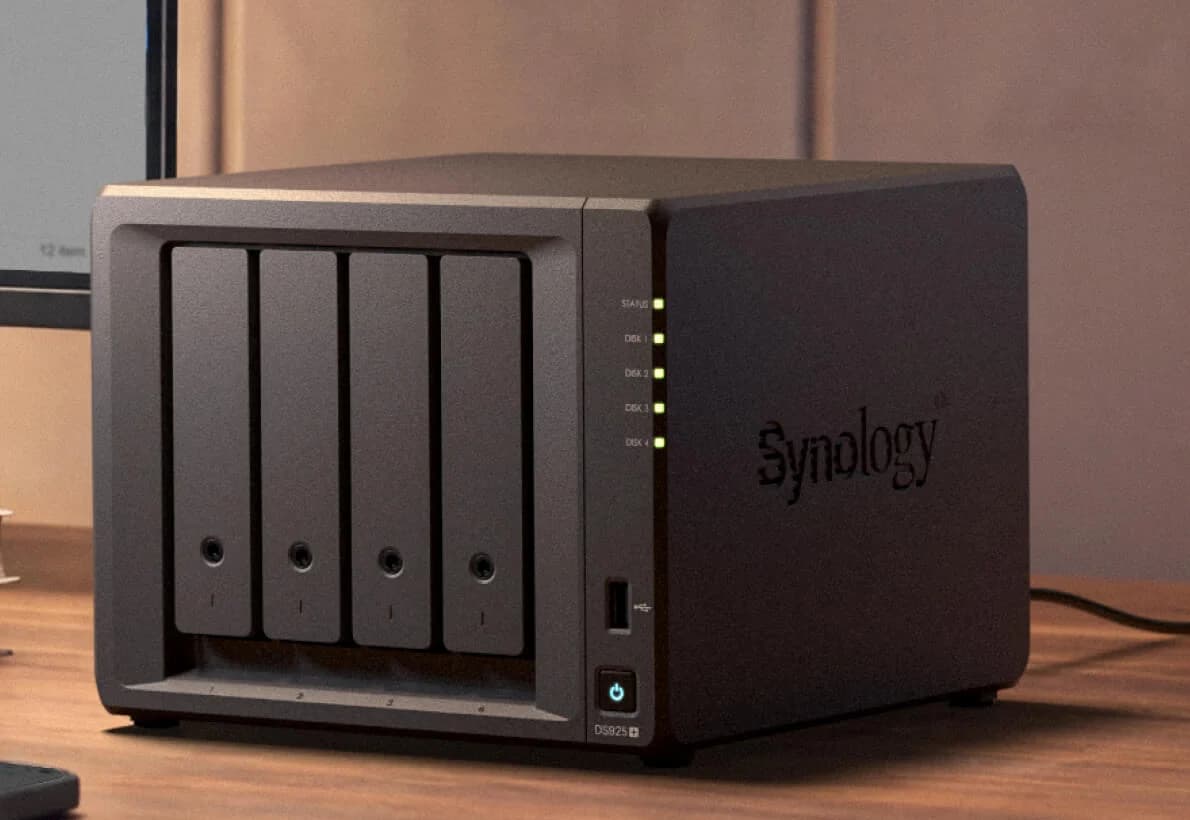
Synology DiskStation DS925+ 4-Bay NAS
DS925+, 4 GB ECC memory, diskless
Recorded model: DS925+
Specifications checked 2026-11-02.
Raw capacity is before RAID and formatting. The example does not establish drive compatibility.
Drive planning and software explained →Photo credit: manufacturer image source ↗
Specifications explain hardware limits. No performance tests are claimed.
Synology DiskStation DS925+ 4-Bay NAS
A four-bay Synology NAS with an AMD Ryzen V1500B, two 2.5GbE ports, ECC memory and two M.2 NVMe slots.
Selected package: DS925+, 4 GB ECC memory, diskless.
Model: DS925+
These are different products. Check their specifications separately.
The closely named sibling comes with 4 GB DDR4 non-ECC memory instead. The shared processor and bay count do not identify the memory variant.
Users who do not need ECC memory and specifically want the neo model.
Purchase links appear where the exact offer is verified. Confirm the named model, quantity and accessories before ordering.
| Processor | AMD Ryzen V1500B, 4 cores / 8 threads, 2.2 GHz |
|---|---|
| Integrated graphics (AMD) | None: AMD's V1000 family brief lists 0 GPU compute units for the V1500B |
| Memory | 4 GB DDR4 ECC SODIMM; 2 slots; up to 32 GB (16 GB x 2) |
| Drive bays | 4x 3.5-inch SATA HDD or 2.5-inch SATA SSD, plus 2x M.2 2280 NVMe SSD slots |
| Expansion | Up to 9 drives with one DX525 expansion unit (USB Type-C expansion port) |
| Network | 2x 2.5GbE |
| USB | 2x USB 3.2 Gen 1 |
| Noise (Synology) | 20.5 dB(A) |
| Power use (Synology) | 37.91 W in access, 12.33 W with drives hibernating; 100 W power supply |
| Size and weight | 166 x 199 x 223 mm; 2.26 kg |
| Sibling model | DS925neo+: same platform with 4 GB non-ECC memory |
| Third-party drives (Synology, DSM 7.3) | Synology's 2025 Plus models running DSM 7.3 accept third-party drives for installation and storage pools; M.2 storage pools and cache still need drives on Synology's compatibility list |
| Warranty | 3-year limited hardware warranty |
| RAID support | Synology Hybrid RAID, Basic, JBOD, RAID 0, RAID 1, RAID 5, RAID 6 and RAID 10. |
| Volume capacity qualification | Maximum single volume: 108 TB, or 200 TB with at least 32 GB of memory. Actual pool and volume limits depend on drives, bay count and RAID; filesystem and metadata reduce usable capacity. |
| Computer file backup | Synology Drive Client can back up computer files to the NAS; Synology Drive Server must be installed on the NAS. |
| Synology Drive Client OS requirements | Windows 10 2004 or later, excluding Windows 10 on ARM and Windows Server editions; macOS 12 Monterey or later (64-bit); Ubuntu 20.04 or later (officially supported versions). |
From manufacturer documentation, checked November 2, 2026. Spotted an error? Tell us.
Comparison · NAS
Find the best NAS for Jellyfin or Plex by playback workload, drive bays and GPU access. Plan the complete kit, app storage, client compatibility and remote use.
Explainer · NAS
Choose RAID 1 or RAID 5 with drive counts, equal-disk capacity examples, NAS picks, replacement rules, and a backup restore plan before you buy an enclosure.
Comparison · NAS
Choose Synology or UGREEN by your backup, photo and media workflow. Compare matched NAS sizes, restore options, account needs and third-party drive rules.
Best picks · NAS
Choose a four-bay NAS by usable capacity, drive expansion and network ports. Compare Synology DS425+, DS925+ and UGREEN DXP4800 Plus with complete drive plans.
Best picks · NAS
Synology and UGREEN NAS picks chosen by job: phone and computer backups, photo libraries and Plex or Jellyfin, plus the CMR drives and the RAID maths.
Best picks · NAS
Choose a Plex NAS for Direct Play, hardware transcoding or separate compute. Compare compatibility, avoid model traps and plan drives, backup and networking.
Comparison · NAS
Choose the Synology DS425+ or DS925+ by media playback, ECC memory, network ports and expansion. Includes drive rules, usable capacity and complete build lists.
Comparison · NAS
Choose UniFi UNAS or Synology by your backup and recovery needs. Compare exact models, complete drive and network kits, applications, and offsite protection.
Comparison · NAS
Choose Synology or TrueNAS with matched storage baskets, exact host specifications, drive compatibility checks, expansion limits, and a practical recovery plan.
Buying guide · NAS
Check Synology third-party drives against your exact NAS, DSM release and drive role. Compare HDD and SSD options, save the evidence and spot orders to pause.
A two-bay NAS with an Intel N100, 8 GB DDR5, a 2.5GbE port, two M.2 NVMe slots and 4K HDMI output.
Check package and model options
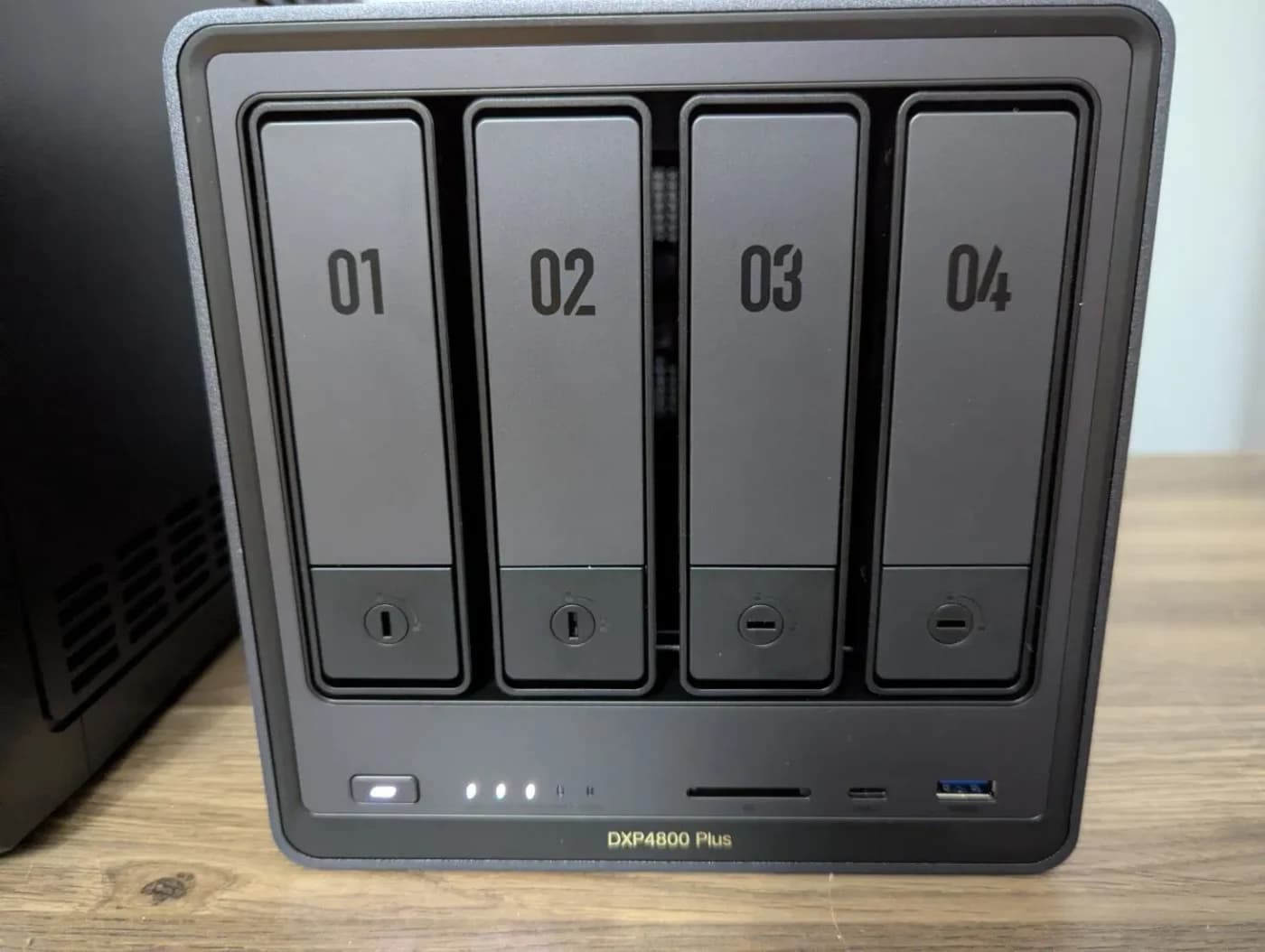
A four-bay NAS with an Intel Pentium Gold 8505, 8 GB DDR5, one 10GbE and one 2.5GbE port, and two M.2 NVMe slots.
Check package and model options