

Best picks
Best 4-Bay NAS for Home
Drives, Expansion and Network Ports
Choose a four-bay NAS by usable capacity, drive expansion and network ports. Compare Synology DS425+, DS925+ and UGREEN DXP4800 Plus with complete drive plans.
By thisPING EditorialUpdated November 3, 20268 min read2 picks
On this page · Our picks at a glance
Our picks at a glance
- 1
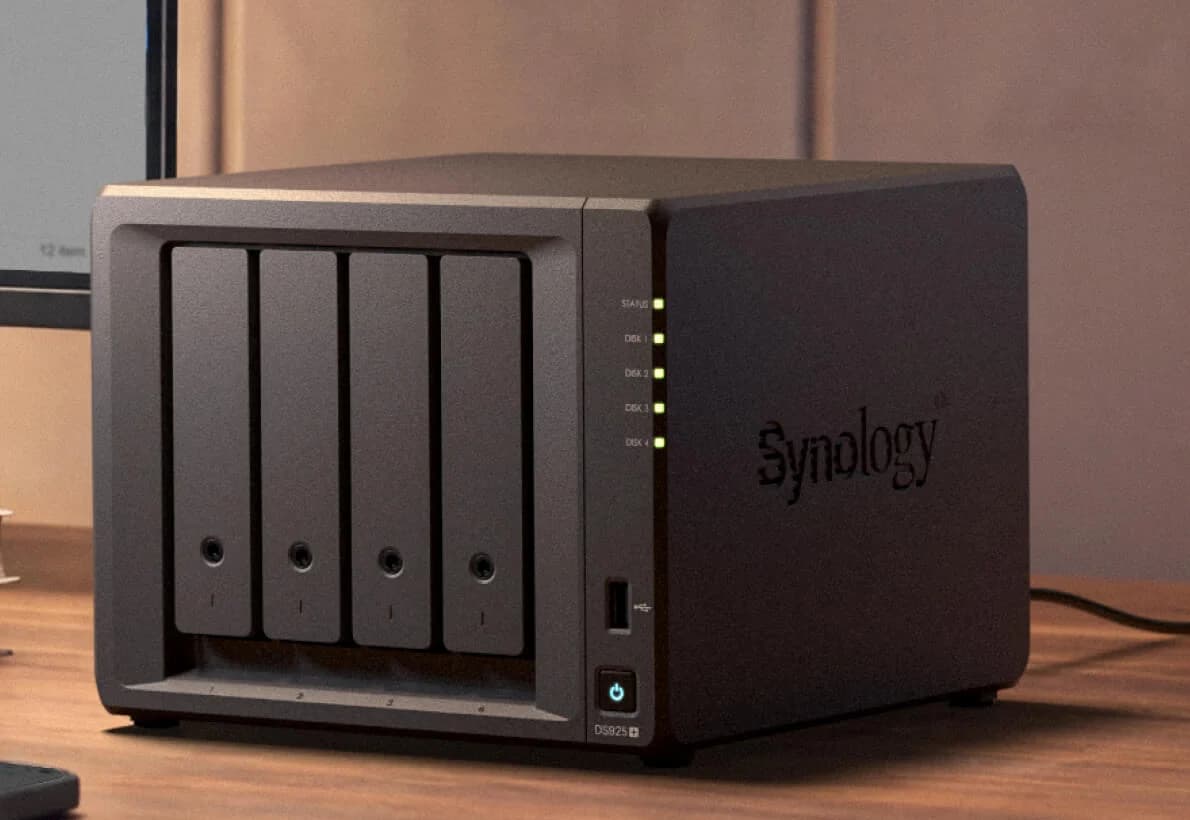
Choose for: Optional DX525 takes the system to nine SATA bays
Check before buying: M.2 pools and cache need Synology-listed drives
- 2
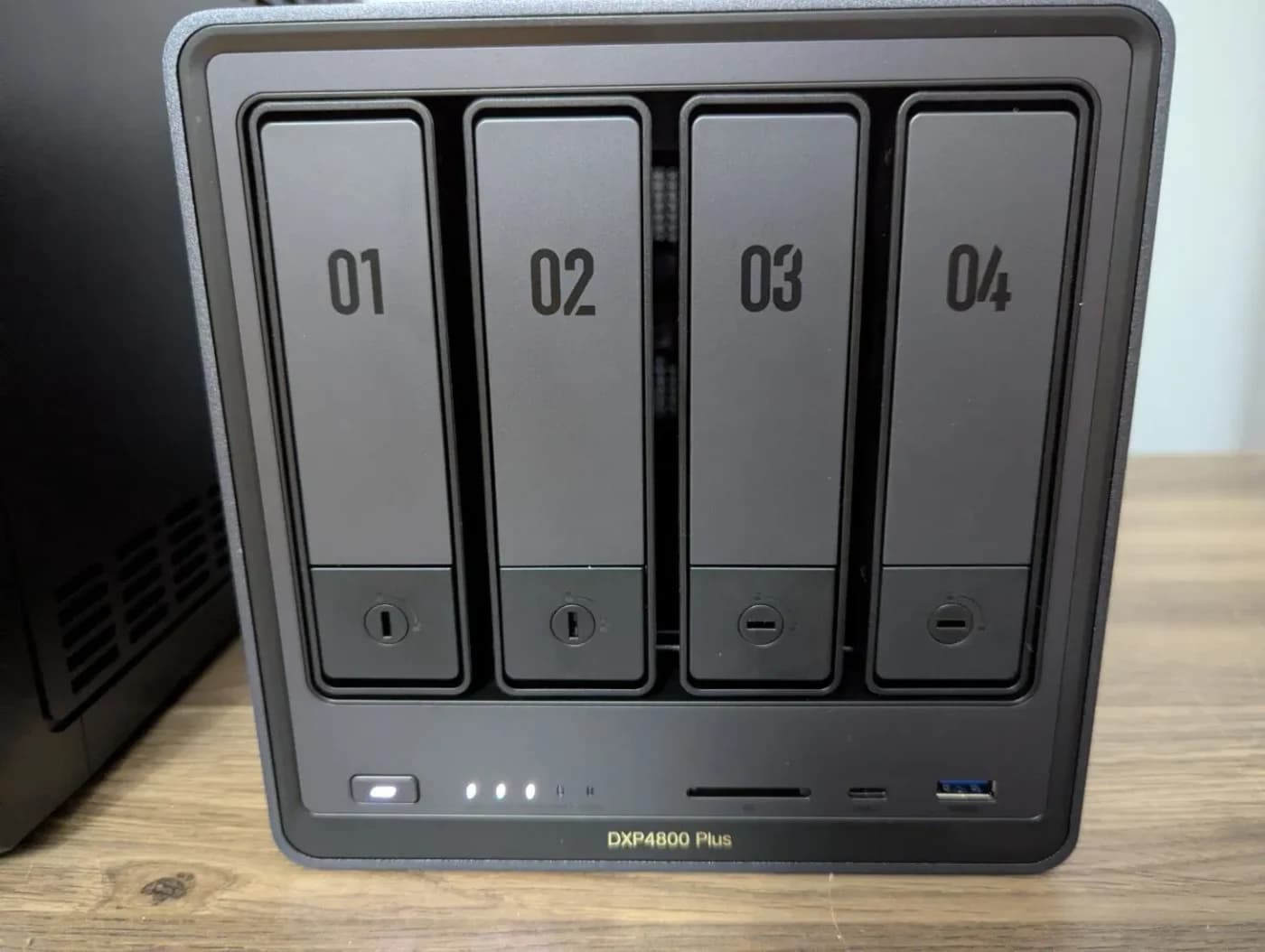
Choose for: Fastest individual Ethernet port here; check the growth procedure below
Check before buying: The 10GbE port needs 10G gear on the other end to pay off
The Synology DS425+ is our best 4-bay NAS for most home file and backup plans, with four SATA bays, a 2.5GbE port and documented SHR growth. Choose the DS925+ for its DX525 expansion option, or the UGREEN DXP4800 Plus for a workstation ready for 10GbE. Start with the capacity and independent backup you need, then choose the enclosure.
Quick picks: compare the same storage target
For a fair comparison, our common configuration is three equal 8 TB SATA HDDs in RAID 5: 16 TB after parity, before overhead, with one bay empty. Synology buyers can instead use SHR-1 with the same equal-drive capacity. These are calculated configurations, not measured performance results.
Compare specifications and all conditions
DS425+: home files and backups
- Exact enclosure hardware
- Intel Celeron J4125; 2 GB DDR4 non-ECC, maximum 6 GB
- Ethernet
- One 2.5GbE + one 1GbE
- Common 16 TB configuration
- Three 8 TB HDDs; RAID 5 or SHR-1
All specifications
- Main reason to choose it
- Documented add-drive growth inside its four bays
DS925+: expansion beyond four bays
- Exact enclosure hardware
- AMD Ryzen V1500B; 4 GB DDR4 ECC, maximum 32 GB
- Ethernet
- Two 2.5GbE
- Common 16 TB configuration
- Three 8 TB HDDs; RAID 5 or SHR-1
All specifications
- Main reason to choose it
- Optional DX525 takes the system to nine SATA bays
DXP4800 Plus: 10GbE workstation
- Exact enclosure hardware
- Intel Pentium Gold 8505; 8 GB DDR5, maximum 64 GB
- Ethernet
- One 10GbE + one 2.5GbE
- Common 16 TB configuration
- Three 8 TB HDDs; RAID 5
All specifications
- Main reason to choose it
- Fastest individual Ethernet port here; check the growth procedure below
Full comparison table
Swipe to compare. Row labels stay visible.
| Pick | Exact enclosure hardware | Ethernet | Common 16 TB configuration | Main reason to choose it |
|---|---|---|---|---|
| DS425+: home files and backups | Intel Celeron J4125; 2 GB DDR4 non-ECC, maximum 6 GB | One 2.5GbE + one 1GbE | Three 8 TB HDDs; RAID 5 or SHR-1 | Documented add-drive growth inside its four bays |
| DS925+: expansion beyond four bays | AMD Ryzen V1500B; 4 GB DDR4 ECC, maximum 32 GB | Two 2.5GbE | Three 8 TB HDDs; RAID 5 or SHR-1 | Optional DX525 takes the system to nine SATA bays |
| DXP4800 Plus: 10GbE workstation | Intel Pentium Gold 8505; 8 GB DDR5, maximum 64 GB | One 10GbE + one 2.5GbE | Three 8 TB HDDs; RAID 5 | Fastest individual Ethernet port here; check the growth procedure below |
Scroll horizontally to see every column
| Pick | Exact enclosure hardware | Ethernet | Common 16 TB configuration | Main reason to choose it |
|---|---|---|---|---|
| DS425+: home files and backups | Intel Celeron J4125; 2 GB DDR4 non-ECC, maximum 6 GB | One 2.5GbE + one 1GbE | Three 8 TB HDDs; RAID 5 or SHR-1 | Documented add-drive growth inside its four bays |
| DS925+: expansion beyond four bays | AMD Ryzen V1500B; 4 GB DDR4 ECC, maximum 32 GB | Two 2.5GbE | Three 8 TB HDDs; RAID 5 or SHR-1 | Optional DX525 takes the system to nine SATA bays |
| DXP4800 Plus: 10GbE workstation | Intel Pentium Gold 8505; 8 GB DDR5, maximum 64 GB | One 10GbE + one 2.5GbE | Three 8 TB HDDs; RAID 5 | Fastest individual Ethernet port here; check the growth procedure below |
Hardware sources: DS425+ specifications, DS925+ specifications, and UGREEN's exact-model hardware specifications. Capacity follows Synology's RAID definitions; UGOS storage choices are documented in its storage-mode guide.
Already unsure about bay count? Start with best NAS for home. This page assumes you want four SATA bays.
Best for home files and backups: Synology DS425+
Choose the DS425+ for shared folders, family photos and computer backups when four bays cover your long-term plan. Its official page documents Synology Photos, Hyper Backup and Btrfs alongside the hardware above. Our recommendation is about that storage workflow; it is not a claim that this is the fastest processor here.
Our starting configuration: two equal 8 TB HDDs in SHR-1, then add compatible drives as needed. Synology documents add-drive expansion for SHR and RAID 5, and conversion from RAID 1 to RAID 5. Read the compatibility conditions before treating those as permission for your exact disks.
The limits are concrete: the installed memory is 2 GB, and the hardware specification lists no expansion-unit connection. Treat this as a four-bay purchase. Its two M.2 slots are separate from the SATA bays; Synology specifies verified SSDs for M.2 storage pools, so leave that upgrade out of the initial basket unless you have a defined use for it.
Best for expansion beyond four bays: Synology DS925+
Synology
A four-bay Synology NAS with an AMD Ryzen V1500B, two 2.5GbE ports, ECC memory and two M.2 NVMe slots.
Check package and model options
- 2.5 Gbps port
- 4 bays
Choose the DS925+ if you can identify a reason for its 4 GB ECC memory, two 2.5GbE ports or DX525 support. Synology documents a maximum of nine bays with one separately purchased DX525. It also recommends keeping a volume's drives within the NAS or within the expansion unit, rather than spanning both; plan another pool on the expansion chassis.
For the same three-drive storage basket, you get the same calculated 16 TB as the DS425+. Buy this model for its hardware and expansion route, rather than expecting a different capacity from identical disks and RAID.
Variant trap: Synology's current page displays DS925+ and DS925neo+ columns. The DS925+ column specifies ECC memory; the neo column specifies non-ECC. Check the full model name. Our DS425+ vs DS925+ comparison handles the detailed pair decision.
Best for a 10GbE workstation: UGREEN NASync DXP4800 Plus
UGREEN
A four-bay NAS with an Intel Pentium Gold 8505, 8 GB DDR5, one 10GbE and one 2.5GbE port, and two M.2 NVMe slots.
Check package and model options
- 10 Gbps port
- 4 bays
Choose the DXP4800 Plus when you can use its one 10GbE and one 2.5GbE port. The exact-model specification confirms the 8505 processor, 8 GB DDR5 memory and two M.2 NVMe slots. A faster port is a connection capability, not a guaranteed file-copy speed.
Our starting configuration: two equal HDDs in RAID 1 if the initial mirrored capacity is sufficient, or three in RAID 5 for the common target. UGREEN's RAID-change instructions explicitly document RAID 1 to RAID 5 with an additional drive. Their full article specifies UGOS Pro 1.19.1.0126 or later, while the summary embedded in the same official response says 1.10.0.0092. Use the full article's requirement and check the actual installed interface before buying for migration.
Variant trap: Plus, Pro and GT are separate products. UGREEN's current catalog identifies the Pro with an i3-1315U and the GT with an AMD R2514 and dual 10GbE. This pick covers the 8505-based Plus. If you are weighing two bays against four within UGREEN, use DXP2800 vs DXP4800 Plus.
Choose capacity, reserve and an independent backup
With equal 8 TB drives, two mirrored disks provide 8 TB, three in RAID 5 provide 16 TB, and four in RAID 5 provide 24 TB, before overhead. Four in RAID 6 provide 16 TB instead. The formulas are the smallest drive's capacity for RAID 1, (drives − 1) × smallest drive for RAID 5, and (drives − 2) × smallest drive for RAID 6.
Source: Calculated from Synology's RAID definitions
Two 8 TB; RAID 1 or Synology SHR-1
- Empty bays
- Two
- Drive failures tolerated
- One
- Purchase implication
- Smaller starting basket, only 8 TB nominal capacity
Three 8 TB; RAID 5 or Synology SHR-1
- Empty bays
- One
- Drive failures tolerated
- One
- Purchase implication
- Our matched 16 TB target; check the next expansion operation
Four 8 TB; RAID 5 or Synology SHR-1
- Empty bays
- None
- Drive failures tolerated
- One
- Purchase implication
- 24 TB nominal capacity, all bays occupied
Four 8 TB; RAID 6 or Synology SHR-2
- Empty bays
- None
- Drive failures tolerated
- Two
- Purchase implication
- 16 TB nominal capacity with more drive-failure tolerance
Full comparison table
Swipe to compare. Row labels stay visible.
| Disk plan | Empty bays | Drive failures tolerated | Purchase implication |
|---|---|---|---|
| Two 8 TB; RAID 1 or Synology SHR-1 | Two | One | Smaller starting basket, only 8 TB nominal capacity |
| Three 8 TB; RAID 5 or Synology SHR-1 | One | One | Our matched 16 TB target; check the next expansion operation |
| Four 8 TB; RAID 5 or Synology SHR-1 | None | One | 24 TB nominal capacity, all bays occupied |
| Four 8 TB; RAID 6 or Synology SHR-2 | None | Two | 16 TB nominal capacity with more drive-failure tolerance |
Scroll horizontally to see every column
| Disk plan | Empty bays | Drive failures tolerated | Purchase implication |
|---|---|---|---|
| Two 8 TB; RAID 1 or Synology SHR-1 | Two | One | Smaller starting basket, only 8 TB nominal capacity |
| Three 8 TB; RAID 5 or Synology SHR-1 | One | One | Our matched 16 TB target; check the next expansion operation |
| Four 8 TB; RAID 5 or Synology SHR-1 | None | One | 24 TB nominal capacity, all bays occupied |
| Four 8 TB; RAID 6 or Synology SHR-2 | None | Two | 16 TB nominal capacity with more drive-failure tolerance |
Reserve is separate from parity. For a household with 12 TB of live files, a nominal 16 TB array leaves at most 4 TB for system overhead, snapshots, retained versions and future growth. This is our planning example, not a manufacturer's free-space requirement; check the formatted capacity before committing the whole dataset.
RAID is not your independent backup. Synology's backup guidance calls for three copies on two media, including one off-site, and explains why local copies do not cover fire or theft. Keep a separate backup destination sized for the protected files and their retained versions, and verify a restore.
Synology documents Hyper Backup to external devices, another NAS and cloud services. UGREEN documents backup to mounted external storage: incremental mode retains files deleted from the source, while mirror mode propagates deletions. Select the recovery behavior deliberately.
Check the upgrade you actually intend to make
Synology: start with SHR-1 if gradual growth is your priority. Adding the second disk to a single-drive SHR pool provides redundancy rather than more capacity. For two-drive RAID 1, use Change RAID Type to reach RAID 5; adding another mirror alone does not enlarge capacity. Follow the add-drive rules and conversion rules.
UGREEN: convert two-drive RAID 1 to three-drive RAID 5 using the documented procedure; its storage-mode guide also says RAID 5 supports expansion by adding drives. Check the operation in the installed release before relying on that fourth bay. For a full enclosure, UGREEN's larger-drive expansion guide instead documents replacing drives one at a time, finishing each repair before continuing, and replacing all members before the full larger capacity becomes available. JBOD and RAID 0 require backup and pool recreation for conversion.
Match the network and media workload
Trace the whole NAS-to-computer path: NAS port, switch ports, computer adapter and cabling. For a wired client connected at 1GbE, start with the storage plan; consider 2.5GbE switches or 10GbE switches when upgrading the endpoints too.
Two DS925+ ports do not automatically create a faster ordinary client connection. Synology's SMB3 Multichannel guidance requires suitable server, client and network configurations and says throughput does not necessarily scale proportionally.
For media, check the exact server, operating system, formats and playback clients. Plex's hardware-acceleration guidance generally requires Plex Pass and compatible hardware; an Intel model name alone is insufficient. Use best NAS for Plex for that decision. Likewise, UGREEN's cache guidance says large sequential transfers and video playback may gain little from SSD caching. Put backup ahead of speculative cache upgrades.
Build the complete basket
The WD Red Plus WD80EFPX is an exact 8 TB SATA CMR candidate, not a compatibility promise for every NAS. Seagate's ST8000VN004 manual confirms the alternative IronWolf's 8 TB capacity. Specify the full model, confirm NAS compatibility and buy the count your chosen plan requires.
Choose the enclosure
Confirm DS425+, DS925+ or DXP4800 Plus and identify any included-drive bundle explicitly.
Specify the disk plan
Select the exact drive model, quantity, RAID mode and growth operation before checkout.
Fund recovery
Add an independent destination with capacity for the protected data and retained versions.
Complete the connections
Include any needed switch, computer adapter, cables and a compatible UPS shutdown connection.
For power protection, the CyberPower CP1500PFCLCD is a US 120 V sine-wave UPS with USB communication. Check NAS shutdown compatibility separately; USB charging ports are not that connection. Size runtime for the actual equipment load using UPS for router and NAS. A UPS belongs alongside the backup destination in the basket.
How we choose
We compared manufacturer specifications and official storage, backup and Plex documentation, checked November 2, 2026. We have not physically tested these NAS units. Awards reflect the documented buying paths; capacity figures are calculations, and the reserve example is our assumption. We reuse the site's owner-confirmed product identifiers and flag official-source discrepancies rather than resolving them by guesswork. Full method: How we choose.
Verdict
Buy the DS425+ for a home-storage plan that fits four bays, the DS925+ when its expansion chassis has a defined role, or the DXP4800 Plus when you can use 10GbE. Choose the disk count, documented migration and separate backup before comparing the enclosure offers. For RAID background, continue to RAID 1 vs RAID 5.
Frequently asked questions
What is the best 4-bay NAS for home?
Our default is the Synology DS425+ for home files and backups: it has four SATA bays, a 2.5GbE port and documented SHR expansion. Choose the DS925+ when its DX525 expansion option matters, or the UGREEN DXP4800 Plus when you have a workstation and network able to use its 10GbE port. These recommendations use official specifications, not physical testing.
Can I start a four-bay NAS with two hard drives?
Yes. Our Synology starting plan uses two equal-size drives in SHR with one-drive protection; UGREEN documents RAID 1 and conversion to RAID 5 with an additional drive on supported firmware. Two 8 TB mirrored drives provide 8 TB before system and filesystem overhead. Back up first, check the exact drive models and firmware, and follow the maker's migration procedure. Empty bays alone do not establish upgrade support.
How much usable storage do four 8 TB drives provide?
RAID 5 provides a calculated 24 TB after parity, with one-drive fault tolerance. RAID 6 provides 16 TB with two-drive fault tolerance. Both figures precede filesystem and system overhead, snapshots and your free-space reserve. On these Synology models, SHR-1 and SHR-2 offer the corresponding protection choices. UGREEN uses its documented RAID modes; SHR is a Synology option.
Can the DS425+ and DS925+ use WD or Seagate drives?
Synology's current DSM 7.3 policy permits unlisted third-party HDDs and 2.5-inch SATA SSDs for installation and pool creation on DiskStation Plus models. That is separate from certification of an exact drive. Check the compatibility and incompatibility lists, installed DSM version and intended expansion operation. M.2 SSDs have separate restrictions; do not extend the SATA policy to NVMe drives.
Related guides
Comparison · NAS
UGREEN DH4300 Plus vs DXP4800 Plus: Which Four-Bay NAS Should You Buy?
UGREEN DH4300 Plus vs DXP4800 Plus: compare apps, RAM, networking and the same drive basket, with usable capacity, backup and exact-model buying checks.
Comparison · NAS
UGREEN DXP6800 Pro vs DXP8800 Plus: Buy Six Bays or Eight?
Choose the right UGREEN NAS with equal-capacity drive plans, RAID expansion limits, exact US model checks, network advice, and a separate backup shopping list.
Best picks · NAS
Best All-Flash NVMe NAS: Choose the Enclosure, SSDs and Network Kit
Choose an all-flash NVMe NAS with compatible SSDs, realistic network limits, usable RAID capacity and a separate backup plan. Compare F8 SSD Plus and Flashstor.