

Comparison
ASUS RT-BE92U vs NETGEAR RS300
Best Router for Fiber?
Choose the best router for fiber by tracing your ONT, PC and NAS connections. Compare ASUS RT-BE92U and NETGEAR RS300 ports, Wi-Fi, variants and support.
By thisPING EditorialUpdated November 3, 202610 min read3 picks
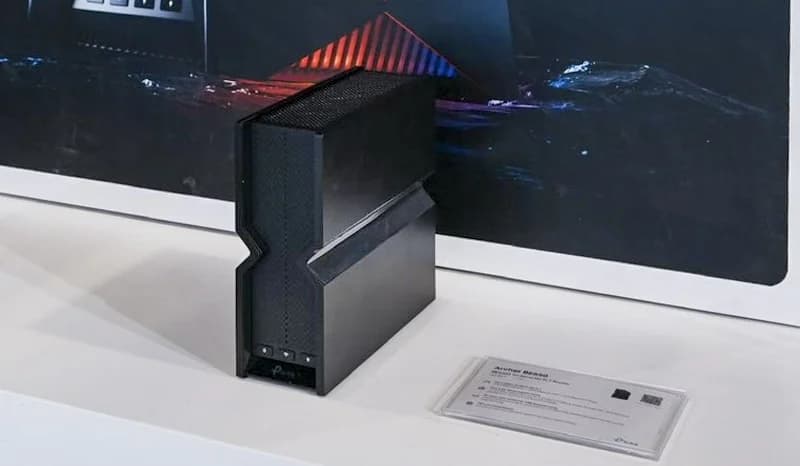
Our recommendation: TP-Link Archer BE550
Also consider for four multi-gig LAN connections
Limit: Hardware V1 and V2 differ on 2.4 GHz: check the version on the box
On this page · Our picks at a glance
Our picks at a glance
- 1
Choose for: Also consider for four multi-gig LAN connections
Check before buying: Hardware V1 and V2 differ on 2.4 GHz: check the version on the box
- 2
Choose for: Also consider for separate 10G WAN and LAN
Check before buying: NETGEAR Armor needs a subscription after the trial
- 3
Choose for: Also consider for mixed 10G and 2.5G devices
Check before buying: ASUS publishes no coverage figure on the spec page
The ASUS RT-BE92U offers more wired expansion in this comparison: its 10 Gbps WAN/LAN port and four 2.5 Gbps ports give you more allocation choices. The NETGEAR Nighthawk RS300 is a good fit for gigabit fiber when its two 2.5 Gbps LAN ports cover your PC and NAS. Keep your current router if it already meets your speed, room coverage and security-update needs; neither upgrade is compulsory. For alternatives to the compared models, also consider the TP-Link Archer BE550, NETGEAR Nighthawk RS700S and ASUS ROG Rapture GT-BE98 Pro, matched to the port needs below.
Quick picks
Between the two models in the title:
- Choose ASUS RT-BE92U: more multi-gig wired devices, an Ethernet handoff above 2.5 Gbps, or a planned AiMesh expansion.
- Choose NETGEAR RS300: a single Ethernet WAN handoff up to 2.5 Gbps, two fast wired devices and additional gigabit devices.
- Choose neither yet: the current setup works, the provider handoff is unclear, or your main problem needs several Wi-Fi locations.
These are recommendations from port specifications and documented features, not measured speed or range rankings.
Also consider: TP-Link Archer BE550 for more multi-gig LAN devices
TP-Link
A tri-band Wi-Fi 7 router with five 2.5 Gbps Ethernet ports (one WAN, four LAN) and EasyMesh support.
Check package and model options
- Wi-Fi 7
- BE9300
- 3 bands
- 2.5 Gbps port
For an Ethernet handoff up to 2.5 Gbps, the Archer BE550 is an alternative with a dedicated 2.5 Gbps WAN port and four 2.5 Gbps LAN ports. That leaves room for the PC and NAS in this guide plus other multi-gig equipment. It has no 10 Gbps port, so it does not match the RT-BE92U's faster WAN option. TP-Link's Archer BE550 specifications also list EasyMesh compatibility; check the exact hardware version before ordering.
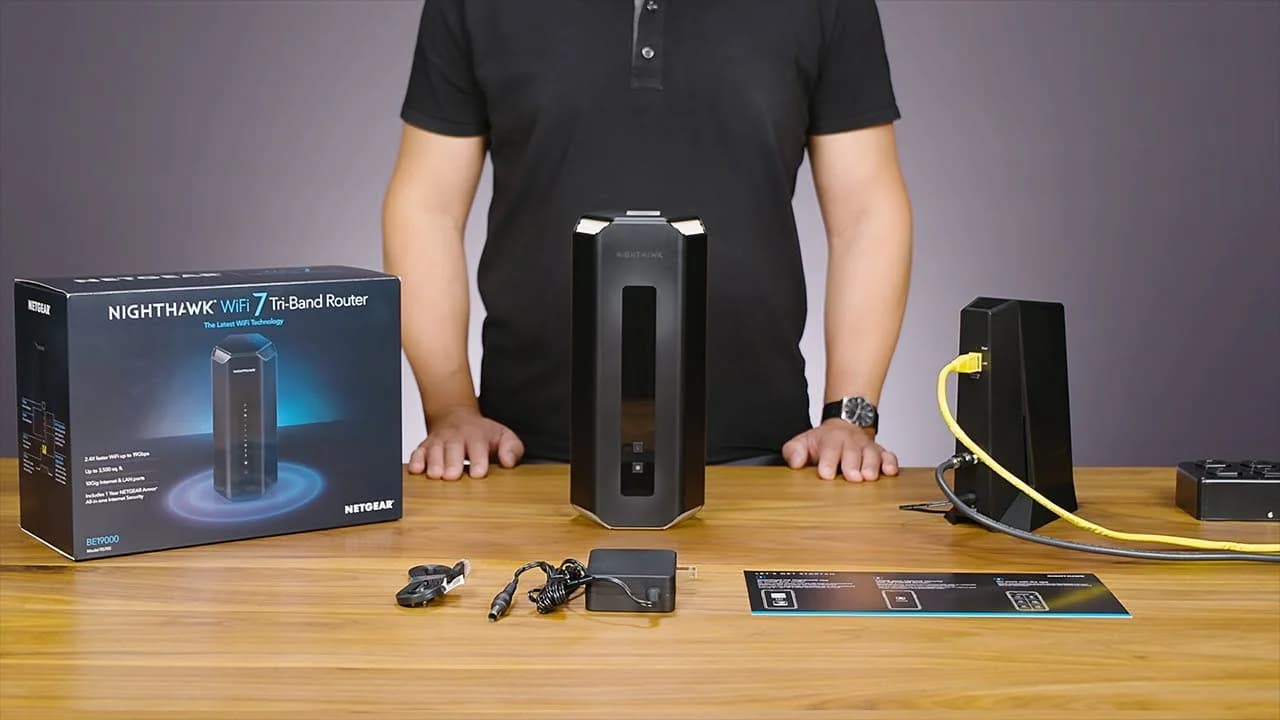
Also consider: NETGEAR Nighthawk RS700S for separate 10G WAN and LAN
Netgear
Netgear's flagship tri-band Wi-Fi 7 router, with a 10 Gig internet port and a 10 Gig LAN port.
Check package and model options
- Wi-Fi 7
- BE19000
- 3 bands
- 10 Gbps port
The RS700S suits a different wiring plan: a 10 Gbps internet port and a separate 10 Gbps LAN port, with four gigabit LAN ports. Unlike the RT-BE92U, it can keep a 10 Gbps LAN connection while its 10 Gbps WAN is occupied. The tradeoff is that only one client connects directly above gigabit speed; attaching both a multi-gig PC and NAS at faster rates requires a suitable downstream switch. These are port-layout deductions from NETGEAR's RS700S technical details, not throughput results.
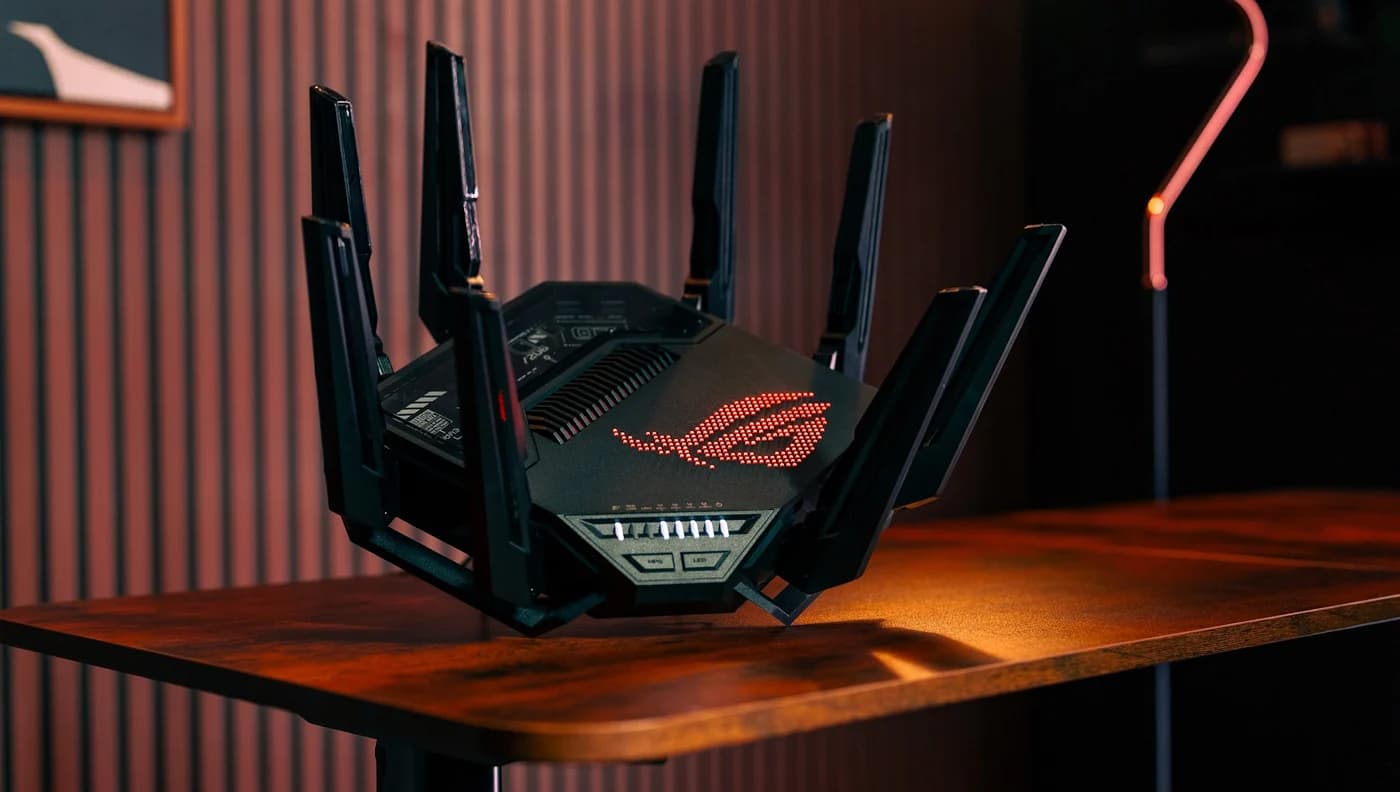
Also consider: ASUS ROG Rapture GT-BE98 Pro for a larger wired inventory
ASUS
A quad-band Wi-Fi 7 gaming router with two 6 GHz bands, two 10G ports and seven Ethernet ports in all.
Check package and model options
- Wi-Fi 7
- BE30000
- 4 bands
- 10 Gbps port
The GT-BE98 Pro combines a 10 Gbps WAN/LAN port with a separate 10 Gbps LAN port, a 2.5 Gbps WAN/LAN port, three 2.5 Gbps LAN ports and a gigabit LAN port. Assigning its 10 Gbps WAN/LAN socket to the internet leaves the dedicated 10 Gbps LAN socket and the 2.5 Gbps connections available for clients. Consider it when that mix solves a known wiring need. Its quad-band Wi-Fi includes two 6 GHz bands; that feature does not establish better coverage in your home. See ASUS's exact GT-BE98 Pro specifications.
Start with the fiber handoff
Find the cable that would feed the new router. Both models publish Ethernet WAN connections, not optical-fiber sockets. You are buying the router downstream of the provider's equipment; our modem vs router guide explains the boxes. Confirm any provider login or VLAN requirements before ordering.
Verizon's router manual shows Ethernet between an ONT and WAN. AT&T documents IP Passthrough for connecting a third-party router through its gateway. Those are different arrangements: confirm the instructions for your actual service and gateway model.
Ethernet from an ONT
Record your plan and the ONT port's supported Ethernet rate; compare those with the router WAN port.
Ethernet from a provider gateway
Check whether the provider calls for passthrough, bridge mode or retaining its routing; follow its model-specific instructions.
Only fiber or coax at the intended location
Stop and confirm the handoff with the provider before buying either Ethernet-WAN router.
For Fios configuration and TV considerations, follow our Verizon Fios router guide. For AT&T, use the linked official instructions for your gateway rather than applying the Fios arrangement.
ASUS RT-BE92U vs RS300: the useful specifications
The port rows come from ASUS's US specifications, NETGEAR's RS300 technical details and its RS300 datasheet. Port budgets assume one WAN cable. NETGEAR's manual also documents WAN aggregation using the internet socket and LAN port 4, requiring compatible upstream aggregation and consuming a LAN port. That is a different wiring plan.
Fastest individual WAN port
- ASUS RT-BE92U
- 10 Gbps WAN/LAN
- NETGEAR Nighthawk RS300
- Dedicated 2.5 Gbps WAN
Other WAN option
- ASUS RT-BE92U
- 2.5 Gbps WAN/LAN
- NETGEAR Nighthawk RS300
- Aggregation with LAN 4 (see above)
LAN with fastest port used for WAN
- ASUS RT-BE92U
- Four 2.5 Gbps
- NETGEAR Nighthawk RS300
- Two 2.5 Gbps plus two 1 Gbps
LAN with ASUS's 2.5 Gbps port used for WAN
- ASUS RT-BE92U
- One 10 Gbps plus three 2.5 Gbps
- NETGEAR Nighthawk RS300
- Same fixed LAN allocation
Bands
- ASUS RT-BE92U
- 2.4, 5 and 6 GHz
- NETGEAR Nighthawk RS300
- 2.4, 5 and 6 GHz
Maximum channel width on 6 GHz
- ASUS RT-BE92U
- 320 MHz
- NETGEAR Nighthawk RS300
- 320 MHz
Radio streams: 2.4, 5 and 6 GHz
- ASUS RT-BE92U
- 3x3 / 2x2 / 2x2
- NETGEAR Nighthawk RS300
- 2x2 / 2x2 / 2x2
Maker's combined Wi-Fi class
- ASUS RT-BE92U
- BE9700
- NETGEAR Nighthawk RS300
- BE9300
Documented operating options
- ASUS RT-BE92U
- Router, access point, AiMesh router/node
- NETGEAR Nighthawk RS300
- Router or access point
Full comparison table
Swipe to compare. Row labels stay visible.
| What matters | ASUS RT-BE92U | NETGEAR Nighthawk RS300 |
|---|---|---|
| Fastest individual WAN port | 10 Gbps WAN/LAN | Dedicated 2.5 Gbps WAN |
| Other WAN option | 2.5 Gbps WAN/LAN | Aggregation with LAN 4 (see above) |
| LAN with fastest port used for WAN | Four 2.5 Gbps | Two 2.5 Gbps plus two 1 Gbps |
| LAN with ASUS's 2.5 Gbps port used for WAN | One 10 Gbps plus three 2.5 Gbps | Same fixed LAN allocation |
| Bands | 2.4, 5 and 6 GHz | 2.4, 5 and 6 GHz |
| Maximum channel width on 6 GHz | 320 MHz | 320 MHz |
| Radio streams: 2.4, 5 and 6 GHz | 3x3 / 2x2 / 2x2 | 2x2 / 2x2 / 2x2 |
| Maker's combined Wi-Fi class | BE9700 | BE9300 |
| Documented operating options | Router, access point, AiMesh router/node | Router or access point |
Scroll horizontally to see every column
| What matters | ASUS RT-BE92U | NETGEAR Nighthawk RS300 |
|---|---|---|
| Fastest individual WAN port | 10 Gbps WAN/LAN | Dedicated 2.5 Gbps WAN |
| Other WAN option | 2.5 Gbps WAN/LAN | Aggregation with LAN 4 (see above) |
| LAN with fastest port used for WAN | Four 2.5 Gbps | Two 2.5 Gbps plus two 1 Gbps |
| LAN with ASUS's 2.5 Gbps port used for WAN | One 10 Gbps plus three 2.5 Gbps | Same fixed LAN allocation |
| Bands | 2.4, 5 and 6 GHz | 2.4, 5 and 6 GHz |
| Maximum channel width on 6 GHz | 320 MHz | 320 MHz |
| Radio streams: 2.4, 5 and 6 GHz | 3x3 / 2x2 / 2x2 | 2x2 / 2x2 / 2x2 |
| Maker's combined Wi-Fi class | BE9700 | BE9300 |
| Documented operating options | Router, access point, AiMesh router/node | Router or access point |
A source conflict worth catching: NETGEAR's RS300 page includes generic Nighthawk copy headed “Unleash the power of 10 Gig.” Its model-specific port list, RS300 datasheet and shared user manual specify a 2.5 Gbps internet port. This comparison uses those model-specific specifications.
ASUS RT-BE92U: the case for more wired expansion
ASUS makes the stronger case when your device inventory extends beyond a PC and NAS. With the 10 Gbps socket assigned to WAN, four 2.5 Gbps connections remain. Connect a hypothetical 2.5 Gbps PC and NAS and you still have two multi-gig ports for other equipment, without buying a switch.
There is another useful configuration for a slower internet handoff. ASUS's quick-start guide explicitly documents selecting Manual Setting → 2.5G WAN during initial setup to release the 10G socket for LAN. That leaves one 10 Gbps LAN port and three 2.5 Gbps LAN ports. Choose the WAN assignment deliberately.
ASUS also publishes AiMesh expansion with compatible ASUS routers, including wired backhaul options. Reserve a LAN port for a wired node in your inventory.
NETGEAR RS300: when its port budget fits
The RS300's dedicated 2.5 Gbps internet socket leaves its LAN allocation unchanged: two 2.5 Gbps ports and two gigabit ports. In our PC-and-NAS example, both fast ports are occupied; the remaining gigabit ports can serve devices whose Ethernet connections need no more than that.
Choose it for the equipment you actually own. A future third multi-gig device would require reallocating a fast port or adding a suitable switch. Our multi-gig switch guide helps with that decision; include the switch's uplink in your port count.
NETGEAR promotes setup through the Nighthawk app, with an account requirement in its footnote. Its manual also documents browser administration and access-point mode. Prefer ASUS here if its additional fast ports or documented AiMesh path solve a known need.
Trace the ONT, PC and NAS connections
Assume an Ethernet handoff, one PC and one NAS, with both client Ethernet interfaces supporting 2.5 Gbps. These are wiring examples derived from the port lists, not measured transfer rates. If a provider gateway stays, substitute its permitted Ethernet handoff for the ONT below.
ASUS: 10 Gbps socket assigned to WAN
ONT Ethernet -> WAN
                RT-BE92U LAN -> 2.5 Gbps PC
                            -> 2.5 Gbps NAS
                            -> 2.5 Gbps spare
                            -> 2.5 Gbps spare

NETGEAR: dedicated 2.5 Gbps WAN
ONT Ethernet -> WAN
                RS300 LAN   -> 2.5 Gbps PC
                            -> 2.5 Gbps NAS
                            -> 1 Gbps spare
                            -> 1 Gbps spare
The plan speed and local connections answer different questions:
Gigabit internet plus PC-to-NAS copies
- What the port layout tells you
- Either router offers a 2.5 Gbps LAN path between the assumed clients; that local path does not need a faster internet plan.
Single Ethernet handoff above 2.5 Gbps
- What the port layout tells you
- The RS300 WAN is the limiting port. ASUS offers a 10 Gbps WAN option, subject to a compatible upstream connection.
One wired client above 2.5 Gbps while using ASUS's 10G WAN
- What the port layout tells you
- Neither model provides that port combination. Choose a router with separate faster WAN and LAN ports.
Two 10 Gbps local clients on ASUS with 2.5G WAN
- What the port layout tells you
- Only one 10 Gbps LAN socket remains; a suitable 10G switch would be needed to attach both at that rate.
Full comparison table
Swipe to compare. Row labels stay visible.
| Connection you want | What the port layout tells you |
|---|---|
| Gigabit internet plus PC-to-NAS copies | Either router offers a 2.5 Gbps LAN path between the assumed clients; that local path does not need a faster internet plan. |
| Single Ethernet handoff above 2.5 Gbps | The RS300 WAN is the limiting port. ASUS offers a 10 Gbps WAN option, subject to a compatible upstream connection. |
| One wired client above 2.5 Gbps while using ASUS's 10G WAN | Neither model provides that port combination. Choose a router with separate faster WAN and LAN ports. |
| Two 10 Gbps local clients on ASUS with 2.5G WAN | Only one 10 Gbps LAN socket remains; a suitable 10G switch would be needed to attach both at that rate. |
Scroll horizontally to see every column
| Connection you want | What the port layout tells you |
|---|---|
| Gigabit internet plus PC-to-NAS copies | Either router offers a 2.5 Gbps LAN path between the assumed clients; that local path does not need a faster internet plan. |
| Single Ethernet handoff above 2.5 Gbps | The RS300 WAN is the limiting port. ASUS offers a 10 Gbps WAN option, subject to a compatible upstream connection. |
| One wired client above 2.5 Gbps while using ASUS's 10G WAN | Neither model provides that port combination. Choose a router with separate faster WAN and LAN ports. |
| Two 10 Gbps local clients on ASUS with 2.5G WAN | Only one 10 Gbps LAN socket remains; a suitable 10G switch would be needed to attach both at that rate. |
Check the negotiated Ethernet rate at each end before blaming Wi-Fi. NETGEAR explicitly warns that achieving maximum wired or wireless speed requires devices supporting those speeds; neither maker's port specification guarantees application throughput.
Match the radios to your devices and rooms
Both routers have 2.4, 5 and 6 GHz bands and support 320 MHz channels on 6 GHz. ASUS's 5 and 6 GHz radios are 2x2, as are NETGEAR's; ASUS lists 3x3 on 2.4 GHz versus NETGEAR's 2x2. Those differences do not establish a range or latency winner.
- Yes: Wi-Fi 7 devices: check their supported bands and channel widths; a 320 MHz-capable router does not establish the client's capability.
- Partly: Wi-Fi 6E devices: ASUS explicitly lists compatibility; check each device's 6 GHz support rather than assuming all Wi-Fi 7 features apply.
- Partly: Older devices and smart-home equipment: inventory their supported bands; both routers also provide 2.4 and 5 GHz.
BE9700 and BE9300 describe combined theoretical radio rates, not a single device's throughput or your fiber speed. The Wi-Fi Alliance describes Multi-Link Operation as distributing traffic among links; ASUS cautions that supported MLO modes and bands vary by device. Check the client's specification rather than buying on the BE number.
One router or several? Start with the locations that need service. NETGEAR's manual recommends positioning near the center of the device area and says placement changes range. Try the existing router there before replacing it. If you need Wi-Fi in separated locations, compare mesh systems and extender vs mesh approaches. ASUS's AiMesh support is an expansion option, not proof that one unit covers your home.
Compare administration, subscriptions and support
ASUS lists ASUSWRT browser management, its Router app, automatic firmware updates and AiProtection features including malicious-site blocking. Its product page describes parental controls without subscriptions. NETGEAR lists automatic firmware updates and an optional Armor subscription, with a trial included. Basic router operation does not require buying Armor; compare the features you want beyond routing.
Both support access-point operation. NETGEAR's manual warns that some router features are disabled in AP mode, so check the feature list before retaining the provider gateway as your main router.
ASUS's EOL page says listed models no longer receive firmware and documentation updates; it does not supply a guaranteed RT-BE92U support-until date. NETGEAR's policy generally places End of Service three years after the last sale date, qualified by SKU and region. That clock is not a guarantee of three years from your purchase. An Armor subscription may remain available after EOS and does not establish continuing firmware support.
Before ordering, check the ASUS firmware page or NETGEAR documentation and EOS lookup for the exact model.
Check the exact version and complete kit
For a holiday order or gift, confirm the recipient's wiring before choosing a listing:
- ASUS: this comparison covers the RT-BE92U single router. ASUS separately lists an RT-BE9700 with the same published core radio and Ethernet specifications. BE9700 alone is also a speed class; it does not uniquely identify the model or package.
- NETGEAR: buy the RS300 package intentionally. Its manual also covers a BE9300-named model and the RS280; a shared manual does not establish identical packages. The manual gives RS280 a different combined radio rating from RS300.
- Box and support: both makers list an Ethernet lead and power adapter; ASUS also includes a wall-mount kit. Confirm a US-market package, included original supply, condition, seller authorization and return terms. NETGEAR conditions its limited warranty on an authorized reseller and device registration.
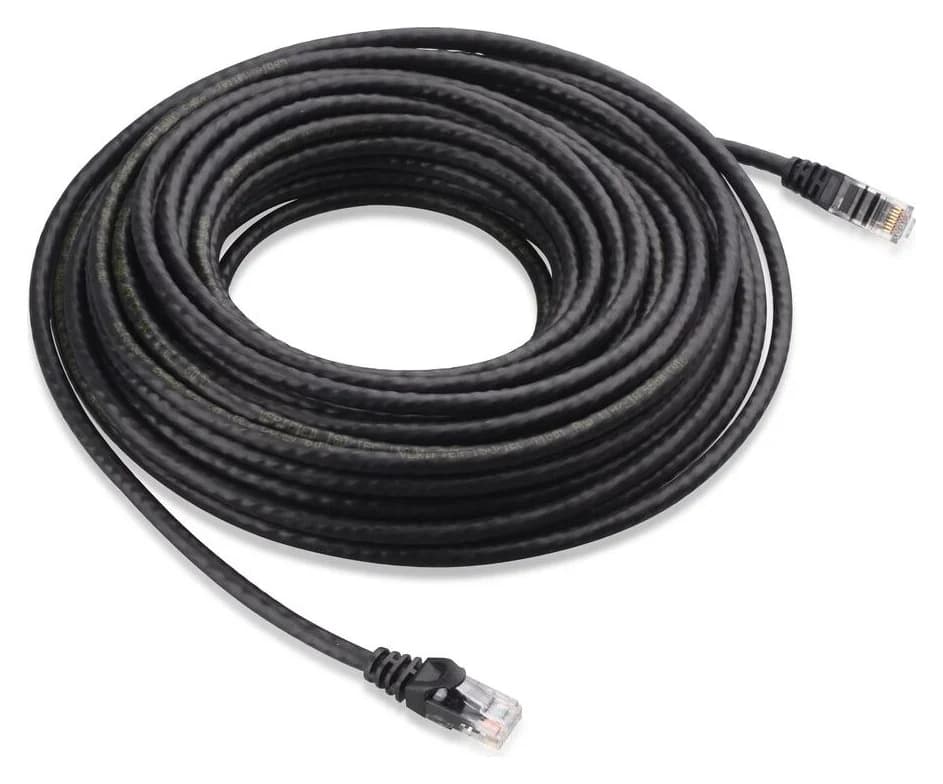
Optional Ethernet lead: Cable Matters 160001
Cable Matters
An indoor unshielded Cat6 Ethernet patch cable with bare-copper conductors and snagless boots.
Check package and model options
Each wired PC or NAS in the diagram needs a lead as well as the upstream connection. Cable Matters' 160001 cable is an indoor, unshielded Cat6 patch cable with RJ45 connectors and bare-copper conductors. The linked option is one black 7 ft cable, confirmed in the maker's variant table; measure the route and check length, color and quantity before ordering. Keep existing suitable cables rather than adding replacements automatically.
How we choose
This comparison uses official US specifications, manuals, package lists and published support policies fetched for this guide. We have not performed speed, coverage or latency tests. Recommendations follow the active WAN connection and remaining LAN ports, with client capability and expansion requirements checked separately. Wiring examples and port counts are explicit deductions from those specifications; they are not performance promises. See How we choose.
Verdict
Between the compared models, choose the RT-BE92U when additional multi-gig connections, selectable WAN allocation or AiMesh expansion solve your next wiring problem. Choose the RS300 when its dedicated 2.5 Gbps WAN and two fast LAN ports fit your actual devices. Keep an adequate, supported router; for either replacement, confirm the provider handoff and count the ports left after connecting it.
For the alternatives featured above, consider the Archer BE550 for more multi-gig LAN connections with a 2.5 Gbps handoff, the RS700S for separate 10 Gbps WAN and LAN with mostly gigabit clients, or the GT-BE98 Pro when you need separate 10 Gbps WAN and LAN alongside several 2.5 Gbps clients. These are different port budgets, so choose from your actual device inventory rather than the Wi-Fi class number.
Frequently asked questions
Which is the best router for gigabit internet: RT-BE92U or RS300?
The RS300 is a good fit when its two 2.5 Gbps LAN ports cover your fast wired devices. Choose the RT-BE92U when you need more multi-gig connections or want its documented AiMesh expansion path. Both have WAN ports above a gigabit. Keep an existing router if it already meets your connection, coverage and security-update needs.
Can either router replace my fiber ONT or provider gateway?
Neither router has an optical-fiber input in its published port list. This comparison assumes an Ethernet handoff from the provider's ONT or gateway. Whether you can remove a provider router depends on the service: AT&T documents connecting a third-party router through gateway IP Passthrough, for example. Confirm your provider's requirements before changing equipment.
Can the ASUS RT-BE92U deliver 10 Gbps to a wired computer?
It has only one 10 Gbps Ethernet port. ASUS documents selecting the 2.5 Gbps WAN connection to release that port for LAN use. If the 10 Gbps port is already your WAN, every remaining Ethernet port is 2.5 Gbps. A downstream switch cannot remove that individual uplink limit; choose separate faster WAN and LAN ports if that is your requirement.
Does buying NETGEAR Armor extend firmware support?
Do not treat it as an extension. NETGEAR says Armor subscriptions may remain available even after a product enters End of Service, when firmware and security updates stop. Its general EOS policy is three years after the last sale date, with regional and SKU qualifications. That is not a promised support period starting from your purchase date.
TP-Link Archer BE550
AmazonRelated guides
Buying guide · Wi-Fi Routers
Home Network Setup Checklist: Router, Switch, Wi-Fi and NAS
Plan your home network setup with a connection diagram, usable port counts, router and Wi-Fi choices, setup order, and internet and NAS recovery checks.
Comparison · Wi-Fi Routers
UniFi Dream Router 7 vs Express 7: Choose the Complete Kit
Compare UniFi Dream Router 7 and Express 7 by ports, security speed and applications, then build a complete home kit with the right PoE, cameras and cables.
Comparison · Wi-Fi Routers
GL.iNet Slate 7 vs Beryl 7: Which Should You Pack?
Choose between GL.iNet Slate 7 and Beryl 7 by hotel uplink, screen, phone tethering and your complete power kit. Includes exact-model and US buying checks.