

Best picks
Best MoCA Adapters: Multi-Gig Coax Picks for Gaming and Backhaul
Choose the right MoCA adapter pair: 2.5GbE picks for gaming and mesh backhaul, gigabit picks that cost less, and the coax, splitter and ISP rules that decide it.
By thisPING EditorialUpdated November 5, 20268 min read5 picks
On this page · Our picks at a glance
Our picks at a glance
- 1
Best MoCA adapter overall
2.5 Gbps port
Choose for: Best MoCA adapter overall
Check before buying: ScreenBeam's kit is not compatible with DirecTV, Dish or other satellite TV, AT&T internet or U-verse coax, and DOCSIS 3.1 modems might conflict through frequency overlap, so check with your ISP first.
- 2
Best value multi-gig adapter
Choose for: Best value multi-gig adapter
Check before buying: it is sold per adapter, so a new link needs two (or a MoCA-capable router at one end — Motorola says most FiOS routers qualify).
- 3
Best budget 2-pack
Choose for: Best budget 2-pack
Check before buying: Each adapter has one F-type coax port and one gigabit LAN port — the name's 2.5 Gbps is the bonded-channel MoCA rate, not the Ethernet port.
Show all 5 picks
- 4
- 5
For most homes with coax outlets, the ScreenBeam ECB7250 is the MoCA adapter to buy: MoCA 2.5 over existing coax with a 2.5 GbE Ethernet port on each adapter, so a multi-gig plan, a gaming PC or a mesh node gets a wired link without new cable runs. Buy the Motorola MM1025 for the same multi-gig speed with a PoE filter in the box, the TRENDnet TMO-312C2K two-pack when a gigabit-class link is all you need, or the Motorola MM1000 as the budget pick for a lone gigabit device. Specs and maker guidance checked November 5, 2026, from official datasheets and product pages linked below.
A MoCA adapter pair turns the coax that already runs to your TV into an Ethernet link between your router and another room. Two things decide which one to buy: the Ethernet port on the adapter (2.5 GbE or gigabit), and the fine print about your coax, splitters and internet provider.
- 2.5 GbEEthernet port on our top picks (ScreenBeam ECB7250, goCoax MA2500D, Motorola MM1025)
- 2.5 GbpsMoCA 2.5 coax-side rate with bonded channels (maker claims)
- 16MoCA devices one network supports
Quick picks
Compare specifications and all conditions
ScreenBeam ECB7250
- Ethernet port
- One 2.5 GbE port per adapter
- What's in the order
- Starter kit: two adapters, power supplies, Ethernet and coax cables, splitters (no PoE filter)
- Works with
- MoCA 2.5, 2.0, 1.1 and 1.0; most MoCA-enabled routers and modems
All specifications
- Notes
- Best multi-gig pick
Motorola MM1025
- Ethernet port
- One 2.5 Gbps port
- What's in the order
- Per adapter: power cube, coax cable, Ethernet cable, PoE filter, wall screws
- Works with
- MoCA 1.0, 1.1, 2.0, bonded 2.0 and 2.5; cable, FiOS and fiber coax
All specifications
- Notes
- Two coax connectors share the outlet
TRENDnet TMO-312C2K
- Ethernet port
- One gigabit port per adapter
- What's in the order
- 2-pack: two adapters, two power adapters, quick guide
- Works with
- MoCA 2.5/2.0/1.1/1.0; FiOS, Spectrum
All specifications
- Notes
- Complete new link out of the box
Motorola MM1000
- Ethernet port
- One gigabit port
- What's in the order
- Per adapter: power cube, coax cable, Ethernet cable, screws
- Works with
- MoCA 1.0, 1.1, 2.0 and 2.5; cable, FiOS and fiber coax
All specifications
- Notes
- Bonded MoCA 2.0
goCoax MA2500D
- Ethernet port
- One 2.5GbE port
- What's in the order
- Per adapter; pack size not stated on the maker's page
- Works with
- MoCA 2.5 with up to 16 nodes
All specifications
- Notes
- Verify kit contents and ISP guidance
Full comparison table
Swipe to compare. Row labels stay visible.
| Pick | Ethernet port | What's in the order | Works with | Notes |
|---|---|---|---|---|
| ScreenBeam ECB7250 | One 2.5 GbE port per adapter | Starter kit: two adapters, power supplies, Ethernet and coax cables, splitters (no PoE filter) | MoCA 2.5, 2.0, 1.1 and 1.0; most MoCA-enabled routers and modems | Best multi-gig pick |
| Motorola MM1025 | One 2.5 Gbps port | Per adapter: power cube, coax cable, Ethernet cable, PoE filter, wall screws | MoCA 1.0, 1.1, 2.0, bonded 2.0 and 2.5; cable, FiOS and fiber coax | Two coax connectors share the outlet |
| TRENDnet TMO-312C2K | One gigabit port per adapter | 2-pack: two adapters, two power adapters, quick guide | MoCA 2.5/2.0/1.1/1.0; FiOS, Spectrum | Complete new link out of the box |
| Motorola MM1000 | One gigabit port | Per adapter: power cube, coax cable, Ethernet cable, screws | MoCA 1.0, 1.1, 2.0 and 2.5; cable, FiOS and fiber coax | Bonded MoCA 2.0 |
| goCoax MA2500D | One 2.5GbE port | Per adapter; pack size not stated on the maker's page | MoCA 2.5 with up to 16 nodes | Verify kit contents and ISP guidance |
Scroll horizontally to see every column
| Pick | Ethernet port | What's in the order | Works with | Notes |
|---|---|---|---|---|
| ScreenBeam ECB7250 | One 2.5 GbE port per adapter | Starter kit: two adapters, power supplies, Ethernet and coax cables, splitters (no PoE filter) | MoCA 2.5, 2.0, 1.1 and 1.0; most MoCA-enabled routers and modems | Best multi-gig pick |
| Motorola MM1025 | One 2.5 Gbps port | Per adapter: power cube, coax cable, Ethernet cable, PoE filter, wall screws | MoCA 1.0, 1.1, 2.0, bonded 2.0 and 2.5; cable, FiOS and fiber coax | Two coax connectors share the outlet |
| TRENDnet TMO-312C2K | One gigabit port per adapter | 2-pack: two adapters, two power adapters, quick guide | MoCA 2.5/2.0/1.1/1.0; FiOS, Spectrum | Complete new link out of the box |
| Motorola MM1000 | One gigabit port | Per adapter: power cube, coax cable, Ethernet cable, screws | MoCA 1.0, 1.1, 2.0 and 2.5; cable, FiOS and fiber coax | Bonded MoCA 2.0 |
| goCoax MA2500D | One 2.5GbE port | Per adapter; pack size not stated on the maker's page | MoCA 2.5 with up to 16 nodes | Verify kit contents and ISP guidance |
Every adapter here needs at least two MoCA devices to form a network unless your router, modem or gateway already has MoCA built in. ScreenBeam states this explicitly, and Motorola says most FiOS routers already provide the router end.
Best MoCA adapter overall: ScreenBeam ECB7250
ScreenBeam
A bonded MoCA 2.5 network adapter with a 2.5 Gbps Ethernet port that turns coax wiring into a wired backbone.
Check package and model options
- 2.5 Gbps port
The ECB7250 pairs the MoCA 2.5 standard with the port that makes it useful: one 2.5 GbE Ethernet port per adapter, which ScreenBeam's page supports for throughput up to 2.5 Gbps on devices with 2.5 Gbps Ethernet. The coax side runs Extended D-band, 1125 to 1675 MHz, per the datasheet, which also documents a typical link delay of 3.6 ms.
- MoCA 2.5, backward compatible with MoCA 2.0, 1.1 and 1.0
- Up to 16 nodes on one network, including the network coordinator
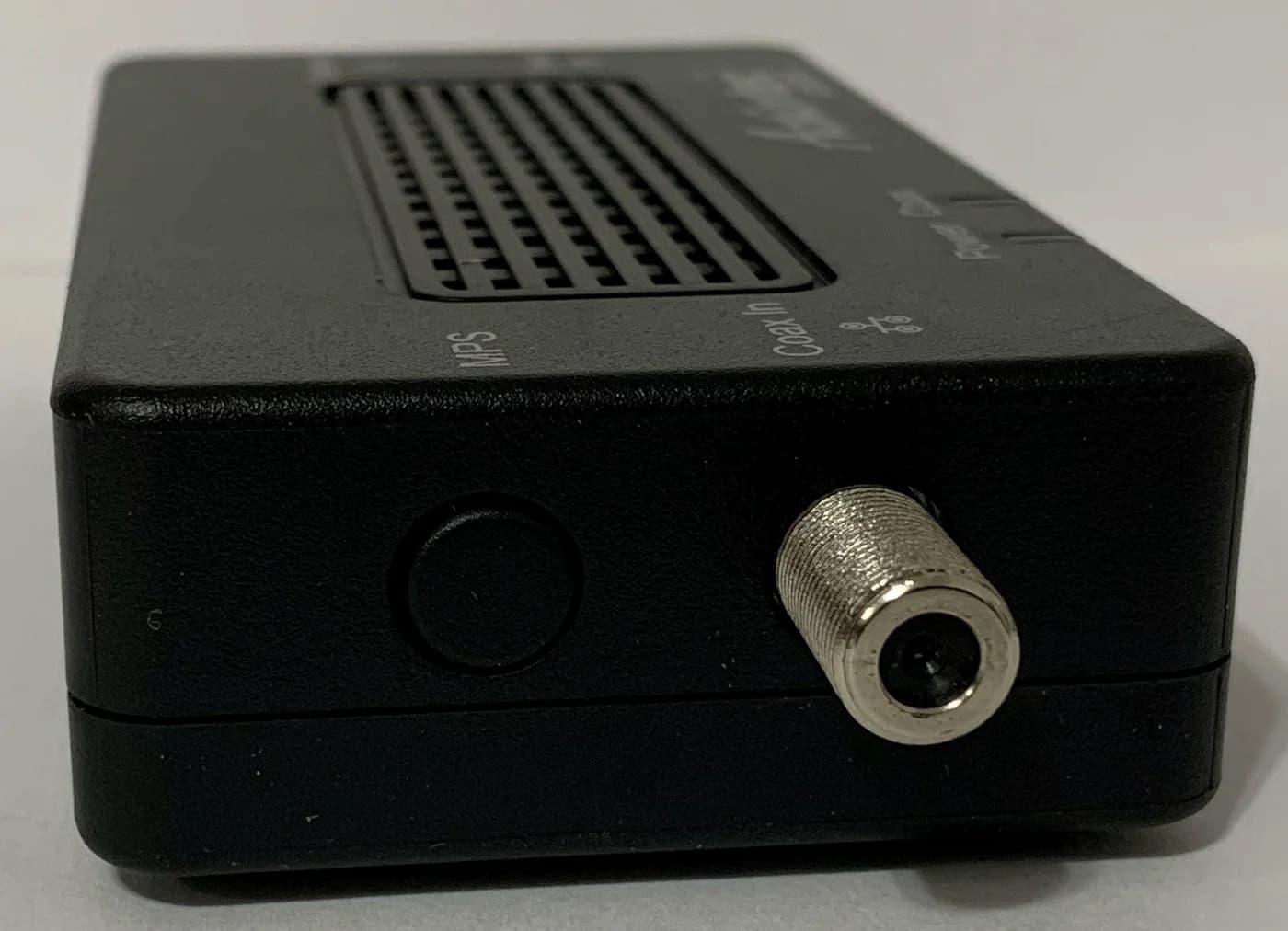
- MoCA Protected Setup (MPS) for pairing with a button press
- The starter kit includes the adapters, power supplies, Ethernet cables, coax cables and two 2-way splitters; a setup with two existing coax devices needs a separately purchased 3-way splitter, per ScreenBeam
The trade-offs: ScreenBeam's kit is not compatible with DirecTV, Dish or other satellite TV, AT&T internet or U-verse coax, and DOCSIS 3.1 modems might conflict through frequency overlap, so check with your ISP first. The 2.5 Gbps figure is the maker's theoretical claim; actual throughput varies with the condition and noise of your coax, per ScreenBeam's own footnote. We compare it adapter-for-adapter with the goCoax in ECB7250 vs MA2500D.
Best value multi-gig adapter: Motorola MM1025
The MM1025 matches the ECB7250's headline specs — MoCA 2.5, one 2.5 Gbps Ethernet port, Extended Band D at 1125 to 1675 MHz, up to 16 devices — and Motorola's datasheet adds two things the others don't. First, two coax connectors (Device and Network), so a set-top box or cable modem can share the outlet without a separate splitter. Second, the box includes a PoE filter, along with the coax and Ethernet cables.
The trade-offs: it is sold per adapter, so a new link needs two (or a MoCA-capable router at one end — Motorola says most FiOS routers qualify). Actual speeds may fall below 2.5 Gbps because of splitter and cable losses or slower devices at either end.
See the MM1025 on Motorola's site
Best budget 2-pack: TRENDnet TMO-312C2K
TRENDnet's TMO-312C2K is the only pick here sold as a complete pair: two MoCA 2.5 adapters, two power adapters and a quick installation guide. Each adapter has one F-type coax port and one gigabit LAN port — the name's 2.5 Gbps is the bonded-channel MoCA rate, not the Ethernet port. For a TV, console or office on a gigabit-or-less plan, that is the whole link in one order.
See the TMO-312C2K on TRENDnet's site
Best budget gigabit adapter: Motorola MM1000
The MM1000 is the older sibling of the MM1025: bonded MoCA 2.0 rather than 2.5, and a gigabit Ethernet port rather than 2.5 Gbps. Motorola's datasheet lists actual data speeds up to 1 Gbps, the same two-coax-connector layout, Extended Band D at 1125 to 1675 MHz, up to 16 devices, and a two-year warranty with USA support.
The trade-offs: the gigabit port caps a single device at gigabit speed, and a gigabit-class link is all this standard supports. Its strength is price and interoperability: the datasheet says it works with all types of MoCA, including MoCA 2.5, so it can extend a newer network where only gigabit speed is needed — though the network runs at the speed of the slowest device, per goCoax's mixing guidance. Like the MM1025, it is sold per adapter and does not work with satellite TV or AT&T Internet/U-Verse.
See the MM1000 on Motorola's site
Also consider: ScreenBeam ECB6250
The ScreenBeam ECB6250 is the lower-priced sibling of our top pick: the same MoCA 2.5 on the coax, but a 1.0 Gbps Ethernet port. ScreenBeam's ECB6250 page says the MoCA network itself still reaches up to 2.5 Gbps, while the port "supports throughput speed up to 1.0Gbps for devices with 1.0Gbps Ethernet." Buy it only when nothing on the coax line needs more than gigabit speed; if a multi-gig plan or a 2.5 GbE gaming rig is in play, the ECB7250's port is the one that matters.
Also consider: goCoax MA2500D
The MA2500D is the other widely recommended 2.5GbE MoCA 2.5 adapter. goCoax's product page lists the same essentials: MoCA 2.5 with bonded channels, up to 16 nodes, one MoCA-in coax port and one 2.5GbE RJ45 LAN port, wall or desk mounting, and pairing through an MPS button.
The page does not state how many adapters ship per order, which is why it is not our top pick for a first kit — confirm pack size with goCoax or the seller before buying. goCoax also gives conflicting PoE-filter guidance: the product page says to install a filter just before the cable modem, while its quick-start guide says not to install one yourself with DOCSIS 3.1 or 4.0 service. Our ECB7250 vs MA2500D comparison walks through the whole decision, and MoCA vs powerline covers the wiring question.
How we choose
We have not lab-tested or speed-tested these adapters. Ports, MoCA versions, frequency bands, package contents and compatibility statements come from ScreenBeam's, Motorola's, TRENDnet's and goCoax's own product pages and datasheets, linked in each section and checked November 5, 2026. Picks are ordered by the Ethernet port each adapter gives your device, then by what the box contains and the maker's stated ISP compatibility. Full method: How we choose.
Buying guide: get the port, the pair and the coax right
Match the Ethernet port to the device. The adapter's Ethernet port, not the MoCA number, sets what a single device sees. A gigabit port (TMO-312C2K, ECB6250, MM1000) suits gigabit plans, TVs and consoles; a 2.5 GbE port (ECB7250, MM1025, MA2500D) suits multi-gig plans, gaming PCs, and mesh or access-point backhaul. The device's own Ethernet port has to keep up too.
Count the ends, then count the boxes. A new link needs MoCA at both ends. One end can come from a MoCA-enabled router or gateway — Motorola says most FiOS routers have MoCA built in. Otherwise order two adapters: the TRENDnet 2-pack covers it in one purchase; ScreenBeam's starter kit adds splitters and cables; the Motorola and goCoax models are sold per adapter.
Check both ends have connected coax
The outlets must be on the same coax system; ScreenBeam says coax outlets and wiring must all be part of one network.
Count the devices
Up to 16 MoCA nodes can share one network, per every maker here.
Check splitters and amplifiers
Splitters must pass the MoCA band: goCoax requires 1125 to 1675 MHz, and old cable amplifiers often do not.
Settle the filter question with your ISP
A PoE filter keeps MoCA inside your home on cable internet; self-installation guidance conflicts, as above.
Check your provider before ordering. Every maker here excludes satellite TV (DirecTV, Dish), and ScreenBeam and Motorola exclude AT&T internet and U-verse coax. On cable internet, DOCSIS 3.1 frequency overlap can cause disconnects: ScreenBeam says check with your ISP for a fix. Homes with no usable coax should start with our powerline adapter picks or the comparison in MoCA vs powerline.
Splitters decide more than the adapter does. MoCA runs 1125 to 1675 MHz (Extended D-band); splitters rated below that block the signal. Motorola's two-connector design (MM1025, MM1000) lets a set-top box or modem share the outlet without a splitter; the ScreenBeam kit's included 2-way splitters cover one existing coax device, but a separately purchased 3-way splitter is needed when two existing devices use the connection. For a fresh cable modem and router, our modem-router combo picks list what to check.
- Yes: Cable TV/internet or FiOS coax at both rooms, splitters rated for the MoCA band
- Partly: Cable internet with DOCSIS 3.1: possible frequency overlap, so check with your ISP; confirm the PoE-filter guidance for your service
- No: Satellite TV (DirecTV, Dish) or AT&T internet/U-verse coax; outlets on separate coax systems
Verdict
The ScreenBeam ECB7250 is the MoCA adapter most buyers should get: a 2.5 GbE port per adapter, MoCA 2.5 with backward compatibility, and a starter kit that covers the basic first-link parts. Choose the Motorola MM1025 for the same multi-gig port plus a PoE filter and a second coax connector in the box. If gigabit speed is enough, the TRENDnet TMO-312C2K two-pack buys the whole link in one order, and the Motorola MM1000 is the budget single-adapter route. Whatever you pick, confirm your coax, splitters and provider situation first: that, not the adapter, decides whether the link works.
Frequently asked questions
Are MoCA adapters good for gaming?
MoCA gives a console or gaming PC a wired connection over existing coax, and makers describe low, consistent latency for MoCA links. ScreenBeam says MoCA's low latency can provide a smoother and more responsive gaming experience, and TRENDnet credits its improved packet error rate technology with lowered latency. Your actual result depends on your coax wiring, splitters and noise, so buy with a return window and compare against the Wi-Fi you have now.
Do I need one MoCA adapter or two?
A new link needs MoCA at both ends: one adapter (or a MoCA-capable router, modem or gateway) at the router, and one at the device. ScreenBeam says a minimum of two adapters is required unless your modem, router or gateway has MoCA built in, and Motorola notes most FiOS routers already have MoCA capability. Then you can add up to 16 devices to a MoCA-enabled router, per Motorola's datasheet.
Is the 2.5 Gbps on the box the speed I get?
It is the coax-side MoCA 2.5 rate under bonded channels, not a measured download speed. ScreenBeam and TRENDnet both say actual throughput varies with coax condition and noise, and the Ethernet port sets a separate ceiling: gigabit ports cap the link at gigabit speed. For multi-gig plans, pick an adapter with a 2.5 GbE port such as the ECB7250 or MA2500D, and give its device a 2.5 GbE port too.
Will a MoCA adapter work with satellite TV or AT&T service?
No, not on the same coax. ScreenBeam, Motorola and TRENDnet all exclude DirecTV, Dish and other satellite TV; ScreenBeam and Motorola also exclude AT&T internet and U-verse coax networks. ScreenBeam warns DOCSIS 3.1 modems might conflict through frequency overlap and cause random disconnects, so check with your ISP for a fix. For homes without usable coax, see our powerline picks instead.
Do I need a MoCA PoE filter?
On cable internet, a point-of-entry filter keeps the MoCA signal inside your home, and Motorola includes one in the MM1025 box. But makers disagree on self-installation: goCoax's current guide says not to install a MoCA PoE filter yourself with DOCSIS 3.1 or 4.0 service because it can degrade your internet, while other makers still recommend one at the service entry. Ask your cable provider before adding or moving a filter.

Related guides
Best picks · Network Adapters
Best Wi-Fi Antennas for PC: High-Gain USB Adapters, Compared and Checked
Pick a PC Wi-Fi antenna upgrade by real specs: dBi gain, detachable RP-SMA antennas, USB 3.0 and driver support. Five high-gain adapters, checked against official pages.
Comparison · Network Adapters
Intel BE200 vs BE202: Which Wi-Fi 7 Card Will Fit Your PC?
Compare Intel BE200 and BE202 before buying a Wi-Fi 7 adapter: check OEM approval, M.2 slots, antennas, drivers and PCIe or USB alternatives for your PC.
Best picks · Network Adapters
Best Powerline Adapters: Choose a US Kit and Check Your Outlets
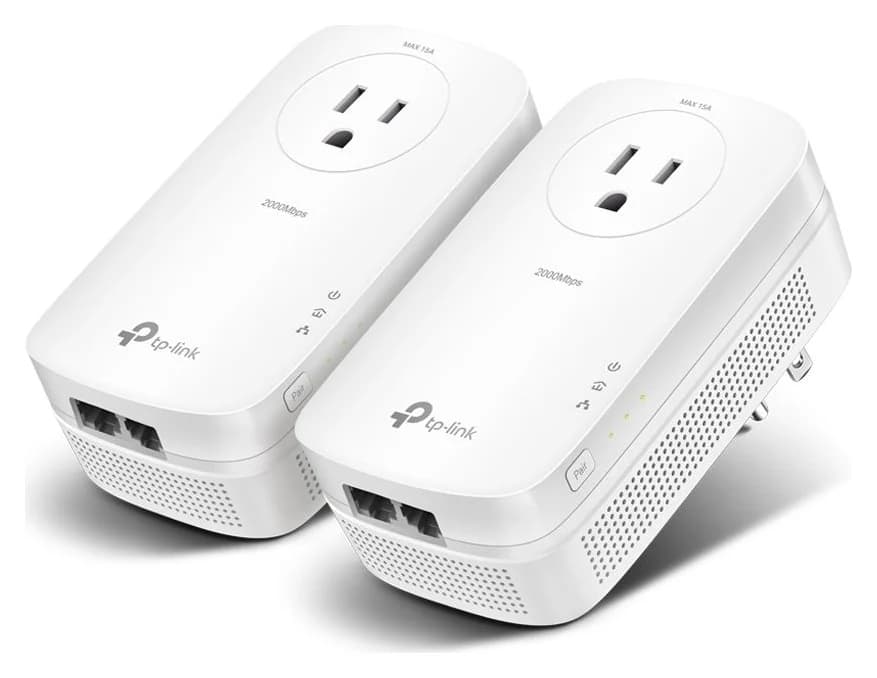
Choose the right US powerline kit for a TV, console or office. Compare ports, pass-through sockets, hardware revisions and support, then run an outlet trial.