

Best picks
Best NAS Hard Drives
Choose the Exact Disk, Capacity and Drive Set
Choose WD Red Plus, IronWolf or Red Pro by exact model, check your NAS and DSM version, and calculate drive orders with room for growth and a separate backup.
By thisPING EditorialUpdated November 2, 20268 min read3 picks
Our recommendation: WD Red Plus 8 TB WD80EFPX
Best home starting point
Limit: Its workload allowance is 180 TB/year and its limited warranty is three years.
On this page · Our picks at a glance
Our picks at a glance
- 1
Choose for: Best home starting point
Limit: Its workload allowance is 180 TB/year and its limited warranty is three years.
- 2
Choose for: Best alternative with recovery services
Limit: Its US support page confirms a three-year limited warranty.
- 3
Choose for: Best for heavier workloads
Limit: The selected WD8006FFBX page specifies 550 TB/year, a five-year limited warranty, CMR, 7200 RPM, 256 MB cache and up to 235 MB/s.
For a home NAS, start with the WD Red Plus 8 TB WD80EFPX if its capacity and your enclosure's compatibility rules fit: it uses CMR and carries a 180 TB/year workload rating and three-year limited warranty. The Seagate IronWolf 8 TB ST8000VN004 is our alternative with recovery services where available; choose WD Red Pro 8 TB WD8006FFBX when you need its higher workload allowance or longer warranty. Choose the drive set before ordering: an 8 TB label describes one disk, not the finished array's usable space.
Quick picks: compare the exact disk
These are 3.5-inch SATA drives. Capacity is a comparison point, not a recommendation that every household needs 8 TB.
WD Red Plus WD80EFPX, 8 TB — home starting point
- Recording
- CMR
- RPM / cache
- 5640 / 256 MB
- Maximum transfer rate
- 215 MB/s
All specifications
- Workload rating
- 180 TB/year
- NAS bays / limited warranty
- Up to 8 / 3 years
IronWolf ST8000VN004, 8 TB — alternative with recovery services
- Recording
- CMR
- RPM / cache
- 7200 / 256 MB
- Maximum transfer rate
- 210 MB/s
All specifications
- Workload rating
- 180 TB/year
- NAS bays / limited warranty
- 1–8 / 3 years
WD Red Pro WD8006FFBX, 8 TB — heavier workloads
- Recording
- CMR
- RPM / cache
- 7200 / 256 MB
- Maximum transfer rate
- 235 MB/s
All specifications
- Workload rating
- 550 TB/year
- NAS bays / limited warranty
- Unlimited / 5 years
Full comparison table
Swipe to compare. Row labels stay visible.
| Drive and role | Recording | RPM / cache | Maximum transfer rate | Workload rating | NAS bays / limited warranty |
|---|---|---|---|---|---|
| WD Red Plus WD80EFPX, 8 TB — home starting point | CMR | 5640 / 256 MB | 215 MB/s | 180 TB/year | Up to 8 / 3 years |
| IronWolf ST8000VN004, 8 TB — alternative with recovery services | CMR | 7200 / 256 MB | 210 MB/s | 180 TB/year | 1–8 / 3 years |
| WD Red Pro WD8006FFBX, 8 TB — heavier workloads | CMR | 7200 / 256 MB | 235 MB/s | 550 TB/year | Unlimited / 5 years |
| Drive and role | Recording | RPM / cache | Maximum transfer rate | Workload rating | NAS bays / limited warranty |
|---|---|---|---|---|---|
| WD Red Plus WD80EFPX, 8 TB — home starting point | CMR | 5640 / 256 MB | 215 MB/s | 180 TB/year | Up to 8 / 3 years |
| IronWolf ST8000VN004, 8 TB — alternative with recovery services | CMR | 7200 / 256 MB | 210 MB/s | 180 TB/year | 1–8 / 3 years |
| WD Red Pro WD8006FFBX, 8 TB — heavier workloads | CMR | 7200 / 256 MB | 235 MB/s | 550 TB/year | Unlimited / 5 years |
Sources: WD's selected Red Plus and Red Pro specification tables, and Seagate's current IronWolf sheet. These are manufacturer limits, not measured NAS throughput. A higher RPM does not establish which complete NAS will transfer files faster.
Check your enclosure and OS before buying
Use this worksheet for the enclosures in our home NAS guide. Record enclosure → installed OS version → disk model → disk firmware → compatibility result. A family name such as “IronWolf 8 TB” is insufficient.
Synology DS225+
- HDD bays
- 2
- Software gate
- DSM 7.3 third-party HDD policy
- Exact-model lookup before ordering
- DS225+ drive list
Synology DS425+
- HDD bays
- 4
- Software gate
- DSM 7.3 third-party HDD policy
- Exact-model lookup before ordering
- DS425+ drive list
Synology DS925+
- HDD bays
- 4
- Software gate
- DSM 7.3 third-party HDD policy
- Exact-model lookup before ordering
- DS925+ drive list
UGREEN DXP2800
- HDD bays
- 2
- Software gate
- Record installed UGOS version
- Exact-model lookup before ordering
- Select DXP2800 and HDD
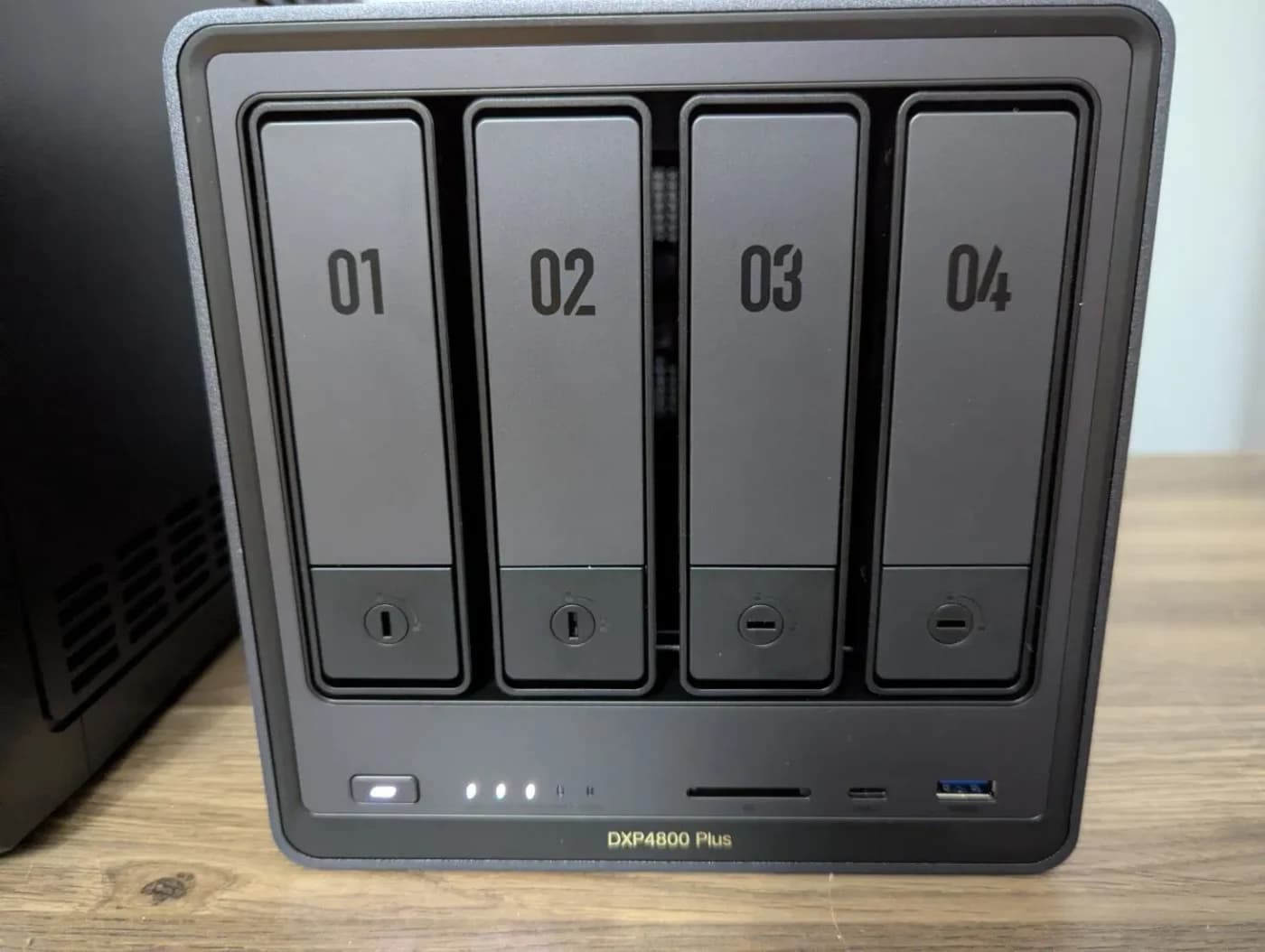
UGREEN DXP4800 Plus
- HDD bays
- 4
- Software gate
- Record installed UGOS version
- Exact-model lookup before ordering
- Select DXP4800 Plus and HDD
Full comparison table
Swipe to compare. Row labels stay visible.
| Enclosure | HDD bays | Software gate | Exact-model lookup before ordering |
|---|---|---|---|
| Synology DS225+ | 2 | DSM 7.3 third-party HDD policy | DS225+ drive list |
| Synology DS425+ | 4 | DSM 7.3 third-party HDD policy | DS425+ drive list |
| Synology DS925+ | 4 | DSM 7.3 third-party HDD policy | DS925+ drive list |
| UGREEN DXP2800 | 2 | Record installed UGOS version | Select DXP2800 and HDD |
| UGREEN DXP4800 Plus | 4 | Record installed UGOS version | Select DXP4800 Plus and HDD |
| Enclosure | HDD bays | Software gate | Exact-model lookup before ordering |
|---|---|---|---|
| Synology DS225+ | 2 | DSM 7.3 third-party HDD policy | DS225+ drive list |
| Synology DS425+ | 4 | DSM 7.3 third-party HDD policy | DS425+ drive list |
| Synology DS925+ | 4 | DSM 7.3 third-party HDD policy | DS925+ drive list |
| UGREEN DXP2800 | 2 | Record installed UGOS version | Select DXP2800 and HDD |
| UGREEN DXP4800 Plus | 4 | Record installed UGOS version | Select DXP4800 Plus and HDD |
Bay counts come from the makers' DS225+, DS425+, DS925+, DXP2800 and DXP4800 Plus pages. This is a purchasing worksheet, not certification of every disk/enclosure pairing.
Synology's DSM 7.3 policy permits third-party HDD installation and pool creation on these DiskStation Plus models. Check the installed version; do not apply that permission to an older installation without checking its rules. The policy distinguishes listed, not listed and incompatible drives. Synology's compatibility notes limit support for unlisted drives and exclude support for drive or firmware problems. UGREEN likewise says compatibility can vary with model, firmware/software and configuration.
- Yes: Exact model and firmware match the enclosure's supported list: record the result and any notes
- Partly: Third-party HDD permitted by the OS policy: permission alone does not establish a verified pairing
- No: Listed as incompatible: choose a different drive
Best home starting point: WD Red Plus 8 TB WD80EFPX
Choose this exact model for a compatible home backup or media NAS when the sizing worksheet below fits. WD specifies CMR, 5640 RPM, 256 MB cache and up to 215 MB/s, with support for NAS systems up to eight bays. Its workload allowance is 180 TB/year and its limited warranty is three years.
WD explains that CMR handles sustained writes and RAID rebuilds better than drive-managed SMR. That is the reason to insist on the recording method, rather than buying any disk carrying a red label. The limitation is its workload and bay rating: choose a different class if your planned use exceeds either.
The page's headline “up to 7200 RPM” and “260MB/s” describe the family. They are not WD80EFPX specifications; use the selected model's table. Other capacities and model numbers need their own check.
Best alternative with recovery services: IronWolf 8 TB ST8000VN004
Seagate's current US sheet specifies CMR, 7200 RPM, 256 MB cache, up to 210 MB/s, 180 TB/year and one to eight bays for ST8000VN004. Its US support page confirms a three-year limited warranty. The sheet includes three years of Rescue Data Recovery Services, subject to country availability.
Check the final digits: the same sheet lists ST8000VN002, also 8 TB, at 5400 RPM and 202 MB/s. Neither an 8 TB capacity nor the IronWolf family name identifies the mechanism. Match the supplied model to your enclosure's list and the specifications you intended to buy.
There is also a source conflict: Seagate's landing page advertises 180 MB/s, while its current model sheet and ST8000VN004 manual specify 210 MB/s. Our table uses the exact-model documents; neither number is a promised file-copy result. Choose this for its documented features and eligible recovery service, rather than expecting 7200 RPM to beat the WD on every job.
See IronWolf models and buying options at Seagate
Best for heavier workloads: WD Red Pro 8 TB WD8006FFBX
The selected WD8006FFBX page specifies 550 TB/year, a five-year limited warranty, CMR, 7200 RPM, 256 MB cache and up to 235 MB/s. WD rates it for NAS systems with any number of bays. Those are concrete reasons to consider Pro when Plus's limits do not fit.
There is a revision trap here too. WD's linked Pro PDF lists WD8005FFBX at 267 MB/s, whereas the selected web table identifies WD8006FFBX at 235 MB/s. They are different models; do not transfer the PDF's faster figure to the web-listed part. Ask for the actual model before accepting a substitution.
Workload is data transferred to or from the drive, according to WD's definition—not just the size of your stored library. Reads count too. This is a usage allowance, not a prediction of lifespan.
Source: Selected WD specification tables and Seagate's current IronWolf sheet, linked above
Base WD Red, Plus and Pro are different purchases
WD's base Red brief identifies the 6 TB WD60EFAX as SMR. Our Plus and Pro picks are CMR. The base model is a buying-trap example here, not a recommendation for a new RAID set; do not assume that “WD Red,” “Red Plus” and “Red Pro” are interchangeable.
Calculate the drive order, reserve and backup
Start with current files, planned growth and retained snapshots/versions. Add a separate free-space allowance. For equal-sized drives, Synology's RAID documentation gives RAID 1 the smallest disk's capacity, RAID 5 (drive count − 1) × disk capacity, and RAID 6 (drive count − 2) × disk capacity. RAID 5 needs at least three drives; RAID 6 at least four.
The following are our arithmetic examples, in decimal TB, before system and filesystem overhead. The reserve is an illustrative planning choice, not a manufacturer's fixed reservation. The data budget is a ceiling: subtract actual system/filesystem overhead too.
2 × 8 TB, RAID 1
- Raw
- 16 TB
- Redundancy equivalent
- 8 TB
- Nominal protected capacity
- 8 TB
All specifications
- Planning reserve
- 2 TB
- Data budget before overhead
- 6 TB
2 × 12 TB, RAID 1
- Raw
- 24 TB
- Redundancy equivalent
- 12 TB
- Nominal protected capacity
- 12 TB
All specifications
- Planning reserve
- 2 TB
- Data budget before overhead
- 10 TB
4 × 8 TB, RAID 5
- Raw
- 32 TB
- Redundancy equivalent
- 8 TB
- Nominal protected capacity
- 24 TB
All specifications
- Planning reserve
- 4 TB
- Data budget before overhead
- 20 TB
4 × 8 TB, RAID 6
- Raw
- 32 TB
- Redundancy equivalent
- 16 TB
- Nominal protected capacity
- 16 TB
All specifications
- Planning reserve
- 4 TB
- Data budget before overhead
- 12 TB
Full comparison table
Swipe to compare. Row labels stay visible.
| Fresh NAS drive order | Raw | Redundancy equivalent | Nominal protected capacity | Planning reserve | Data budget before overhead |
|---|---|---|---|---|---|
| 2 × 8 TB, RAID 1 | 16 TB | 8 TB | 8 TB | 2 TB | 6 TB |
| 2 × 12 TB, RAID 1 | 24 TB | 12 TB | 12 TB | 2 TB | 10 TB |
| 4 × 8 TB, RAID 5 | 32 TB | 8 TB | 24 TB | 4 TB | 20 TB |
| 4 × 8 TB, RAID 6 | 32 TB | 16 TB | 16 TB | 4 TB | 12 TB |
| Fresh NAS drive order | Raw | Redundancy equivalent | Nominal protected capacity | Planning reserve | Data budget before overhead |
|---|---|---|---|---|---|
| 2 × 8 TB, RAID 1 | 16 TB | 8 TB | 8 TB | 2 TB | 6 TB |
| 2 × 12 TB, RAID 1 | 24 TB | 12 TB | 12 TB | 2 TB | 10 TB |
| 4 × 8 TB, RAID 5 | 32 TB | 8 TB | 24 TB | 4 TB | 20 TB |
| 4 × 8 TB, RAID 6 | 32 TB | 16 TB | 16 TB | 4 TB | 12 TB |
For the first example, a 6 TB library already fills the entire budget before overhead: choose more capacity or reduce the plan. Order the NAS disks plus an independent backup target sized for the files you will protect and the history you will retain. A spare disk in the array is not that target. Seagate's warranty explicitly excludes data loss and calls for backups on separate storage.
Manufacturers define a TB as a trillion bytes; Seagate notes that operating-system reporting and formatting reduce displayed/available capacity. Check the Synology calculator with your actual sizes, then confirm the NAS's reported usable capacity before committing the reserve.
Plan expansion before the first pair
On a two-bay mirror, replacing only one disk with a larger one leaves capacity limited by the smaller disk. Synology's replacement guide documents expansion and repair; follow the procedure for your exact pool, with a current backup before starting.
For a four-bay Synology, consider starting with two matching disks in SHR-1 if you want later drive additions. Synology's add-drive guide makes the distinction explicit: adding another disk to RAID 1 adds a mirror, not capacity. Its guide also warns that some models cannot add drives when a pool contains unlisted disks. Pool creation permission does not guarantee your intended expansion path. Record that check before buying an initial pair on DSM 7.3.
How we choose
This is specification and documentation research, checked November 2, 2026; we have not physically evaluated these drives. We prioritize exact-model CMR documentation, enclosure policy, workload allowance, warranty and an achievable capacity plan. We do not infer noise, real transfer speed or failure rates from RPM or warranty length. See our method; for the wired connection, see our router guide's LAN-port advice.
Exact-model order checklist
Match the part
Save the disk model, capacity and enclosure compatibility result, including firmware and installed OS.
Count the storage
Order the NAS drive set from the sizing worksheet; budget separately for the independent backup target.
Check seller condition
Confirm new versus used or recertified condition and manufacturer warranty eligibility before paying.
Check on arrival
Compare every drive label with the ordered model, check warranty eligibility, then follow the NAS maker's setup and health-check instructions.
The warranty column assumes an eligible purchase: Seagate's limited warranty covers new products bought from an authorized retailer or reseller. Do not treat a seller's own warranty as confirmation of the manufacturer's coverage.
Verdict
Start with WD80EFPX for a compatible home NAS, consider ST8000VN004 for its recovery-service package where available, and choose WD8006FFBX when its workload allowance or warranty matters. Order only after recording the exact model, OS and compatibility result, calculating space after redundancy and reserve, and budgeting for independent backup storage.
Frequently asked questions
Which is better for a NAS: IronWolf or WD Red?
Compare exact models. The WD Red Plus WD80EFPX and IronWolf ST8000VN004 are both 8 TB CMR drives rated for 180 TB/year with three-year limited warranties. Their published maximum sustained rates are 215 MB/s and 210 MB/s respectively; these are manufacturer specifications. The IronWolf includes Rescue recovery services where available. Start with your enclosure's compatibility list, then capacity and seller warranty eligibility.
Can I use WD or Seagate drives in a Synology DS225+, DS425+ or DS925+?
Synology's DSM 7.3 policy permits third-party HDD installation and storage-pool creation on these 2025 DiskStation Plus models. That permission does not certify every WD or Seagate drive: check the exact model, firmware and incompatible list. Synology says support for unlisted drives is limited. Creating M.2 pools and cache still requires drives on its hardware compatibility list; the SATA HDD permission does not extend to arbitrary NVMe SSDs.
How much space do two or four 8 TB NAS drives give?
Two 8 TB drives in RAID 1 provide 8 TB before system and filesystem overhead. Four in RAID 5 provide 24 TB; four in RAID 6 provide 16 TB. Those are decimal capacity calculations after redundancy, before your free-space allowance. The mirror and RAID 5 examples tolerate one drive failure; RAID 6 tolerates two. Keep independent backup capacity outside that array.
Does a NAS drive warranty or RAID replace a backup?
No. Seagate's limited warranty excludes data loss and explicitly tells users to back up to separate storage. RAID provides drive-failure tolerance; it does not give you an independent copy of the files. Size the separate backup for the data you will actually protect plus retained versions, and check that you can restore it. Recovery services are another contingency, not your backup plan.
Best home starting point
WD Red Plus 8 TB WD80EFPX
Related guides

Jellyfin vs Plex: Choose the Server Hardware Your Screens Need
Choose Jellyfin or Plex by your TVs, phones, subtitles and remote viewing. Match requirements to a NAS, separate server or the hardware you already own.
Updated November 2, 2026Read
NAS vs DAS: Which Storage Setup Should You Buy for Home?
Choose NAS or DAS by who needs your files and which computer stays on. Compare complete setups, exact enclosure modes, connection limits and separate backups.
Updated November 2, 2026Read
Synology vs UGREEN NAS: Backup, Photos and Media Compared
Choose Synology or UGREEN by your backup, photo and media workflow. Compare matched NAS sizes, restore options, account needs and third-party drive rules.
Updated November 2, 2026Read