

Best picks
Best Routers for Large Homes
Mesh, Wired APs or One Router
Choose a large-home router from your floor plan: compare mesh kits, wired access points, exact pack sizes, Ethernet ports and the full backhaul shopping list.
By thisPING EditorialUpdated November 3, 20269 min read2 picks
On this page · Our picks at a glance
Our picks at a glance
- 1
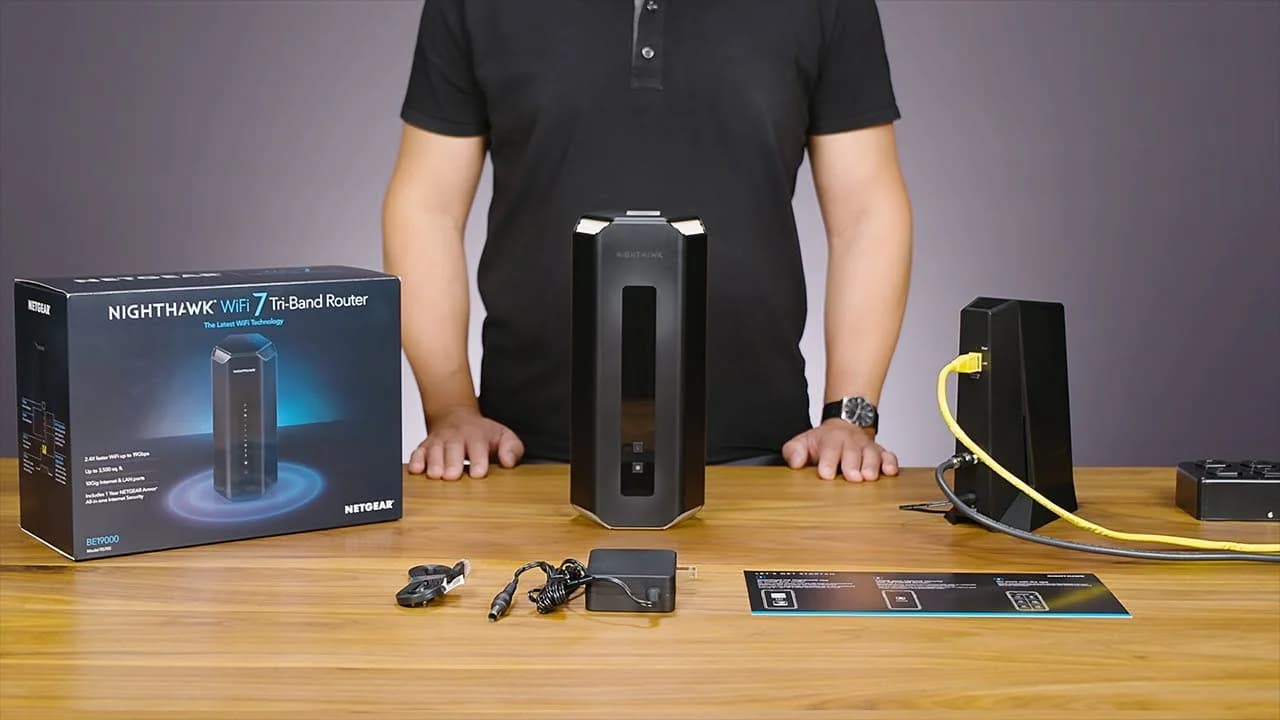
Choose for: Best single-router option
Check before buying: NETGEAR Armor needs a subscription after the trial
- 2

Choose for: Best dedicated wireless-backhaul option
Check before buying: NETGEAR Armor needs a subscription after the trial
For a large home without usable network cabling, eero Pro 7 mesh is our starting pick; where Ethernet reaches the difficult rooms, choose a Zyxel NWA130BE wired-access-point layout. The Netgear RS700S is our single-router option for a suitable central position, while Orbi 970 earns its place when you need a dedicated wireless-backhaul band or 10G ports.
Official specifications and support pages checked November 2, 2026.
Start with a floor plan and cable inventory
Eero's placement guidance explains why: construction materials and gateway position affect coverage, and wireless nodes need a usable connection back toward the gateway.
Floors, wings and rooms where coverage matters
- Decision it helps you make
- Draw candidate radio positions, including the gateway
Brick, stone, metal and other dense barriers
- Decision it helps you make
- Prefer a cable route around the difficult barrier
Modem/ONT location and movable Ethernet lead
- Decision it helps you make
- Decide whether a central single router is realistic
Ethernet outlets, connected coax outlets and nearby power
- Decision it helps you make
- Choose wired APs, wired mesh, MoCA or wireless mesh
Internet plan and wired PCs, TVs and NAS
- Decision it helps you make
- Count WAN speed, occupied LAN ports and switch ports
Full comparison table
Swipe to compare. Row labels stay visible.
| Write down | Decision it helps you make |
|---|---|
| Floors, wings and rooms where coverage matters | Draw candidate radio positions, including the gateway |
| Brick, stone, metal and other dense barriers | Prefer a cable route around the difficult barrier |
| Modem/ONT location and movable Ethernet lead | Decide whether a central single router is realistic |
| Ethernet outlets, connected coax outlets and nearby power | Choose wired APs, wired mesh, MoCA or wireless mesh |
| Internet plan and wired PCs, TVs and NAS | Count WAN speed, occupied LAN ports and switch ports |
Scroll horizontally to see every column
| Write down | Decision it helps you make |
|---|---|
| Floors, wings and rooms where coverage matters | Draw candidate radio positions, including the gateway |
| Brick, stone, metal and other dense barriers | Prefer a cable route around the difficult barrier |
| Modem/ONT location and movable Ethernet lead | Decide whether a central single router is realistic |
| Ethernet outlets, connected coax outlets and nearby power | Choose wired APs, wired mesh, MoCA or wireless mesh |
| Internet plan and wired PCs, TVs and NAS | Count WAN speed, occupied LAN ports and switch ports |
Eero advises keeping units out of cabinets, raised on flat surfaces and away from reflective objects; try placement before buying more hardware.
Mark the hard rooms
Identify the rooms and barriers the network must serve.
Trace the backhaul
Mark Ethernet, connected coax or a viable wireless path to each proposed position.
Count the whole layout
Include the gateway, remote nodes, power supplies, switch ports and connecting cables.
Quick picks compared
Backhaul is the connection between network units. Wired backhaul bypasses the wireless inter-unit link; it does not make a distant phone's own Wi-Fi connection wired. Eero says wireless links are typically slower and more interference-prone.
Compare specifications and all conditions
eero Pro 7: mesh starting point
- Units being considered
- 3-pack, including gateway
- Gateway ports
- Two auto-sensing 5 GbE; one remains after WAN
- Backhaul and buying limit
- Wireless or Ethernet; allow a switch for direct wired branches
RS700S: one central router
- Units being considered
- 1
- Gateway ports
- 10G WAN; 10G LAN plus four gigabit LAN
- Backhaul and buying limit
- No remote nodes included; maker claims up to 3,500 sq ft
Orbi 770 RBE773: more gateway LAN sockets
- Units being considered
- Router plus 2 satellites
- Gateway ports
- 2.5G WAN; three 2.5G LAN
- Backhaul and buying limit
- Wireless or Ethernet; maker claims up to 8,000 sq ft for this kit
Orbi 970 RBE973S: dedicated wireless backhaul
- Units being considered
- Router plus 2 satellites
- Gateway ports
- 10G WAN; 10G LAN plus four 2.5G LAN
- Backhaul and buying limit
- Dedicated wireless-backhaul band or Ethernet; maker claims up to 10,000 sq ft for this kit
Zyxel NWA130BE: wired AP layout
- Units being considered
- Count APs separately; retain router
- Gateway ports
- Existing router's WAN/LAN; AP uplinks are 2.5G
- Backhaul and buying limit
- Ethernet plus suitable power at each AP; no coverage total assumed
Full comparison table
Swipe to compare. Row labels stay visible.
| Pick and layout | Units being considered | Gateway ports | Backhaul and buying limit |
|---|---|---|---|
| eero Pro 7: mesh starting point | 3-pack, including gateway | Two auto-sensing 5 GbE; one remains after WAN | Wireless or Ethernet; allow a switch for direct wired branches |
| RS700S: one central router | 1 | 10G WAN; 10G LAN plus four gigabit LAN | No remote nodes included; maker claims up to 3,500 sq ft |
| Orbi 770 RBE773: more gateway LAN sockets | Router plus 2 satellites | 2.5G WAN; three 2.5G LAN | Wireless or Ethernet; maker claims up to 8,000 sq ft for this kit |
| Orbi 970 RBE973S: dedicated wireless backhaul | Router plus 2 satellites | 10G WAN; 10G LAN plus four 2.5G LAN | Dedicated wireless-backhaul band or Ethernet; maker claims up to 10,000 sq ft for this kit |
| Zyxel NWA130BE: wired AP layout | Count APs separately; retain router | Existing router's WAN/LAN; AP uplinks are 2.5G | Ethernet plus suitable power at each AP; no coverage total assumed |
Scroll horizontally to see every column
| Pick and layout | Units being considered | Gateway ports | Backhaul and buying limit |
|---|---|---|---|
| eero Pro 7: mesh starting point | 3-pack, including gateway | Two auto-sensing 5 GbE; one remains after WAN | Wireless or Ethernet; allow a switch for direct wired branches |
| RS700S: one central router | 1 | 10G WAN; 10G LAN plus four gigabit LAN | No remote nodes included; maker claims up to 3,500 sq ft |
| Orbi 770 RBE773: more gateway LAN sockets | Router plus 2 satellites | 2.5G WAN; three 2.5G LAN | Wireless or Ethernet; maker claims up to 8,000 sq ft for this kit |
| Orbi 970 RBE973S: dedicated wireless backhaul | Router plus 2 satellites | 10G WAN; 10G LAN plus four 2.5G LAN | Dedicated wireless-backhaul band or Ethernet; maker claims up to 10,000 sq ft for this kit |
| Zyxel NWA130BE: wired AP layout | Count APs separately; retain router | Existing router's WAN/LAN; AP uplinks are 2.5G | Ethernet plus suitable power at each AP; no coverage total assumed |
Coverage figures are maker claims, not comparable survey results. Eero's shop and support prose claim up to 2,000 sq ft per Pro 7, while its support hardware table says 2,500. Netgear's footnotes say building construction, device limits and network conditions reduce actual coverage and throughput.
Best mesh starting point: eero Pro 7
The Pro 7 hardware page confirms tri-band Wi-Fi 7, two 5 GbE ports and the ability to use any unit as the gateway or a remote node. Eero specifies wired speeds up to 4.7 Gbps, below the nominal port rate.
Choose the exact pack: eero sells single, two-unit and three-unit packs. The product card above identifies a single unit; use the maker's pack selector for the complete kit. A three-pack leaves two remote nodes after allocating the gateway. Mixing older eeros is supported, but eero warns that doing so may reduce network performance.
Skip it if you need several direct wired connections without a switch, or do not want the required Android/iOS app. See our eero model comparison before substituting another eero generation.
Best single-router option: Netgear Nighthawk RS700S
Netgear
Netgear's flagship tri-band Wi-Fi 7 router, with a 10 Gig internet port and a 10 Gig LAN port.
Check package and model options
- Wi-Fi 7
- BE19000
- 3 bands
- 10 Gbps port
Choose this for a relatively open floor plan with a usable central position. Netgear's RS700S specifications list 4x4 radios on all three bands, a 10 Gbps internet port, one 10 Gbps LAN port and four gigabit LAN ports. Its up-to-3,500-sq-ft coverage claim makes it a candidate to evaluate, not proof that it reaches your upstairs office.
Skip it if the gateway must sit behind dense walls at the edge of the building. Also count fast wired clients: this router has only one multi-gig LAN socket despite its fast WAN.
Best mesh for extra gateway ports: Orbi 770 RBE773
The RBE773 contains an RBE771 router and two RBE770 satellites. The router has a 2.5 Gbps WAN port and three 2.5 Gbps LAN ports; each satellite has two 2.5 Gbps ports. That makes direct wiring convenient: connecting both satellites directly leaves a gateway LAN port available.
Its tri-band design uses what Netgear calls enhanced backhaul; the maker explicitly distinguishes it from the 970's separate backhaul-only band. Choose RBE772 for a two-unit kit, RBE773 for three; an add-on RBE770 satellite is not a router-and-satellite kit. Netgear's two-pack page distinguishes the quantities.
Skip it if your wired path needs to exceed 2.5 Gbps. For more kits, see best mesh Wi-Fi systems.
Best dedicated wireless-backhaul option: Orbi 970 RBE973S
Netgear
A quad-band Wi-Fi 7 mesh kit (one router, two satellites) with a dedicated backhaul band and 10 Gig ports on every unit.
Check package and model options
- Wi-Fi 7
- BE27000
- 4 bands
- 10 Gbps port
The 970 is the upgrade to consider when cabling is impractical and a dedicated backhaul band matters to your design. It is quad-band Wi-Fi 7, with 10 Gbps WAN and LAN on the router; each satellite also has a 10 Gbps port plus two 2.5 Gbps ports.
Choose RBE973S for the router and two satellites; RBE972S is the two-unit kit. Do not buy an RBE970 add-on expecting a gateway. Upgrade only for ports or backhaul you need. Even this system needs viable wireless paths; its larger coverage claim is not a promise through masonry.
Check price on Amazon — RBE973S three-pack
Best wired-access-point route: Zyxel NWA130BE
Keep the existing router and distribute APs along your Ethernet runs. The NWA130BE specifications list tri-band Wi-Fi 7, two 2.5 GbE LAN ports and either standalone or cloud management. Zyxel's setup wizard documents connecting it to a router with DHCP enabled.
Power is part of the purchase. Zyxel lists 24 W PoE draw and unrestricted wireless operation on 802.3at or 802.3bt; with 802.3af it lists no wireless. Its listed included accessories are the mount plate and screws, so budget power explicitly. The PoE12-30W injector provides one powered output, 2.5G data and 30 W PoE+; use an injector per AP when the switch does not supply suitable PoE.
Check the revision: Zyxel identifies units released after June 2025, starting at its specified serial-number threshold, as USB-C-equipped. Do not assume an older unit takes USB-C power. Choose this route if you can configure APs; our access-point guide covers alternatives.
Complete layouts: count boxes and ports
These are planning examples, not node-count guarantees.
For a three-floor sketch, try the gateway centrally on the middle floor, with remote radios toward the upstairs bedrooms and downstairs office. Treat these as candidate positions: move wireless nodes toward the gateway if the link is weak. Wired APs can instead follow useful Ethernet drops.
Single router
- Connection order and complete basket
- ISP modem/ONT → RS700S; router power and WAN Ethernet lead
- Port arithmetic
- WAN connected; five LAN ports available, only one multi-gig
Wired three-unit eero
- Connection order and complete basket
- Modem/ONT → gateway eero → switch → two remote eeros; three unit power supplies and Ethernet runs
- Port arithmetic
- Switch: one gateway uplink + two nodes + desktop + NAS + TV = six occupied ports; choose an eight-port switch for two spare
Wired APs
- Connection order and complete basket
- Existing router → Zyxel XMG1915-10EP → three NWA130BE APs; AP cable runs, switch power and mounts
- Port arithmetic
- Eight copper ports: one router uplink + three APs leaves four; no separate AP injectors in this layout
Full comparison table
Swipe to compare. Row labels stay visible.
| Layout | Connection order and complete basket | Port arithmetic |
|---|---|---|
| Single router | ISP modem/ONT → RS700S; router power and WAN Ethernet lead | WAN connected; five LAN ports available, only one multi-gig |
| Wired three-unit eero | Modem/ONT → gateway eero → switch → two remote eeros; three unit power supplies and Ethernet runs | Switch: one gateway uplink + two nodes + desktop + NAS + TV = six occupied ports; choose an eight-port switch for two spare |
| Wired APs | Existing router → Zyxel XMG1915-10EP → three NWA130BE APs; AP cable runs, switch power and mounts | Eight copper ports: one router uplink + three APs leaves four; no separate AP injectors in this layout |
Scroll horizontally to see every column
| Layout | Connection order and complete basket | Port arithmetic |
|---|---|---|
| Single router | ISP modem/ONT → RS700S; router power and WAN Ethernet lead | WAN connected; five LAN ports available, only one multi-gig |
| Wired three-unit eero | Modem/ONT → gateway eero → switch → two remote eeros; three unit power supplies and Ethernet runs | Switch: one gateway uplink + two nodes + desktop + NAS + TV = six occupied ports; choose an eight-port switch for two spare |
| Wired APs | Existing router → Zyxel XMG1915-10EP → three NWA130BE APs; AP cable runs, switch power and mounts | Eight copper ports: one router uplink + three APs leaves four; no separate AP injectors in this layout |
Eero requires the switch downstream of its gateway, not between the modem and all the eeros. Match its link speed to your needs: a slower switch becomes the limit for traffic crossing it. If your ISP box also routes, eero recommends bridging one router. Bridging eero leaves your existing router in charge and removes some advanced eero features.
For wireless mesh, omit the inter-unit Ethernet runs, but keep power at every node. Netgear's generic backhaul article still describes Orbi ports as 1 Gbps; the 770/970 model pages above specify multi-gig ports instead.
Zyxel pairs the NWA130BE with the XMG1915-10EP. The switch's model-specific specification block gives eight 2.5G PoE ports and a 130 W total budget. Budget each of the example's three APs at its published 24 W draw, allowing for cable losses and other powered devices within the switch budget. A total budget does not mean every port can deliver its maximum simultaneously. Check PoE switch selection before adding cameras.
Coax can change the decision
Before adding another wireless hop, check whether connected coax reaches the remote room. The ScreenBeam ECB7250 supplies a 2.5 Gbps Ethernet interface over MoCA 2.5. ScreenBeam requires at least two adapters unless a compatible MoCA-equipped gateway already provides the other endpoint; outlets must belong to the same coax system.
For an example with a source endpoint and two remote rooms, count three adapters, not two separate starter pairs. Check actual pack contents: a starter kit and a single add-on are different purchases. Connect the source adapter on the router's LAN side; with eero, keep it downstream of the gateway. MoCA carries data here; retain each mesh node's power supply.
- Yes: Connected, compatible coax: consider MoCA for the remote data path
- Partly: Wireless mesh: place nodes between the gateway and dead rooms, where they can communicate
- No: NWA130BE on 802.3af: Zyxel lists no wireless operation
How we choose
We research official specifications, support documentation, port layouts and power requirements; we have not performed coverage or speed tests. Picks reflect usable network architectures, not a ranking by advertised square footage. BE speed classes add maximum theoretical band rates; Netgear explicitly says actual throughput is lower and varies with conditions.
Support matters across the whole basket. Eero guarantees Pro 7 security updates through at least October 31, 2031, or five years after buying new directly from eero or Amazon, whichever is later; other sellers get at least the published date. Netgear's policy generally places end of service three years after its defined last-sale date. Zyxel publishes lifecycle milestones; we established no fixed NWA130BE support-until date from the cited pages.
Before holiday checkout, compare the complete basket: exact pack, regional power supplies, backhaul runs, switch, injectors or coax adapters. Treat subscription extras separately: eero advertises eero Plus, and Netgear describes Armor as optional. Check current prices at the purchase destination.
Verdict
Start with eero Pro 7 where mesh positions work, wired NWA130BE APs where cables reach the hard rooms, or RS700S where one central radio position is realistic. Choose Orbi 770 for its gateway LAN flexibility and 970 for an identified dedicated-backhaul or 10G requirement.
Frequently asked questions
Is one router enough for a large home?
Start with the floor plan rather than the advertised area. Our single-router choice is the RS700S, which Netgear claims covers up to 3,500 sq ft. That is not a guarantee through walls or across floors. If your usable router position leaves distant rooms behind dense barriers, choose distributed mesh nodes or wired access points instead.
How many mesh nodes do I need for a multi-story house?
Count usable positions and the rooms they must reach. A three-unit kit includes the gateway, leaving two remote nodes. Do not automatically buy a node for every floor: eero advises placing wireless nodes between the gateway and dead zones, where they can still communicate. Start with a proposed layout, then check the difficult rooms before adding more units.
Should I use Ethernet backhaul even with Wi-Fi 7 mesh?
Yes, where you already have suitable cabling. Eero says wireless links are typically slower and more prone to interference than wired connections. Its switch belongs after the gateway, so budget for that port and the remote nodes. Netgear also documents wired Orbi backhaul; use the current model's port specifications rather than assuming every Orbi has gigabit ports.
Can coax wiring help cover the far end of a large house?
Potentially. The ScreenBeam ECB7250 converts a connected coax system into an Ethernet path for a remote node. ScreenBeam requires two adapters unless a compatible MoCA device is already present, and excludes satellite-TV and certain AT&T coax networks. It also warns about some DOCSIS 3.1 modem conflicts. Check compatibility before buying adapters or another wireless node.
Related guides
Buying guide · Wi-Fi Routers
Home Network Setup Checklist: Router, Switch, Wi-Fi and NAS
Plan your home network setup with a connection diagram, usable port counts, router and Wi-Fi choices, setup order, and internet and NAS recovery checks.
Comparison · Wi-Fi Routers
UniFi Dream Router 7 vs Express 7: Choose the Complete Kit
Compare UniFi Dream Router 7 and Express 7 by ports, security speed and applications, then build a complete home kit with the right PoE, cameras and cables.
Comparison · Wi-Fi Routers
GL.iNet Slate 7 vs Beryl 7: Which Should You Pack?
Choose between GL.iNet Slate 7 and Beryl 7 by hotel uplink, screen, phone tethering and your complete power kit. Includes exact-model and US buying checks.