

Best picks
Best Routers for Xfinity
Match Your Plan, Modem and Home
Find the right router for Xfinity, approved modem options, mesh and modem-router combos. Compare ports, upload support and bridge-mode setup before buying.
By thisPING EditorialUpdated November 2, 20268 min read1 pick
On this page · Our picks at a glance
Our picks at a glance
- 1
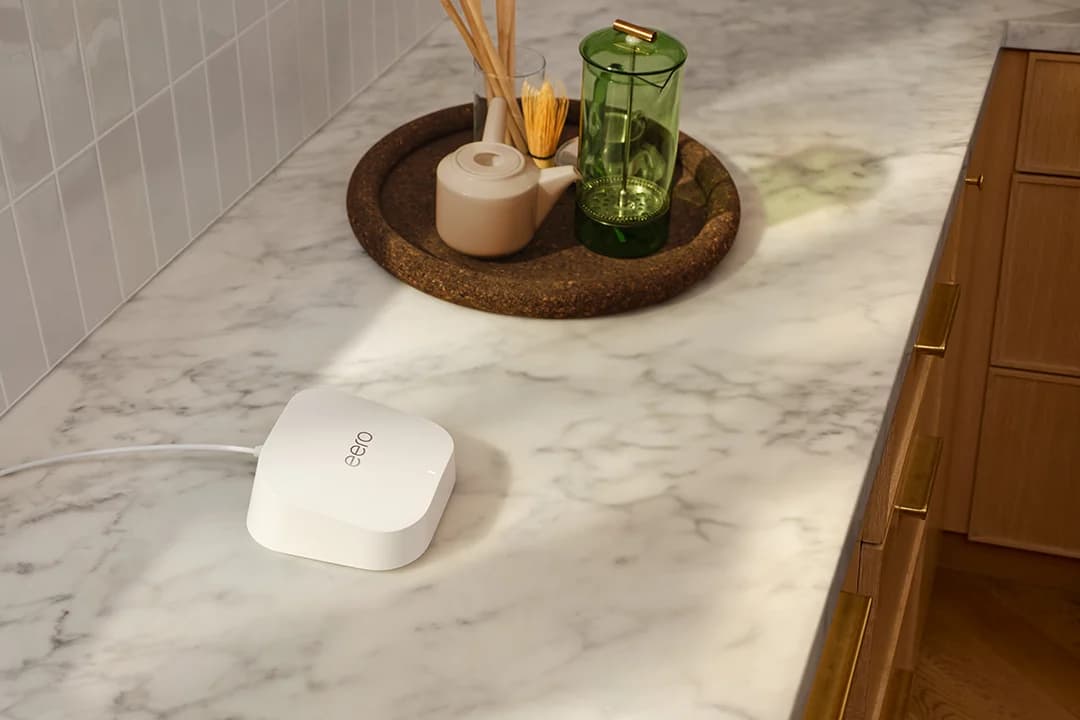
Choose for: Simple smaller-home setup
Limit: No 6 GHz radio; app required
For Xfinity cable plans through 2 Gbps, our default separate-router pick is the NETGEAR Nighthawk RS300: tri-band Wi-Fi 7, a 2.5 Gbps internet port and useful wired connections. Keep an Xfinity gateway in bridge mode or pair it with an approved cable modem; the router alone cannot replace the coax-connected box. Choose the Orbi 770 RBE773 mesh kit when you need Wi-Fi in several parts of a larger home. (RS300 specifications, Xfinity setup guidance, Orbi specifications)
Quick picks
Compare specifications and all conditions
NETGEAR RS300
- Choose it for
- Most cable households
- Internet connection
- 2.5 Gbps WAN
- LAN ports left after connecting the modem
- Two 2.5 Gbps + two gigabit
All specifications
- Main limitation
- Only two LAN ports are multi-gig
ASUS RT-BE92U
- Choose it for
- Several wired multi-gig devices
- Internet connection
- 10 Gbps WAN/LAN
- LAN ports left after connecting the modem
- Four 2.5 Gbps, including a configurable WAN/LAN port
All specifications
- Main limitation
- Its 5 and 6 GHz radios are 2x2
eero 7, single unit
- Choose it for
- Simple smaller-home setup
- Internet connection
- 2.5 GbE, auto-sensing
- LAN ports left after connecting the modem
- One 2.5 GbE
All specifications
- Main limitation
- No 6 GHz radio; app required
Orbi 770 RBE773, three-pack
- Choose it for
- Multiple floors or distant rooms
- Internet connection
- 2.5 Gbps WAN
- LAN ports left after connecting the modem
- Three 2.5 Gbps on router; two per satellite
All specifications
- Main limitation
- Wireless backhaul shares client bands
Full comparison table
Swipe to compare. Row labels stay visible.
| Router | Choose it for | Internet connection | LAN ports left after connecting the modem | Main limitation |
|---|---|---|---|---|
| NETGEAR RS300 | Most cable households | 2.5 Gbps WAN | Two 2.5 Gbps + two gigabit | Only two LAN ports are multi-gig |
| ASUS RT-BE92U | Several wired multi-gig devices | 10 Gbps WAN/LAN | Four 2.5 Gbps, including a configurable WAN/LAN port | Its 5 and 6 GHz radios are 2x2 |
| eero 7, single unit | Simple smaller-home setup | 2.5 GbE, auto-sensing | One 2.5 GbE | No 6 GHz radio; app required |
| Orbi 770 RBE773, three-pack | Multiple floors or distant rooms | 2.5 Gbps WAN | Three 2.5 Gbps on router; two per satellite | Wireless backhaul shares client bands |
Scroll horizontally to see every column
| Router | Choose it for | Internet connection | LAN ports left after connecting the modem | Main limitation |
|---|---|---|---|---|
| NETGEAR RS300 | Most cable households | 2.5 Gbps WAN | Two 2.5 Gbps + two gigabit | Only two LAN ports are multi-gig |
| ASUS RT-BE92U | Several wired multi-gig devices | 10 Gbps WAN/LAN | Four 2.5 Gbps, including a configurable WAN/LAN port | Its 5 and 6 GHz radios are 2x2 |
| eero 7, single unit | Simple smaller-home setup | 2.5 GbE, auto-sensing | One 2.5 GbE | No 6 GHz radio; app required |
| Orbi 770 RBE773, three-pack | Multiple floors or distant rooms | 2.5 Gbps WAN | Three 2.5 Gbps on router; two per satellite | Wireless backhaul shares client bands |
Port counts come from the makers' specifications linked in each pick below. These are Ethernet link rates, not measured throughput or promised Wi-Fi speeds. Want a modem and router in one box? See the G36 and G54 combo shortlist below before ordering.
First decide which equipment you are replacing
An Xfinity gateway contains a modem and router. A standalone modem needs a separate router for Wi-Fi. For a replacement cable modem or gateway, Xfinity says to check My Device Info using your account or address and internet speed; check voice service too. The modem-versus-router guide explains the connections.
- Yes: Standalone cable modem plus Ethernet router: separate jobs, separate boxes
- Partly: Replacement modem or gateway: approval depends on your service and speed
- No: Data-only modem options below: no Xfinity Voice capability
Check your bill first. Xfinity says its latest internet plans include the gateway at no extra cost. Buying hardware therefore does not automatically save an equipment charge. If the supplied gateway already meets your needs, keeping it is a sensible option. (Xfinity equipment policy)
Best overall: NETGEAR Nighthawk RS300
The RS300 is our starting point for cable plans through 2 Gbps because it pairs a 2.5 Gbps WAN port with two 2.5 Gbps LAN ports and two gigabit LAN ports. That leaves multi-gig connections for a desktop and NAS without buying a switch. Its tri-band Wi-Fi 7 includes 2.4, 5 and 6 GHz. NETGEAR claims coverage up to 2,500 sq ft; walls, layout and client capabilities affect actual coverage and speed. (Official RS300 specs and limitations)
Choose mesh if reaching remote rooms is the problem; the RS300's coverage claim cannot establish coverage in your particular home.
Best for wired multi-gig devices: ASUS RT-BE92U
The ASUS specification sheet lists one 10 Gbps WAN/LAN, one 2.5 Gbps WAN/LAN and three 2.5 Gbps LAN ports. Connect the cable modem to the 10 Gbps port and four multi-gig connections remain. This is our pick for several wired computers or a NAS; the faster WAN port does not change which modem Xfinity approves.
It has tri-band Wi-Fi 7 and AiMesh support for expansion. The trade-off is 2x2 radios on both 5 and 6 GHz. Pick it for the port layout and expansion options, rather than assuming a Wi-Fi speed advantage over every other router.
Best simple smaller-home option: eero 7
eero
A dual-band Wi-Fi 7 router with two 2.5 GbE ports that works on its own or as one node of an eero mesh.
Check package and model options
- Wi-Fi 7
- BE5000
- 2 bands
- 2.5 Gbps port
The single eero 7 fits a network with few wired devices and no need for a 6 GHz radio. It is dual-band Wi-Fi 7 on 2.4 and 5 GHz, with two auto-sensing 2.5 GbE ports; connecting the modem leaves one for a wired device or switch. eero claims up to 2,000 sq ft per unit. Its support page quotes 2.3 Gbps wired, while its compare page lists 2.5 Gbps maximum wired; neither is a guarantee.
Setup and management require the Android or iOS eero app. The Wi-Fi 7 label alone does not mean this model has 6 GHz. This pick is the single unit; check the pack selector before ordering.
Best mesh for a large home: NETGEAR Orbi 770 RBE773
The linked RBE773 three-pack includes one RBE771 router and two RBE770 satellites. Its router has one 2.5 Gbps WAN and three 2.5 Gbps LAN ports; each satellite has two 2.5 Gbps LAN ports. Use Ethernet backhaul where your wiring permits it. Wireless backhaul shares the 5 and 6 GHz bands; there is no separate backhaul-only band. (Orbi datasheet, product details)
Pack trap: NETGEAR claims up to 8,000 sq ft for the three-pack and 5,500 sq ft for the two-pack. Its per-unit figures disagree: 2,500 sq ft in the specifications versus 2,750 sq ft in the add-on selector. Treat coverage as a planning claim, not a guarantee. Start with your layout and number of node locations; our mesh Wi-Fi guide compares alternatives. Optional NETGEAR Armor requires a subscription.
Which modem should you pair with these routers?
Shortlist the Hitron CODA56, ARRIS S34 and NETGEAR CM3000. Each is a DOCSIS 3.1 modem with a 2.5 Gbps Ethernet port, without built-in Wi-Fi or cable voice. All appear in the Next Gen section of Xfinity's March 2025 downloadable list.
That dated list supports the shortlist; your current address, plan and upload eligibility still need approval in My Device Info. Do not read its qualification speeds as the speeds your subscription delivers. For Xfinity Voice, retain voice-capable equipment or select an explicitly approved voice modem. See our cable modem buying guide for the wider decision.
Modem-router combos: G36, G54 or CAX80?
For a one-box purchase, start with the ARRIS G36 if Wi-Fi 6 meets your needs and your current Xfinity account approves it. These are all DOCSIS 3.1 gateways without cable voice. The Xfinity column describes its March 2025 PDF, so reconfirm before buying.
ARRIS G36
- Built-in Wi-Fi
- Wi-Fi 6, AX3000
- Ethernet LAN ports
- One 2.5 Gbps + four gigabit
- Classification in that Xfinity PDF
- Next Gen and Recommended
ARRIS G54
- Built-in Wi-Fi
- Wi-Fi 7, BE18000
- Ethernet LAN ports
- One 10 Gbps + four gigabit
- Classification in that Xfinity PDF
- Next Gen
NETGEAR CAX80
- Built-in Wi-Fi
- Wi-Fi 6, AX6000
- Ethernet LAN ports
- One 2.5 Gbps + four gigabit
- Classification in that Xfinity PDF
- Recommended; outside its Next Gen table
Full comparison table
Swipe to compare. Row labels stay visible.
| Combo | Built-in Wi-Fi | Ethernet LAN ports | Classification in that Xfinity PDF |
|---|---|---|---|
| ARRIS G36 | Wi-Fi 6, AX3000 | One 2.5 Gbps + four gigabit | Next Gen and Recommended |
| ARRIS G54 | Wi-Fi 7, BE18000 | One 10 Gbps + four gigabit | Next Gen |
| NETGEAR CAX80 | Wi-Fi 6, AX6000 | One 2.5 Gbps + four gigabit | Recommended; outside its Next Gen table |
Scroll horizontally to see every column
| Combo | Built-in Wi-Fi | Ethernet LAN ports | Classification in that Xfinity PDF |
|---|---|---|---|
| ARRIS G36 | Wi-Fi 6, AX3000 | One 2.5 Gbps + four gigabit | Next Gen and Recommended |
| ARRIS G54 | Wi-Fi 7, BE18000 | One 10 Gbps + four gigabit | Next Gen |
| NETGEAR CAX80 | Wi-Fi 6, AX6000 | One 2.5 Gbps + four gigabit | Recommended; outside its Next Gen table |
“Recommended” alone does not establish enhanced-upload eligibility. G34 is also different from G36: ARRIS lists only gigabit ports on G34. S34 is a modem without Wi-Fi, despite the similar name. (ARRIS comparison, S34 specs)
Before choosing G54, note two issues. ARRIS's feature list recommends plans up to 2.5 Gbps, while its technical table says 10 Gbps; neither replaces Xfinity approval. ARRIS also documents a shared-network-name interoperability issue, recommending separate band names and WPA3 on 6 GHz as a workaround. Confirm the installed firmware's status with Xfinity. We prefer a separate modem and router when independent Wi-Fi upgrades matter.
Buying advice: match the whole connection
For plans above gigabit through 2 Gbps, choose 2.5 Gbps or faster links throughout the modem–router–computer path. A fast WAN port cannot overcome a gigabit desktop port. NETGEAR specifically directs CM3000 buyers to connect its 2.5 Gbps port to a multi-gig router port. These are link capacities; throughput is lower and depends on equipment and service.
BE and AX classes add together the bands' maximum theoretical Wi-Fi rates; see ASUS's band-rate breakdown. They are not your internet speed or a single device's throughput. NETGEAR's wireless-rate footnote warns that actual throughput is lower. Match ports first, then bands and placement.
If your Xfinity service is fiber delivered to your unit, follow its Ethernet-router policy instead of buying a cable modem.
Setup: activation, bridge mode and double NAT
Xfinity activates approved third-party modems through its app; activation requires a Primary user or Manager. Its bridge-mode instructions use 10.0.0.1 → Gateway → At a Glance → Enable Bridge Mode. Admin Tool access may first need enabling in the Xfinity app; use the gateway sticker's credentials or your changed password.
Replacing the modem
Connect the approved modem to coax and activate it in the Xfinity app. Then connect the separate router's WAN port to the modem's fastest Ethernet port.
Keeping the Xfinity gateway
Enable its bridge mode, then connect your router. Only one device can connect directly to the gateway in bridge mode; attach other devices behind your router.
Finish on your own router
Complete its setup and check for firmware updates. If both boxes still route, resolve double NAT using gateway bridge mode or a supported access-point mode on your own router.
NETGEAR explains that double NAT can affect games, VPNs and port forwarding. Orbi supports access-point mode if you want to keep the upstream gateway routing.
How we choose
This is specification and documentation research, without physical testing. We checked maker product pages, support articles and Xfinity's public guidance on November 2, 2026. Compatibility classifications use the dated PDF identified above; we did not verify a signed-in account result. We prioritize appropriate ports, useful home layouts and clear limitations over advertised Wi-Fi totals.
For support, NETGEAR's EOS policy generally ends firmware updates three years after the last sale date. eero's policy lists eero 7 security updates at least through October 31, 2031, or five years after a new purchase from eero or Amazon, whichever is later; other sellers get the published date. No dated RT-BE92U support end was established in the retrieved ASUS EOL material. ARRIS says cable-device firmware is distributed by the provider. Full editorial method: How we choose.
Verdict
Choose RS300 for a balanced separate router, RT-BE92U for more wired multi-gig connections, eero 7 for simple smaller-home management, or Orbi 770 for multiple node locations. Shortlist G36 for a one-box alternative. Confirm the modem and upload tier with Xfinity before committing to the hardware.
Frequently asked questions
Does a router have to be Xfinity approved?
For cable service, check Xfinity approval for the modem or modem-router gateway that connects to the coax cable. A separate Ethernet router connects behind that device. Choose its WAN and LAN ports to match your plan, then choose Wi-Fi coverage for your home. Xfinity directs equipment buyers to My Device Info for address-specific compatibility.
Can I replace my Xfinity gateway with just a router?
For coax cable service, you still need a compatible cable modem. You can keep the Xfinity gateway, enable bridge mode and connect your own router, or replace the gateway with an approved modem plus router. Xfinity documents a different arrangement for communities with fiber delivered to the unit: those customers can use a suitable Ethernet router.
Will buying my own router remove an Xfinity equipment charge?
Check your actual plan and bill before buying. Xfinity says its latest internet plans include the gateway at no extra cost. Adding your own router while keeping that gateway changes the network setup; it does not establish a billing saving. Compare the equipment terms on your account before deciding whether replacing the modem is worthwhile.
What is the best modem-router combo for Xfinity?
Start with the ARRIS G36 if you want one box and Wi-Fi 6 meets your needs; consider the G54 for Wi-Fi 7. Both appear in the Next Gen section of Xfinity's March 2025 PDF. Confirm current approval and upload support for your address before ordering. The G54 also has conflicting maker plan-speed claims and a published Wi-Fi interoperability caveat, explained below.
Related guides
Best picks · Wi-Fi Routers
Best Routers for Spectrum: Match Your Modem, Plan and Home
Choose a router for Spectrum by modem port, internet plan and home layout. Compare ASUS, Netgear and eero, with modem limits and a practical setup worksheet.
Best picks · Wi-Fi Routers
Best Travel Routers: Hotel Wi-Fi, Ethernet and Tethering Explained
Choose a travel router for hotel Wi-Fi, Ethernet or phone tethering. Compare Beryl 7, Slate 7, Beryl AX and ASUS, with portal steps, power and package checks.
Best picks · Wi-Fi Routers
Best Routers for Verizon Fios: Internet-Only, TV and Mesh
Choose a Verizon Fios router by your plan, ONT and TV boxes. Compare standalone and mesh picks, see wiring diagrams, and check the exact extra parts you need.