

Comparison
TP-Link TL-SG105S-M2 vs QNAP QSW-2104-2T-R2
Which 2.5G Switch?
Five 2.5G ports, or four 2.5G plus two 10G? Compare port mixes, negotiated speeds, fanless power and box contents, then match the right 2.5G switch to your NAS and PCs.
By thisPING EditorialUpdated November 5, 20269 min read1 pick
On this page · Our picks at a glance
Our picks at a glance
- 1
Best for 10G NAS and PC pairs
10 Gbps port · 6 ports
Choose for: Best for 10G NAS and PC pairs
Check before buying: Unmanaged: no VLANs, link aggregation or monitoring
For a home or small office moving past gigabit, our default 2.5G switch is the TP-Link TL-SG105S-M2: all five ports run at up to 2.5 Gbps, it is fanless, and a 2.5G router uplink still leaves four full-speed device ports. Choose the QNAP QSW-2104-2T-R2 when your network has, or is about to gain, 10G gear: its two 10GBASE-T RJ45 ports are the only path here to a native 10G NAS-to-desktop link. Both are unmanaged plug-and-play switches. Spec sheets and maker pages checked November 4, 2026.
The decision is simpler than most switch comparisons, because only one of these boxes has 10G. Everything else — placement, power, cabling — falls out of that single question.
Quick picks
Compare specifications and all conditions
Router and devices top out at 2.5G
- Buy
- TP-Link TL-SG105S-M2
- Why
- All five ports are 2.5G, so no device drops to gigabit behind a 2.5G uplink
A 10G NAS talking to a 10G desktop
- Buy
- QNAP QSW-2104-2T-R2
- Why
- Its two 10GBASE-T ports are the only 10G links between these two switches
One 2.5G NAS, everything else gigabit
- Buy
- TP-Link TL-SG105S-M2
- Why
- All five ports carry the NAS at 2.5G while gigabit devices run normally
Configurable VLANs or LACP bonding
- Buy
- Neither
- Why
- Both are unmanaged; see the buying guide below
Full comparison table
Swipe to compare. Row labels stay visible.
| Your network looks like this | Buy | Why |
|---|---|---|
| Router and devices top out at 2.5G | TP-Link TL-SG105S-M2 | All five ports are 2.5G, so no device drops to gigabit behind a 2.5G uplink |
| A 10G NAS talking to a 10G desktop | QNAP QSW-2104-2T-R2 | Its two 10GBASE-T ports are the only 10G links between these two switches |
| One 2.5G NAS, everything else gigabit | TP-Link TL-SG105S-M2 | All five ports carry the NAS at 2.5G while gigabit devices run normally |
| Configurable VLANs or LACP bonding | Neither | Both are unmanaged; see the buying guide below |
Scroll horizontally to see every column
| Your network looks like this | Buy | Why |
|---|---|---|
| Router and devices top out at 2.5G | TP-Link TL-SG105S-M2 | All five ports are 2.5G, so no device drops to gigabit behind a 2.5G uplink |
| A 10G NAS talking to a 10G desktop | QNAP QSW-2104-2T-R2 | Its two 10GBASE-T ports are the only 10G links between these two switches |
| One 2.5G NAS, everything else gigabit | TP-Link TL-SG105S-M2 | All five ports carry the NAS at 2.5G while gigabit devices run normally |
| Configurable VLANs or LACP bonding | Neither | Both are unmanaged; see the buying guide below |
- 2.5 GbpsMaximum per port on the TP-Link TL-SG105S-M2
- 10 GbpsMaximum on each 10G port of the QNAP QSW-2104-2T-R2
- 4 device portsLeft on the TP-Link after one router uplink (port-count arithmetic)
- 0 fansEither switch; both are fanless
TL-SG105S-M2 vs QSW-2104-2T-R2: spec by spec
TP-Link TL-SG105S-M2
- Switching capacity
- 25 Gbps
- Ports
- 5 x RJ45
- Port speeds
- 100 Mbps / 1 Gbps / 2.5 Gbps on every port
All specifications
- Packet forwarding rate
- 18.6 Mpps
- Jumbo frame
- 12 KB
- MAC address table
- 4K
- Flow control
- IEEE 802.3x
- Automatic features
- 802.1p/DSCP QoS, IGMP snooping
- Management
- Unmanaged, plug and play
- Cooling / case
- Fanless, metal casing, desktop or wall mount
- Dimensions
- 99.8 x 98 x 25 mm (W x D x H)
- Weight
- Not stated on the product page
- Power
- 9 VDC / 0.6 A adapter; 5.67 W max consumption, per the V2.6 datasheet
- In the box
- Power adapter, rubber feet, installation guide
- Warranty stated on US page
- Not stated on the product page
QNAP QSW-2104-2T-R2
- Switching capacity
- 60 Gbps
- Ports
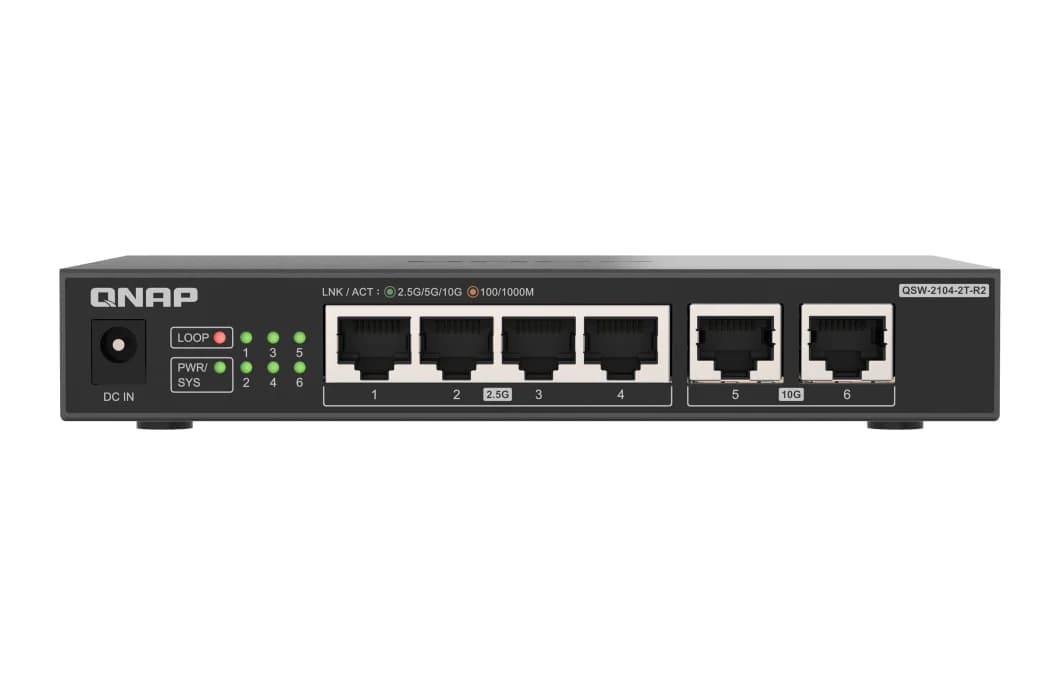
- 4 x 2.5GBASE-T RJ45 + 2 x 10GBASE-T RJ45
- Port speeds
- 2.5G / 1G / 100M (2.5G ports); 10G / 5G / 2.5G / 1G / 100M (10G ports)
All specifications
- Packet forwarding rate
- Not stated on the product page or QIG
- Jumbo frame
- 12 KB
- MAC address table
- 4K
- Flow control
- IEEE 802.3x
- Automatic features
- Loop detection with automatic port locking
- Management
- Unmanaged, plug and play
- Cooling / case
- Fanless, desktop design
- Dimensions
- 26 x 160 x 110 mm (H x W x D, per the QIG)
- Weight
- 0.99 lb net
- Power
- DC power input of 12 V / 1.5 A; 18 W max consumption
- In the box
- Power supply, bracket screws, anchors, foot pads, quick installation guide
- Warranty stated on US page
- 2-year warranty, extendable up to 5 years
Full comparison table
Swipe to compare. Row labels stay visible.
| Specification | TP-Link TL-SG105S-M2 | QNAP QSW-2104-2T-R2 |
|---|---|---|
| Ports | 5 x RJ45 | 4 x 2.5GBASE-T RJ45 + 2 x 10GBASE-T RJ45 |
| Port speeds | 100 Mbps / 1 Gbps / 2.5 Gbps on every port | 2.5G / 1G / 100M (2.5G ports); 10G / 5G / 2.5G / 1G / 100M (10G ports) |
| Switching capacity | 25 Gbps | 60 Gbps |
| Packet forwarding rate | 18.6 Mpps | Not stated on the product page or QIG |
| Jumbo frame | 12 KB | 12 KB |
| MAC address table | 4K | 4K |
| Flow control | IEEE 802.3x | IEEE 802.3x |
| Automatic features | 802.1p/DSCP QoS, IGMP snooping | Loop detection with automatic port locking |
| Management | Unmanaged, plug and play | Unmanaged, plug and play |
| Cooling / case | Fanless, metal casing, desktop or wall mount | Fanless, desktop design |
| Dimensions | 99.8 x 98 x 25 mm (W x D x H) | 26 x 160 x 110 mm (H x W x D, per the QIG) |
| Weight | Not stated on the product page | 0.99 lb net |
| Power | 9 VDC / 0.6 A adapter; 5.67 W max consumption, per the V2.6 datasheet | DC power input of 12 V / 1.5 A; 18 W max consumption |
| In the box | Power adapter, rubber feet, installation guide | Power supply, bracket screws, anchors, foot pads, quick installation guide |
| Warranty stated on US page | Not stated on the product page | 2-year warranty, extendable up to 5 years |
Scroll horizontally to see every column
| Specification | TP-Link TL-SG105S-M2 | QNAP QSW-2104-2T-R2 |
|---|---|---|
| Ports | 5 x RJ45 | 4 x 2.5GBASE-T RJ45 + 2 x 10GBASE-T RJ45 |
| Port speeds | 100 Mbps / 1 Gbps / 2.5 Gbps on every port | 2.5G / 1G / 100M (2.5G ports); 10G / 5G / 2.5G / 1G / 100M (10G ports) |
| Switching capacity | 25 Gbps | 60 Gbps |
| Packet forwarding rate | 18.6 Mpps | Not stated on the product page or QIG |
| Jumbo frame | 12 KB | 12 KB |
| MAC address table | 4K | 4K |
| Flow control | IEEE 802.3x | IEEE 802.3x |
| Automatic features | 802.1p/DSCP QoS, IGMP snooping | Loop detection with automatic port locking |
| Management | Unmanaged, plug and play | Unmanaged, plug and play |
| Cooling / case | Fanless, metal casing, desktop or wall mount | Fanless, desktop design |
| Dimensions | 99.8 x 98 x 25 mm (W x D x H) | 26 x 160 x 110 mm (H x W x D, per the QIG) |
| Weight | Not stated on the product page | 0.99 lb net |
| Power | 9 VDC / 0.6 A adapter; 5.67 W max consumption, per the V2.6 datasheet | DC power input of 12 V / 1.5 A; 18 W max consumption |
| In the box | Power adapter, rubber feet, installation guide | Power supply, bracket screws, anchors, foot pads, quick installation guide |
| Warranty stated on US page | Not stated on the product page | 2-year warranty, extendable up to 5 years |
The table draws on the TP-Link TL-SG105S-M2 product page, the QNAP QSW-2104-2T-R2 product page and QNAP's quick installation guide, linked in the product records. The capacity figures are aggregate maker specifications, not the speed of any single port: TP-Link's fastest port is 2.5 Gbps, QNAP's is 10 Gbps.
Default pick: TP-Link TL-SG105S-M2
Buy the TL-SG105S-M2 when 2.5G is the ceiling of your network. Its five RJ45 ports auto-negotiate 100 Mbps, 1 Gbps or 2.5 Gbps per link, so a gigabit smart-TV box and a 2.5G NAS can share it, and each gets the fastest link its own port supports. Plug one port into a 2.5G router and four full-speed device connections remain — the arithmetic that matters if your router's LAN ports, your NAS and your desktop are all 2.5G.
- Fanless metal casing sized 99.8 x 98 x 25 mm, with desktop or wall-mounting placement
- Store-and-forward switching with 802.3x flow control, 802.1p/DSCP QoS and IGMP snooping
- 9 VDC / 0.6 A external adapter and a published maximum consumption of 5.67 W
- Power and Link/Act LEDs for each connection
- Works over Cat5e, Cat6 or Cat6a runs without recabling, per TP-Link
Its limits follow from the same spec sheet: no port exceeds 2.5 Gbps, so a 10G NAS would fall back to 2.5G here; and being unmanaged, it offers no configurable VLANs or LACP. TP-Link's page does not state a warranty term or a weight for this model, so check the listing or packaging for those.
Check the TL-SG105S-M2 specifications at TP-Link
Best for 10G NAS and PC pairs: QNAP QSW-2104-2T-R2
The QSW-2104-2T-R2 is the pick when two devices should talk at 10G. Its four 2.5GBASE-T ports support 2.5G, 1G and 100M; its two 10GBASE-T ports support 10G, 5G, 2.5G, 1G and 100M, using NBASE-T Multi-Gigabit signaling over ordinary copper runs. QNAP lists CAT 5e, CAT6 or CAT7 for the BASE-T ports. Cable a 10G NAS into one 10G port and a 10G-equipped desktop into the other, and large transfers run at full link rate while the 2.5G ports handle the rest of the network.
- 60 Gbps of aggregate switching capacity across the six ports, per QNAP
- Fanless design; the hardware specification lists 26 x 160 x 110 mm and 0.99 lb net
- DC power input of 12 V / 1.5 A, with 18 W maximum consumption
- 12 KB jumbo frame support, a 4K MAC address table and IEEE 802.3x flow control
- Network loop detection that automatically locks looped ports
- Per-port status LEDs; a 2-year warranty stated on QNAP's US page
Its limits: only two ports exceed 2.5G. Using a 10G port as the uplink to a 10G router leaves exactly one 10G port for devices, so this switch suits one fast pair, not a 10G workgroup. Like the TP-Link, it is unmanaged, with no configurable VLANs or link aggregation. The QNAP also comes in an SFP+ variant, the QSW-2104-2S-A, whose two 10G slots are SFP+ rather than RJ45 — check the full model name, including the R2 suffix, before ordering.
Check the QSW-2104-2T-R2 at QNAP
Count your ports before you choose
Neither switch has a dedicated uplink port; the router connection comes out of the same pool. Here is the worked arithmetic for a typical setup.
Router uplink
- Ports left: TP-Link (5 total)
- 4 free, all 2.5G
- Ports left: QNAP (6)
- 3 x 2.5G + 2 x 10G free
2.5G NAS
- Ports left: TP-Link (5 total)
- 3 free, all 2.5G
- Ports left: QNAP (6)
- 2 x 2.5G + 2 x 10G free
10G desktop
- Ports left: TP-Link (5 total)
- No 10G port exists
- Ports left: QNAP (6)
- 2 x 2.5G + 1 x 10G free
2.5G access point
- Ports left: TP-Link (5 total)
- 2 free, all 2.5G
- Ports left: QNAP (6)
- 1 x 2.5G + 1 x 10G free
Full comparison table
Swipe to compare. Row labels stay visible.
| Connection | Ports left: TP-Link (5 total) | Ports left: QNAP (6) |
|---|---|---|
| Router uplink | 4 free, all 2.5G | 3 x 2.5G + 2 x 10G free |
| 2.5G NAS | 3 free, all 2.5G | 2 x 2.5G + 2 x 10G free |
| 10G desktop | No 10G port exists | 2 x 2.5G + 1 x 10G free |
| 2.5G access point | 2 free, all 2.5G | 1 x 2.5G + 1 x 10G free |
Scroll horizontally to see every column
| Connection | Ports left: TP-Link (5 total) | Ports left: QNAP (6) |
|---|---|---|
| Router uplink | 4 free, all 2.5G | 3 x 2.5G + 2 x 10G free |
| 2.5G NAS | 3 free, all 2.5G | 2 x 2.5G + 2 x 10G free |
| 10G desktop | No 10G port exists | 2 x 2.5G + 1 x 10G free |
| 2.5G access point | 2 free, all 2.5G | 1 x 2.5G + 1 x 10G free |
The pattern to notice: on the QNAP, spend 10G ports only on 10G devices. A gigabit console plugged into a 10G port still works — the port negotiates 1G — but that port's 10G capability is then wasted on a device that cannot use it. On the TP-Link the choice never arises, because every port is 2.5G.
Cables, placement and power
Cabling. Neither switch demands a wiring upgrade at 2.5G: TP-Link says the TL-SG105S-M2 works with Cat5e, Cat6 and Cat6a cables, and QNAP lists CAT 5e, CAT6 and CAT7 for its BASE-T ports. For 10GBASE-T, QNAP's compatibility chart shows 55 m for its higher-rated category and Cat6 only below 45 m, so longer runs need a higher-rated cable. After connecting, check the negotiated speed on each port's LED or in the device's own settings — auto-negotiation means a poor cable or connector shows up as a 1G link, not a broken one. Our Cat6 vs Cat6a vs Cat8 guide covers when bulk upgrades are actually worth it.
Placement. Both are fanless and silent. The TP-Link is the smaller box (99.8 x 98 x 25 mm) in a metal case, documented for desktop or wall mounting, with rubber feet in the box. The QNAP is a longer, flatter desktop unit (26 x 160 x 110 mm) whose box includes bracket screws, anchors and foot pads. Either way, keep ventilation clear and route cables so connectors are not under strain.
Power. Both run on small external adapters — TP-Link's outputs 9 V at 0.6 A with a published 5.67 W maximum consumption, and QNAP lists a 12 V / 1.5 A DC input with 18 W maximum consumption. Both are easy loads for a small UPS; our router and NAS UPS guide covers sizing one.
How we choose
We have not lab-tested or benchmarked these switches. Every port count, speed list, dimension and power figure above comes from TP-Link's and QNAP's own product pages and QNAP's quick installation guide, linked in each section, checked November 4, 2026; empty cells in the table are specs a maker does not publish for that model, which we leave blank rather than guess. Recommendations follow from the port arithmetic each layout implies. Full method: How we choose.
Buying guide
Start at the router. A 2.5G switch cannot speed up an internet plan your router passes at 1 Gbps, and it cannot give a gigabit NAS a 2.5G port. The upgrade pays off when at least two devices on the switch support 2.5G or faster — typically a NAS and a desktop — or when a multi-gig internet plan arrives at a 2.5G router port. For category-wide options, see our best 2.5G switches roundup and the broader multi-gig switch guide.
10G is a two-port minimum. A single 10G device on the QNAP can burst to its own link rate, but 10G transfers need a 10G partner on the other 10G port. If your roadmap includes several 10G machines, these compact switches are a waypoint, not the destination.
Unmanaged means unmanaged. Neither model offers configurable VLANs, LACP, port mirroring or a management interface. The automatic extras that do exist — QoS and IGMP snooping on the TP-Link, loop detection on the QNAP — need no setup. If segmentation matters, our managed vs unmanaged switches explainer shows what stepping up buys.
Adapters close the gap. A desktop with only gigabit Ethernet joins the 2.5G party through a USB or PCIe adapter; see our USB 2.5G adapter picks and 10G network card picks. The adapter, the cable and the switch port all have to support the target rate — the link runs at the speed of the slowest part.
Verdict
Most buyers should get the TP-Link TL-SG105S-M2: five 2.5G ports, a fanless metal case, wall-mount flexibility and a 5.67 W maximum draw cover a 2.5G NAS, a desktop and a router with ports to spare, and nothing in its spec sheet asks for new cabling. Choose the QNAP QSW-2104-2T-R2 when a 10G NAS and a 10G desktop need a native 10G path — its two 10GBASE-T ports are something the TP-Link simply does not have — and treat its four 2.5G ports as the rest of the network. Either way, check the full model name on the listing and the negotiated link speed after setup.
Frequently asked questions
Which is better, TL-SG105S-M2 or QSW-2104-2T-R2?
Buy the TL-SG105S-M2 when no device on your network exceeds 2.5G: all five ports are 2.5G, so the router uplink leaves four full-speed device ports. Buy the QSW-2104-2T-R2 when a 10G NAS and a 10G computer should talk at full speed: it is the only one of the two with 10GBASE-T ports. Both are unmanaged and fanless.
Do I need new cables for a 2.5G or 10G switch?
Usually not for 2.5G: TP-Link says this switch works with Cat5e, Cat6 and Cat6a without upgrading your cabling, and QNAP says its BASE-T ports work with existing Cat5e, Cat6 or Cat7 runs. For 10GBASE-T, use at least Cat6 patch leads and, after connecting, check the speed each link actually negotiated before assuming the full rate.
Can I create VLANs or use link aggregation on either switch?
No. Both switches are unmanaged: neither offers configurable VLANs or LACP port bonding, so a device that needs a 10G link plugs into a single 10G port on the QNAP. If you need VLANs, see our managed vs unmanaged explainer and our multi-gig switch roundup for managed options.
What power supply does each switch use?
Both use external adapters, but their power classes differ: TP-Link's is a 9 VDC / 0.6 A adapter, with 5.67 W maximum consumption in its V2.6 datasheet; QNAP's specification lists a DC input of 12 V / 1.5 A and 18 W maximum power. Both fit small UPSs, and both include the adapter in the box.

Related guides
Comparison · Network Switches
TP-Link TL-SG1008MP vs Netgear GS308EPP: Which 8-Port PoE Switch Should You Buy?
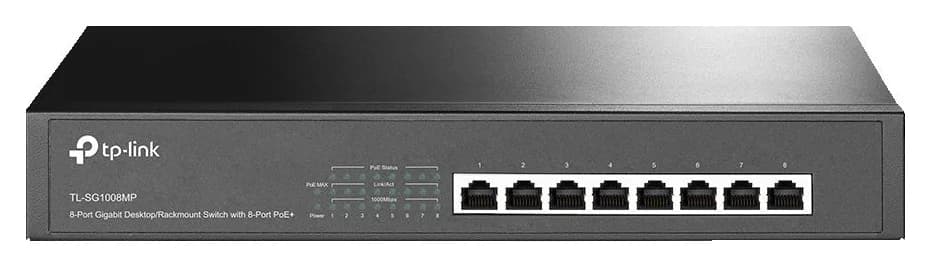
The exact eight-port PoE battle: 153 W vs 123 W budgets, per-port limits, VLANs, fan noise, uplinks and camera planning, checked on the makers' pages.
Buying guide · Network Switches
Best Switch for a Home Network: Ports, Speed and Controls
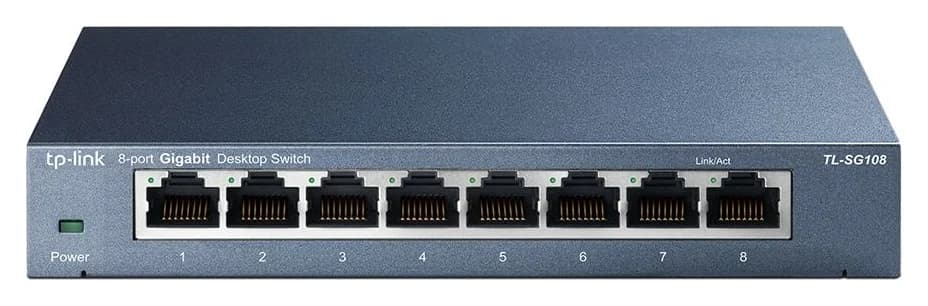
Buy a home network switch with confidence: port counts, multi-gig speeds, PoE budgets, managed features and fanless picks, plus the cable basket to finish the job.
Best picks · Network Switches
Best PoE Switches for Large Camera Systems in 2026
Plan an 8, 16 or more camera PoE network: verified watt budgets, PoE classes, uplink bandwidth, outdoor cable and a UPS sized for the whole basket.