

Best picks
Best Modems for Midco
Check Approval Before You Buy
Find the right Midco modem by address and plan. Compare CODA56, CM3000 and S34 candidates, separate fiber from cable, and prepare your router and activation.
By thisPING EditorialUpdated November 3, 20268 min read1 pick
On this page · Our picks at a glance
Our picks at a glance
- 1
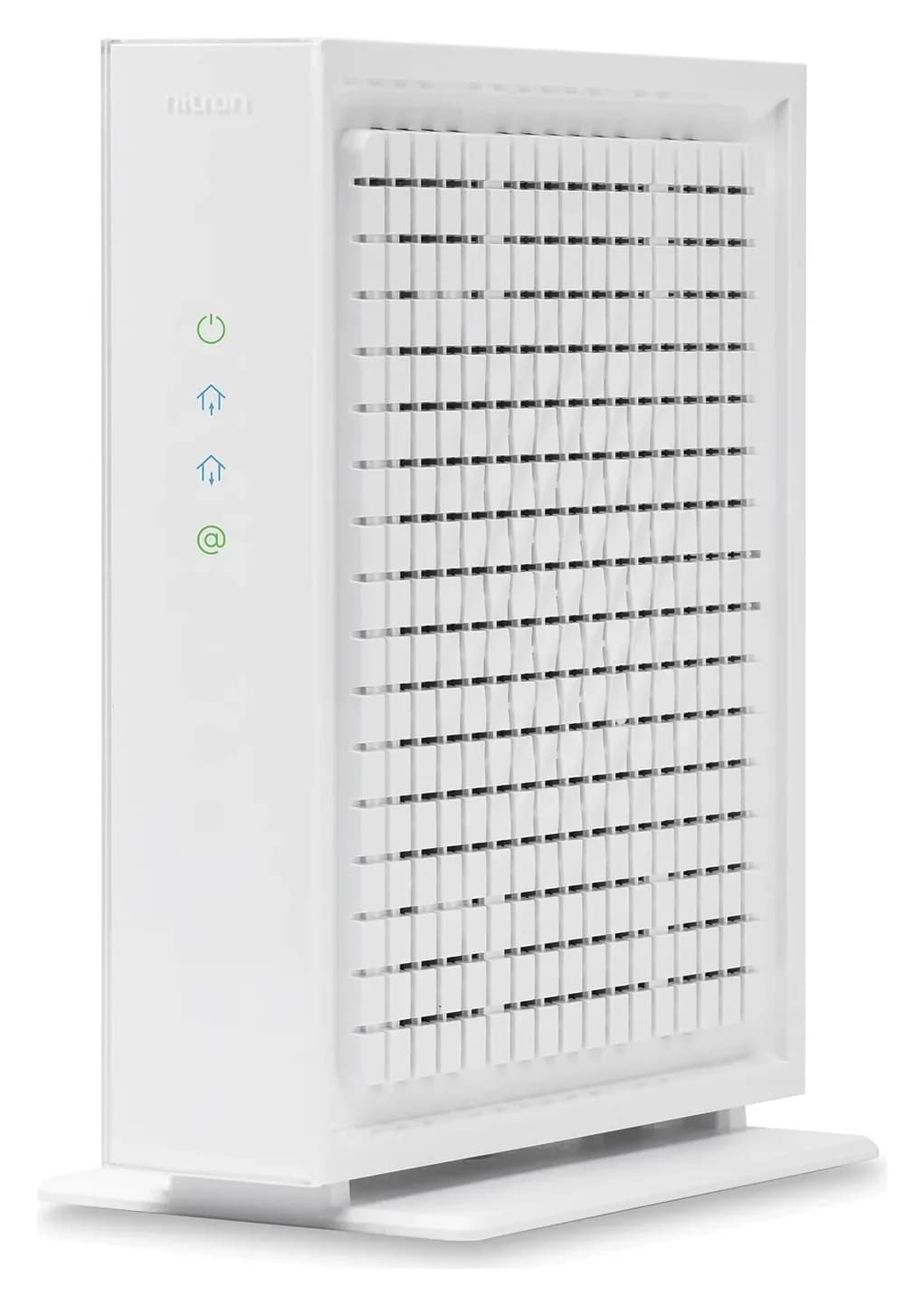
Choose for: First retail candidate to ask about
Check before buying: Only one Ethernet port
Keep Midco-provided equipment unless Midco confirms a retail replacement for your exact address and plan: its cable modems are already approved, with Midco-managed firmware and support. For cable customers who want ownership, Hitron CODA56 is our first model to ask Midco about because Midco hosts its manual; CM3000 and S34 are conditional alternatives, not confirmed approvals for your home. On fiber, keep the supplied ONU; on fixed wireless, keep the installed antenna/adapter arrangement and choose the router instead.
Quick picks: start with Midco approval
Open Midco's approved-modem lookup and enter your actual service address before ordering. Approval depends on both address and internet speed; the hardware specifications below cannot supply your approved download/upload tier.
Compare specifications and all conditions
Midco-provided modem / fiber ONU
- Our recommendation
- Best default for provider support
- Ethernet hardware
- Confirm the assigned model with Midco
- Midco-approved download / upload
- Confirm your selected plan with Midco
Hitron CODA56
- Our recommendation
- First retail candidate to ask about
- Ethernet hardware
- One 2.5 Gbps port
- Midco-approved download / upload
- Confirm both rates for your address and tier
NETGEAR CM3000
- Our recommendation
- Conditional choice for WAN aggregation
- Ethernet hardware
- One 2.5 Gbps + two 1 Gbps ports
- Midco-approved download / upload
- Confirm both rates for your address and tier
ARRIS SURFboard S34
- Our recommendation
- Conditional alternative with a second port
- Ethernet hardware
- One 2.5 Gbps + one 1 Gbps port
- Midco-approved download / upload
- Confirm both rates for your address and tier
Full comparison table
Swipe to compare. Row labels stay visible.
| Choice | Our recommendation | Ethernet hardware | Midco-approved download / upload |
|---|---|---|---|
| Midco-provided modem / fiber ONU | Best default for provider support | Confirm the assigned model with Midco | Confirm your selected plan with Midco |
| Hitron CODA56 | First retail candidate to ask about | One 2.5 Gbps port | Confirm both rates for your address and tier |
| NETGEAR CM3000 | Conditional choice for WAN aggregation | One 2.5 Gbps + two 1 Gbps ports | Confirm both rates for your address and tier |
| ARRIS SURFboard S34 | Conditional alternative with a second port | One 2.5 Gbps + one 1 Gbps port | Confirm both rates for your address and tier |
Scroll horizontally to see every column
| Choice | Our recommendation | Ethernet hardware | Midco-approved download / upload |
|---|---|---|---|
| Midco-provided modem / fiber ONU | Best default for provider support | Confirm the assigned model with Midco | Confirm your selected plan with Midco |
| Hitron CODA56 | First retail candidate to ask about | One 2.5 Gbps port | Confirm both rates for your address and tier |
| NETGEAR CM3000 | Conditional choice for WAN aggregation | One 2.5 Gbps + two 1 Gbps ports | Confirm both rates for your address and tier |
| ARRIS SURFboard S34 | Conditional alternative with a second port | One 2.5 Gbps + one 1 Gbps port | Confirm both rates for your address and tier |
These are conditional choices, not a national Midco approval list. Save your address-specific result and use the worksheet below to turn it into an order.
Identify cable, fiber or fixed wireless first
Midco's fiber connection terminates at a supplied optical network unit, while fixed wireless uses an antenna connected through an adapter to the indoor router. Midco Wi-Fi 7 requires a standard modem or ONU and does not support wireless gateways.
- Partly: Cable: consider a modem only after address-and-tier approval
- Yes: Fiber: keep Midco's ONU and choose the required router
- Yes: Fixed wireless: keep Midco's installed antenna and adapter arrangement
- No: Midco Wi-Fi 7: do not substitute a wireless gateway
If the equipment labels leave you unsure, ask Midco which service reaches your address before buying. Our modem vs router guide explains the roles; keep this page open for Midco's eligibility checks.
Best default: Midco-provided modem or ONU
Choose provider equipment when straightforward support matters most: Midco says its supplied modems are tested and approved, it pushes their necessary firmware updates, and its care teams know the equipment. Midco offers cable modems for lease or purchase; fiber service comes with an ONU.
The trade-off with ownership is the support boundary: Midco says it cannot provide technical support for third-party equipment it did not supply. For customer-owned Wi-Fi equipment, it also excludes firmware updates and directs you to the router manufacturer. Ask which exact device Midco will supply, whether you can keep your current router, and what applies to your plan before changing equipment.
Confirm equipment with Midco. Request the device Midco assigns to your plan.
First conditional cable pick: Hitron CODA56
The CODA56 is a DOCSIS 3.1 modem with one 2.5 Gbps Ethernet port and no built-in wireless router. Midco hosts a CODA56 user manual, a useful starting point for an exact-model discussion, but address-and-tier approval still controls the purchase.
Hitron's product page lists plans up to 2.5 Gbps; the hosted manual says speeds up to 6 Gbps while also specifying a single 2.5 Gigabit Ethernet port. Its upload claims also differ: the product page lists up to 1 Gbps, while its datasheet lists up to 700 Mbps for DOCSIS 3.1 OFDMA and up to 320 Mbps for bonded DOCSIS 3.0 upstream channels. Do not add those figures into a promised upload tier; ask Midco for the provisioned download and upload rates.
The manual's package list includes the modem, power adapter, Ethernet cable and coax cable. The limitation is a separate router for Wi-Fi, and Hitron excludes bundled voice service. Check that the order names CODA56 exactly and spells out whether a router is included as a separate bundle item.
Check CODA56 specifications at Hitron, then confirm the model with Midco before shopping.
Conditional pick for WAN aggregation: NETGEAR CM3000
The CM3000 adds two 1 Gbps aggregation ports alongside its dedicated 2.5 Gbps port. NETGEAR markets this DOCSIS 3.1 mid/high-split modem for up to 2.5 Gbps download and 1 Gbps upload, while telling buyers to check ISP split compatibility. Those are maker capabilities; require Midco's exact-model approval and both plan rates before considering it.
NETGEAR's own page conflicts on aggregation: its main description says up to 2 Gbps, but a feature bullet says up to 2.5 Gbps; the technical sheet specifies up to 2 Gbps. Its manual requires 802.3ad LACP and aggregation support on the router's WAN ports. Prefer the dedicated multi-gig port when your router supports it rather than buying around the conflicting bullet.
Do not substitute CM2500: NETGEAR lists two 1 Gbps ports and download up to 2 Gbps with aggregation for that model, without CM3000's dedicated 2.5 Gbps port. CM3000 needs a separate Wi-Fi router and does not support bundled cable voice. Skip it if Midco does not confirm it for your address, regardless of its compatibility claims for other providers.
NETGEAR's page showed CM3000 as out of stock when checked; do not silently substitute CM2500. Check CM3000 specifications at NETGEAR.
Conditional alternative: ARRIS SURFboard S34
S34 has one 2.5 Gbps Ethernet port and one 1 Gbps port, with neither built-in Wi-Fi nor digital voice capability. ARRIS describes it as upload-optimized and suitable for cable plans up to 2.5 Gbps, with a two-year limited warranty. The maker explicitly tells buyers to confirm support with their provider.
The similar S33 has the same listed Ethernet speeds, but ARRIS marks S34 with 'Next Gen Upstream' in its comparison. G34 is a modem plus Wi-Fi 6 router, a different product type that runs into Midco's wireless-gateway exclusion for Midco Wi-Fi 7. Match the full model, not the family name or port photo, and have Midco confirm the supported upload tier.
Check S34 specifications at ARRIS. A second modem port is not a reason to buy before approval.
How we choose
This is a documentation-based selection, using Midco's eligibility and installation instructions plus the makers' specifications and manuals. We rank provider equipment first for its published firmware and support arrangements; retail candidates remain conditional. Hardware limits are distinct from service provisioning, and conflicting maker claims are identified above. See how we choose for the site's research method.
Buying guide: complete the approval worksheet
Copy this worksheet before contacting Midco. Leave a field unresolved rather than filling it with a manufacturer's maximum speed.
Address and service
Record the service address, unit and whether it is cable, fiber or fixed wireless.
Exact hardware
Record the approved model and ask whether a hardware revision or modem-only requirement applies.
Both service rates
Write the Midco-confirmed download and upload tier beside that exact model.
Wi-Fi, phone and support
Confirm the router arrangement, any home-phone equipment and who supports your modem.
Suggested call wording: 'Please confirm this exact modem for my service address and plan, including download and upload speeds, my Wi-Fi arrangement and any phone service. If activation fails, can you restore my previous modem?' Keep the answer with your order confirmation and recheck it when changing plans or moving.
Build the complete connection
For a modem-only cable setup, the finished path is coax outlet → modem → Ethernet → router WAN/Internet port → devices. Hitron's manual directs you to connect the modem to the router's WAN/Internet port and then connect clients by Wi-Fi or router LAN Ethernet. Keep the supplied power adapter with each box; confirm the required Ethernet length and package contents before ordering.
For a direct multi-gig cable connection, NETGEAR directs you to link the modem's 2.5 Gig port to the router's multi-gig Internet port. Our buying check: trace the router's LAN port and the wired device's network connection too, because Hitron says equipment and connection quality also limit final speeds.
On fiber, Midco's installation instructions connect the ONU's 10G Ethernet port to your router. Its fiber router minimums are a 1 Gb WAN port for 1 Gbps service, 2.5 Gb for 2 Gbps, and 5 Gb for 5 Gbps. Midco says plans above 2 Gbps require your own router with a WAN port matching the desired speed.
Use our Wi-Fi router guide to compare ports after choosing the handoff. For power planning, include every active box in the connection; our UPS guide for routers and NAS helps plan the complete basket.
Activate with a rollback plan
Midco says to call to activate a purchased modem and have its model number, serial number and MAC address ready; its support number is 1.800.888.1300. The CODA56 manual specifies a direct computer connection during installation and activation, followed by the router connection afterward. Follow the exact model's manual and Midco's directions for your swap.
Before disconnecting
Save current wiring photos and old/new modem identifiers; confirm the rollback procedure with Midco.
Connect and activate
Follow the model manual, then call Midco with the replacement's identifiers.
Verify before returning
Check wired download and upload, Wi-Fi and any phone service; keep the old unit until the swap is confirmed.
Return leased equipment
Follow Midco's return instructions and keep the return receipt.
Midco's installation page says an old Midco modem on the account remains active for 14 days and tells leasing customers to return it using the supplied box and prepaid label. For a retail swap, ask Midco how it can restore the previous device; do not assume that note guarantees automatic rollback.
Black Friday and Cyber Monday substitutions
Recheck the address result before accepting a different model, condition or bundle. Compare the full model on the order with your saved approval, confirm the power adapter and cables, and distinguish a standalone modem from a router bundle. Use the network gear buying checklist when reviewing an offer; a sale label does not settle compatibility.
Verdict
Midco-provided cable modems are our default pick for their approved status, managed firmware and provider support. For a retail cable replacement, start by asking about CODA56; consider CM3000 for its aggregation option or S34 as another modem-only alternative only when Midco confirms the exact model and download/upload tier for your address. Fiber and fixed-wireless customers should retain the supplied service equipment and shop for the appropriate router connection instead.
Frequently asked questions
Which modems are approved for Midco?
Midco says approved modems vary by address and internet speed, so enter your service address in its approved-modem lookup before choosing a model. Midco-provided cable modems are already tested and approved for its network. Treat CODA56, CM3000 and S34 as conditional research candidates here; approval for your own address and plan still needs confirmation.
Is the Hitron CODA56 approved for Midco?
Midco hosts a CODA56 manual, which makes it a useful model to ask about, but that document does not settle approval for your address or speed tier. Check the exact CODA56 model in Midco's address lookup and confirm both download and upload rates before ordering. Its single 2.5 Gbps Ethernet port and lack of built-in Wi-Fi describe the hardware, not Midco provisioning.
Can I use a cable modem with Midco fiber or fixed wireless?
These services use different equipment. Midco supplies a fiber optical network unit, and Wi-Fi comes from Midco Wi-Fi or your own router connected to that ONU. Fixed wireless uses a Midco-installed antenna connected through an adapter to the indoor router. Keep the supplied service equipment and choose the router for that connection rather than ordering a DOCSIS cable modem.
Will a modem and Wi-Fi router combo work with Midco Wi-Fi 7?
Midco explicitly requires a standard modem or ONU for its Wi-Fi 7 service and says wireless gateways are not supported. Do not substitute a modem/router combo because it advertises newer Wi-Fi. For a cable connection, confirm a modem-only model in the address lookup, then connect it to the supported Midco Wi-Fi arrangement. Fiber keeps the supplied ONU.
How do I activate my own modem on Midco?
Midco says to check its approved list and call to activate a purchased modem, with the model number, serial number and MAC address ready. Follow the exact modem manual for connections first. Ask how to restore your previous modem if activation fails; Midco's separate note about an old Midco modem remaining active for 14 days should not be treated as a retail-swap guarantee.
Related guides
Best picks · Cable Modems
Best Modems for Sparklight: Compatible Picks, Voice and Setup
Choose a Sparklight-compatible modem with the right approval, upload limit and Ethernet port. Compare picks, phone equipment, the complete kit and activation.
Best picks · Cable Modems
Best Modems for Optimum: Cable Picks, Fiber and Phone Rules
Choose an Optimum modem by cable, fiber or phone service. Compare CM3000, S34 and CODA56, check eligibility, and plan your router, activation and total basket.
Comparison · Cable Modems
ARRIS S33 vs S34: Which Cable Modem Fits Your Upload Tier?
Keep your ARRIS S33 or choose S34 for a confirmed upload upgrade. Compare ports, provider approval, model revisions, voice limits and the kit you actually need.