

Best picks
Best Modems for Sparklight
Compatible Picks, Voice and Setup
Choose a Sparklight-compatible modem with the right approval, upload limit and Ethernet port. Compare picks, phone equipment, the complete kit and activation.
By thisPING EditorialUpdated November 3, 20268 min read1 pick
Our recommendation: Hitron CODA56
First choice when that upload allowance fits
Limit: Only one Ethernet port
On this page · Our picks at a glance
Our picks at a glance
- 1
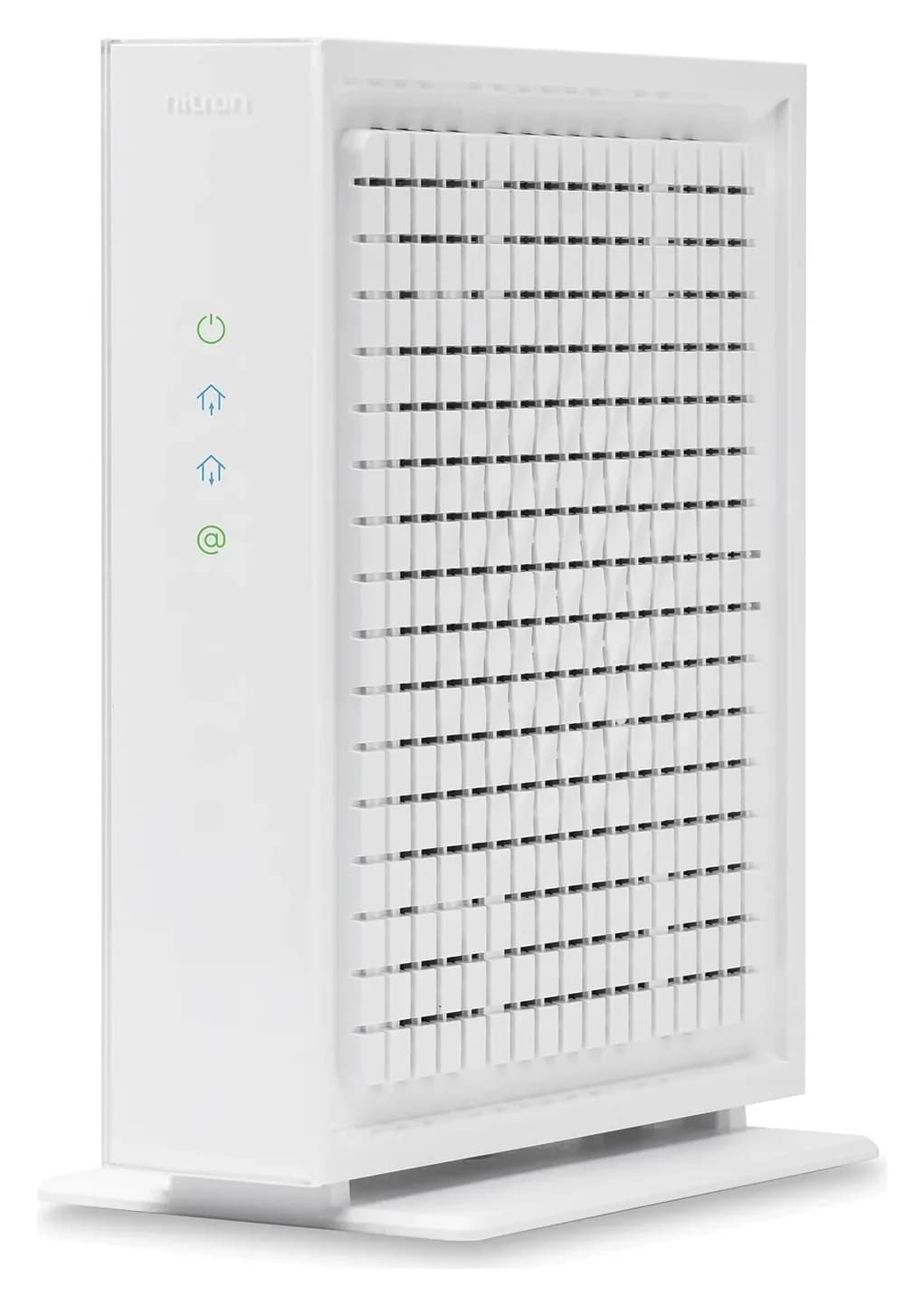
Choose for: First choice when that upload allowance fits
Check before buying: Only one Ethernet port
For Sparklight residential cable internet, the Hitron CODA56 is our first choice: it has a 2.5 Gbps Ethernet port and appears on both the residential recommended list and the separate Multi-Gig list. The ARRIS S33 is the ARRIS alternative on both lists; the NETGEAR CM3000 is a conditional choice whose Multi-Gig eligibility needs checking separately. If you have fiber or keep Sparklight Phone, follow the equipment branches below before ordering.
Official policies and specifications checked November 3, 2026. Recommendations are based on documents, not measured performance.
Quick picks and approval table
Compare specifications and all conditions
Hitron CODA56 — best overall
- Residential recommended list
- Named
- Separate Multi-Gig list
- Named; 50 Mbps upload shown
- Ethernet ports
- One 2.5 Gbps
All specifications
- Buying decision
- First choice when that upload allowance fits
ARRIS S33 — ARRIS alternative
- Residential recommended list
- Named
- Separate Multi-Gig list
- Named; 50 Mbps upload shown
- Ethernet ports
- One 2.5 Gbps + one 1 Gbps
All specifications
- Buying decision
- Use its 2.5 Gbps port for the router
NETGEAR CM3000 — conditional alternative
- Residential recommended list
- Named
- Separate Multi-Gig list
- Not named; confirm before ordering for this service
- Ethernet ports
- One 2.5 Gbps + two 1 Gbps
All specifications
- Buying decision
- Choose for its hardware after the plan check
ARRIS SB8200 — gigabit reference
- Residential recommended list
- Named
- Separate Multi-Gig list
- Not named
- Ethernet ports
- Two 1 Gbps
All specifications
- Buying decision
- Keep a suitable existing unit; avoid buying for a Multi-Gig upgrade
Full comparison table
Swipe to compare. Row labels stay visible.
| Model and role | Residential recommended list | Separate Multi-Gig list | Ethernet ports | Buying decision |
|---|---|---|---|---|
| Hitron CODA56 — best overall | Named | Named; 50 Mbps upload shown | One 2.5 Gbps | First choice when that upload allowance fits |
| ARRIS S33 — ARRIS alternative | Named | Named; 50 Mbps upload shown | One 2.5 Gbps + one 1 Gbps | Use its 2.5 Gbps port for the router |
| NETGEAR CM3000 — conditional alternative | Named | Not named; confirm before ordering for this service | One 2.5 Gbps + two 1 Gbps | Choose for its hardware after the plan check |
| ARRIS SB8200 — gigabit reference | Named | Not named | Two 1 Gbps | Keep a suitable existing unit; avoid buying for a Multi-Gig upgrade |
Scroll horizontally to see every column
| Model and role | Residential recommended list | Separate Multi-Gig list | Ethernet ports | Buying decision |
|---|---|---|---|---|
| Hitron CODA56 — best overall | Named | Named; 50 Mbps upload shown | One 2.5 Gbps | First choice when that upload allowance fits |
| ARRIS S33 — ARRIS alternative | Named | Named; 50 Mbps upload shown | One 2.5 Gbps + one 1 Gbps | Use its 2.5 Gbps port for the router |
| NETGEAR CM3000 — conditional alternative | Named | Not named; confirm before ordering for this service | One 2.5 Gbps + two 1 Gbps | Choose for its hardware after the plan check |
| ARRIS SB8200 — gigabit reference | Named | Not named | Two 1 Gbps | Keep a suitable existing unit; avoid buying for a Multi-Gig upgrade |
Approval comes from Sparklight's residential policy and Multi-Gig policy; ports come from the maker pages linked below. “Not named” means the exact model is missing from that table, so get confirmation rather than assuming either universal approval or universal incompatibility.
First establish which equipment rules apply
Sparklight requires DOCSIS 3.1 or higher for residential cable and directs business customers to a different list. For fiber, it supplies an ONU and does not support customer-owned ONUs; a cable modem is the wrong purchase for that connection. Its warning against modem/router combinations replacing a router sits in the fiber section, while its cable list includes combination gateways.
The provider distinguishes recommended models from wider trusted-brand guidance: other DOCSIS 3.1 models from ARRIS, Vantiva, Technicolor, Hitron, NETGEAR and Motorola are expected to function, but unlisted models have not been tested in its environment. Its purchasing instructions still say to contact the team before buying an unlisted model. That distinction is why a manufacturer saying “major cable providers” is insufficient here.
For phone service, the Multi-Gig policy specifies a locally leased ARRIS eMTA, a modem with telephony capability. It lists no combined Multi-Gig telephone/internet modem and says separate phone and internet modems may be necessary. Arrange the provider equipment; do not substitute a retail voice model merely because it has phone sockets.
- Yes: Residential cable: start with the recommended modem list and your exact plan
- Partly: Multi-Gig cable: check the separate list and its upload allowance
- Partly: Sparklight Phone: arrange the leased ARRIS eMTA before changing equipment
- No: Fiber: retain the provider ONU and choose a separate router
Best overall: Hitron CODA56
Hitron
A DOCSIS 3.1 cable modem with one 2.5 Gbps Ethernet port, made for cable plans up to 2.5 Gbps.
Check package and model options
- 2.5 Gbps port
The CODA56 offers the clearest starting point because Sparklight names it on both relevant cable lists. Hitron's specification gives it one 2.5 Gbps Ethernet port and no built-in wireless router. Connect that port to your router's internet/WAN port; keep your router choice separate from modem compatibility.
Hitron advertises plans up to 2.5 Gbps and uploads up to 1 Gbps. Those are maker capabilities, not a promise of that upload on Sparklight: use the provider's published allowance and an address-specific confirmation. The modem also does not support bundled voice services.
Variant trap: buy CODA56, not the plain CODA. Sparklight lists both names separately; its Multi-Gig table names CODA56. A shortened listing title is insufficient identification. Check the model on the box and the seller's stated condition before paying.
ARRIS alternative: SURFboard S33
Choose S33 if you prefer an ARRIS modem that appears on both provider lists. Its official page specifies one 2.5 Gbps port, an additional 1 Gbps port, no Wi-Fi, no digital voice and a two-year limited warranty. Our recommended connection uses the faster port to your separate router; the spare socket is not a reason to add the two port speeds together.
S33 versus S34: ARRIS gives both the same Ethernet port arrangement, while describing S34 as optimized for next-generation upload speeds. However, S34 is absent from both Sparklight tables checked here. For a new purchase, prefer the named S33 unless Sparklight confirms S34 for your service. Newer hardware branding does not settle provider provisioning.
See S33 specifications and resources at ARRIS
Conditional alternative: NETGEAR Nighthawk CM3000
CM3000 is on the residential recommended list. NETGEAR specifies mid/high-split support, one 2.5 Gbps port and two 1 Gbps ports. Its separate Multi-Gig omission matters: get confirmation for that tier, particularly if faster uploads motivate the purchase. NETGEAR itself tells buyers to check their ISP's mid/high-split compatibility.
For a straightforward connection, use the single 2.5 Gbps port. NETGEAR's page conflicts on aggregation: its introduction says the two gigabit ports deliver up to 2 Gbps, while a feature line says 2.5 Gbps. The manual requires a router supporting WAN aggregation and 802.3ad LACP for that alternative connection. Do not buy it assuming any router can combine the sockets.
CM3000 needs a separate Wi-Fi router and does not support cable bundled voice. Its extra upload hardware is a reason to investigate eligibility, not a reason to assume Sparklight enables it.
Gigabit reference: keep an adequate ARRIS SB8200
SB8200 remains residential-recommended, and ARRIS positions it for plans up to 1 Gbps. Its two Ethernet sockets are each 1 Gbps; neither provides a single multi-gigabit router connection. The same maker page lists “Wired Speeds” up to 2 Gbps: that does not change the individual port ratings. There is no built-in Wi-Fi or digital voice.
Keep an existing SB8200 if Sparklight confirms it meets your plan and it is working adequately. For a new Multi-Gig purchase, choose from the separate list instead. Do not confuse SB8200 with S33 or S34, or treat “two ports” as equivalent to a 2.5 Gbps port.
Order the complete kit
Sparklight's installation checklist calls for a modem, coaxial cable, Ethernet cable and the modem's power adapter. All the models compared here need a separate router for Wi-Fi; our modem versus router guide explains the roles.
Exact modem
- What to check before ordering
- Model, new versus used condition, included power supply and accessories
Router or mesh
- What to check before ordering
- For Multi-Gig, choose at least a 2.5 Gbps internet/WAN port; inspect the LAN port too if testing a wired client
Ethernet and test device
- What to check before ordering
- Sparklight specifies Cat 6 or higher cable and a 2.5 Gigabit or higher Ethernet interface for its wired Multi-Gig setup
Coaxial connection
- What to check before ordering
- Have a cable and an active wall outlet; check what the actual package supplies
Phone equipment
- What to check before ordering
- Confirm whether the provider's leased eMTA remains alongside the data modem
Full comparison table
Swipe to compare. Row labels stay visible.
| Part | What to check before ordering |
|---|---|
| Exact modem | Model, new versus used condition, included power supply and accessories |
| Router or mesh | For Multi-Gig, choose at least a 2.5 Gbps internet/WAN port; inspect the LAN port too if testing a wired client |
| Ethernet and test device | Sparklight specifies Cat 6 or higher cable and a 2.5 Gigabit or higher Ethernet interface for its wired Multi-Gig setup |
| Coaxial connection | Have a cable and an active wall outlet; check what the actual package supplies |
| Phone equipment | Confirm whether the provider's leased eMTA remains alongside the data modem |
Scroll horizontally to see every column
| Part | What to check before ordering |
|---|---|
| Exact modem | Model, new versus used condition, included power supply and accessories |
| Router or mesh | For Multi-Gig, choose at least a 2.5 Gbps internet/WAN port; inspect the LAN port too if testing a wired client |
| Ethernet and test device | Sparklight specifies Cat 6 or higher cable and a 2.5 Gigabit or higher Ethernet interface for its wired Multi-Gig setup |
| Coaxial connection | Have a cable and an active wall outlet; check what the actual package supplies |
| Phone equipment | Confirm whether the provider's leased eMTA remains alongside the data modem |
NETGEAR explicitly includes an Ethernet cable and power adapter with CM3000; its box list does not name a coaxial cable. Hitron's CODA56 quick guide describes a supplied coaxial cable. Check the specific kit rather than assuming every modem package contains the same accessories.
For router shopping, use our Wi-Fi router picks or mesh guide. Treat the modem-to-router link and the router-to-computer link as separate checks: a faster modem port cannot remove a slower port elsewhere in that wired path.
Sale-listing checks: Sparklight warns that secondhand modems can have defects, unusable ports or ownership problems even when the model is listed. Prefer a new unit from a reputable source, confirm the return policy, and match the full model name. For refurbished offers, verify condition, warranty and accessories; for a modem/router bundle, verify which router it includes. Keep the exact-model approval check separate.
Activate with a fallback plan
Before unplugging anything, photograph the new modem's label and keep the previous equipment available. Ask Sparklight how it would restore your old modem if activation fails; do not assume reconnecting an unregistered device restores service automatically. Have the account details and cable modem MAC address ready.
Sparklight's customer-owned installation instructions say to power equipment off, connect coax to an active outlet, then connect power. They say the online/status light usually becomes solid in 5–20 minutes, after which you call 877-692-2253 to register the modem. If it stays at the downstream light after 30 minutes, contact support.
Connect the modem
With equipment off, attach coax to an active outlet, then connect modem power.
Register with Sparklight
Wait for a solid online/status light; call with the cable modem MAC address.
Reconnect the router
Attach the modem Ethernet port to the router WAN port and follow the router setup instructions.
Verify before returning equipment
Check wired internet and Wi-Fi; if keeping Phone, check incoming and outgoing calls. Ask support to restore the prior setup if necessary.
That final verification and fallback request are our practical recommendations. Keep any voice equipment until Sparklight confirms the replacement arrangement and calls work. For the wider installation, our home network checklist helps organize the cutover.
How we choose
We compare Sparklight's residential and Multi-Gig policies before reading manufacturer port, voice and package specifications. The shortlist favors a named provider entry and a straightforward router connection; maker speed ceilings never substitute for an approved upload tier. Sources are Sparklight, Hitron, ARRIS and NETGEAR documents, with no performance testing behind these recommendations. S33 and SB8200 link to ARRIS because their Amazon identifiers await verification. See our research method.
Verdict
Start with CODA56 for residential cable and S33 as the ARRIS alternative, after checking the published upload allowance against your plan. Investigate CM3000 when its mid/high-split hardware interests you, with separate confirmation for Multi-Gig. Keep a suitable SB8200 on an appropriate gigabit plan. For Sparklight Phone or fiber, settle the provider equipment arrangement before buying a data modem.
Frequently asked questions
Which modems are compatible with Sparklight?
Sparklight's residential recommended list includes Hitron CODA56, ARRIS S33 and SB8200, and NETGEAR CM3000. Its separate Multi-Gig list includes CODA56 and S33, but not CM3000 or SB8200. Choose for your exact service and upload tier, rather than treating the general list as approval for every plan. Fiber customers use Sparklight's ONU instead of a cable modem.
Can I use my own modem with Sparklight Phone?
A retail data modem does not replace Sparklight Phone equipment. Sparklight's Multi-Gig policy says phone service is supported only on ARRIS eMTAs leased from its local office, and your setup may need separate phone and internet modems. Arrange that setup before replacing equipment, and verify incoming and outgoing calls before returning anything.
Is the ARRIS S34 approved for Sparklight?
S34 is absent from the residential recommended and separate Multi-Gig lists checked for this guide. ARRIS is a trusted brand under Sparklight's wider DOCSIS 3.1 guidance, but off-list models have not been tested in its environment. Sparklight tells buyers to contact it before buying an unlisted modem. S33 appears on both lists; approval does not automatically transfer to S34.
Do these modems include a Wi-Fi router?
CODA56, S33, CM3000 and SB8200 are standalone modems without built-in Wi-Fi. Budget for a separate router or mesh system unless you already have one. For Multi-Gig service, Sparklight specifies a router with at least 2.5 Gigabit Ethernet and Cat 6 or higher cable; check the router's internet port before ordering.
Hitron CODA56
AmazonRelated guides
Best picks · Cable Modems
Best Modems for Midco: Check Approval Before You Buy
Find the right Midco modem by address and plan. Compare CODA56, CM3000 and S34 candidates, separate fiber from cable, and prepare your router and activation.
Best picks · Cable Modems
Best Modems for Optimum: Cable Picks, Fiber and Phone Rules
Choose an Optimum modem by cable, fiber or phone service. Compare CM3000, S34 and CODA56, check eligibility, and plan your router, activation and total basket.
Comparison · Cable Modems
ARRIS S33 vs S34: Which Cable Modem Fits Your Upload Tier?
Keep your ARRIS S33 or choose S34 for a confirmed upload upgrade. Compare ports, provider approval, model revisions, voice limits and the kit you actually need.