

Comparison
Netgear Nighthawk A9000 vs Intel BE200
Which Wi-Fi 7 Upgrade Should You Buy?
USB plug-in or internal M.2 card? Match the Netgear A9000 and Intel BE200 to your PC's slots, OS and antennas before buying a Wi-Fi 7 adapter.
By thisPING EditorialUpdated November 5, 20268 min read
On this page · Quick decision: USB convenience or internal upgrade
For a Windows 11 PC you can't (or won't) open, the NETGEAR Nighthawk A9000 is the pick: it plugs into a USB 3.0 port, works with any router, and its cradle lets you place the flip-open antenna where the signal is best. The Intel BE200 is the pick only when your PC's maker approves it: a 2x2 Wi-Fi 7 and Bluetooth 5.4 M.2 2230 module with 320 MHz channels, sold as an OEM part whose support depends on the host, the antennas and the drivers. One is an appliance; the other is a component. Official specifications and documentation checked November 4, 2026.
thisPING is reader-supported: when you buy through our links, we may a commission at no extra cost to you. As an Amazon Associate, thisPING earns from qualifying purchases.
Quick decision: USB convenience or internal upgrade
Windows 11 PC, no free slot, no case-opening
- Our pick
- NETGEAR A9000
- The condition to check first
- Windows 11 Consumer Editions and a USB 3.0 port
Laptop or desktop whose maker approves the BE200
- Our pick
- Intel BE200 M.2 2230
- The condition to check first
- Exact OEM part, approved antennas, slot wiring, BIOS and drivers
Older laptop, unknown or soldered WLAN, no approval
- Our pick
- Neither: resolve with the PC maker
- The condition to check first
- A matched replacement part is the only safe route
Desktop with a free PCIe slot instead
- Our pick
- See our Wi-Fi adapters for PC guide
- The condition to check first
- Platform restrictions on complete PCIe cards
Full comparison table
Swipe to compare. Row labels stay visible.
| Your situation | Our pick | The condition to check first |
|---|---|---|
| Windows 11 PC, no free slot, no case-opening | NETGEAR A9000 | Windows 11 Consumer Editions and a USB 3.0 port |
| Laptop or desktop whose maker approves the BE200 | Intel BE200 M.2 2230 | Exact OEM part, approved antennas, slot wiring, BIOS and drivers |
| Older laptop, unknown or soldered WLAN, no approval | Neither: resolve with the PC maker | A matched replacement part is the only safe route |
| Desktop with a free PCIe slot instead | See our Wi-Fi adapters for PC guide | Platform restrictions on complete PCIe cards |
Scroll horizontally to see every column
| Your situation | Our pick | The condition to check first |
|---|---|---|
| Windows 11 PC, no free slot, no case-opening | NETGEAR A9000 | Windows 11 Consumer Editions and a USB 3.0 port |
| Laptop or desktop whose maker approves the BE200 | Intel BE200 M.2 2230 | Exact OEM part, approved antennas, slot wiring, BIOS and drivers |
| Older laptop, unknown or soldered WLAN, no approval | Neither: resolve with the PC maker | A matched replacement part is the only safe route |
| Desktop with a free PCIe slot instead | See our Wi-Fi adapters for PC guide | Platform restrictions on complete PCIe cards |
- Yes: USB 3.0 port and Windows 11 Consumer Editions: the A9000 fits
- Yes: Maker-approved M.2 2230 Key E socket and antennas: the BE200 fits
- No: Windows 10 or older: NETGEAR states the A9000 is not compatible
- No: Unverified host approval for a bare Intel module: buy neither internal card
- Partly: Linux PC: BE200 driver support exists, but confirm kernel, firmware and features
The A9000: the Wi-Fi 7 adapter that installs in a USB port
The A9000 is a complete consumer product: adapter, USB 3.0 cable with cradle, installation thumb drive and quick start guide are all in NETGEAR's package contents. There is no case to open, no antenna wiring, and no BIOS question. NETGEAR lists it as a tri-band Wi-Fi 7 (802.11be, BE6500) USB 3.0 adapter, compatible with USB 2.0 with USB 3.0 recommended for best performance, and states it is "Compatible with any router and all WiFi standards, though a WiFi 7 router is required to achieve the optimal WiFi 7 speeds and features."
Its bands' maximum link rates, per NETGEAR's technical specifications:
- 2,882 MbpsMaximum 6 GHz link rate (theoretical)
- 2,882 MbpsMaximum 5 GHz link rate (theoretical)
- 688 MbpsMaximum 2.4 GHz link rate (theoretical)
Source: NETGEAR A9000 technical specifications (linked above)
The BE6500 label is the sum of those three bands' separate maximum theoretical rates — NETGEAR's own footnote says the bands are not concurrent, but alternate depending on the fastest speed needed. No single connection gets the total. That is a class label, not a speed promise.
Placement is the A9000's quiet advantage. The flip-open antenna design with two internal high-gain antennas sits in the included cradle, so the adapter can sit at the end of its USB cable away from a metal case and off the floor — the same principle as our router placement guide. NETGEAR also builds in WPA3, 2-stream MU-MIMO on each band, OFDMA and Beamforming+.
The trade-offs are strict and worth reading before you buy: Windows 11 and above Consumer Editions only, with Windows 10 and below explicitly excluded, and no documented macOS, ChromeOS or Bluetooth support. NETGEAR documents Windows software version 2.0.1.9, but its user manual directs users to the A9000 download site for the latest software file, so check for a newer package before installing. Under NETGEAR's End of Service policy, EOS generally occurs three years after a product's last sale date; check the A9000 support pages for current software, firmware and support status.
The BE200: more radio, but only inside an approved host
The BE200 is a different kind of product. Intel's product brief describes a 2x2 tri-band Wi-Fi 7 and Bluetooth 5.4 module family in M.2 2230 and M.2 1216 form factors: the M.2 2230 modules use a standard Key E socket, while the M.2 1216 modules are for platform design optimization. It supports dual-stream Wi-Fi in the 2.4 GHz, 5 GHz and 6 GHz bands, with 4096-QAM and 320 MHz channels that Intel credits with 2.4X higher peak data rates than similarly configured Wi-Fi 6, plus Multi-Link Operation (eMLSR). Intel's adapter guide states that all data rates are theoretical maximums and lists up to 5.7 Gbps for 802.11be; separately, the brief's footnote derives a 5.76 Gbps theoretical maximum for a 2x2 device with 320 MHz channels and 4096 QAM in the 6 GHz band. All theoretical, none of it measured throughput.
Why people still choose it: the internal route pairs Wi-Fi with Bluetooth 5.4 in one module, keeps the USB port free, and reaches radio features (320 MHz, eMLSR) that a USB 3.0 adapter may not. On the software side, Intel's older Rev1p1 brief lists Microsoft Windows 11, Windows 10 and Linux, while its adapter information guide lists Microsoft Windows 11 and Linux; Microsoft separately requires Windows 11 version 24H2 or later, a Wi-Fi 7 capable adapter and compatible drivers for Windows Wi-Fi 7, with full functionality (Multi-Link Operation, 320 MHz channels, WPA3) also requiring a Wi-Fi 7 router or access point. Linux Wireless lists BE200 as supported since kernel 6.5; confirm the distribution's kernel and firmware, and verify the Wi-Fi 7 features you need before choosing this route.
For a deeper module-versus-module comparison (BE200 vs BE202), see our Intel card compatibility guide.
Side by side: what each one asks of you
NETGEAR A9000
- What it is
- Complete USB adapter kit
- PC connection
- USB 3.0 (USB 2.0 compatible)
- Bands
- 2.4, 5 and 6 GHz (alternating)
All specifications
- Top theoretical link rate
- 2882 Mbps on 6 GHz
- Bluetooth
- Not documented
- Antennas
- Flip-open design, two internal high-gain antennas, cradle included
- Windows support
- Windows 11 Consumer Editions; Windows 10 excluded
- Linux support
- Not documented
- Who installs it
- You, in minutes
Intel BE200
- What it is
- OEM M.2 2230 module (BE200NGW)
- PC connection
- M.2 Key E socket: PCIe and USB
- Bands
- 2.4, 5 and 6 GHz, dual-stream
All specifications
- Top theoretical link rate
- Up to 5.7 Gbps (802.11be)
- Bluetooth
- 5.4
- Antennas
- Host-supplied; antenna type and gain limits apply
- Windows support
- Adapter guide: Windows 11 and Linux; older brief also lists Windows 10; Wi-Fi 7 needs Windows 11 24H2+ and drivers
- Linux support
- Listed since kernel 6.5; verify distribution firmware and needed features
- Who installs it
- The PC maker's approved route
Full comparison table
Swipe to compare. Row labels stay visible.
| Specification | NETGEAR A9000 | Intel BE200 |
|---|---|---|
| What it is | Complete USB adapter kit | OEM M.2 2230 module (BE200NGW) |
| PC connection | USB 3.0 (USB 2.0 compatible) | M.2 Key E socket: PCIe and USB |
| Bands | 2.4, 5 and 6 GHz (alternating) | 2.4, 5 and 6 GHz, dual-stream |
| Top theoretical link rate | 2882 Mbps on 6 GHz | Up to 5.7 Gbps (802.11be) |
| Bluetooth | Not documented | 5.4 |
| Antennas | Flip-open design, two internal high-gain antennas, cradle included | Host-supplied; antenna type and gain limits apply |
| Windows support | Windows 11 Consumer Editions; Windows 10 excluded | Adapter guide: Windows 11 and Linux; older brief also lists Windows 10; Wi-Fi 7 needs Windows 11 24H2+ and drivers |
| Linux support | Not documented | Listed since kernel 6.5; verify distribution firmware and needed features |
| Who installs it | You, in minutes | The PC maker's approved route |
Scroll horizontally to see every column
| Specification | NETGEAR A9000 | Intel BE200 |
|---|---|---|
| What it is | Complete USB adapter kit | OEM M.2 2230 module (BE200NGW) |
| PC connection | USB 3.0 (USB 2.0 compatible) | M.2 Key E socket: PCIe and USB |
| Bands | 2.4, 5 and 6 GHz (alternating) | 2.4, 5 and 6 GHz, dual-stream |
| Top theoretical link rate | 2882 Mbps on 6 GHz | Up to 5.7 Gbps (802.11be) |
| Bluetooth | Not documented | 5.4 |
| Antennas | Flip-open design, two internal high-gain antennas, cradle included | Host-supplied; antenna type and gain limits apply |
| Windows support | Windows 11 Consumer Editions; Windows 10 excluded | Adapter guide: Windows 11 and Linux; older brief also lists Windows 10; Wi-Fi 7 needs Windows 11 24H2+ and drivers |
| Linux support | Not documented | Listed since kernel 6.5; verify distribution firmware and needed features |
| Who installs it | You, in minutes | The PC maker's approved route |
Both need a Wi-Fi 7 router on the other end: our Wi-Fi 7 device compatibility guide and Wi-Fi 7 router picks cover the other half of the link.
How to run the decision, in order
Check the operating system
Windows 11 Consumer Editions for the A9000; Windows 11 24H2 or later for Wi-Fi 7 on a BE200 host. Windows 10 rules out the A9000.
Check the physical route
A free USB 3.0 port suits the A9000; an approved M.2 2230 Key E socket, antennas and wiring suit the BE200.
Check the router
Both adapters need a Wi-Fi 7 router for Wi-Fi 7 features; on Wi-Fi 6 or older they fall back to that generation.
Plan the antenna
Cradle and USB cable place the A9000's antenna freely; a BE200 lives wherever the host's approved antennas are.
How we choose
We haven't tested or benchmarked either product. Every specification here comes from NETGEAR's A9000 product page, technical specification sheet, software release article and End of Service policy; Intel's BE200 product brief and adapter information guide; Microsoft's Windows 11 specifications; and the Linux Wireless documentation, all linked in the sections above and checked November 4, 2026. Where two official documents disagree (Intel's brief says 5.76 Gbps, its adapter guide 5.7 Gbps), we report both rather than picking one. Picks follow the installation route each product can actually support, not a speed ranking. Full method: How we choose.
Buying guide
Match the adapter to the PC you have, not the radio you want. A BE200 with no approved host is a paperweight; an A9000 on Windows 10 won't install. Start with the OS, then the physical route, then the router.
The bare module is not the product. Third-party BE200 listings typically ship a module and maybe antennas; Intel's regulatory text ties approval to the host's tested configuration. If your laptop's maker sells a BE200-based replacement part, that part — not the bare module — is the supported upgrade.
Don't chase the numbers. BE6500, 5.7 Gbps and 2,882 Mbps are all theoretical link rates under different definitions (a summed class, a 2x2 320 MHz ceiling, a single-band rate). Real throughput is lower and depends on the router, the band and the room. If you need a wired-speed guarantee at a desk, Ethernet still wins.
Verdict
Buy the NETGEAR Nighthawk A9000 if you want Wi-Fi 7 on a Windows 11 PC without opening it: it's a complete kit with a placeable cradle antenna, and it works with any router. Buy the Intel BE200 only as part of an approved host configuration — its 320 MHz channels, 4096-QAM, MLO and Bluetooth 5.4 make it the stronger radio on paper, but the PC maker's approval, antennas and drivers decide whether any of that ships to you. If neither condition is met, resolve the host question first; see our Wi-Fi adapters for PC guide for complete-card alternatives.
Frequently asked questions
Is a USB or internal M.2 Wi-Fi 7 adapter better for a PC?
It depends on your PC, not on the radio. The A9000 needs only a USB port and Windows 11 Consumer Editions, and its cradle lets you move the antenna away from the case. The BE200 needs an internal M.2 2230 Key E socket, host-maker approval, approved antennas and drivers. On paper the BE200's radio reaches higher link rates, but a matched host decides whether you get them.
Does the Netgear A9000 work with Windows 10 or macOS?
No. NETGEAR's specifications require Windows 11 and above Consumer Editions and state the adapter is not compatible with Windows 10 and below; Wi-Fi 7 features and the 6 GHz band require Windows 11. NETGEAR documents no macOS or ChromeOS support, so treat this as a Windows adapter and confirm the driver architecture for your exact PC.
Can I put an Intel BE200 in any laptop or desktop with an M.2 slot?
Not automatically. Intel's documentation describes the BE200 as a module for OEMs and host integrators, and regulatory approval depends on the host's antenna configuration. An M.2 2230 Key E socket is necessary but not sufficient: you also need the PC maker's approval for that exact part, approved antennas, slot wiring for PCIe and USB, BIOS support, and current drivers.
Which is faster, the A9000 or the BE200?
On paper the BE200: Intel's adapter guide lists up to 5.7 Gbps for 802.11be with 320 MHz channels and 4096-QAM, while NETGEAR specifies up to 2882 Mbps on the A9000's 6 GHz band. Both are theoretical maximum link rates, not measured throughput, and both need a Wi-Fi 7 router. The A9000's BE6500 class is the sum of its three bands' separate maximum rates.
Related guides
Best picks · Network Adapters
Best MoCA Adapters: Multi-Gig Coax Picks for Gaming and Backhaul
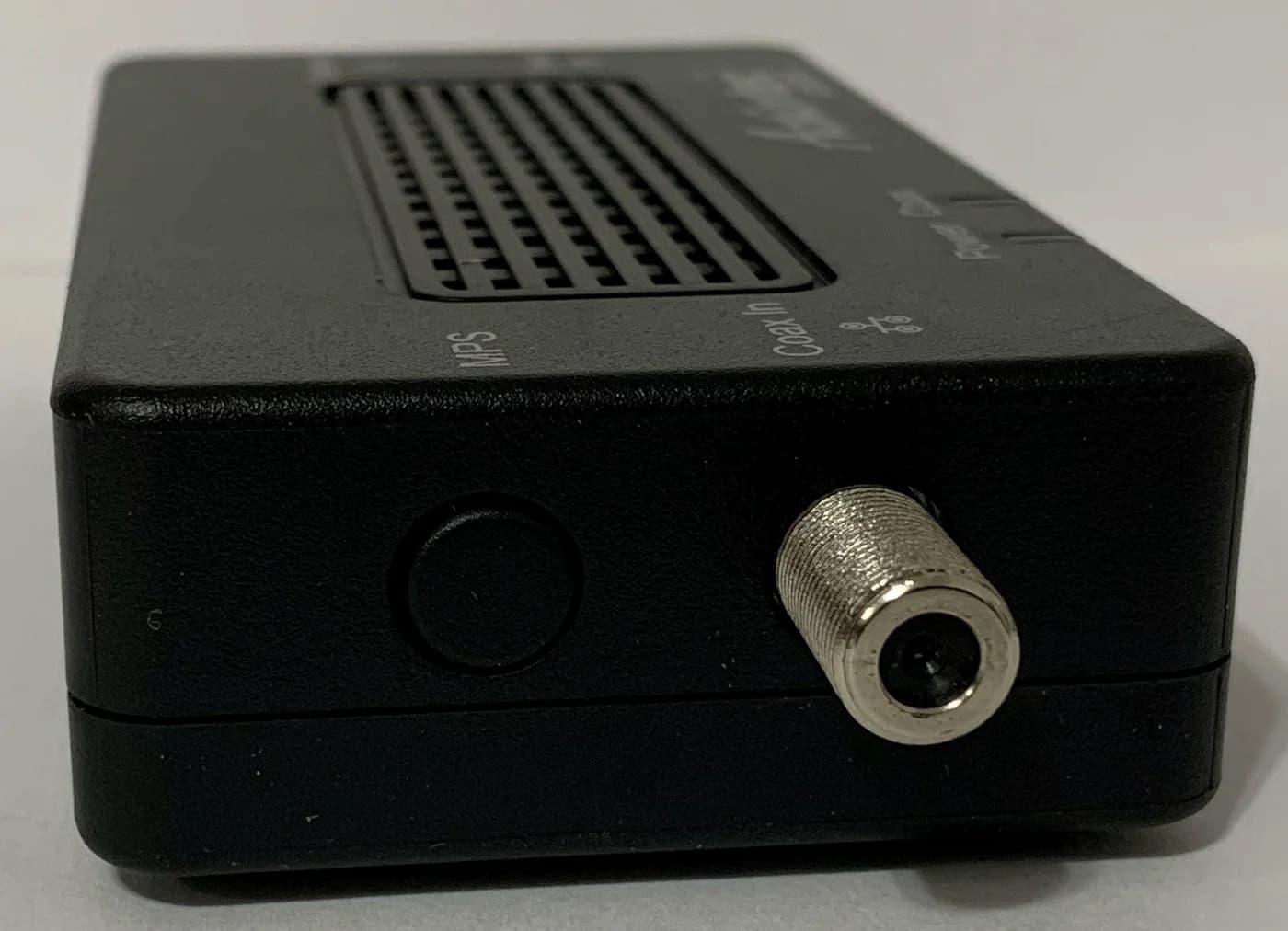
Choose the right MoCA adapter pair: 2.5GbE picks for gaming and mesh backhaul, gigabit picks that cost less, and the coax, splitter and ISP rules that decide it.
Best picks · Network Adapters
Best Wi-Fi Antennas for PC: High-Gain USB Adapters, Compared and Checked
Pick a PC Wi-Fi antenna upgrade by real specs: dBi gain, detachable RP-SMA antennas, USB 3.0 and driver support. Five high-gain adapters, checked against official pages.
Best picks · Network Adapters
Best USB 2.5Gb Ethernet Adapters: Match Your Port and OS
Choose a USB 2.5Gb Ethernet adapter by connector, host speed and OS. Compare Plugable and D-Link, avoid revision traps, and build a laptop-to-NAS upgrade.