

Comparison
Seagate IronWolf Pro 20TB vs WD Red Pro 20TB
Which NAS Drive Set?
Compare ST20000NT001 and WD202KFGX on workload, cache, warranty and enclosure support, then plan usable capacity and an independent backup.
By thisPING EditorialUpdated November 5, 20268 min read1 pick
On this page · Our picks at a glance
Our picks at a glance
- 1
Alternative 20 TB set
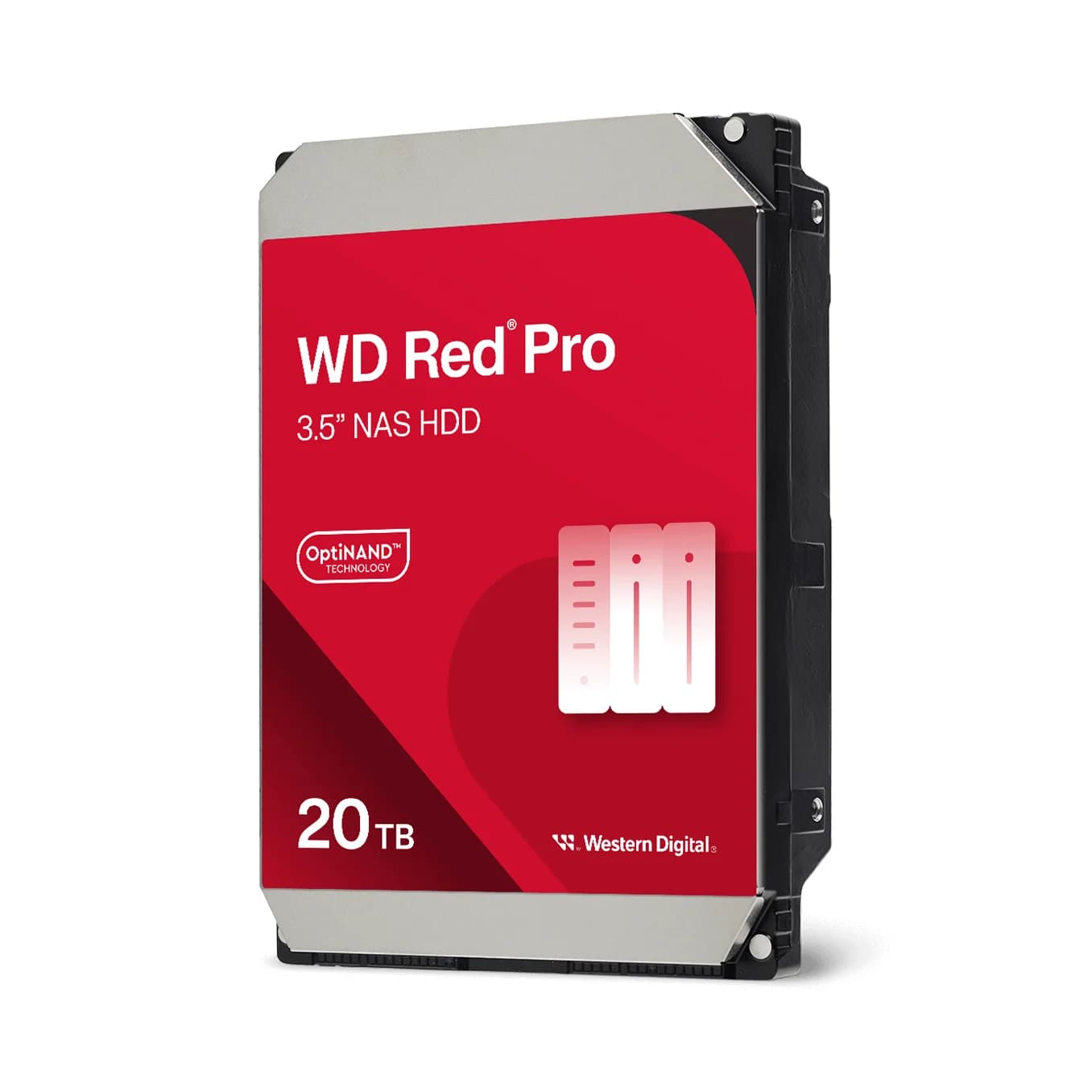
WD (Western Digital) WD202KFGX
1 Gbps port
Choose for: Alternative 20 TB set
Check before buying: Runs warmer and draws more power than 5400 RPM-class drives; check NAS drive-slot cooling
For a 20 TB NAS drive set, buy the Seagate IronWolf Pro ST20000NT001 when your enclosure lists that exact model and you value its three years of included Rescue Data Recovery Services: it is a 20 TB CMR SATA drive rated for 550 TB/year with a five-year limited warranty. Buy the WD Red Pro WD202KFGX when its exact compatibility entry, channel warranty route or cache specification suits you better — on the makers' sheets the two drives tie on capacity, CMR recording, 7200 RPM, workload rating and warranty length. What actually separates them is support features, one cache figure the makers disagree about, and which exact model your NAS lists. Official specifications and compatibility records checked November 4, 2026. These are specification-based recommendations, without physical testing.
Quick choice: which 20 TB set to order
Exact model
- IronWolf Pro 20TB
- ST20000NT001
- WD Red Pro 20TB
- WD202KFGX
Our pick for
- IronWolf Pro 20TB
- The default 20 TB set when the enclosure supports it
- WD Red Pro 20TB
- An equally specified alternative with a firmer cache figure
Capacity / interface
- IronWolf Pro 20TB
- 20 TB, 3.5-inch SATA 6 Gb/s
- WD Red Pro 20TB
- 20 TB, 3.5-inch SATA
Recording technology
- IronWolf Pro 20TB
- CMR, helium, 512E sectors
- WD Red Pro 20TB
- CMR, helium, Advanced Format
Spindle speed / cache
- IronWolf Pro 20TB
- 7200 RPM / conflicting: 512 MB in DS2129.1, 256 MB in DS1914.21
- WD Red Pro 20TB
- 7200 RPM / 512 MB
Maximum sustained transfer rate
- IronWolf Pro 20TB
- 285 MB/s (manufacturer maximum)
- WD Red Pro 20TB
- 285 MB/s internal (manufacturer maximum)
Workload rating
- IronWolf Pro 20TB
- 550 TB/year (manual: under 550 TB/year)
- WD Red Pro 20TB
- 550 TB/year
MTBF
- IronWolf Pro 20TB
- 2,500,000 hours
- WD Red Pro 20TB
- 2,500,000 hours
Limited warranty
- IronWolf Pro 20TB
- 5 years
- WD Red Pro 20TB
- 5 years
Included recovery service
- IronWolf Pro 20TB
- 3 years of Rescue, subject to country availability
- WD Red Pro 20TB
- None specified in the cited sheet
Family bay rating
- IronWolf Pro 20TB
- Unlimited
- WD Red Pro 20TB
- Unlimited number of bays
Full comparison table
Swipe to compare. Row labels stay visible.
| Buying question | IronWolf Pro 20TB | WD Red Pro 20TB |
|---|---|---|
| Exact model | ST20000NT001 | WD202KFGX |
| Our pick for | The default 20 TB set when the enclosure supports it | An equally specified alternative with a firmer cache figure |
| Capacity / interface | 20 TB, 3.5-inch SATA 6 Gb/s | 20 TB, 3.5-inch SATA |
| Recording technology | CMR, helium, 512E sectors | CMR, helium, Advanced Format |
| Spindle speed / cache | 7200 RPM / conflicting: 512 MB in DS2129.1, 256 MB in DS1914.21 | 7200 RPM / 512 MB |
| Maximum sustained transfer rate | 285 MB/s (manufacturer maximum) | 285 MB/s internal (manufacturer maximum) |
| Workload rating | 550 TB/year (manual: under 550 TB/year) | 550 TB/year |
| MTBF | 2,500,000 hours | 2,500,000 hours |
| Limited warranty | 5 years | 5 years |
| Included recovery service | 3 years of Rescue, subject to country availability | None specified in the cited sheet |
| Family bay rating | Unlimited | Unlimited number of bays |
Scroll horizontally to see every column
| Buying question | IronWolf Pro 20TB | WD Red Pro 20TB |
|---|---|---|
| Exact model | ST20000NT001 | WD202KFGX |
| Our pick for | The default 20 TB set when the enclosure supports it | An equally specified alternative with a firmer cache figure |
| Capacity / interface | 20 TB, 3.5-inch SATA 6 Gb/s | 20 TB, 3.5-inch SATA |
| Recording technology | CMR, helium, 512E sectors | CMR, helium, Advanced Format |
| Spindle speed / cache | 7200 RPM / conflicting: 512 MB in DS2129.1, 256 MB in DS1914.21 | 7200 RPM / 512 MB |
| Maximum sustained transfer rate | 285 MB/s (manufacturer maximum) | 285 MB/s internal (manufacturer maximum) |
| Workload rating | 550 TB/year (manual: under 550 TB/year) | 550 TB/year |
| MTBF | 2,500,000 hours | 2,500,000 hours |
| Limited warranty | 5 years | 5 years |
| Included recovery service | 3 years of Rescue, subject to country availability | None specified in the cited sheet |
| Family bay rating | Unlimited | Unlimited number of bays |
Sources: Seagate's generation table and manual, and WD's exact-model data sheet and product page. Transfer rates are manufacturer maxima, not measured NAS throughput, and identical headline numbers do not make the drives interchangeable in software or support terms.
Default 20 TB set: Seagate IronWolf Pro ST20000NT001
Choose the NT001 when your NAS's compatibility list includes the exact model and suffix. Seagate's current comparison table gives this drive a 550 TB/year workload rating, unlimited-bay family support, 2,500,000-hour MTBF, 285 MB/s maximum sustained transfer rate and a five-year limited warranty, plus three years of Rescue Data Recovery Services, which Seagate says are not available in all countries. IronWolf Health Management provides prevention, intervention and recovery recommendations, and Seagate asks buyers to confirm NAS-vendor integration before counting on it.
Do not merge it with ST20000NE000. Seagate's table lists that other 20 TB IronWolf Pro at a 300 TB/year workload rating and up to 24 bays, versus 550 and unlimited for the NT001. A "20 TB IronWolf Pro" label alone does not identify which set you are ordering.
There is also an official cache conflict: DS1914.21 lists 256 MB for ST20000NT001, while the 20 TB NT001 column of DS2129.1 lists 512. We keep both figures on the page rather than picking one, and we do not rank the two drives by cache size.
Choose it for: a compatible NAS where the included recovery-service term and IronWolf Health Management support matter. Check before ordering: the complete model suffix, new-drive condition, serial-number warranty eligibility and Rescue availability in your country. See IronWolf Pro at Seagate.
Alternative 20 TB set: WD Red Pro WD202KFGX
Choose WD202KFGX when your enclosure lists it or the seller's warranty route is cleaner. WD's exact-model sheet specifies 20 TB, CMR, 512 MB cache, 7200 RPM, a 285 MB/s maximum internal transfer rate, 550 TB/year workload, 2,500,000-hour MTBF and a five-year limited warranty. Its product page describes rotational-vibration safeguards for multi-drive systems and NASware firmware tuned for NAS workloads, and lists compatibility with RAID-optimized NAS systems with an unlimited number of bays.
The suffix matters here too: WD's sheet puts WD201KFGX, also 20 TB with 512 MB cache, in an adjacent column with a 268 MB/s maximum internal transfer rate. The two model numbers are separate products, not substitutes, and enclosure support must be checked for whichever you actually receive.
Choose it for: a listed exact model when you prefer a single published cache figure and WD's authorized-channel warranty route. Check before ordering: the full model suffix, the seller's status as an authorized reseller, and the region where the drive was first shipped. See Red Pro at Western Digital.
The one spec the makers disagree about: cache
Both drives are 20 TB, CMR, helium-sealed, 7200 RPM SATA disks with the same 550 TB/year workload rating, the same MTBF and the same five-year warranty length. The cache is the only headline number in conflict, and only on one side: WD's sheet and product page both say 512 MB for WD202KFGX, while Seagate's DS2129.1 table says 512 MB in the 20 TB NT001 column and its older DS1914.21 sheet says 256 MB for the same model number. Seagate's product manual does not resolve it.
A practical tie-breaker that does not involve the disputed number: the NT001's three-year Rescue term versus the WD's unambiguous published cache. Neither is a performance claim; both are support and documentation facts.
Prove enclosure support before the whole set
A worked example: QNAP's current TS-464 compatibility feed includes all three of these entries — the base model ST20000NT001 with firmware EN01, suffix ST20000NT001-3MB101 with firmware EN01, and WD202KFGX-68CKWN0 with firmware 83.00A83. That is documented support for this enclosure, not a certification for every suffix, firmware revision or other NAS. Other enclosures need their own lookup: start with our NAS hard-drive guide and our four-bay NAS picks if you are choosing the enclosure too.
- Yes: The enclosure's current list contains your exact model, suffix and firmware
- Yes: Drive count, condition and warranty eligibility match across the whole set
- Partly: A different suffix or firmware revision needs the vendor's confirmation
- No: Capacity and family name alone do not establish compatibility
Buy the complete set as one identical order: same model, same suffix, same new-retail condition, one invoice. Swapping in a spare later is easier when it matches the installed drives exactly.
What a 20 TB set actually holds
By standard RAID capacity arithmetic, two 20 TB drives in RAID 1 provide 20 TB of usable capacity, four in RAID 5 provide 60 nominal TB, and four in RAID 6 provide 40 nominal TB. RAID 1 and RAID 5 tolerate one drive failure; RAID 6 tolerates two. QNAP documents that RAID 1 keeps a copy on half the installed storage and that RAID 5 protects against one failed disk. These are nominal decimal calculations before filesystem overhead, snapshots and reserves.
Two × 20 TB
- RAID
- RAID 1
- Nominal usable capacity
- 20 TB
- Drive failures tolerated
- One
Four × 20 TB
- RAID
- RAID 5
- Nominal usable capacity
- 60 nominal TB
- Drive failures tolerated
- One
Four × 20 TB
- RAID
- RAID 6
- Nominal usable capacity
- 40 nominal TB
- Drive failures tolerated
- Two
Full comparison table
Swipe to compare. Row labels stay visible.
| Equal-size drive set | RAID | Nominal usable capacity | Drive failures tolerated |
|---|---|---|---|
| Two × 20 TB | RAID 1 | 20 TB | One |
| Four × 20 TB | RAID 5 | 60 nominal TB | One |
| Four × 20 TB | RAID 6 | 40 nominal TB | Two |
Scroll horizontally to see every column
| Equal-size drive set | RAID | Nominal usable capacity | Drive failures tolerated |
|---|---|---|---|
| Two × 20 TB | RAID 1 | 20 TB | One |
| Four × 20 TB | RAID 5 | 60 nominal TB | One |
| Four × 20 TB | RAID 6 | 40 nominal TB | Two |
- 20 TBNominal usable capacity from a two-drive mirror
- 40Nominal TB of usable capacity from RAID 6 on four drives
- 60Nominal TB of usable capacity from RAID 5 on four drives
Source: Standard RAID capacity arithmetic; QNAP RAID definitions, linked above
Seagate defines a terabyte as a trillion bytes and warns that the operating system may report a lower capacity; NIST documents the binary prefixes behind that smaller reported number. Plan your set size against the protected data plus retained versions, not against the nominal total, and compare against a smaller tier in our 20 TB drive roundup before committing to a full four-drive order.
Power, heat and a multi-bay enclosure
Both drives carry rotational-vibration safeguards and are built for multi-bay NAS use. In the WD202KFGX column of the Red Pro sheet — the fifth column after the WD260KFGX, WD241KFGX, WD240KFGX and WD221KFGX headers — WD lists 6.1 W read/write, 3.6 W idle and an operating range of 0°C to 65°C; the IronWolf Pro manual rates its workload as under 550 TB/year and its load/unload cycles at 600,000. None of these figures predicts which set will run quieter or cooler in your enclosure — that depends on the enclosure's fans, the installed drive count and your ambient temperature. Our UPS for router and NAS guide covers the power side of a four-bay order.
RAID is not the backup
Seagate's support documentation states plainly that RAID is not a self-contained backup, and describes the 3-2-1 strategy: three copies of the data including the original, two different types of media, and one copy kept off-site. A five-drive 20 TB order is a purchase, not a backup plan, until a second, independent destination exists for the data you cannot replace.
Size the protected data
Add retained versions and growth to the live data, not the nominal array capacity.
Choose a separate destination
A different enclosure, disk type or off-site service — not the same array.
Verify a restore
Restore sample files from the backup before you rely on it.
Black Friday: the exact-model and whole-set checklist
Holiday listings make every failure mode in this guide more likely, because substitutions and recertified stock move quickly. Make the basket identical before comparing anything: model suffix (ST20000NT001-3MB101 or the QNAP-listed WD202KFGX-68CKWN0), SATA interface, drive count, new-retail condition, regional warranty eligibility and recovery-service coverage. WD's warranty policy limits its HDD warranty to purchases through authorized distributors or resellers and returns within the region where the drive was first shipped, and notes that recertified products may be repaired customer returns. Seagate asks buyers to confirm the enclosure's compatibility and to check Rescue availability in their country. A holiday label establishes neither.
How we choose
This is manufacturer-document research, without physical testing. We compare exact model columns from the makers' current sheets and manuals, cross-check the same drives against enclosure compatibility feeds, and treat official conflicts as findings to publish rather than resolve. The comparison here uses Seagate's DS2129.1 generation table and product manual, WD's exact-model sheet and product page, QNAP's RAID documentation and compatibility feed, and both makers' warranty policies, checked November 4, 2026. See how we choose for the site-wide method, and our 30 TB comparison for the tier above this one.
Verdict
Buy the IronWolf Pro ST20000NT001 set when your enclosure lists it and the included Rescue term matters; buy the WD Red Pro WD202KFGX set when its exact support entry and warranty route fit your purchase better. The published specifications tie almost everywhere, so spend your decision time on the compatibility list, the seller's condition and channel, and the independent backup — then order the whole set at once, identically.
Frequently asked questions
Which is better for a NAS: IronWolf Pro 20TB or WD Red Pro 20TB?
On the makers' sheets they tie on capacity, recording technology, spindle speed, workload rating and warranty length, so the decision rides on enclosure support and the support package. ST20000NT001 adds three years of Rescue Data Recovery Services where available; WD202KFGX has an unambiguous 512 MB cache figure while Seagate's own documents conflict on the NT001's cache. Confirm the exact model on your NAS's compatibility list before ordering either.
How much usable storage do two or four 20 TB drives give?
Two equal 20 TB drives in RAID 1 provide 20 TB of usable capacity; four in RAID 5 provide 60 nominal TB, and four in RAID 6 provide 40 nominal TB, by standard RAID capacity arithmetic. QNAP documents that RAID 1 keeps a copy on half the installed storage and that RAID 5 protects against one failed disk. Those are nominal figures before formatting, system allocations, snapshots and reserves. A binary capacity display reports a smaller number than the decimal label. Neither redundancy layout is a backup; keep an independent copy.
Does a higher workload rating or a longer warranty make one drive safer?
Both exact models carry the same 550 TB/year workload rating and five-year limited warranty, so neither number separates them. Seagate's manual rates the workload as under 550 TB/year and states that exceeding it may degrade reliability; WD's warranty requires purchase through an authorized channel and a return within the region where the drive was first shipped. Neither rating replaces a verified backup.
Can I mix IronWolf Pro and Red Pro drives in one array?
A redundant array built from mixed models works at the smallest member's constraints and inherits whichever rebuild and error-recovery behavior each firmware chooses. Both exact models here are 20 TB, 7200 RPM CMR SATA drives, which reduces the usual mismatch risks, but drive mixing is not endorsed by either maker's cited documents. Buy a complete set of one exact model, suffix and firmware, and keep a spare of the same model.
Is a Black Friday drive deal a safe way to buy the whole set?
Treat the event as a stock check, not a shortcut around the checks. Make the basket identical: model suffix, SATA interface, drive count, new-retail condition, regional warranty eligibility and recovery-service coverage. WD says recertified units may be repaired customer returns, and its HDD warranty requires an authorized distributor or reseller; ask who handles replacement on the actual serial numbers before checkout.

Related guides
Comparison · NAS
UGREEN NASync DXP2800 vs QNAP TS-264: Which Two-Bay NAS Should You Buy?

DXP2800 vs TS-264 compared at equal drive capacity: CPU, memory revisions, dual 2.5GbE, M.2 slots, UGOS vs QTS software, backup workflow and recovery.
Comparison · NAS
QNAP TS-464 vs Synology DS425+: Which Four-Bay NAS Should You Buy?
The four-bay TS-464 and DS425+ compared at equal disk capacity: memory, networking, Plex support, backup and recovery, plus a full drive order and disk-order checklist.
Comparison · NAS
UGREEN NASync DXP4800 Plus vs QNAP TS-464: Which Four-Bay NAS Should You Buy?
Compare the UGREEN DXP4800 Plus and QNAP TS-464 on ports, expansion, apps and complete drive orders, and pick the right four-bay NAS.