

Comparison
QNAP TS-464 vs Synology DS425+
Which Four-Bay NAS Should You Buy?
The four-bay TS-464 and DS425+ compared at equal disk capacity: memory, networking, Plex support, backup and recovery, plus a full drive order and disk-order checklist.
By thisPING EditorialUpdated November 5, 202612 min read3 picks
On this page · Our picks at a glance
Our picks at a glance
- 1
Backups, photos and file sharing in DSM
2.5 Gbps port · 4 bays
Choose for: Backups, photos and file sharing in DSM
Check before buying: 2 GB of installed memory is the real constraint, the second network port is 1GbE, there is no PCIe slot and no HDMI, and Plex's compatibility sheet currently marks the DS425+'s hardware-transcoding columns No.
- 2
Media server, containers, VMs or 10GbE later
2.5 Gbps port · 4 bays
Choose for: Media server, containers, VMs or 10GbE later
Check before buying: Ships without drives; 3.5-inch or 2.5-inch SATA drives are needed
- 3
DSM with more memory, ports and expansion
2.5 Gbps port · 4 bays
Choose for: DSM with more memory, ports and expansion
Check before buying: M.2 pools and cache need Synology-listed drives
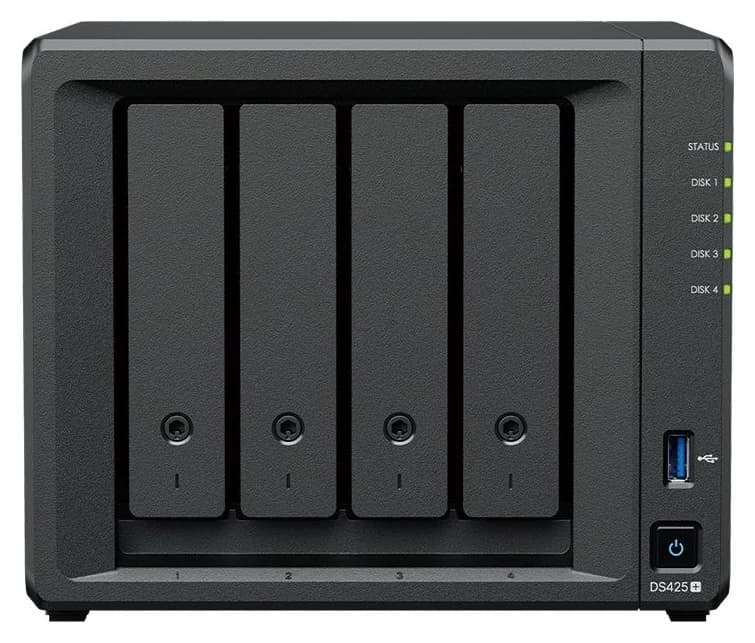
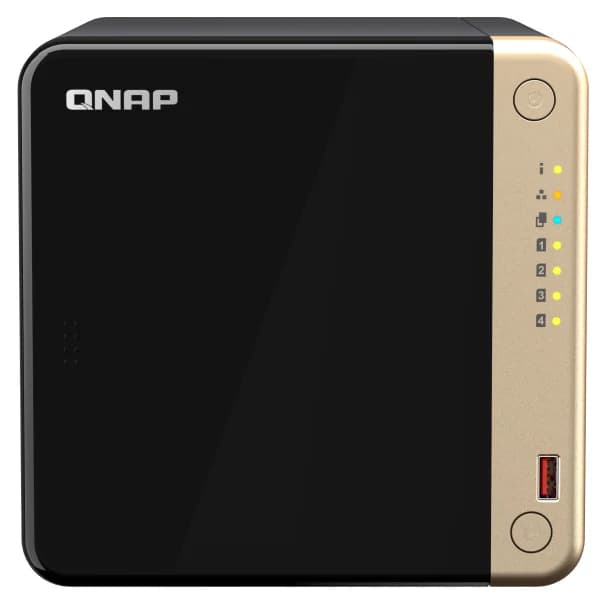
For a four-bay NAS that mostly backs up computers, phones and a family photo library, buy the Synology DS425+: DSM's Active Backup, Hyper Backup and Photos cover the whole household in one workflow, and it has four SATA bays plus two M.2 NVMe slots and a 2.5GbE port. Buy the QNAP TS-464-8G when the NAS is also a media or application server: it ships with 8 GB of memory, two 2.5GbE ports, a PCIe expansion slot and an HDMI output, and Plex lists its hardware-transcoding support while the DS425+'s is currently marked No.
Official specifications, compatibility records and support documentation checked November 4, 2026. Recommendations are based on maker documentation and application records, not physical evaluation.
Quick picks
Compare specifications and all conditions
Backups, photos and file sharing in DSM
- Our choice
- DS425+
- What decides it
- Active Backup, Hyper Backup, Photos; four bays plus two M.2 slots; accept 2 GB memory and one 2.5GbE port
Media server, containers, VMs or 10GbE later
- Our choice
- TS-464-8G
- What decides it
- 8 GB RAM (16 GB max), dual 2.5GbE, PCIe slot, two USB 3.2 Gen 2 ports, HDMI; Plex lists hardware transcoding
DSM with more memory, ports and expansion
- Our choice
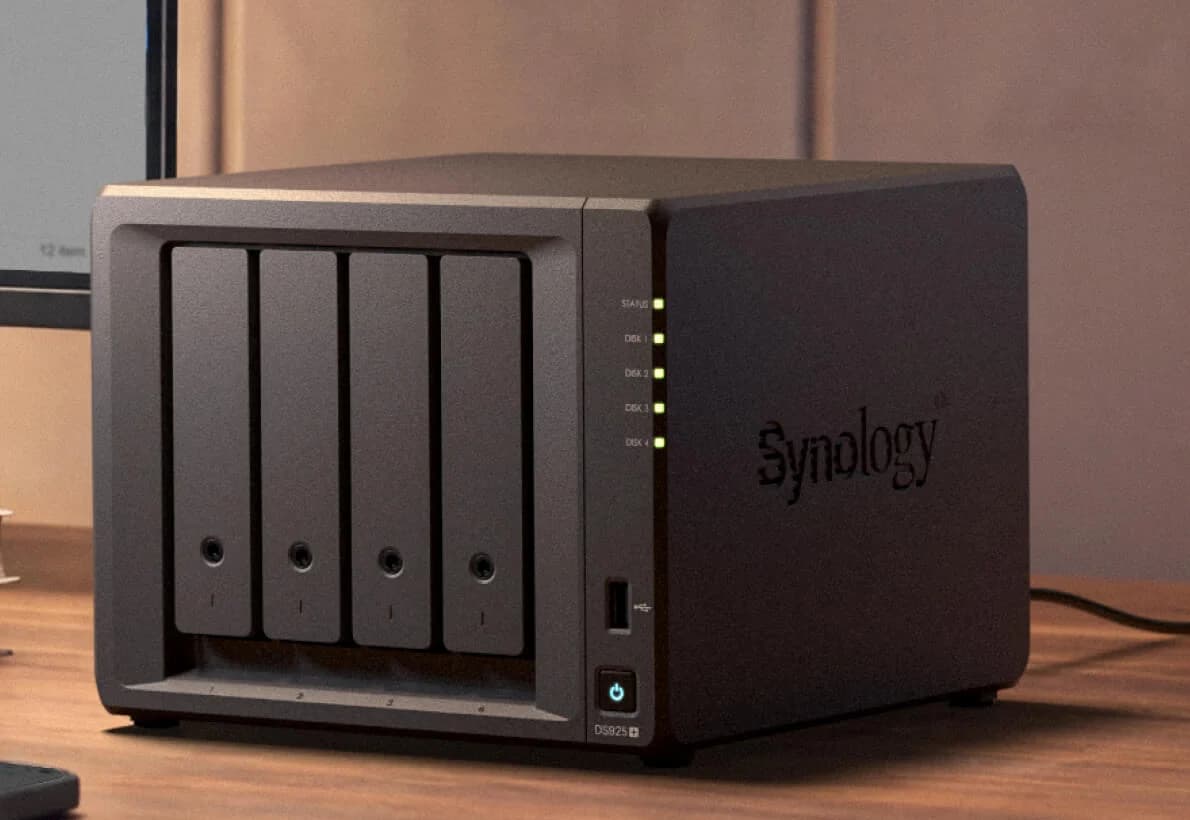
- Synology DS925+
- What decides it
- 4 GB ECC, 32 GB ceiling, dual 2.5GbE and DX525 expansion, per Synology's specification
Two-bay budget or starter build
- Our choice
- Our two-bay guide covers the DS224+/DS225+ and TS-264
- What decides it
- The same Synology-versus-QNAP decision at half the bays
Full comparison table
Swipe to compare. Row labels stay visible.
| Your four-bay job | Our choice | What decides it |
|---|---|---|
| Backups, photos and file sharing in DSM | DS425+ | Active Backup, Hyper Backup, Photos; four bays plus two M.2 slots; accept 2 GB memory and one 2.5GbE port |
| Media server, containers, VMs or 10GbE later | TS-464-8G | 8 GB RAM (16 GB max), dual 2.5GbE, PCIe slot, two USB 3.2 Gen 2 ports, HDMI; Plex lists hardware transcoding |
| DSM with more memory, ports and expansion | Synology DS925+ | 4 GB ECC, 32 GB ceiling, dual 2.5GbE and DX525 expansion, per Synology's specification |
| Two-bay budget or starter build | Our two-bay guide covers the DS224+/DS225+ and TS-264 | The same Synology-versus-QNAP decision at half the bays |
Scroll horizontally to see every column
| Your four-bay job | Our choice | What decides it |
|---|---|---|
| Backups, photos and file sharing in DSM | DS425+ | Active Backup, Hyper Backup, Photos; four bays plus two M.2 slots; accept 2 GB memory and one 2.5GbE port |
| Media server, containers, VMs or 10GbE later | TS-464-8G | 8 GB RAM (16 GB max), dual 2.5GbE, PCIe slot, two USB 3.2 Gen 2 ports, HDMI; Plex lists hardware transcoding |
| DSM with more memory, ports and expansion | Synology DS925+ | 4 GB ECC, 32 GB ceiling, dual 2.5GbE and DX525 expansion, per Synology's specification |
| Two-bay budget or starter build | Our two-bay guide covers the DS224+/DS225+ and TS-264 | The same Synology-versus-QNAP decision at half the bays |
The decision in one look
The two enclosures have the same drive-bay count and similar heights and depths, though the Synology is wider: its spec table lists 166 mm × 199 mm × 223 mm, while QNAP lists the TS-464 at 6.5 × 6.69 × 8.92 inch. They are aimed at different buyers. Compare the diskless enclosures at equal drive purchases; every drive order below works in either.
Synology DS425+
- PCIe expansion
- None listed
- SATA drive bays
- 4 x 3.5-inch HDD or 2.5-inch SSD
- M.2 NVMe slots
- 2 x M.2 2280
All specifications
- CPU
- Intel Celeron J4125, 4 cores, 2.0 GHz base / 2.7 GHz turbo
- Installed RAM
- 2 GB DDR4 non-ECC
- RAM maximum (official)
- 6 GB (2 GB + 4 GB), one slot
- Ethernet
- 1 x 2.5GbE + 1 x 1GbE
- USB
- 2 x USB 3.2 Gen 1
- HDMI
- None listed
- Filesystem
- Btrfs or ext4
- Standard warranty
- 3 years, extendable to 5 with Extended Warranty Plus
QNAP TS-464-8G
- PCIe expansion
- One PCIe Gen 3 x2 slot
- SATA drive bays
- 4 x 3.5-inch SATA HDD or 2.5-inch SSD
- M.2 NVMe slots
- 2 x M.2 2280, PCIe Gen 3 x1
All specifications
- CPU
- Intel Celeron N5095, 4 cores/4 threads, burst up to 2.9 GHz
- Installed RAM
- 8 GB SODIMM DDR4
- RAM maximum (official)
- 16 GB (2 x 8 GB), two slots
- Ethernet
- 2 x 2.5GbE (2.5G/1G/100M/10M)
- USB
- 2 x USB 3.2 Gen 2 plus 2 x USB 2.0
- HDMI
- 1 x HDMI 2.1
- Filesystem
- ext4 on QTS; ZFS if you switch to QuTS hero
- Standard warranty
- 3 years
Full comparison table
Swipe to compare. Row labels stay visible.
| Specification | Synology DS425+ | QNAP TS-464-8G |
|---|---|---|
| SATA drive bays | 4 x 3.5-inch HDD or 2.5-inch SSD | 4 x 3.5-inch SATA HDD or 2.5-inch SSD |
| M.2 NVMe slots | 2 x M.2 2280 | 2 x M.2 2280, PCIe Gen 3 x1 |
| CPU | Intel Celeron J4125, 4 cores, 2.0 GHz base / 2.7 GHz turbo | Intel Celeron N5095, 4 cores/4 threads, burst up to 2.9 GHz |
| Installed RAM | 2 GB DDR4 non-ECC | 8 GB SODIMM DDR4 |
| RAM maximum (official) | 6 GB (2 GB + 4 GB), one slot | 16 GB (2 x 8 GB), two slots |
| Ethernet | 1 x 2.5GbE + 1 x 1GbE | 2 x 2.5GbE (2.5G/1G/100M/10M) |
| USB | 2 x USB 3.2 Gen 1 | 2 x USB 3.2 Gen 2 plus 2 x USB 2.0 |
| PCIe expansion | None listed | One PCIe Gen 3 x2 slot |
| HDMI | None listed | 1 x HDMI 2.1 |
| Filesystem | Btrfs or ext4 | ext4 on QTS; ZFS if you switch to QuTS hero |
| Standard warranty | 3 years, extendable to 5 with Extended Warranty Plus | 3 years |
Scroll horizontally to see every column
| Specification | Synology DS425+ | QNAP TS-464-8G |
|---|---|---|
| SATA drive bays | 4 x 3.5-inch HDD or 2.5-inch SSD | 4 x 3.5-inch SATA HDD or 2.5-inch SSD |
| M.2 NVMe slots | 2 x M.2 2280 | 2 x M.2 2280, PCIe Gen 3 x1 |
| CPU | Intel Celeron J4125, 4 cores, 2.0 GHz base / 2.7 GHz turbo | Intel Celeron N5095, 4 cores/4 threads, burst up to 2.9 GHz |
| Installed RAM | 2 GB DDR4 non-ECC | 8 GB SODIMM DDR4 |
| RAM maximum (official) | 6 GB (2 GB + 4 GB), one slot | 16 GB (2 x 8 GB), two slots |
| Ethernet | 1 x 2.5GbE + 1 x 1GbE | 2 x 2.5GbE (2.5G/1G/100M/10M) |
| USB | 2 x USB 3.2 Gen 1 | 2 x USB 3.2 Gen 2 plus 2 x USB 2.0 |
| PCIe expansion | None listed | One PCIe Gen 3 x2 slot |
| HDMI | None listed | 1 x HDMI 2.1 |
| Filesystem | Btrfs or ext4 | ext4 on QTS; ZFS if you switch to QuTS hero |
| Standard warranty | 3 years, extendable to 5 with Extended Warranty Plus | 3 years |
Sources: Synology's DS425+ specification page and QNAP's TS-464 comparison table. "None listed" reflects what each maker publishes.
Source: Synology specifications and QNAP's US configuration table
Source: Synology specifications and QNAP's US configuration table
Two numbers explain the price of each choice. Synology ships 2 GB of memory, and Synology's own Photos application guidance in this family asks for more for object recognition: check the current DSM specification before assuming the stock DS425+ handles it. QNAP ships 8 GB, but its operating-system breadth (QuTS hero, Virtualization Station, Container Station) expects a more technically involved administrator. Neither enclosure's port link rates are measured transfer speeds.
Synology DS425+: our pick for a backup-and-photo household
Synology
A four-bay Synology NAS with an Intel Celeron J4125, one 2.5GbE port and two M.2 NVMe slots.
Check package and model options
- 2.5 Gbps port
- 4 bays
Buy the DS425+ for its software. Synology documents a complete endpoint-and-NAS backup path: Active Backup for Business backs up PCs, file servers and VMs with centralized administration and file- or whole-device restores; Hyper Backup backs the NAS itself up to external drives, remote servers or cloud destinations including Synology C2 Storage; immutable snapshots protect shared folders and LUNs with automated retention. Synology Photos backs up phones and organizes the library. That is a whole-household plan from one vendor, which is why we recommend it for backup-first buyers rather than calling DSM universally easier.
The hardware is coherent with that job: four SATA bays, two M.2 2280 NVMe slots for caching or (with Synology-verified SSDs) storage pools, a 2.5GbE port, and Synology's own measured 278 MB/s read / 281 MB/s write for the enclosure — internal figures that depend on drives and configuration. Synology lists a maximum single volume size of 108 TB and a 6 GB memory ceiling (2 GB plus a 4 GB module, the D4NS01-4G). The standard warranty is three years, extendable by two with Extended Warranty Plus.
The trade-offs: 2 GB of installed memory is the real constraint, the second network port is 1GbE, there is no PCIe slot and no HDMI, and Plex's compatibility sheet currently marks the DS425+'s hardware-transcoding columns No. If DSM matters but the ceiling does not, the Synology DS925+ below keeps the workflow with 4 GB ECC memory, a 32 GB ceiling, two 2.5GbE ports and documented DX525 expansion. For a smaller build, our best two-bay NAS guide covers the DS225+.
See the DS425+ on Synology's US site. Confirm the exact enclosure model and diskless contents on the actual offer.
QNAP TS-464-8G: our pick for media and applications
The TS-464 gives you more hardware to grow into. QNAP's current US configuration table lists 8 GB of SODIMM DDR4 in two slots with a 16 GB maximum, an Intel Celeron N5095 with burst to 2.9 GHz, two 2.5GbE ports (2.5G/1G/100M/10M), two USB 3.2 Gen 2 ports with a one-touch copy button, an HDMI 2.1 output, and one PCIe Gen 3 x2 slot that can take a dual-port 10GbE or 5GbE card or a QM2 card for more M.2 slots. QNAP says a dual-DIMM configuration requires a pair of identical DDR4 modules, and port trunking of the two built-in 2.5GbE ports reaches up to 589 MB/s in QNAP's own test environment.
Plex's NAS compatibility sheet lists the TS-464 (all variants, Celeron N5095) as hardware-transcoding-capable through H.264 2160p, with the HEVC SDR and HDR 2160p input columns specifying "H.264 Output"; hardware acceleration needs a Plex Pass. QNAP documents Container Station, Virtualization Station (run Windows or Linux VMs and use the HDMI output as a PC), and an optional switch to the ZFS-based QuTS hero operating system, which QNAP notes requires backing up your data and removing all disks first, and at least 8 GB of RAM.
The trade-offs: QTS is a broader and more technical system to administer than a backup appliance, the drive-compatibility onus is on you (QNAP ships the system without drives and points to its compatibility list), and 10GbE or 5GbE means buying and installing a PCIe card, which the DS425+ cannot do at all. Our best NAS for Plex guide covers the transcoding decision in depth, and the diy NAS hardware guide covers the from-scratch alternative.
See the TS-464 on QNAP's US site. Confirm the exact memory configuration (TS-464-8G versus the 4 GB variant) on the actual offer.
Media, cameras and applications: verify before ordering
Plex. The record difference is current and specific: Plex's sheet lists the TS-464 as hardware-accelerated through H.264 2160p, while the DS425+ row's hardware columns are No, with a dated note that it "should be HW transcoding compatible but are not. Investigating". Direct Play works on either. Hardware acceleration requires Plex Pass, and HEVC input support is not the same as HEVC output. For a dedicated media build, read Jellyfin vs Plex hardware first.
Cameras. Synology's Surveillance Station supports over 8,700 IP camera models, with the DS425+ page citing a recommended 40 IP cameras at 1080p; it includes two free camera licenses, and more require licenses. QNAP's surveillance stack (QVR Pro) is compatible with 6,000-plus IP cameras of 190+ brands, includes 8 free camera channels, supports up to 1,024 channels, and offers subscription or perpetual licensing and HDMI playback. Count your cameras and check each model against the maker's camera list before ordering either.
Containers and VMs. Both ecosystems run containers: Synology lists the DS425+ under Container Manager's applied models, and QNAP ships Container Station, plus Virtualization Station and Linux Station (RAM of 4 GB or more) for virtual machines. The TS-464's 8 GB (to 16 GB) gives those workloads room; the DS425+'s 6 GB ceiling does not.
Photos. QNAP's QuMagie provides AI-based smart albums and search. Synology's DS425+ specification documents that Photos object recognition requires upgrading memory to at least 4 GB; check current app requirements before treating either app as more polished.
- Yes: Plex hardware transcoding: listed for TS-464 (H.264 2160p; HEVC inputs output as H.264) — requires Plex Pass
- No: Plex hardware transcoding on DS425+: currently marked No in Plex's sheet, under investigation
- Yes: Surveillance: Synology lists 8,700+ camera models (2 free licenses); QNAP lists 6,000+ cameras of 190+ brands
- Yes: Containers: DS425+ is listed under Container Manager's applied models; QNAP ships Container Station
- Partly: Virtual machines: both list support, but plan memory — DS425+ tops out at 6 GB
- Partly: M.2 NVMe use: both have two slots; Synology M.2 pools and cache need drives on its compatibility list
Drive rules, RAID and a complete order
Neither enclosure includes drives; both makers tell you to check their compatibility lists. Synology states that 2025 model-year DiskStation Plus models running DSM 7.3 support installation and storage-pool creation with third-party drives, while M.2 storage pools and cache still require Synology-verified drives. QNAP lists 3.5-inch SATA hard drives and 2.5-inch SATA SSDs for the TS-464 and points to its own compatibility list. Also follow Synology's guidance on its Plus Series and Enterprise drives where you want the maker's integration; our best NAS hard drives and Synology drive compatibility checklist guides cover the details.
Four equal drives in RAID 5 hold three drives' capacity: four 8 TB drives give a nominal 24 TB before filesystem and system overhead, and tolerate one failed drive. Both enclosures support RAID 5, RAID 6, RAID 10 and global hot spares; Synology lists migration and expansion, while QNAP's comparison page lists online RAID level migration and RAID 5+ Spare migration paths; Synology also offers Synology Hybrid RAID. For more on the trade-offs, see RAID 1 vs RAID 5.
Order the enclosure and confirm the exact model (DS425+; TS-464-8G, not the 4 GB variant)
Order four identical NAS drives from the maker's compatibility list (CMR, 8 TB or larger as needed)
Choose the RAID level before inserting drives; RAID 5 with four drives is the common starting point
Add a separate backup destination — a NAS is not a backup; see the recovery section
Power on, update the operating system, then create the pool and test a restore before loading data
Recovery: rehearse before you need it
A four-bay purchase is a five-year commitment, so decide the backup and recovery path before the drives arrive. On the Synology side, plan an off-box destination for Hyper Backup: a USB drive, a second NAS or Synology C2 Storage. QNAP documents Hybrid Backup Sync with QuDedup deduplication, cloud backup/sync and backup from a local NAS to a remote NAS, and QNAP documents Time Machine support for Macs on the TS-464. QNAP also documents that migrating between the QTS and QuTS hero operating systems requires backing up and removing all disks — an OS switch is not an in-place operation.
Whichever enclosure you buy, rehearse two events while the NAS is new: restore a deleted file from a snapshot or backup version, and simulate a failed drive by pulling one drive and confirming the pool rebuilds. Document the replacement-drive plan: buy the same model, or a compatible model from the maker's list, and note that both enclosures support hot spares. Our UPS for router and NAS guide covers the power side of the same reliability plan.
Expansion, memory and support over the ownership period
The DS425+ and TS-464 are both towers with no manufacturer drive-expansion unit of their own class: the DS425+ has no expansion connector listed, and the TS-464's PCIe slot is for cards, not drive trays. QNAP does document a TL-series expansion-unit path in its marketing for larger families; verify any specific expansion chassis against the TS-464's support list before planning on it. If you know you'll outgrow four bays, the Synology DS925+ with its documented DX525 path (five more bays, per Synology) is the safer purchase.
Memory and networking are where the enclosures genuinely diverge. The TS-464 can go from 8 GB to 16 GB, with a dual-DIMM configuration requiring a pair of identical DDR4 modules, and its PCIe slot accepts a 5GbE or 10GbE card; the DS425+ can go from 2 GB to 6 GB with Synology's D4NS01-4G module (Synology warns that non-Synology memory forfeits full warranty and support) and its networking is fixed. Both carry a standard three-year warranty; Synology offers Extended Warranty Plus for two more years within 90 days of purchase, and QNAP sells extended warranties through its store.
How we choose
We have not physically tested these enclosures. Every specification here comes from Synology's and QNAP's own product and specification pages (linked in each section and in the product records), the drive and memory policies from each maker's compatibility documentation, and application support from Plex's published NAS compatibility sheet and the makers' package documentation, all checked November 4, 2026. Picks are ranked by how completely each enclosure and its documented software cover a stated household job at equal drive purchases. Full method: How we choose.
Buying guide: the complete checklist
Match the purchase to the job, not the badge. The Synology-versus-QNAP question is really DSM-versus-hardware-headroom. Write down your top three jobs (backup, photos, media, cameras, containers) and check each against the application table above before comparing anything else.
Total the complete kit. Diskless enclosure plus four identical drives plus a backup destination plus, for the TS-464, any PCIe card you plan. Two multi-gig switch ports are needed to use 2.5GbE at both ends. A NAS purchase that skips the separate backup destination is the most expensive mistake in this category.
Verify before ordering: the exact memory configuration (TS-464-8G versus TS-464-4G; DS425+ 2 GB stock), the drive models on the maker's compatibility list, your cameras on the surveillance list, and Plex's current sheet if transcoding matters. Buying a four-bay enclosure is a platform decision; the best four-bay NAS roundup covers where these two sit against UGREEN and ASUSTOR alternatives.
Verdict
Buy the Synology DS425+ if the NAS's job is your household's backup, photo and file server: DSM's Active Backup, Hyper Backup, Photos and immutable snapshots form one coherent recovery plan, and four SATA bays plus two M.2 slots give it room. Live within its 6 GB memory ceiling, single 2.5GbE port and current lack of Plex hardware-transcoding support. Buy the QNAP TS-464-8G when the NAS is also the media and application server: 8 GB of memory (16 GB maximum), dual 2.5GbE, a PCIe slot for 10GbE, two USB 3.2 Gen 2 ports and an HDMI output, with Plex-listed hardware transcoding — paid for with a more technical system to administer. And if you want the DSM workflow without the DS425+'s ceilings, buy the Synology DS925+ for its ECC memory, 32 GB maximum, second 2.5GbE port and DX525 expansion path.
Frequently asked questions
Is Synology or QNAP better for a four-bay home NAS?
Choose Synology DSM when the job is a set-and-forget backup, photo and file server: Active Backup, Hyper Backup and Photos are consistent and well documented, and the DS425+ can back up PCs, phones and its own configuration. Choose QNAP when you want more hardware for the money on paper: the TS-464 ships with 8 GB (expandable to 16 GB), dual 2.5GbE, PCIe expansion, two USB 3.2 Gen 2 ports and an HDMI output, at the cost of a broader, more admin-oriented system to learn.
Can the Synology DS425+ or QNAP TS-464 hardware-transcode Plex?
Plex's NAS compatibility sheet marks the DS425+'s hardware-transcoding columns No, with a note that it should be compatible but is being investigated, while the TS-464 all-variants row lists hardware transcoding through H.264 2160p, with HEVC inputs shown as H.264 output. Hardware acceleration also requires a Plex Pass. If transcoding decides the purchase, buy the TS-464 or plan a separate media host rather than assuming Intel Quick Sync covers it on the DS425+.
Can I use WD Red Plus or Seagate IronWolf drives in the DS425+?
Synology states that 2025 model-year DiskStation Plus models running DSM 7.3 support installation and storage-pool creation with third-party drives. That is permission, not certification of every model or firmware; check Synology's compatibility list before ordering the exact drive. M.2 storage pools and cache still require drives on Synology's compatibility list. QNAP's comparison table lists 3.5-inch SATA hard drives and 2.5-inch SATA SSDs for the TS-464; drives are sold separately.
How much usable storage do four 8 TB drives give in RAID 5?
Four equal drives in RAID 5 deliver the capacity of three of them, nominally 24 TB from four 8 TB drives, before filesystem, system and snapshot overhead. That tolerates one drive failing at a time. QNAP and Synology both list RAID 5 and RAID 6 for these four-bay enclosures; RAID 6 on four drives survives two failures but holds only two drives' capacity.
Can I upgrade the memory later?
The TS-464-8G ships with 8 GB in two SODIMM slots and a 16 GB maximum; QNAP says a dual-DIMM configuration requires a pair of identical DDR4 modules. The DS425+ ships with 2 GB in a single slot with a 6 GB maximum (2 GB plus 4 GB); Synology's listed module is D4NS01-4G, and Synology warns that memory expansion with non-Synology modules forfeits full warranty and support.

Related guides
Comparison · NAS
UGREEN NASync DXP2800 vs QNAP TS-264: Which Two-Bay NAS Should You Buy?

DXP2800 vs TS-264 compared at equal drive capacity: CPU, memory revisions, dual 2.5GbE, M.2 slots, UGOS vs QTS software, backup workflow and recovery.
Comparison · NAS
Seagate IronWolf Pro 20TB vs WD Red Pro 20TB: Which NAS Drive Set?
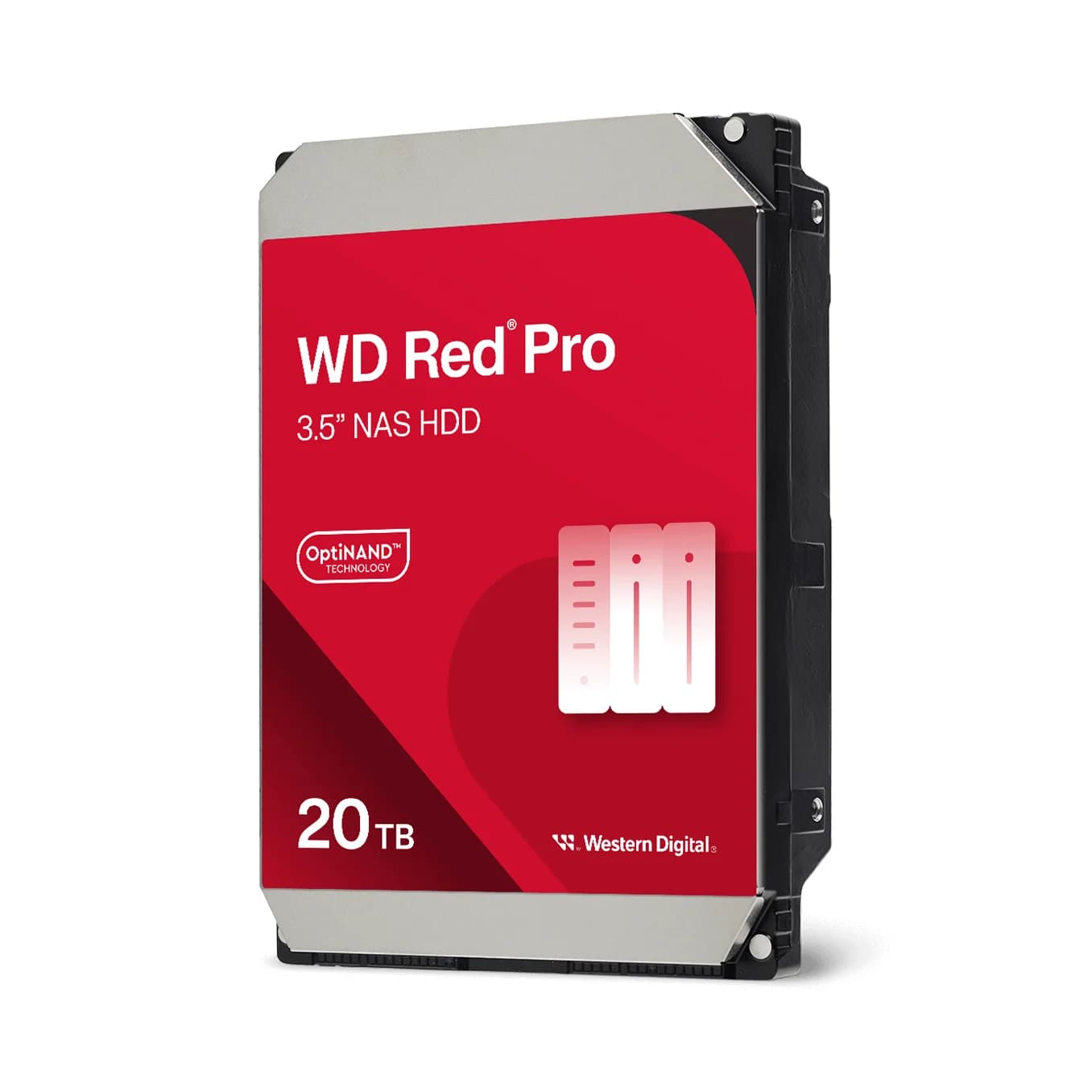
Compare ST20000NT001 and WD202KFGX on workload, cache, warranty and enclosure support, then plan usable capacity and an independent backup.
Comparison · NAS
UGREEN NASync DXP4800 Plus vs QNAP TS-464: Which Four-Bay NAS Should You Buy?
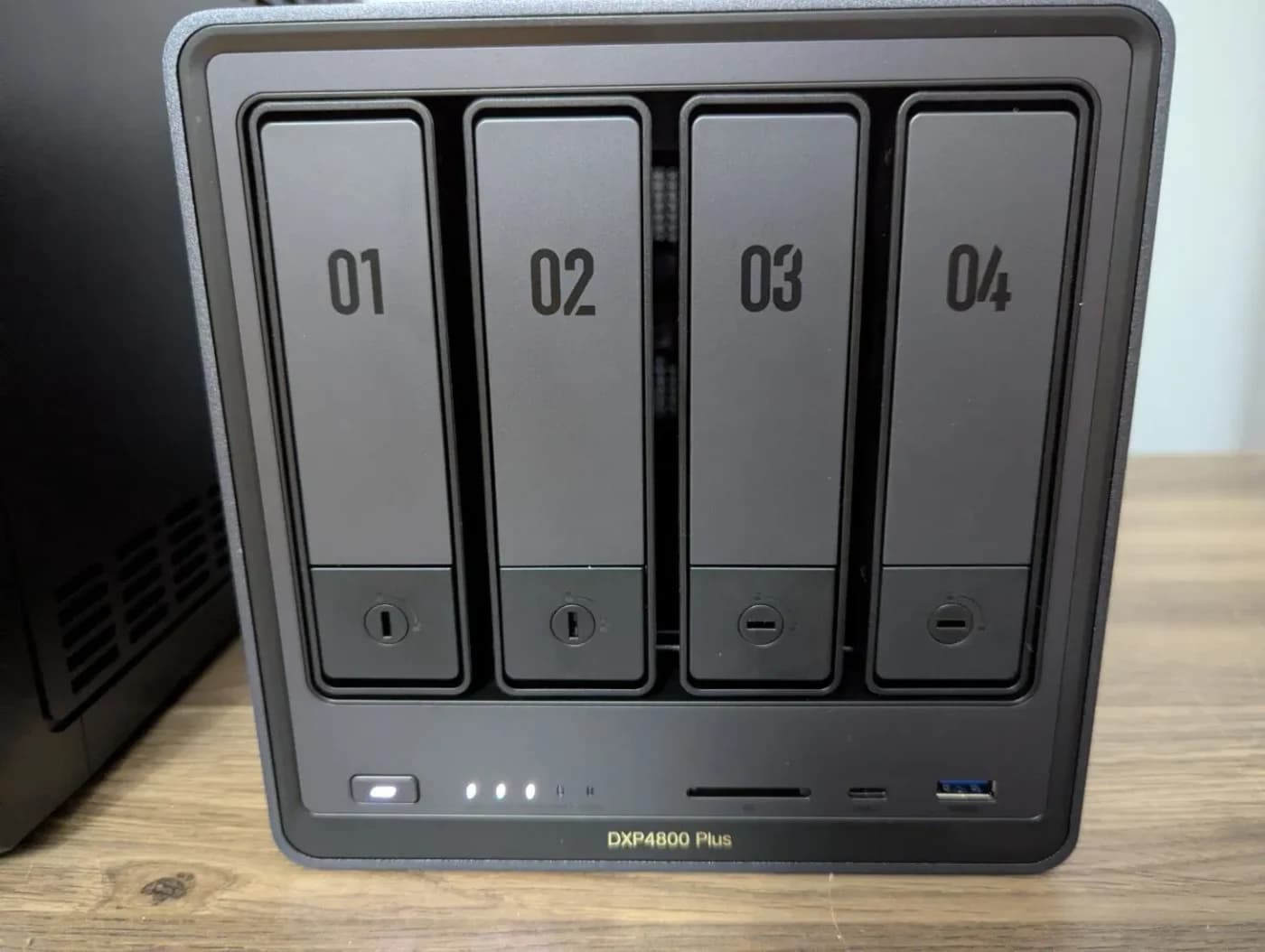
Compare the UGREEN DXP4800 Plus and QNAP TS-464 on ports, expansion, apps and complete drive orders, and pick the right four-bay NAS.