

Comparison
Wi-Fi 7 vs Wi-Fi 6E vs Wi-Fi 6
Should You Replace Your Router?
Compare Wi-Fi 7, 6E and 6 by your actual devices, ports and rooms. Use our household inventory to decide whether to keep, add an adapter or replace your router.
By thisPING EditorialUpdated November 3, 20268 min read1 pick
Our recommendation: eero 7
Dual-band eero option
Limit: No 6 GHz band, so channels top out at 240 MHz
On this page · Our picks at a glance
Our picks at a glance
- 1
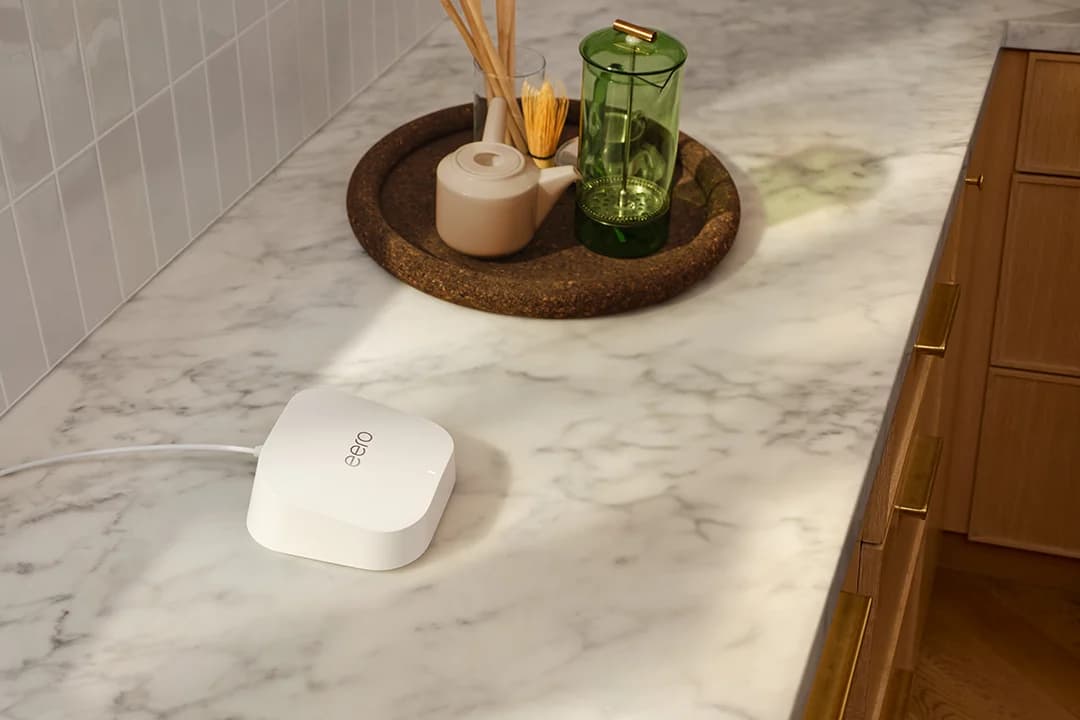
Choose for: Dual-band eero option
Check before buying: No 6 GHz band, so channels top out at 240 MHz
Keep a supported Wi-Fi 6 or 6E router if it already delivers the speed and reliability you need in the rooms you use. If you have identified a router bottleneck, the ASUS RT-BE92U is our pick for a 6 GHz Wi-Fi 7 replacement; buy only a client adapter when your router already has the features you need.
Quick picks: buy the smallest useful upgrade
Compare specifications and all conditions
Current coverage and performance meet your needs
- Our recommendation
- Keep the router
- Check before ordering
- Confirm continuing firmware support
One Windows PC is the weak link
- Our recommendation
- ROG USB-BE92 adapter
- Check before ordering
- Existing router's bands, Windows version and USB compatibility
You need multi-gig ports and a 6 GHz router
- Our recommendation
- ASUS RT-BE92U
- Check before ordering
- Matching client features; only one port is 10 Gbps
Replacing the router for a 2 Gig internet plan
- Our recommendation
- Netgear Nighthawk RS300
- Check before ordering
- WAN is 2.5 Gbps; two LAN ports are 2.5 Gbps
Adding to an eero network without needing 6 GHz
- Our recommendation
- eero 7, single unit
- Check before ordering
- Dual-band hardware and mixed-generation MLO restrictions
Full comparison table
Swipe to compare. Row labels stay visible.
| Your situation | Our recommendation | Check before ordering |
|---|---|---|
| Current coverage and performance meet your needs | Keep the router | Confirm continuing firmware support |
| One Windows PC is the weak link | ROG USB-BE92 adapter | Existing router's bands, Windows version and USB compatibility |
| You need multi-gig ports and a 6 GHz router | ASUS RT-BE92U | Matching client features; only one port is 10 Gbps |
| Replacing the router for a 2 Gig internet plan | Netgear Nighthawk RS300 | WAN is 2.5 Gbps; two LAN ports are 2.5 Gbps |
| Adding to an eero network without needing 6 GHz | eero 7, single unit | Dual-band hardware and mixed-generation MLO restrictions |
Scroll horizontally to see every column
| Your situation | Our recommendation | Check before ordering |
|---|---|---|
| Current coverage and performance meet your needs | Keep the router | Confirm continuing firmware support |
| One Windows PC is the weak link | ROG USB-BE92 adapter | Existing router's bands, Windows version and USB compatibility |
| You need multi-gig ports and a 6 GHz router | ASUS RT-BE92U | Matching client features; only one port is 10 Gbps |
| Replacing the router for a 2 Gig internet plan | Netgear Nighthawk RS300 | WAN is 2.5 Gbps; two LAN ports are 2.5 Gbps |
| Adding to an eero network without needing 6 GHz | eero 7, single unit | Dual-band hardware and mixed-generation MLO restrictions |
For more router choices, see best Wi-Fi 7 routers.
- Yes: Keep: the router still receives security updates and meets your actual needs
- Partly: Adapter only: the router already supplies the band you want, but the PC does not
- Partly: Router and client: both ends need the features you are buying
What Wi-Fi 7, 6E and 6 actually change
Wi-Fi 6 and 6E use 802.11ax; the E extends Wi-Fi 6 into 6 GHz. Wi-Fi 7 uses 802.11be and adds capabilities including 320 MHz channels on 6 GHz, Multi-Link Operation (MLO) and 4K QAM. Sources: Wi-Fi Alliance, Microsoft, ASUS's generation table.
Standard
- Wi-Fi 6
- 802.11ax
- Wi-Fi 6E
- 802.11ax
- Wi-Fi 7
- 802.11be
Bands to look for
- Wi-Fi 6
- 2.4 and 5 GHz
- Wi-Fi 6E
- Adds 6 GHz
- Wi-Fi 7
- Can include 2.4, 5 and 6 GHz; check the model
Widest channel capability
- Wi-Fi 6
- Up to 160 MHz
- Wi-Fi 6E
- Up to 160 MHz
- Wi-Fi 7
- Up to 320 MHz on 6 GHz
MLO
- Wi-Fi 6
- No
- Wi-Fi 6E
- No
- Wi-Fi 7
- Check router, client, firmware and operating system
Modulation capability
- Wi-Fi 6
- 1024-QAM
- Wi-Fi 6E
- 1024-QAM
- Wi-Fi 7
- 4096-QAM, also called 4K QAM
Upgrade question
- Wi-Fi 6
- Is anything actually slow?
- Wi-Fi 6E
- Would a compatible client benefit from 6 GHz?
- Wi-Fi 7
- Can both ends use the feature that solves your problem?
Full comparison table
Swipe to compare. Row labels stay visible.
| Capability | Wi-Fi 6 | Wi-Fi 6E | Wi-Fi 7 |
|---|---|---|---|
| Standard | 802.11ax | 802.11ax | 802.11be |
| Bands to look for | 2.4 and 5 GHz | Adds 6 GHz | Can include 2.4, 5 and 6 GHz; check the model |
| Widest channel capability | Up to 160 MHz | Up to 160 MHz | Up to 320 MHz on 6 GHz |
| MLO | No | No | Check router, client, firmware and operating system |
| Modulation capability | 1024-QAM | 1024-QAM | 4096-QAM, also called 4K QAM |
| Upgrade question | Is anything actually slow? | Would a compatible client benefit from 6 GHz? | Can both ends use the feature that solves your problem? |
Scroll horizontally to see every column
| Capability | Wi-Fi 6 | Wi-Fi 6E | Wi-Fi 7 |
|---|---|---|---|
| Standard | 802.11ax | 802.11ax | 802.11be |
| Bands to look for | 2.4 and 5 GHz | Adds 6 GHz | Can include 2.4, 5 and 6 GHz; check the model |
| Widest channel capability | Up to 160 MHz | Up to 160 MHz | Up to 320 MHz on 6 GHz |
| MLO | No | No | Check router, client, firmware and operating system |
| Modulation capability | 1024-QAM | 1024-QAM | 4096-QAM, also called 4K QAM |
| Upgrade question | Is anything actually slow? | Would a compatible client benefit from 6 GHz? | Can both ends use the feature that solves your problem? |
Channel widths are capabilities, not promises for every device. For example, the eero 7 has only 2.4 and 5 GHz radios, despite being Wi-Fi 7. The Alliance's 20% transmission-rate improvement for 4K QAM versus 1024-QAM is a modulation comparison, not a forecast for your internet speed.
ASUS's BE9700 class adds 1,032 + 2,882 + 5,764 Mbps across its bands; that total is not one device's throughput. Netgear explicitly warns that actual throughput is lower and depends on clients, traffic, construction and local regulation. Router picks here follow US specifications; ASUS says available channels differ by country.
Keep or upgrade: inventory the devices you actually own
For each client, record full model, room/task, bands, maximum channel width, documented MLO support, OS/driver and current problem. Mark undocumented features unknown.
iPhone 14
- Documented radio features
- Wi-Fi 6; 2.4 and 5 GHz; up to 80 MHz on 5 GHz
- What that means for buying
- A new router cannot give this phone a 6 GHz radio
iPhone 15 Pro
- Documented radio features
- Wi-Fi 6E; 6 GHz; up to 160 MHz
- What that means for buying
- Can use an existing 6E router's extra band; no Wi-Fi 7 MLO
iPhone 17
- Documented radio features
- Wi-Fi 7; 2.4, 5 and 6 GHz; MLO; up to 160 MHz
- What that means for buying
- Wi-Fi 7 does not mean a 320 MHz client
PC with ASUS PCE-AXE58BT
- Documented radio features
- Wi-Fi 6E PCIe card; 6 GHz and 160 MHz
- What that means for buying
- An existing 6E router may already supply its target features
Full comparison table
Swipe to compare. Row labels stay visible.
| Actual client | Documented radio features | What that means for buying |
|---|---|---|
| iPhone 14 | Wi-Fi 6; 2.4 and 5 GHz; up to 80 MHz on 5 GHz | A new router cannot give this phone a 6 GHz radio |
| iPhone 15 Pro | Wi-Fi 6E; 6 GHz; up to 160 MHz | Can use an existing 6E router's extra band; no Wi-Fi 7 MLO |
| iPhone 17 | Wi-Fi 7; 2.4, 5 and 6 GHz; MLO; up to 160 MHz | Wi-Fi 7 does not mean a 320 MHz client |
| PC with ASUS PCE-AXE58BT | Wi-Fi 6E PCIe card; 6 GHz and 160 MHz | An existing 6E router may already supply its target features |
Scroll horizontally to see every column
| Actual client | Documented radio features | What that means for buying |
|---|---|---|
| iPhone 14 | Wi-Fi 6; 2.4 and 5 GHz; up to 80 MHz on 5 GHz | A new router cannot give this phone a 6 GHz radio |
| iPhone 15 Pro | Wi-Fi 6E; 6 GHz; up to 160 MHz | Can use an existing 6E router's extra band; no Wi-Fi 7 MLO |
| iPhone 17 | Wi-Fi 7; 2.4, 5 and 6 GHz; MLO; up to 160 MHz | Wi-Fi 7 does not mean a 320 MHz client |
| PC with ASUS PCE-AXE58BT | Wi-Fi 6E PCIe card; 6 GHz and 160 MHz | An existing 6E router may already supply its target features |
Client sources: Apple, iPhone 15 Pro details, ASUS specs and overview.
Worked household, illustrative: with a 1 Gbps plan, a supported 6E router and the phones above, keep the router if room-by-room checks meet your needs. None of those phones justifies buying a router specifically for 320 MHz.
On Windows, Microsoft recommends netsh wlan show drivers: look under Radio types supported for 802.11ax or 802.11be. Since ax covers both 6 and 6E, confirm 6 GHz in the exact adapter documentation. Microsoft requires Windows 11 version 24H2 or later for Wi-Fi 7.
Find the bottleneck: internet, local transfers or backhaul
For wired links, eero explains that the slowest port or link in the chain sets the ceiling. A hypothetical 2 Gbps plan through a 1 Gbps WAN port still has that port bottleneck after a Wi-Fi upgrade. Check the modem or ONT's Ethernet port, router WAN, LAN ports, switches and the client's connection.
For a NAS copy, inspect the local NAS-to-client path separately; TP-Link distinguishes local NAS transfers from internet access. A 1 Gbps NAS or switch connection still limits that path. For transfers within the home, investigate LAN links before paying for a faster internet subscription.
Backhaul is the link between mesh nodes. Wireless backhaul can share radio bandwidth with clients; Ethernet backhaul frees that airtime, according to eero's guide. Check the satellite's upstream link too: see our mesh guide and multi-gig switches.
Record a baseline
Compare the same client near the router and in the problem room; record the task and result.
Separate the traffic paths
Check internet access, local NAS copies and mesh backhaul independently.
Change the limiting component
Recheck the same task and location after the change.
Microsoft recommends baseline and repeat checks in different rooms. It also documents shorter range and weaker wall penetration for 6 GHz than the lower bands: fix placement or add a suitably connected access point before assuming another router generation will solve a distant-room problem.
Check MLO on the exact router and client
MLO can use multiple links to improve throughput or reliability. eero explains that some clients favor latency and others throughput; some modes allow simultaneous transfers.
On a compatible Windows connection, open Settings → Network & internet → Wi-Fi → your network's properties. Microsoft says multiple entries under Network band (channel) indicate MLO support on that connection. Confirm supported modes separately in the maker's documentation.
Client-only pick: ASUS ROG USB-BE92
ASUS documents USB 3.0, Type-A and Type-C connectors, tri-band operation, MLO and 160 MHz channels on 6 GHz. A 6E router can supply the 6 GHz connection; Wi-Fi 7 MLO requires a suitable Wi-Fi 7 router too.
The limit matters: this is 160 MHz, not a 320 MHz adapter. ASUS's overview describes broad OS compatibility, while its specification table lists Windows 10/11 64-bit and requires Windows 11 24H2 or later for full Wi-Fi 7 functions. Confirm PC compatibility at ASUS.
For an internal desktop card, the existing PCE-AXE58BT is a conditional 6E alternative; ASUS limits its Windows 10 support to 2.4 and 5 GHz. The PCE-BE92BT supports 320 MHz, but ASUS's platform guide specifies Intel motherboards and Intel 13th-generation or later CPUs. Its headline's broader “not support all AMD motherboards” wording should not be read as AMD approval. These are PCIe products, distinct from the ROG USB adapter; check installation requirements in our PC adapter guide.
Router replacement pick: ASUS RT-BE92U
ASUS lists 320 MHz, MLO, one 10 Gbps WAN/LAN port, one 2.5 Gbps WAN/LAN port and three 2.5 Gbps LAN ports. Its 5 and 6 GHz radios are 2x2. Specifications; MLO details.
Using the 10 Gbps port for WAN leaves four 2.5 Gbps ports; it does not leave a 10 Gbps LAN port.
Naming trap: BE9700 is this router's speed class; ASUS also lists a separate RT-BE9700 with the same published band rates and Ethernet layout. ASUS's EOL page says listed models stop receiving firmware updates; check your exact model against that list.
Router replacement for a 2 Gig plan: Netgear Nighthawk RS300
The RS300 is our pick when a 2.5 Gbps WAN is sufficient. Netgear lists 2.4, 5 and 6 GHz bands, two 2.5 Gbps LAN ports and two gigabit LAN ports. Its WAN makes it unsuitable for carrying a faster-than-2.5-Gbps plan in full.
Order by RS300, region and condition; BE9300 describes a speed class. Netgear's support policy generally ends firmware and security updates three years after its defined last-sale date, rather than promising a fixed period from your purchase.
Dual-band eero option: eero 7
eero
A dual-band Wi-Fi 7 router with two 2.5 GbE ports that works on its own or as one node of an eero mesh.
Check package and model options
- Wi-Fi 7
- BE5000
- 2 bands
- 2.5 Gbps port
The eero 7 has two auto-sensing 2.5 GbE ports, 2.4 and 5 GHz radios and MLO support. Replacing a 6E router with it removes access to that router's 6 GHz band. With one port used upstream, only one remains for a wired client, switch or node.
Variants: this pick is the single indoor unit. eero also sells multipacks; verify the pack selector. Pro 7 is a separate tri-band model with 6 GHz and two 5 GbE ports, rather than another pack size of eero 7. Compare the eero models here.
Setup and management require eero's phone app. Its security policy promises updates at least through October 31, 2031, or five years from buying new directly from eero or Amazon if later; other purchase channels get at least the listed date.
How we choose
Selections use official specifications, standards and compatibility documentation, checked November 2, 2026. We have no laboratory throughput or latency results for these products. Recommendations follow the documented limitation, with unconfirmed compatibility left unknown. Full policy: How we choose.
Final upgrade checklist
Before ordering, confirm exact models, shared bands, channel widths, MLO requirements, OS and drivers. Count remaining LAN ports after WAN/backhaul connections; verify region, pack size and support policy. Record the task you expect to improve and repeat that check afterward.
Verdict
Keep a working, supported 6/6E router. Upgrade the client when the router already supplies what you need. Choose RT-BE92U for a 6 GHz Wi-Fi 7 replacement, RS300 when its ports fit, or eero 7 for a dual-band eero network.
Frequently asked questions
Is Wi-Fi 7 worth it over Wi-Fi 6E?
Keep a supported Wi-Fi 6E router if it meets your needs. Wi-Fi 6E already gives compatible clients access to 6 GHz. Wi-Fi 7 adds capabilities including MLO and 320 MHz channels, but the exact router and client must support the feature you want. A documented local-transfer or congestion problem is a better reason to upgrade than the generation number alone.
Does every Wi-Fi 7 router have 6 GHz?
No. The eero 7 is a dual-band Wi-Fi 7 router with 2.4 and 5 GHz radios and MLO support. It cannot supply a 6 GHz connection. MLO can work without 6 GHz, so check bands separately from the Wi-Fi generation. If you are replacing a Wi-Fi 6E router to retain 6 GHz access, choose a model that explicitly includes it.
Will a Wi-Fi 7 router upgrade my Wi-Fi 6 devices?
Older clients can connect using standards the router supports; ASUS lists Wi-Fi 6 among the RT-BE92U's supported standards. That does not add a 6 GHz radio, 320 MHz channels or MLO to an older client. Check both ends of the connection before buying, and consider an adapter upgrade when an otherwise suitable router already provides the band you need.
How do I check Wi-Fi 7 MLO on a Windows PC?
Microsoft specifies Windows 11 version 24H2 or later for Wi-Fi 7. Confirm the adapter and router support MLO, then open Settings, Network & internet, Wi-Fi and your connected network's properties. Microsoft says multiple bands in Network band (channel) indicate MLO support on that connection. That display does not establish a measured throughput gain or guarantee a particular MLO mode.
eero 7
AmazonRelated guides
Best picks · Wi-Fi Routers
Best Routers for Starlink: Picks, Ethernet and Bypass by Kit
Find the best router for your Starlink kit: compare RS300, ASUS and eero, check Ethernet adapters and retained power equipment, then choose bypass or AP mode.
Best picks · Wi-Fi Routers
Best Routers for AT&T Fiber: Match Your Gateway and Plan
Choose the right router for AT&T Fiber: clear ASUS, Netgear and eero picks, gateway checks, IP Passthrough versus AP mode, and complete wiring examples.
Buying guide · Wi-Fi Routers
Black Friday Router Deals: Mesh and NAS Buying Checklist
Judge Black Friday router, mesh Wi-Fi and NAS offers by exact US model, pack size, spare ports, drive capacity and support with a printable buying worksheet.