

Comparison
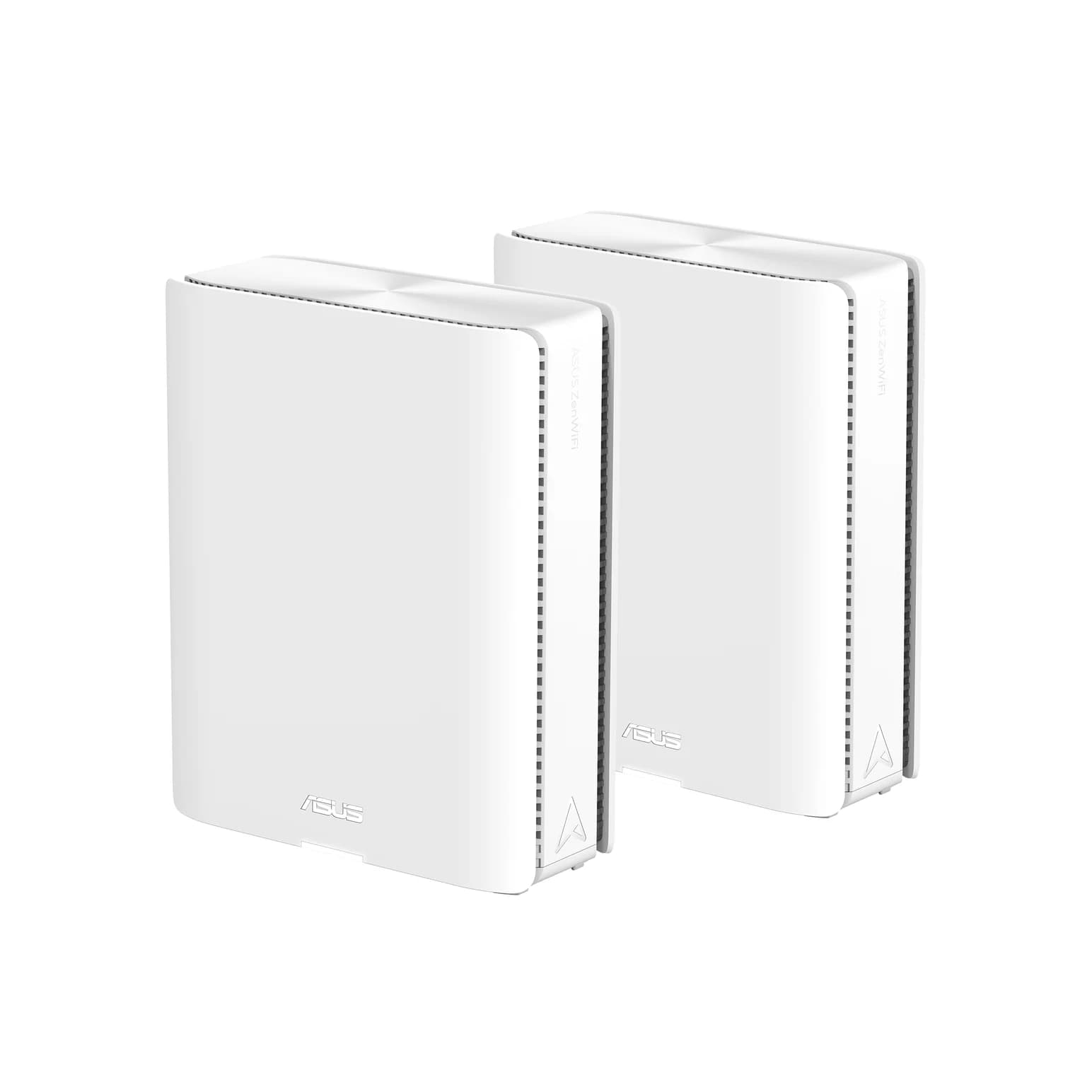
ASUS ZenWiFi BQ16 Pro vs Netgear Orbi 770
Which Mesh Kit Should You Buy?
Choose between ASUS ZenWiFi BQ16 Pro and Orbi 770 by your wiring: 10G vs 2.5G ports, wireless backhaul design, node expansion and the exact pack to order.
By thisPING EditorialUpdated November 5, 20269 min read1 pick
On this page · Our picks at a glance
Our picks at a glance
- 1
10 Gig internet or 10G room wiring
Wi-Fi 7 · BE30000
Choose for: 10 Gig internet or 10G room wiring
Check before buying: Large towers (214 mm tall) that need shelf rather than socket placement
Choose the ASUS ZenWiFi BQ16 Pro 2-pack if your home has, or will get, 10 Gig wiring or a multi-gig internet plan above 2.5 Gbps; choose the Netgear Orbi 770 if your plan is 2 Gig or less and your rooms are wired for ordinary Ethernet. The BQ16 Pro's two 10G ports per unit carry 10 Gbps wired backhaul and leave room for a 10 Gbps internet handoff, while the Orbi 770 matches every 2 Gig plan with 2.5 Gbps ports on the router and both satellites' sockets.
Official US sources checked November 4, 2026. Recommendations are specification-based; we have not tested either system. thisPING is reader-supported: when you buy through our links, we may earn a commission at no extra cost to you. As an Amazon Associate, thisPING earns from qualifying purchases.
- 10 GbpsFastest Ethernet port on a BQ16 Pro unit
- 8,000 sq ftASUS 2-pack coverage claim
- 5,500 sq ftOrbi 770 2-pack coverage claim
- 320 MHzWidest 6 GHz channel both support
Quick picks
Compare specifications and all conditions
10 Gig internet or 10G room wiring
- Our pick
- ASUS ZenWiFi BQ16 Pro, BQ16 Pro(W-2-PK)
- Why
- Two 10G ports per unit; the second 6 GHz radio gives a dedicated wireless backhaul option.
Plan up to 2 Gig, wired rooms
- Our pick
- Netgear Orbi 770, RBE773 3-pack or RBE772 2-pack
- Why
- 2.5 Gbps WAN and 2.5 Gbps LAN ports on every unit; add satellites within the 770 family.
One dead zone in an existing ASUS mesh
- Our pick
- ASUS ZenWiFi BQ16 Pro(W-1-PK)
- Why
- One unit adds two 10G and three 1G LAN sockets as an AiMesh node.
Full comparison table
Swipe to compare. Row labels stay visible.
| Your situation | Our pick | Why |
|---|---|---|
| 10 Gig internet or 10G room wiring | ASUS ZenWiFi BQ16 Pro, BQ16 Pro(W-2-PK) | Two 10G ports per unit; the second 6 GHz radio gives a dedicated wireless backhaul option. |
| Plan up to 2 Gig, wired rooms | Netgear Orbi 770, RBE773 3-pack or RBE772 2-pack | 2.5 Gbps WAN and 2.5 Gbps LAN ports on every unit; add satellites within the 770 family. |
| One dead zone in an existing ASUS mesh | ASUS ZenWiFi BQ16 Pro(W-1-PK) | One unit adds two 10G and three 1G LAN sockets as an AiMesh node. |
Scroll horizontally to see every column
| Your situation | Our pick | Why |
|---|---|---|
| 10 Gig internet or 10G room wiring | ASUS ZenWiFi BQ16 Pro, BQ16 Pro(W-2-PK) | Two 10G ports per unit; the second 6 GHz radio gives a dedicated wireless backhaul option. |
| Plan up to 2 Gig, wired rooms | Netgear Orbi 770, RBE773 3-pack or RBE772 2-pack | 2.5 Gbps WAN and 2.5 Gbps LAN ports on every unit; add satellites within the 770 family. |
| One dead zone in an existing ASUS mesh | ASUS ZenWiFi BQ16 Pro(W-1-PK) | One unit adds two 10G and three 1G LAN sockets as an AiMesh node. |
For the full field, start with our best mesh Wi-Fi systems roundup.
The comparison that matters: ports and backhaul
Both are Wi-Fi 7 mesh systems with 6 GHz radios and 320 MHz channel support. The decision comes down to wired port speed and how each system treats the link between units, per the BQ16 Pro US spec sheet, the RBE772 page and its datasheet.
ASUS ZenWiFi BQ16 Pro
- Wi-Fi class (maker)
- BE30000, quad-band
- Bands per unit
- 2.4, 5, 6 GHz-1, 6 GHz-2
- Wired ports per unit
- 10G WAN/LAN, 10G LAN, 1G WAN/LAN, two 1G LAN, USB 3.0
All specifications
- Wireless backhaul
- Dual 6 GHz radios; Smart AiMesh MLO backhaul
- Ethernet backhaul
- Yes; two 10G ports per unit
- Coverage claim
- Up to 8,000 sq ft (2-pack)
- Maker device claim
- Not stated as a count
Netgear Orbi 770 (RBE772/RBE773)
- Wi-Fi class (maker)
- BE11000, tri-band, 6 streams
- Bands per unit
- 2.4, 5, 6 GHz
- Wired ports per unit
- Router: one 2.5 Gig WAN + three 2.5 Gig LAN; satellite: two 2.5 Gig LAN
All specifications
- Wireless backhaul
- Shared 5 GHz and 6 GHz bands with Multi-Link Operation
- Ethernet backhaul
- Yes; 2.5G ports on router and satellites
- Coverage claim
- Up to 5,500 sq ft (2-pack), 8,000 sq ft (3-pack)
- Maker device claim
- Up to 100 concurrent devices
Full comparison table
Swipe to compare. Row labels stay visible.
| Specification | ASUS ZenWiFi BQ16 Pro | Netgear Orbi 770 (RBE772/RBE773) |
|---|---|---|
| Wi-Fi class (maker) | BE30000, quad-band | BE11000, tri-band, 6 streams |
| Bands per unit | 2.4, 5, 6 GHz-1, 6 GHz-2 | 2.4, 5, 6 GHz |
| Wired ports per unit | 10G WAN/LAN, 10G LAN, 1G WAN/LAN, two 1G LAN, USB 3.0 | Router: one 2.5 Gig WAN + three 2.5 Gig LAN; satellite: two 2.5 Gig LAN |
| Wireless backhaul | Dual 6 GHz radios; Smart AiMesh MLO backhaul | Shared 5 GHz and 6 GHz bands with Multi-Link Operation |
| Ethernet backhaul | Yes; two 10G ports per unit | Yes; 2.5G ports on router and satellites |
| Coverage claim | Up to 8,000 sq ft (2-pack) | Up to 5,500 sq ft (2-pack), 8,000 sq ft (3-pack) |
| Maker device claim | Not stated as a count | Up to 100 concurrent devices |
Scroll horizontally to see every column
| Specification | ASUS ZenWiFi BQ16 Pro | Netgear Orbi 770 (RBE772/RBE773) |
|---|---|---|
| Wi-Fi class (maker) | BE30000, quad-band | BE11000, tri-band, 6 streams |
| Bands per unit | 2.4, 5, 6 GHz-1, 6 GHz-2 | 2.4, 5, 6 GHz |
| Wired ports per unit | 10G WAN/LAN, 10G LAN, 1G WAN/LAN, two 1G LAN, USB 3.0 | Router: one 2.5 Gig WAN + three 2.5 Gig LAN; satellite: two 2.5 Gig LAN |
| Wireless backhaul | Dual 6 GHz radios; Smart AiMesh MLO backhaul | Shared 5 GHz and 6 GHz bands with Multi-Link Operation |
| Ethernet backhaul | Yes; two 10G ports per unit | Yes; 2.5G ports on router and satellites |
| Coverage claim | Up to 8,000 sq ft (2-pack) | Up to 5,500 sq ft (2-pack), 8,000 sq ft (3-pack) |
| Maker device claim | Not stated as a count | Up to 100 concurrent devices |
BE classes sum each band's maximum theoretical rate; neither figure is one device's download speed. ASUS's own sheet puts the BQ16 Pro's radios at 4x4 on all four bands, while NETGEAR describes the Orbi 770 as tri-band with 6 streams of WiFi.
Best for 10 Gig wiring: ASUS ZenWiFi BQ16 Pro
Order BQ16 Pro(W-2-PK) for a two-location installation: one main router, one AiMesh node, per the US quick-start guide. Connect your modem to the main unit's WAN/LAN1 10G port and the second unit's 10G LAN or WAN/LAN socket stays free for a NAS or a multi-gig switch. ASUS's launch material says the dual 10G ports "enable 10 Gbps wired backhaul... and future-ready 10 Gbps Internet" — that is the core capability the Orbi 770 does not offer. See BQ16 Pro at ASUS.
Where the pair can't be wired, the second 6 GHz radio supports dedicated wireless backhaul: ASUS says the BQ16 Pro "takes advantage of dual 6 GHz bands... with dedicated 6 GHz wireless backhaul." The quad-core 2.6 GHz CPU and USB 3.0 port with 4G/5G tethering round out a flagship spec.
- Quad-band Wi-Fi 7 (BE30000): 1,376 + 5,764 + 11,529 + 11,529 Mbps
- Two 10G ports, three 1G sockets and USB 3.0 per unit
- ASUS lists one power adapter, one RJ-45 cable, warranty card and quick start guide per package, without per-pack quantities — confirm the adapter count for two units
- AiProtection Pro, parental controls and VPN features are subscription-free
The trade-offs: 4,000 sq ft of claimed coverage per unit means very large homes still want three units; and at 1,341 g per unit it is a substantial box for a shelf. If you don't need 10G links, our BQ16 Pro vs BT10 comparison covers ASUS's cheaper dual-10G tri-band alternative.
Default for plans up to 2 Gig: Netgear Orbi 770
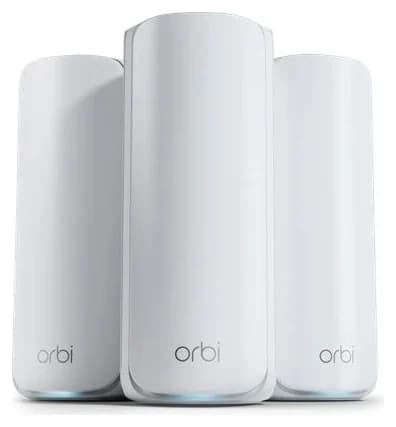
The Orbi 770 matches its ports to what a 2 Gig household actually has. The RBE771 router provides a 2.5 Gig WAN port and three 2.5 Gig LAN ports; every RBE770 satellite adds two 2.5G LAN ports, per the RBE772 page. NETGEAR claims up to 100 concurrent devices and, in the manual's words, "your satellite and router also support Ethernet backhaul, which means that you can use an Ethernet cable to connect your satellite to your router."
Netgear
A tri-band Wi-Fi 7 mesh kit (one router, two satellites) with 2.5 Gbps Ethernet ports on every unit.
Check package and model options
- Wi-Fi 7
- BE11000
- 3 bands
- 2.5 Gbps port
Choose the RBE773 3-pack (up to 8,000 sq ft claim) for three floors or a long single-story layout, or the RBE772 2-pack (up to 5,500 sq ft claim) when two locations cover the house. The 2-pack box includes one RBE771 router, one RBE770 satellite, one Ethernet cable for the wired backhaul option, and two power adapters. See Orbi 770 at NETGEAR.
- Tri-band Wi-Fi 7 (BE11000) with shared 5 GHz + 6 GHz MLO backhaul
- 2.5 Gbps WAN ceiling — this is the spec that rules out plans above 2.5 Gbps
- Guided setup in the Orbi app; WPA3 and automatic firmware updates built in
- One-year limited hardware warranty; NETGEAR Armor is optional and paid after its included trial
The trade-offs: there is no 10G port anywhere in the system, and expansion stays inside the 770 family. NETGEAR's compatibility table pairs the RBE771 router with RBE770 satellites — not the Orbi 970's RBE970 satellites, so the step-up path is a new system, not an add-on. Our Orbi 770 vs 970 comparison covers that upgrade decision. For NETGEAR's End of Service policy, firmware updates generally end three years after a product's last sale date.
Best add-on node: ASUS ZenWiFi BQ16 Pro(W-1-PK)
A single BQ16 Pro unit is the more interesting expansion buy. As an AiMesh node it brings two 10G ports, three 1G sockets and a fourth radio to an existing ASUS mesh, and the quick-start guide confirms the node's WAN/LAN ports can serve as LAN ports. Buy it when you already run an ASUS router and one room needs both Wi-Fi and a fast wired drop.
The limit is MLO backhaul: ASUS's MLO FAQ states that "only the first node can use MLO Backhaul, and MLO Backhaul only supports the same model." A third, mixed-model node still extends coverage; it just can't use the aggregated backhaul. ASUS also warns that a node without MLO will not broadcast 6 GHz while MLO is enabled on the primary router.
One wired house, two wiring plans
Tap a label to explore. You can also hover or use your keyboard.
Modem or fiber ONT
The internet handoff connects to the main unit's WAN port.
Sources: 1: The main BQ16 Pro unit takes internet on its WAN/LAN1 10G port; the other unit becomes the AiMesh node, and its WAN/LAN ports can serve as LAN ports.- WAN cable
Main unit: BQ16 Pro or RBE771 router
ASUS: connect your optical modem to the WAN/LAN1 10G port of the unit with the Main Unit sticker. NETGEAR: the router's WAN port takes the internet handoff.
Sources: 1: The main BQ16 Pro unit takes internet on its WAN/LAN1 10G port; the other unit becomes the AiMesh node, and its WAN/LAN ports can serve as LAN ports., 2: The Orbi 770 satellite and router support Ethernet backhaul over an Ethernet cable. - Ethernet backhaul
Remote unit: AiMesh node or RBE770 satellite
NETGEAR: connect an Ethernet cable to a 2.5G Ethernet port on the satellite and the other end to a 2.5G Ethernet LAN port on the router. The node's WAN/LAN ports can then serve LAN devices.
Sources: 2: The Orbi 770 satellite and router support Ethernet backhaul over an Ethernet cable., 3: NETGEAR's wired setup connects a 2.5G port on the satellite to a 2.5G LAN port on the router., 4: On an ASUS AiMesh node, the WAN/LAN ports can be used as LAN ports.
Source notes4 references
The main BQ16 Pro unit takes internet on its WAN/LAN1 10G port; the other unit becomes the AiMesh node, and its WAN/LAN ports can serve as LAN ports.
dlcdnets.asus.com — source for The main BQ16 Pro unit takes internet on its WAN/LAN1 10G port; the other unit becomes the AiMesh node, and its WAN/LAN ports can serve as LAN ports.Use a network cable to connect your optical modem to the WAN/ LAN1 10G port of ZenWiFi BQ16 Pro with the “Main Unit” sticker.
The Orbi 770 satellite and router support Ethernet backhaul over an Ethernet cable.
www.downloads.netgear.com — source for The Orbi 770 satellite and router support Ethernet backhaul over an Ethernet cable.Your satellite and router also support Ethernet backhaul, which means that you can use an Ethernet cable to connect your satellite to your router.
NETGEAR's wired setup connects a 2.5G port on the satellite to a 2.5G LAN port on the router.
www.downloads.netgear.com — source for NETGEAR's wired setup connects a 2.5G port on the satellite to a 2.5G LAN port on the router.Connect an Ethernet cable to a 2.5G Ethernet port on the satellite.
On an ASUS AiMesh node, the WAN/LAN ports can be used as LAN ports.
dlcdnets.asus.com — source for On an ASUS AiMesh node, the WAN/LAN ports can be used as LAN ports.node, the WAN/LAN ports on your AiMesh node can be used as LAN ports.
Our Ethernet backhaul setup guide walks through the full cabling plan, and where to put your router covers placement before you buy extra nodes.
Count the sockets left after WAN and backhaul
This is inventory arithmetic: internet on the main unit's WAN port, wired backhaul from main LAN to remote WAN, unused WAN/LAN sockets serving LAN, no switch. Both kits' wired ports are spoken for quickly, which is why a 2.5G or 10G switch belongs in the plan for a NAS or media center.
Wireless backhaul: main unit
- Free BQ16 Pro sockets
- one 10G + three 1G
- Free Orbi 770 sockets
- three 2.5G LAN
Wireless backhaul: remote unit
- Free BQ16 Pro sockets
- two 10G + three 1G
- Free Orbi 770 sockets
- two 2.5G LAN
Wired backhaul: main unit
- Free BQ16 Pro sockets
- three 1G
- Free Orbi 770 sockets
- two 2.5G LAN
Wired backhaul: remote unit
- Free BQ16 Pro sockets
- one 10G + three 1G
- Free Orbi 770 sockets
- one 2.5G LAN
Full comparison table
Swipe to compare. Row labels stay visible.
| Location | Free BQ16 Pro sockets | Free Orbi 770 sockets |
|---|---|---|
| Wireless backhaul: main unit | one 10G + three 1G | three 2.5G LAN |
| Wireless backhaul: remote unit | two 10G + three 1G | two 2.5G LAN |
| Wired backhaul: main unit | three 1G | two 2.5G LAN |
| Wired backhaul: remote unit | one 10G + three 1G | one 2.5G LAN |
Scroll horizontally to see every column
| Location | Free BQ16 Pro sockets | Free Orbi 770 sockets |
|---|---|---|
| Wireless backhaul: main unit | one 10G + three 1G | three 2.5G LAN |
| Wireless backhaul: remote unit | two 10G + three 1G | two 2.5G LAN |
| Wired backhaul: main unit | three 1G | two 2.5G LAN |
| Wired backhaul: remote unit | one 10G + three 1G | one 2.5G LAN |
Source: the makers' own pages (linked above); claims, not measurements
How we choose
We have not tested either system. Ports, radios, band splits, pack contents, coverage claims and compatibility come from ASUS's and NETGEAR's own US pages, spec sheets, quick-start guides and user manuals, linked throughout; support timing comes from the makers' firmware and End of Service pages, checked November 4, 2026. Coverage and device-count figures are maker claims. Full method: How we choose.
Buying guide
Start with the internet plan. Above 2.5 Gbps, the Orbi 770's WAN port rules itself out; the BQ16 Pro's 10G WAN/LAN port keeps 5 Gig and 10 Gig plans possible. Up to 2 Gig, both work and the Orbi is the simpler match. See our Wi-Fi 7 vs 6E vs 6 explainer for whether your devices can use the new radios at all.
Then count wired drops. Every room with Ethernet gets the system's wired backhaul; the table above shows what remains. A home without Ethernet between rooms favors the BQ16 Pro's dedicated 6 GHz backhaul radio.
Then node count. Makers' claims are best cases: our best routers for large homes guide explains why layout beats square footage. Plan for one unit per floor or per far wing, and expect to add a node later — within the same family for Orbi, any AiMesh router for ASUS.
Check the plan
Above 2.5 Gbps: BQ16 Pro. Up to 2 Gig: either, Orbi is the simpler match.
Count the drops
Rooms with Ethernet get wired backhaul; add a switch where wired devices cluster.
Plan the nodes
One unit per floor or wing; buy within the same family when expanding later.
Verdict
Buy the ASUS ZenWiFi BQ16 Pro 2-pack for 10 Gig wiring, plans above 2.5 Gbps, or a wireless pair that needs a dedicated backhaul radio. Buy the Orbi 770 (RBE772 or RBE773) for plans up to 2 Gig in a home with ordinary Ethernet: its 2.5 Gig ports match the plan, the included cable supports wired backhaul, and setup is app-guided. Already on ASUS? A BQ16 Pro(W-1-PK) node is the expansion that keeps your 10G options open.
Frequently asked questions
Does the Orbi 770 support wired backhaul?
Yes. Its manual says the satellite and router support Ethernet backhaul: connect an Ethernet cable from a 2.5G port on the satellite to a 2.5G LAN port on the router. NETGEAR's included cable is for that option. The 770's wireless backhaul shares its 5 GHz and 6 GHz bands using Multi-Link Operation, so a wired link is the cleaner upgrade path in a congested home.
Is BQ16 Pro or Orbi 770 better for a large home?
Coverage claims come from the makers and are not measurements. ASUS claims up to 8,000 sq ft for the BQ16 Pro 2-pack and NETGEAR claims up to 8,000 sq ft for the Orbi 770 3-pack (5,500 sq ft for the 2-pack). Layout and construction decide the real node count, so buy by room count and wiring, not by the claim.
Can I add more satellites later?
Yes, within each family. NETGEAR's compatibility table pairs the RBE771 router with RBE770 satellites only, not Orbi 970 satellites. ASUS lets any AiMesh-compatible router join, but its MLO FAQ says MLO backhaul supports only the same model and only the first node, so mixed nodes lose that backhaul feature.
Does BE30000 or 11 Gbps on the box mean my devices get that speed?
No. Those figures sum each band's maximum theoretical rate. NETGEAR's sheet says maximum wireless speed requires devices that use the latest standards, and ASUS says actual throughput varies with network conditions, building material and construction. The Orbi 770's internet port tops out at 2.5 Gbps and the BQ16 Pro's at 10 Gbps.
Do these systems need a subscription?
Basic networking does not. The Orbi 770 includes WPA3 and automatic firmware updates; NETGEAR Armor is optional and paid after its included trial. The BQ16 Pro lists subscription-free AiProtection Pro security and parental controls. NETGEAR generally ends firmware updates three years after a product's last sale date.
Is a 2-pack two nodes plus a router?
No. The ASUS quick-start guide describes two units total, one main router and one AiMesh node; the Orbi 2-pack is one RBE771 router and one RBE770 satellite. Plan a powered outlet and a matching adapter for each unit, and confirm the supplied adapter count before installing.

Related guides
Comparison · Mesh Wi-Fi Systems
ASUS ZenWiFi BQ16 Pro vs BT10: Which Mesh Pack Fits Your Wiring?
Choose ASUS ZenWiFi BQ16 Pro or BT10 for your wiring: compare US packs, radio bands, ports left after backhaul, AiMesh limits and the kit you need to order.
Comparison · Mesh Wi-Fi Systems
Orbi 770 vs 970: Which Mesh Kit Fits Your Wiring and Internet Plan?
Choose Orbi 770 or 970 by your internet plan, spare Ethernet ports and backhaul. Compare exact packs, compatible satellites and subscriptions before buying.
Comparison · Mesh Wi-Fi Systems
eero Max 7 vs Deco BE85: Which 10G Mesh Kit Should You Buy?

Choose eero Max 7 or Deco BE85 by US revision, equal node counts, ports left after 10G backhaul, subscriptions and the cables needed for a complete mesh kit.