

Best picks
Best Budget Wi-Fi 7 Routers
Bands, Ports and Extra Costs
Choose a budget Wi-Fi 7 router by its bands, usable Ethernet ports, mesh packs and optional subscriptions. Compare eero 7, Nighthawk RS100 and Archer BE550.
By thisPING EditorialUpdated November 3, 20268 min read2 picks
Our recommendation: eero 7
Best for simple setup and mesh expansion
Limit: No 6 GHz band, so channels top out at 240 MHz
On this page · Our picks at a glance
Our picks at a glance
- 1
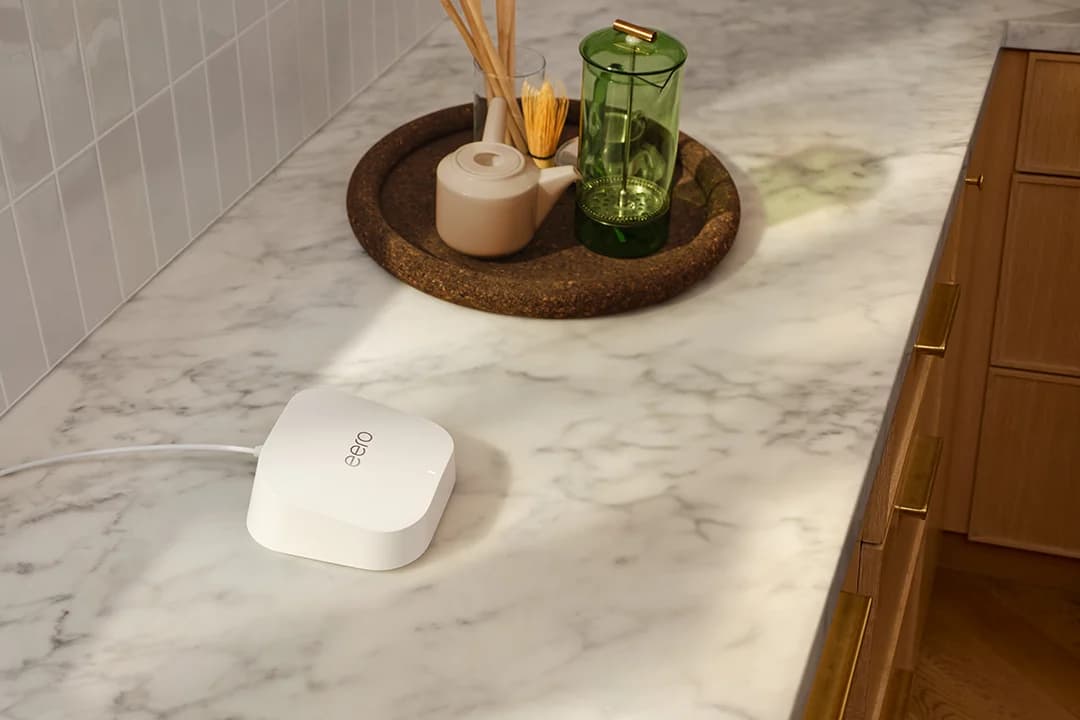
Choose for: Best for simple setup and mesh expansion
Check before buying: No 6 GHz band, so channels top out at 240 MHz
- 2
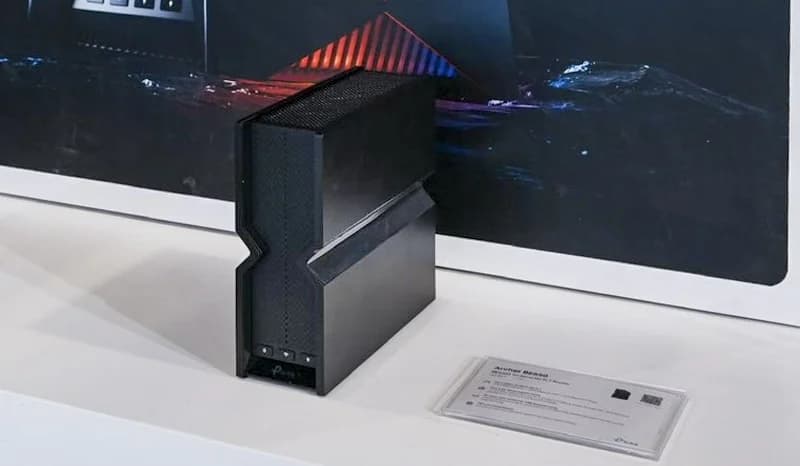
Choose for: Stretch alternative for 6 GHz
Check before buying: Hardware V1 and V2 differ on 2.4 GHz: check the version on the box
The eero 7 is our best budget Wi-Fi 7 router for a home that wants app-based setup and the option to add mesh nodes later. Choose the NETGEAR Nighthawk RS100 for several wired gigabit devices; consider the TP-Link Archer BE550 as a stretch alternative for 6 GHz and multi-gig LAN. The first two are dual-band: Wi-Fi 7 does not guarantee a 6 GHz radio.
Official specifications, pack options and support policies checked November 2, 2026. These are research-based recommendations, without physical testing.
Quick picks: count the ports left after internet
Compare specifications and all conditions
eero 7 — default for simple mesh
- Radio bands
- 2.4 + 5 GHz; no 6 GHz
- Internet port
- 2.5 GbE, auto-sensing
- LAN available after internet
- 1 × 2.5 GbE
All specifications
- Starting package
- 1-pack; extra nodes or switch separately
Nighthawk RS100 — several wired devices
- Radio bands
- 2.4 + 5 GHz; no 6 GHz
- Internet port
- 2.5 Gbps WAN
- LAN available after internet
- 4 × 1 Gbps
All specifications
- Starting package
- Single router
Archer BE550 — stretch alternative
- Radio bands
- 2.4 + 5 + 6 GHz
- Internet port
- 2.5 Gbps WAN
- LAN available after internet
- 4 × 2.5 Gbps
All specifications
- Starting package
- Single router; EasyMesh expansion separately
Full comparison table
Swipe to compare. Row labels stay visible.
| Router and role | Radio bands | Internet port | LAN available after internet | Starting package |
|---|---|---|---|---|
| eero 7 — default for simple mesh | 2.4 + 5 GHz; no 6 GHz | 2.5 GbE, auto-sensing | 1 × 2.5 GbE | 1-pack; extra nodes or switch separately |
| Nighthawk RS100 — several wired devices | 2.4 + 5 GHz; no 6 GHz | 2.5 Gbps WAN | 4 × 1 Gbps | Single router |
| Archer BE550 — stretch alternative | 2.4 + 5 + 6 GHz | 2.5 Gbps WAN | 4 × 2.5 Gbps | Single router; EasyMesh expansion separately |
Scroll horizontally to see every column
| Router and role | Radio bands | Internet port | LAN available after internet | Starting package |
|---|---|---|---|---|
| eero 7 — default for simple mesh | 2.4 + 5 GHz; no 6 GHz | 2.5 GbE, auto-sensing | 1 × 2.5 GbE | 1-pack; extra nodes or switch separately |
| Nighthawk RS100 — several wired devices | 2.4 + 5 GHz; no 6 GHz | 2.5 Gbps WAN | 4 × 1 Gbps | Single router |
| Archer BE550 — stretch alternative | 2.4 + 5 + 6 GHz | 2.5 Gbps WAN | 4 × 2.5 Gbps | Single router; EasyMesh expansion separately |
Sources: eero specifications, RS100 specifications and BE550 specifications. Counts assume router mode with an Ethernet internet connection; one eero port is used for that connection. These are Ethernet link rates, not measured download speeds.
Source: Official specifications linked above; subtract the eero gateway's internet connection.
What counts as budget here?
We define budget by the maker's tier and the equipment needed to finish the job. eero calls the eero 7 its most affordable Wi-Fi 7 router; NETGEAR positions the RS100 around everyday use and value. The BE550 is an upgrade alternative for a specific requirement. We make no claim that any model is currently cheapest.
Compare router + required nodes + switch + extra cables + optional services you intend to keep. A single unit and a mesh pack solve different jobs. Check current prices at the destination after choosing the right configuration.
Best for simple setup and mesh expansion: eero 7
eero
A dual-band Wi-Fi 7 router with two 2.5 GbE ports that works on its own or as one node of an eero mesh.
Check package and model options
- Wi-Fi 7
- BE5000
- 2 bands
- 2.5 Gbps port
Start here if you want phone-based management and the option to expand within eero. The support page confirms Android or iOS app setup and management, and compatibility with earlier eero generations. The same unit can be a primary router or an indoor extender.
Its limitation is the port budget. Two auto-sensing 2.5 GbE ports become one internet connection and one local connection at the gateway. If you need a desktop, console and wired mesh link there, include a switch. eero says to connect the switch after the gateway: modem → gateway eero → switch → wired devices or nodes. Choose a switch that matches the speeds you need.
The individual package contains a router, a 15W USB-C adapter and a Cat5e cable. The shop page offers 1-, 2- and 3-packs, so check the selected quantity before checkout. Its up-to-2,000-sq-ft coverage per unit is eero's claim, not a guarantee for your layout.
Skip it if you require 6 GHz. eero 7 has only 2.4 and 5 GHz radios. For the separate higher-tier models, see eero 7 vs Pro 7 vs Max 7.
Best for several wired gigabit devices: NETGEAR Nighthawk RS100
The US model covered here is RS100-100NAS, a single router. Its model-specific specifications list a 2.5 Gbps internet port and four 1 Gbps LAN ports, with 2.4 and 5 GHz radios. For a desktop, console and TV that each need only gigabit Ethernet, this port layout can avoid an extra switch.
The WAN and LAN speeds differ. A wired computer connected to this router still has a gigabit link, even with a faster internet plan. Adding a multi-gig switch behind that gigabit LAN port cannot remove that uplink limit. Buy the eero or BE550 instead if a local wired connection above gigabit is essential.
There is a source trap: the RS100 shop page contains generic 10 Gig marketing copy, while its own technical-details section and RS100 datasheet specify the port layout above. Do not order this model expecting a 10 Gig port.
The box includes the router, power adapter and Ethernet cable. The RS100 family manual documents browser access and the Nighthawk app; the product page's app-setup footnote requires a free NETGEAR account. Treat this as a standalone purchase and verify any proposed expansion separately.
Check the RS100 configuration at NETGEAR
Stretch alternative for 6 GHz: TP-Link Archer BE550
TP-Link
A tri-band Wi-Fi 7 router with five 2.5 Gbps Ethernet ports (one WAN, four LAN) and EasyMesh support.
Check package and model options
- Wi-Fi 7
- BE9300
- 3 bands
- 2.5 Gbps port
Consider the standard BE550 when you specifically need 6 GHz, 320 MHz channel support and several multi-gig wired connections. Its US specifications list one 2.5 Gbps WAN and four 2.5 Gbps LAN ports. Unlike the entry picks, it supplies both the additional radio band and multiple multi-gig LAN connections without a switch.
Check the revision before buying. The US product page lists 574 Mbps and 802.11ax on 2.4 GHz, while the V2 datasheet lists 688 Mbps and 802.11be on that band. Those are advertised signal rates. The US downloads page also separates V1, V1.60, V2 and V2.60: match firmware to the actual hardware label and purchase region.
EasyMesh support offers an expansion route, but the datasheet warns that cross-vendor firmware conflicts can prevent connections. Check the exact companion device and firmware before including it in your basket. Setup works through Tether or a browser. Read the dated US status note below before choosing this alternative.
Budget for the complete network
Check the internet handoff first. These purchases assume an Ethernet connection from your modem or fiber ONT. Keep any ISP equipment your service requires; a router upgrade alone does not settle that requirement. Our modem vs router guide explains the roles.
For wired expansion, account for the switch's connection back to the router as well as its device ports. A fast switch behind the RS100's gigabit LAN does not create a multi-gig internet path. The BE550 has four multi-gig LAN connections already; eero leaves only one at its gateway. See how to choose a multi-gig switch if that changes the basket.
For coverage expansion, count actual nodes and cable routes. eero supports wired or wireless backhaul; use existing Ethernet where practical. Do not assume a pack's advertised coverage describes your rooms through walls. Compare the complete layout with our mesh Wi-Fi guide.
Confirm the handoff
Check your modem or ONT connection and the router's internet port.
Count wired connections
Include desktops, consoles and any wired nodes; add a suitable switch if needed.
Choose the actual pack
Count included routers, power adapters and cables, then add missing nodes and cable runs.
Choose ongoing extras
Include only subscription features you intend to keep after any trial.
Match the bands and features to your devices
The BE number describes maximum theoretical wireless rates across bands, not the speed one laptop will receive. NETGEAR's rate disclaimer says actual throughput is lower and varies; TP-Link publishes separate band rates in its datasheet.
TP-Link explicitly requires clients to support features such as MLO and 320 MHz channels. eero lists up to 2.3 Gbps wired and 1.8 Gbps wireless for eero 7; its 2.5 GbE ports are not a promise of that same application speed.
- Yes: Need a 6 GHz radio? | BE550 has it; eero 7 and RS100 do not.
- Partly: Want MLO or 320 MHz? | Confirm support on both the router and the exact client; 320 MHz uses 6 GHz.
- No: Only have Wi-Fi 6 clients? | They cannot access 6 GHz; inventory devices before paying for that band.
eero's Wi-Fi 6E explanation confirms that older Wi-Fi 6 clients use 2.4 and 5 GHz. If those devices and your current connections meet the job, compare our Wi-Fi 6 router picks before replacing a supported router. Use the device compatibility guide to check the exact clients; the main Wi-Fi 7 roundup covers higher tiers.
Subscriptions, updates and the US status check
Budget beyond the trial. eero Plus adds ad blocking, content filters and other extras; automatic software updates are included without it. NETGEAR Armor is optional. HomeShield has a free Basic plan and paid Pro plan. Compare the features you will actually retain.
Support policies differ. eero promises security updates for eero 7 at least through October 31, 2031, or five years after buying new from eero or Amazon if later. NETGEAR's general policy places end of service three years after the last sale date; TP-Link's usually places end of maintenance three years after end of sales. Those policies are not model-specific end dates measured from your checkout.
Black Friday and Cyber Monday: check the configuration
Before accepting an offer, match model code, US region, hardware revision, pack quantity, included accessories and recurring services against this guide. Recheck the maker's support page and current status documents. A different pack or a switch added at checkout can change which setup suits your budget. Use the network gear shopping checklist for the seasonal comparison.
How we choose
We compared official US product pages, datasheets, manuals and published support policies. We have not physically tested these routers. Recommendations prioritize usable ports, required client features, expansion and the complete basket; coverage and speed figures remain manufacturer claims. Full editorial method: How we choose.
Verdict
Choose eero 7 for simple mesh expansion, RS100 for several gigabit wired devices, or the BE550 alternative when 6 GHz and multiple multi-gig LAN ports justify the upgrade. Buy the configuration that completes your network with the fewest unnecessary extras.
Frequently asked questions
What is the best budget Wi-Fi 7 router?
We would start with eero 7 for an app-managed home and later mesh expansion. Its two 2.5 GbE ports leave one for local wired devices after the internet connection. Choose NETGEAR's RS100 for four gigabit LAN ports instead. Neither has 6 GHz; the Archer BE550 is our stretch alternative if that band matters. Compare the complete basket at current checkout prices.
Does every Wi-Fi 7 router have 6 GHz?
No. The eero 7 and Nighthawk RS100 use 2.4 and 5 GHz radios. The Archer BE550 adds 6 GHz, where its 320 MHz channels are available subject to regional rules. Your phone or laptop must support the relevant band and features too. Buying a dual-band Wi-Fi 7 router does not add a 6 GHz connection to a Wi-Fi 6E device.
Do these routers need a paid security subscription?
The makers describe these services as extras: eero Plus adds features including ad blocking and content filters, NETGEAR Armor is optional, and TP-Link HomeShield has a free Basic plan and paid Pro plan. eero lists automatic software updates among its included features. Decide which extras you actually want before comparing the ongoing cost of the complete setup.
Is a budget Wi-Fi 7 router worth buying for Wi-Fi 6 devices?
Check the rest of the job first. Wi-Fi 6 clients cannot connect on 6 GHz, and Wi-Fi 7 features such as MLO require compatible clients. A supported Wi-Fi 6 router may therefore meet your needs if your current devices, internet plan and coverage are already well served. Choose Wi-Fi 7 when its ports, expansion options or features for newer devices justify replacing what you have.
eero 7
AmazonRelated guides
Buying guide · Wi-Fi Routers
Home Network Setup Checklist: Router, Switch, Wi-Fi and NAS
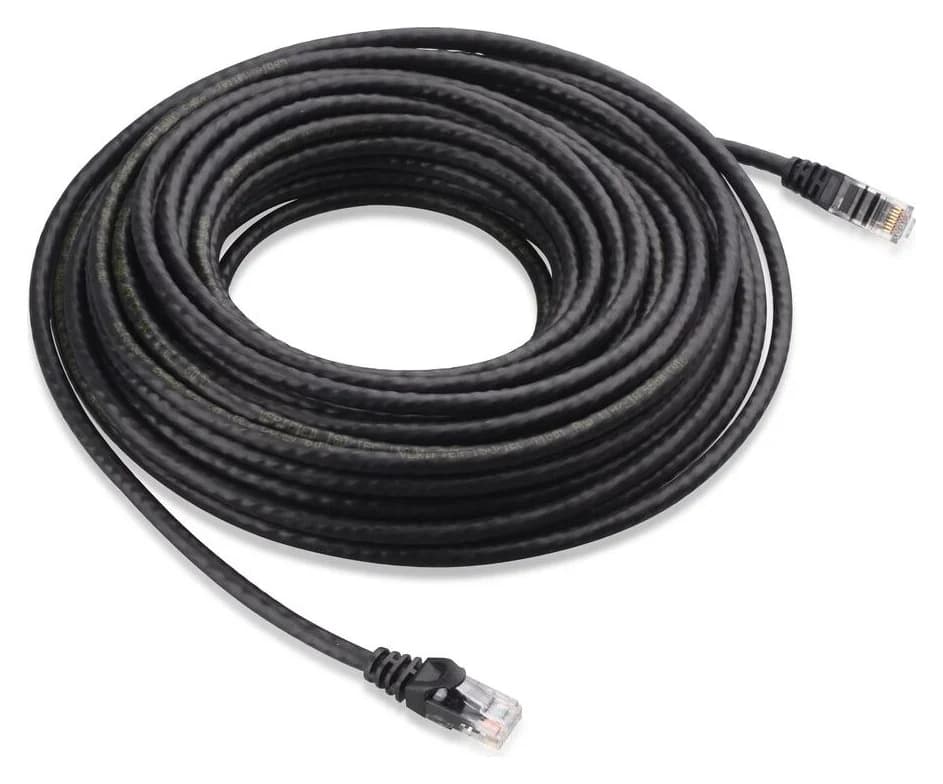
Plan your home network setup with a connection diagram, usable port counts, router and Wi-Fi choices, setup order, and internet and NAS recovery checks.
Comparison · Wi-Fi Routers
UniFi Dream Router 7 vs Express 7: Choose the Complete Kit
Compare UniFi Dream Router 7 and Express 7 by ports, security speed and applications, then build a complete home kit with the right PoE, cameras and cables.
Comparison · Wi-Fi Routers
GL.iNet Slate 7 vs Beryl 7: Which Should You Pack?
Choose between GL.iNet Slate 7 and Beryl 7 by hotel uplink, screen, phone tethering and your complete power kit. Includes exact-model and US buying checks.