

Best picks
Best Parental Control Routers
Built-in Filters, Profiles and Time Limits
Routers with parental controls built in: profile-based filtering, internet schedules and pause, plus what each maker charges a subscription for, checked November 5, 2026.
By thisPING EditorialUpdated November 5, 202610 min read5 picks
On this page · Our picks at a glance
Our picks at a glance
- 1
The deepest controls
Choose for: The deepest controls
Check before buying: the gigabit WAN port means a 1 Gbps or slower plan (the 2.5 GbE port can serve WAN, but it is then unavailable for LAN), and this is a Wi-Fi 6 router, not Wi-Fi 7.
- 2
Multi-gig plans
Choose for: Multi-gig plans
Check before buying: Gryphon's Premium Protection is an optional paid subscription, and features such as threat filtering and ad blocking sit behind it; the core family controls do not.
- 3
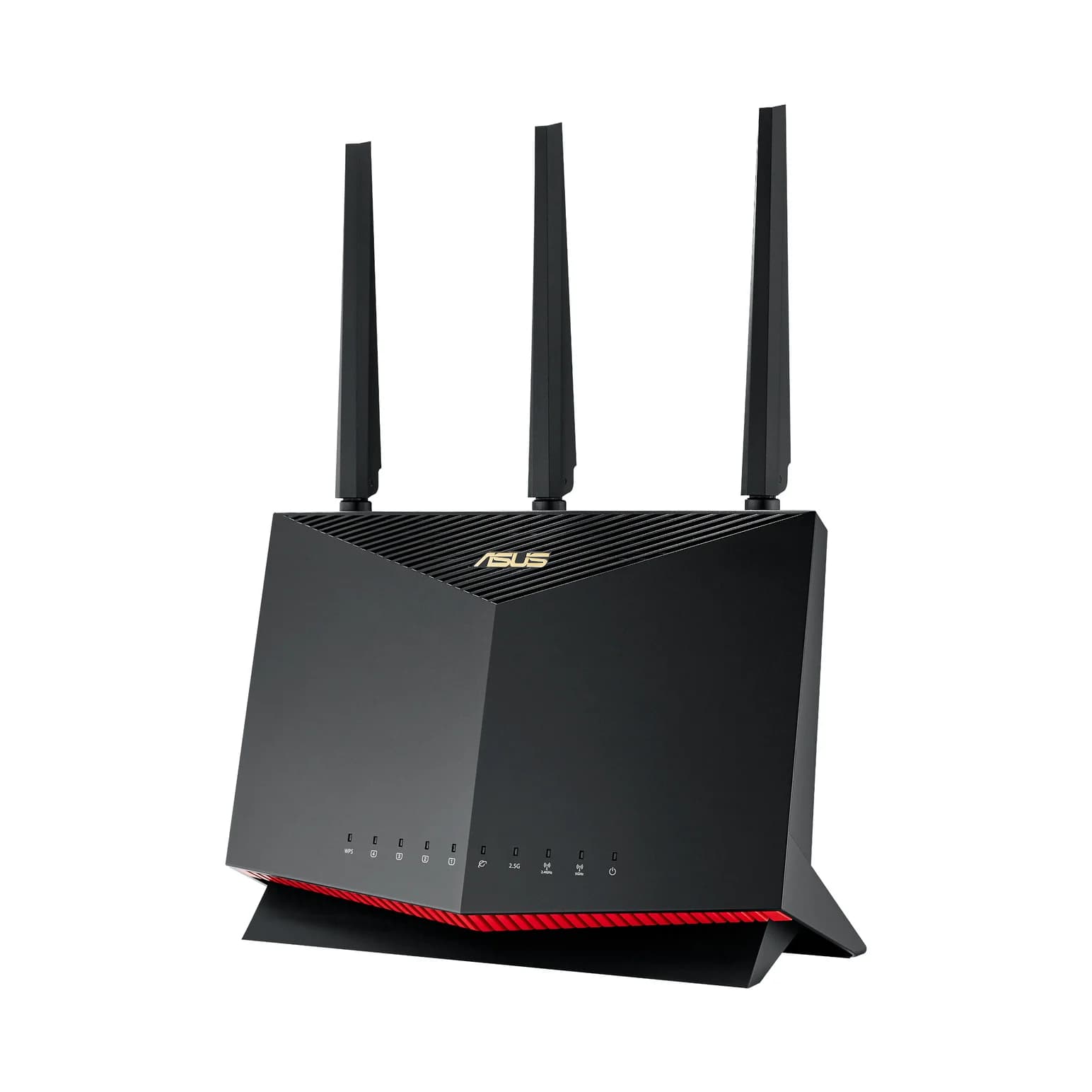
ASUS homes, gamers
Wi-Fi 6 · AX5700
Choose for: ASUS homes, gamers
Check before buying: Wi-Fi 6 only; no 6 GHz band for Wi-Fi 6E/7 clients
Show all 5 picks
- 4
Budget
Choose for: Budget
Check before buying: gigabit ports only, so multi-gig plans are capped at 1 Gbps wired.
- 5
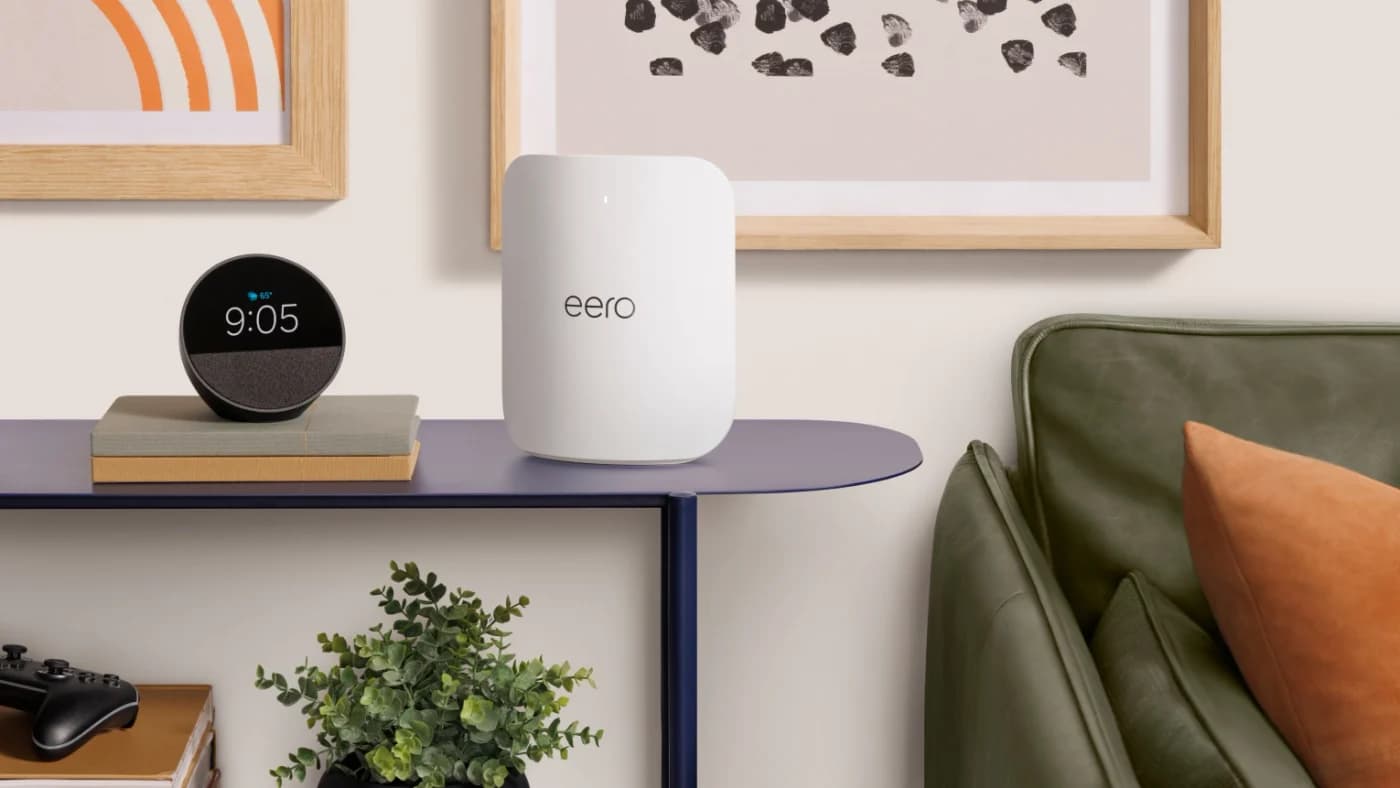
Mesh coverage
Wi-Fi 7 · 3 bands
Choose for: Mesh coverage
Check before buying: The 10 GbE ports only pay off with a 10G modem or ONT and 10G wired devices
For parents who want content filters, time limits and per-child profiles running on the router itself, the Synology RT6600ax has the most complete parental control system here: its Safe Access feature builds profiles, applies DNS-based web filtering, sets time quotas and schedules, and pauses the internet per person, all without a subscription. If your internet plan runs faster than 1 Gbps, the Gryphon Atlas Max adds two 10GbE ports and tri-band Wi-Fi 7 with the same app-managed family controls. On a typical gigabit plan, the ASUS RT-AX86U Pro and the budget TP-Link Archer AX73 cover both jobs, and for a mesh network the eero Max 7 keeps profiles and scheduled pauses free. Features, subscription splits and specifications checked November 5, 2026, against each maker's own pages.
A parental control router filters at the network level: every laptop, console and smart TV in the house is covered without installing anything on it. The differences that matter are whether the controls need a paid subscription, how many profiles you can create, and whether the hardware keeps up with your internet plan.
Quick picks
Compare specifications and all conditions
Synology RT6600ax
- Best for
- The deepest controls
- Parental controls included free
- Profiles, web filter, quotas, schedules, pause, reward
- Subscription adds
- Nothing: SRM has no subscription tier
All specifications
- Wi-Fi
- Wi-Fi 6 tri-band
Gryphon Atlas Max
- Best for
- Multi-gig plans
- Parental controls included free
- Profiles, age-based filtering, internet pause, screen-time routines
- Subscription adds
- Threat filtering, ad blocking, HomeBound+ mobile protection
All specifications
- Wi-Fi
- Wi-Fi 7 tri-band
ASUS RT-AX86U Pro
- Best for
- ASUS homes, gamers
- Parental controls included free
- Website and app blocking, Safe Browsing, schedule, 64 profiles
- Subscription adds
- Nothing for parental controls
All specifications
- Wi-Fi
- Wi-Fi 6 dual-band
TP-Link Archer AX73
- Best for
- Budget
- Parental controls included free
- Profiles, content-filter library, Family Time, Bedtime, Pause the Internet
- Subscription adds
- Advanced reports and more filters via HomeShield Security+
All specifications
- Wi-Fi
- Wi-Fi 6 dual-band
eero Max 7
- Best for
- Mesh coverage
- Parental controls included free
- Profiles, scheduled pauses, data usage
- Subscription adds
- Content-filter levels, app blocking, extra tools (eero Plus)
All specifications
- Wi-Fi
- Wi-Fi 7 tri-band
Full comparison table
Swipe to compare. Row labels stay visible.
| Pick | Best for | Parental controls included free | Subscription adds | Wi-Fi |
|---|---|---|---|---|
| Synology RT6600ax | The deepest controls | Profiles, web filter, quotas, schedules, pause, reward | Nothing: SRM has no subscription tier | Wi-Fi 6 tri-band |
| Gryphon Atlas Max | Multi-gig plans | Profiles, age-based filtering, internet pause, screen-time routines | Threat filtering, ad blocking, HomeBound+ mobile protection | Wi-Fi 7 tri-band |
| ASUS RT-AX86U Pro | ASUS homes, gamers | Website and app blocking, Safe Browsing, schedule, 64 profiles | Nothing for parental controls | Wi-Fi 6 dual-band |
| TP-Link Archer AX73 | Budget | Profiles, content-filter library, Family Time, Bedtime, Pause the Internet | Advanced reports and more filters via HomeShield Security+ | Wi-Fi 6 dual-band |
| eero Max 7 | Mesh coverage | Profiles, scheduled pauses, data usage | Content-filter levels, app blocking, extra tools (eero Plus) | Wi-Fi 7 tri-band |
Scroll horizontally to see every column
| Pick | Best for | Parental controls included free | Subscription adds | Wi-Fi |
|---|---|---|---|---|
| Synology RT6600ax | The deepest controls | Profiles, web filter, quotas, schedules, pause, reward | Nothing: SRM has no subscription tier | Wi-Fi 6 tri-band |
| Gryphon Atlas Max | Multi-gig plans | Profiles, age-based filtering, internet pause, screen-time routines | Threat filtering, ad blocking, HomeBound+ mobile protection | Wi-Fi 7 tri-band |
| ASUS RT-AX86U Pro | ASUS homes, gamers | Website and app blocking, Safe Browsing, schedule, 64 profiles | Nothing for parental controls | Wi-Fi 6 dual-band |
| TP-Link Archer AX73 | Budget | Profiles, content-filter library, Family Time, Bedtime, Pause the Internet | Advanced reports and more filters via HomeShield Security+ | Wi-Fi 6 dual-band |
| eero Max 7 | Mesh coverage | Profiles, scheduled pauses, data usage | Content-filter levels, app blocking, extra tools (eero Plus) | Wi-Fi 7 tri-band |
See the Synology RT6600ax at Synology · See the Gryphon Atlas Max at Gryphon · See the ASUS RT-AX86U Pro at ASUS · See the Archer AX73 at TP-Link
What router-level parental controls actually do
Four features do most of the work, and they map cleanly onto what each maker ships:
Put each child's devices in their own profile
Controls apply per person, not per device, so a borrowed tablet follows the child's rules too.
Pick a filter level, not individual sites
Category-based filtering (adult, shopping, social) keeps up as new sites appear; Synology specifies Safe Search on Bing, Google, YouTube and DuckDuckGo.
Set schedules and time quotas
A schedule turns the internet off at bedtime; a quota (Synology) cuts access after a daily total.
Test it from a child's account
Try a blocked category and check the app's report before you rely on it.
Filtering works at DNS level. Synology's web filter is "IPv4 / IPv6 DNS-based," and Gryphon's subscription tiers add threat filtering for "malicious sites, phishing, and malware-related traffic." That covers every device on the network, including smart TVs and consoles that have no parental controls of their own. It also means the controls only work while a device is on your network: mobile data bypasses them entirely.
Profiles are the unit of control. Synology supports 15 user profiles with a 200-URL block list and a 200-URL allow list; ASUS supports 64 profiles and 64 content-filter rules; eero groups devices under household members in its app. The count matters most in blended households or when you want a separate profile for a shared family TV.
Best parental control system overall: Synology RT6600ax
The RT6600ax is the pick for control without a subscription. Synology's Safe Access runs on the router's own operating system, SRM, and its product page lists the whole system: user profiles, an internet schedule, a time-quota system, DNS-based web filtering over IPv4 and IPv6, Safe Search on Bing, Google, YouTube and DuckDuckGo, a request-to-unblock flow, a reward feature, per-profile logs and reports, and pause.
- 15 user profiles, 5 network profiles; 200 blocked and 200 allowed URLs
- Freeze internet access, approve access requests, and manage everything remotely from the DS router app
- Tri-band Wi-Fi 6 (4800 + 1200 + 600 Mbps maximum signal rates) with a 2.5GbE port configurable for WAN or LAN
- Up to 5 separate networks and 15 Wi-Fi SSIDs, so you can give kids, guests and IoT devices their own networks and firewall rules
- Quad-core 1.8 GHz processor, 1 GB DDR3, WPA3 support, a two-year warranty and a maximum connected-device figure of 200
The trade-offs: the gigabit WAN port means a 1 Gbps or slower plan (the 2.5 GbE port can serve WAN, but it is then unavailable for LAN), and this is a Wi-Fi 6 router, not Wi-Fi 7. Coverage figures are conspicuously absent from Synology's page — as with every router here, plan coverage around your home layout, not a claim.
Best for multi-gig plans: Gryphon Atlas Max
If your plan runs faster than 1 Gbps, the Atlas Max is the parental control router with the hardware to match: Gryphon's specifications page lists tri-band Wi-Fi 7 (2.4, 5 and 6 GHz), two 10GbE ports (one WAN, one LAN), three additional gigabit LAN ports, WPA3, and manufacturer-rated coverage of up to 4,000 sq ft and 200+ connected devices per router.
- App-managed parental controls: personal profiles, age-based filtering, screen-time routines and internet pause
- 19 Gbps aggregate wireless rate (manufacturer maximum; the sum of the bands' theoretical rates, not a real-world speed)
- Whole-home coverage when you add units, managed in the same Gryphon Connect app
- FCC equipment authorization reported by Gryphon for September 30, 2026, after conditional approval in July 2026
The trade-offs: Gryphon's Premium Protection is an optional paid subscription, and features such as threat filtering and ad blocking sit behind it; the core family controls do not. Gryphon's page also flags a real mesh trap: "Do not assume Atlas and AX can form a mixed-model mesh; contact support to confirm your setup." Earlier Gryphon routers (AX, Guardian) are now sold recertified, with a one-year hardware warranty — the Atlas Max is the current generation.
Best for ASUS homes: ASUS RT-AX86U Pro
ASUS ships parental controls in the router itself with no subscription: the tech specs list parental control with website and app blocking, Safe Browsing, a customized internet schedule, and room for 64 profiles and 64 content-filter rules.
- AX5700 dual-band Wi-Fi 6 (4804 + 861 Mbps), 4x4 radios on 5 GHz, 160 MHz channel support
- A 2.5G/1Gbps multi-gig port configurable as WAN or LAN, plus four gigabit LAN ports
- 2.0 GHz quad-core processor, 1 GB RAM, AiProtection (malicious-site blocking, two-way IPS) and WPA3
- Expands later: AiMesh support means an ASUS range extender can join the network as a mesh node
The trade-offs: two bands instead of three, so a busy smart-home network competes for airtime in a way tri-band routers avoid. The multi-gig port is a single configurable 2.5G port rather than a bank of them. The parental controls are profile-based rather than age-based, so there is no built-in filter library by age — you block sites and apps, or use the schedule. ASUS's Wi-Fi 7 picks trade up in speed if the kids' controls are already enough.
Best budget router: TP-Link Archer AX73
For apartments and standard plans, the Archer AX73's product page lists the HomeShield parental-control set: custom profiles, a professional content-filter library, Family Time, Bedtime, Off Time, Time Rewards, a family online-time ranking, pause-the-internet, and weekly and monthly reports.
- AX5400 dual-band Wi-Fi 6 (4804 + 574 Mbps), 6 antennas with beamforming, "3 bedroom houses" range guidance (TP-Link)
- Four gigabit LAN ports, one gigabit WAN port, one USB 3.0 port
- Manage in the Tether app (iOS or Android) or a web browser
- OneMesh support: add a compatible TP-Link range extender later for whole-home coverage
The trade-offs: gigabit ports only, so multi-gig plans are capped at 1 Gbps wired. TP-Link's HomeShield parental controls split across tiers — the profile, schedule, bedtime and pause features ship with the router, while SafeSearch Enforcement, Detailed Usage Reports and other advanced parental controls come with HomeShield Security+; availability varies by model and software version. TP-Link's US router status matters here: TP-Link is not on the FCC's router conditional-approval list, though the FCC's fact sheet states the rule "does not prohibit the import, sale, or use of any existing device models the FCC previously authorized." See our FCC router rule explainer.
Best as a mesh: eero Max 7
In a home where one router won't reach, the eero Max 7 is the mesh pick with parental controls on every node. eero's profiles article says all eero users can group devices by user and schedule when those devices can connect, and pause outside any schedule — free. The granular layer needs a subscription: eero's eero Plus article puts the content filters, app blocking and ad blocking behind the paid plan.
eero
eero's top Wi-Fi 7 router, with two 10 GbE and two 2.5 GbE ports, for multi-gig plans and wired mesh backhaul.
Check package and model options
- Wi-Fi 7
- 3 bands
- 10 Gbps port
- Tri-band Wi-Fi 7 with two auto-sensing 10GbE and two 2.5GbE ports; compatible with internet plans up to 10 Gbps (eero)
- Coverage claim of up to 2,500 sq ft per unit; mesh with more Max 7 units or other eeros
- A Thread and Zigbee hub and Matter controller built in for smart homes
- Software security updates at least through December 31, 2031, or five years after buying new from eero or Amazon, whichever is later (eero policy)
- Content-filter levels in eero Plus: Pre-K, Pre-Teen, Teen and Adult presets
The trade-offs: setup and management happen in the eero app, and Profiles — including the free scheduled pauses — plus several eero Plus features (including the content filters) do not work with the eero in bridge mode, so eero works best as your only router. Older Wi-Fi 6 eeros are also mesh-compatible; our eero comparisons cover the trade-offs between Wi-Fi 7 models.
How we choose
We have not tested these routers. Every parental-control feature, port, band count and coverage claim here comes from the makers' own pages — Synology's RT6600ax page, Gryphon's Atlas Max specifications, ASUS's tech specs, TP-Link's Archer AX73 page, and eero's support articles — checked November 5, 2026. Subscription splits come from the makers' subscription pages (eero Plus, Gryphon Premium Protection) and from feature lists on the router pages themselves. We rank by what the controls cover without a subscription first, then by hardware fit for an internet plan. Full method: How we choose.
Buying guide
Check the subscription split first. The same "parental controls" label covers very different free tiers. Synology and ASUS ship the full control set in the router; TP-Link includes profiles, schedules and pause but puts SafeSearch Enforcement, Detailed Usage Reports and other advanced parental controls in the paid Security+ tier; eero charges for the content filters themselves. A cheaper router plus a mandatory subscription is not the budget option it looks like.
- Yes: Synology RT6600ax: web filter, quotas, schedules, pause, reward, reports — no subscription tier in SRM
- Yes: eero Max 7: profiles, scheduled pauses and data usage on every eero used as the primary router
- Yes: ASUS RT-AX86U Pro: website and app blocking, Safe Browsing, schedule, 64 profiles
- Partly: TP-Link Archer AX73: profiles, content-filter library, Family Time and Bedtime; advanced features via HomeShield Security+
- Partly: Gryphon Atlas Max: profiles, age-based filtering, routines, pause; threat filtering via Premium Protection
- No: eero content filters, app blocking: eero Plus subscription only, and no Profiles — even the free ones — work in bridge mode
Match the WAN port to your plan. A 1 Gbps port caps everything behind it on every wired device, whatever the Wi-Fi class on the box says. The RT6600ax and RT-AX86U Pro each have a configurable 2.5 GbE port (one on each router); the Atlas Max and eero Max 7 have 10GbE. AX numbers (AX5400, AX5700) sum the maximum theoretical rates of every band, not real throughput.
One router or mesh? Single-router coverage claims like 4,000 sq ft (Gryphon) or 2,500 sq ft (eero) are manufacturer maximums; walls and floors cut them. In multi-story homes, pick a system that grows: eero meshes with any other eero, ASUS extends through AiMesh, TP-Link through OneMesh, and Synology through a second Synology router (RT6600ax, WRX560 or RT2600ac). Our mesh Wi-Fi guide covers the trade-offs.
Where to put it. Router placement decides both coverage and how well controls reach every room; our router placement guide covers it. And if you rent a modem-router combo from your ISP, the filtering box must replace it or sit behind it in bridge mode: our modem vs router explainer covers which box does what.
Verdict
The Synology RT6600ax is the best parental control router for most homes: profiles, DNS-based filtering, quotas, schedules, pause and reports ship free, and the network segmentation is deeper than anything else at the price. Buy the Gryphon Atlas Max when your plan is faster than 1 Gbps and you want Wi-Fi 7 hardware with the same app-first family controls. The ASUS RT-AX86U Pro is the right pick for ASUS households that game, and the Archer AX73 covers an apartment for less. For a multi-unit eero network used as the primary router, the eero Max 7 keeps profiles and pauses free across every node; profiles do not work if the eeros are bridged behind another router — just budget for eero Plus if you want the content filters.
Frequently asked questions
Do I need a subscription for parental controls on a router?
Not on every router. Synology's RT6600ax includes profile-based web filtering, time quotas, schedules and internet pause free in its Safe Access app. eero takes the opposite split: device profiles and scheduled pauses are free when eero is your primary router, while the content-filter levels (Pre-K, Pre-Teen, Teen, Adult) and app blocking need a paid eero Plus subscription. TP-Link's advanced parental controls require Security+. Check which features you actually need before assuming a router's controls are free.
Do router-level parental controls cover phones on mobile data?
Only while the phone is on your Wi-Fi. Router filtering inspects DNS requests from devices connected to the router, so mobile data and other Wi-Fi networks bypass it. Gryphon's HomeBound+ routes supported mobile traffic through a cloud-based virtual Gryphon router to extend controls away from home, but a subscription, a supported device and setup are required. For full coverage, combine router controls with on-device tools, and keep safe-search settings on the phone itself.
Can kids bypass router parental controls?
Sometimes. Common bypasses are mobile data, a neighbor's Wi-Fi, and manually setting a different DNS server. Synology mitigates the last one with IPv4 and IPv6 DNS-based web filtering, and eero's Plus filters cover unrecognized devices through Unassigned Device Control, but eero Plus does not cover devices on the guest network. The stronger defenses are profile-based filtering that applies per person rather than per device, and internet schedules that cut access at the router regardless of DNS settings. No router control replaces an on-device conversation.
Is a parental control router better than free family tools from Google or Apple?
They solve different problems. Google Family Link and Apple Screen Time are per-device, so they follow the phone on mobile data, but each device needs the tool set up and each family member needs an account. A router applies controls to every device on the network, including game consoles, smart TVs and friends' devices, but only at home. Households that need both usually run router schedules for shared devices and per-device tools for the kids' phones.
Can I add parental controls to the router I already own?
Often, yes. ASUS, TP-Link and Synology ship parental controls in their firmware for most current models, so updating firmware and enabling the feature may be enough. If your router has no built-in controls, the filtering router must become your primary router: bridge the existing router (or remove it) so it routes your traffic — eero's controls do not work when the eero itself is bridged. Our [best Wi-Fi 6 routers](/guides/best-wifi-6-routers) guide covers mainstream models with these features.
The deepest controls
Synology RT6600ax
Related guides
Best picks · Wi-Fi Routers
Best VPN Routers in 2026: Whole-Network VPN Picks for Home, Travel and Business
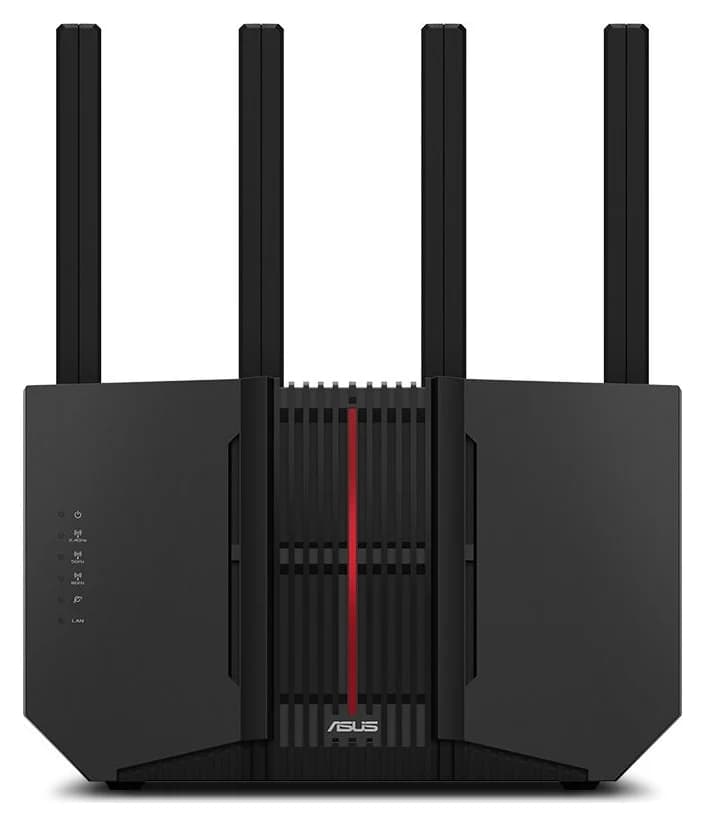
The VPN routers worth buying in 2026: pre-configured and bring-your-own-subscription picks, WireGuard speed ceilings, and which models fit homes, travel and small offices.
Comparison · Wi-Fi Routers
Netgear Nighthawk RS100 vs RS300: Which Wi-Fi 7 Router Should You Buy?
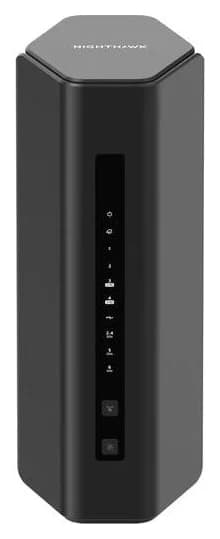
The RS100 and RS300 compared on bands, ports, coverage and price class: which Nighthawk fits your home size, service tier and expansion plans.
Comparison · Wi-Fi Routers
GL.iNet Beryl 7 vs ASUS RT-BE58 Go: Which Travel Router Should You Buy?
Pick between the GL.iNet Beryl 7 and ASUS RT-BE58 Go by ports, power, tethering, captive portals and VPN speed. Specs from the makers.