

Comparison
QNAP TS-264 vs Synology DS225+
The Two-Bay NAS Buying Decision
TS-264 vs DS225+ at equal drive capacity: CPUs, the QNAP memory-revision trap, 2.5GbE, NAS apps, backups and the exact kit to buy for each.
By thisPING EditorialUpdated November 5, 20269 min read3 picks
On this page · Our picks at a glance
Our picks at a glance
- 1
Family backups and a photo library with the least fuss
2.5 Gbps port · 2 bays
Choose for: Family backups and a photo library with the least fuss
Check before buying: Only 2 GB RAM, expandable to 6 GB
- 2
Media server, containers or a small application server
QNAP TS-264-8G, documented SODIMM revision
Choose for: Media server, containers or a small application server
Check before buying: you must verify the memory revision before counting on any of the upgrade numbers, QTS asks more configuration decisions than DSM, and 10GbE or 5GbE means a PCIe card in the single shared slot.
- 3
Extra insurance against a Synology versus QNAP dead end
Read the DS224+ note below
Choose for: Extra insurance against a Synology versus QNAP dead end
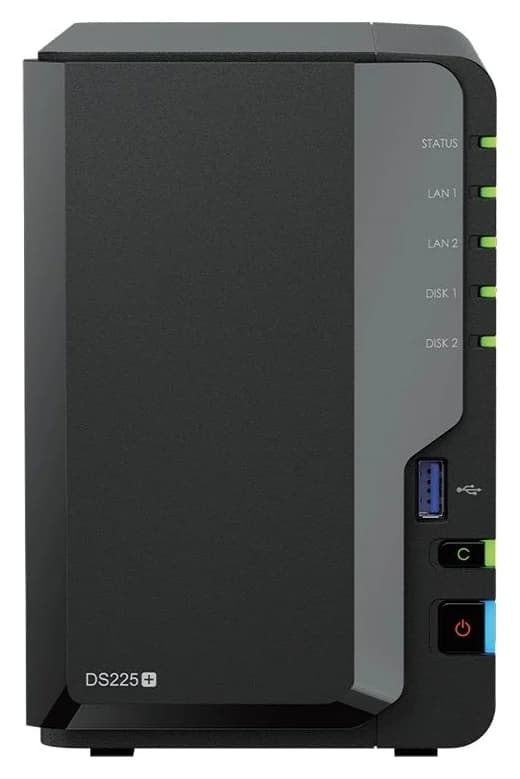
For a household that wants a set-and-forget backup and photo box, the Synology DiskStation DS225+ is the safer buy: DSM's Drive, Photos, Active Backup and Hyper Backup packages handle phone backups, PC backups and offsite copies without extra hardware decisions, and it carries a 3-year hardware warranty. If you want media transcoding headroom, containers, virtual machines or a faster network later, buy the QNAP TS-264-8G instead: dual 2.5GbE ports, 8 GB of SODIMM memory with a 16 GB official maximum, two NVMe slots and a PCIe slot — provided you confirm the memory revision, which QNAP changed under the same model name.
Official specifications checked November 4, 2026. This guide is based on maker documentation, not physical testing, and no retailer stock or offer is verified.
Quick picks
Compare specifications and all conditions
Family backups and a photo library with the least fuss
- Our choice
- Synology DS225+
- What decides it
- Drive, Photos, Active Backup and Hyper Backup; a 2.5GbE port; 3-year warranty
Media server, containers or a small application server
- Our choice
- QNAP TS-264-8G, documented SODIMM revision
- What decides it
- 8 GB RAM (16 GB maximum), NVMe slots, PCIe slot, dual 2.5GbE
Wired transfers faster than gigabit
- Our choice
- TS-264-8G
- What decides it
- Two built-in 2.5GbE ports versus one; both need a 2.5 GbE-capable computer and switch
Surveillance with more than a couple of cameras
- Our choice
- Depends — count first
- What decides it
- Synology lists the DS225+ for up to 25 IP cameras with two free Surveillance Station licenses; QNAP's QVR camera compatibility list decides the TS-264
Extra insurance against a Synology versus QNAP dead end
- Our choice
- Read the DS224+ note below
- What decides it
- Cheaper, gigabit-only, 2-year warranty; only with a real saving
Full comparison table
Swipe to compare. Row labels stay visible.
| Your job | Our choice | What decides it |
|---|---|---|
| Family backups and a photo library with the least fuss | Synology DS225+ | Drive, Photos, Active Backup and Hyper Backup; a 2.5GbE port; 3-year warranty |
| Media server, containers or a small application server | QNAP TS-264-8G, documented SODIMM revision | 8 GB RAM (16 GB maximum), NVMe slots, PCIe slot, dual 2.5GbE |
| Wired transfers faster than gigabit | TS-264-8G | Two built-in 2.5GbE ports versus one; both need a 2.5 GbE-capable computer and switch |
| Surveillance with more than a couple of cameras | Depends — count first | Synology lists the DS225+ for up to 25 IP cameras with two free Surveillance Station licenses; QNAP's QVR camera compatibility list decides the TS-264 |
| Extra insurance against a Synology versus QNAP dead end | Read the DS224+ note below | Cheaper, gigabit-only, 2-year warranty; only with a real saving |
Scroll horizontally to see every column
| Your job | Our choice | What decides it |
|---|---|---|
| Family backups and a photo library with the least fuss | Synology DS225+ | Drive, Photos, Active Backup and Hyper Backup; a 2.5GbE port; 3-year warranty |
| Media server, containers or a small application server | QNAP TS-264-8G, documented SODIMM revision | 8 GB RAM (16 GB maximum), NVMe slots, PCIe slot, dual 2.5GbE |
| Wired transfers faster than gigabit | TS-264-8G | Two built-in 2.5GbE ports versus one; both need a 2.5 GbE-capable computer and switch |
| Surveillance with more than a couple of cameras | Depends — count first | Synology lists the DS225+ for up to 25 IP cameras with two free Surveillance Station licenses; QNAP's QVR camera compatibility list decides the TS-264 |
| Extra insurance against a Synology versus QNAP dead end | Read the DS224+ note below | Cheaper, gigabit-only, 2-year warranty; only with a real saving |
The decision in one look
- 2Drive bays in both enclosures, diskless from the factory
- 2.5GbE ports built into the TS-264 (the DS225+ has one 2.5GbE plus one 1GbE)
- 6GB maximum RAM in the DS225+, against 16 GB in the TS-264's documented revision
- 3Year standard hardware warranty on both current enclosures
Two bays, two different philosophies
Both enclosures hold two 3.5-inch SATA drives or 2.5-inch SATA SSDs, hot-swappable in both cases, and both ship diskless — QNAP's table states the system is shipped without HDD, and Synology says storage drives are sold separately. What differs is what each maker built around those two bays.
Synology's DS225+ is built around its software. Synology's product page lists it for backing up multiple endpoints, managing up to 25 IP cameras, or safely syncing and sharing files across locations, with a built-in 2.5GbE port and over 282/217 MB/s sequential read/write (its internal-testing figures, which may vary). Its Intel Celeron J4125 (four cores, 2.0 GHz base / 2.7 GHz turbo) is paired with 2 GB DDR4 non-ECC in one slot, expandable to 6 GB (2 GB + 4 GB). It has no NVMe or PCIe slots.
Source: Synology DS225+ and QNAP TS-264 spec tables (linked below)
QNAP's TS-264-8G is built around hardware headroom. QNAP's current US comparison table lists an Intel Celeron N5095 4-core/4-thread processor with burst up to 2.9 GHz, Intel UHD Graphics, an AES-NI encryption engine, and hardware-accelerated transcoding — so on paper it is the stronger media box. It carries 8 GB SODIMM DDR4, two DDR4 SODIMM slots and a 16 GB (2 x 8 GB) maximum, plus two M.2 2280 PCIe Gen 3 x1 slots for SSD cache or storage pools and one PCIe Gen 3 x2 slot for an expansion card.
Synology also reserves a revision right of its own: it notes it may revise pre-installed memory module specifications in response to component lifecycle and supply conditions. But the DS225+'s slot count and 6 GB ceiling have stayed consistent across its own documentation.
Ports: the real local-transfer bottleneck
- Yes: Two 2.5GbE ports on the TS-264, each 2.5G/1G/100M — trunking or separate duties are options in QTS
- Yes: One 2.5GbE port on the DS225+ plus one 1GbE port, for a second subnet or a slower link
- Partly: 2.5 GbE speed needs a 2.5 GbE port or adapter on the computer, a 2.5 GbE switch in between, and Cat 5e or better cabling
- No: 10GbE and 5GbE are not built into either box; the TS-264 needs a PCIe card, and the DS225+ has no PCIe slot at all
Synology puts the 2.5GbE port ahead of the hard drives as the DS225+'s real bottleneck: over 282/217 MB/s sequential read/write exceeds what a pair of mirrored spinning drives sustains anyway. The TS-264's second 2.5GbE port buys you a faster backup target link or a separate media subnet, not double the speed of one file copy. Neither box goes beyond 2.5 GbE without hardware: 5GbE and 10GbE on the TS-264 are "optional via PCIe expansion card," and the DS225+ has no expansion slot. Our best 2.5Gb switches guide covers the switch side.
Build the exact kit, at equal drive capacity
Compare diskless-to-diskless offers with the same two drives, never an enclosure-only price against a bundled offer. Then budget the rest.
Pick two equal drives
Check QNAP's or Synology's compatibility list for your exact drive and firmware; both makers publish model-specific lists.
Confirm the enclosure revision
QNAP: SODIMM (current) versus fixed 8 GB (older manual). Synology: any diskless DS225+.
Add the network link
A 2.5 GbE switch or adapter on your computer, if you want more than gigabit locally.
Buy a separate backup destination
An external USB drive (both boxes have USB 3.2 ports) or a cloud target; a mirror is not a backup.
On drives: Synology says 2025 model-year DiskStation Plus, Value, and J Series running DSM 7.3 support installation and storage pool creation with third-party drives, so the DS225+ (a Plus model) is not locked to Synology-branded drives under DSM 7.3 — though its M.2 storage pools and cache would still need list drives if it had any, and Synology still asks you to consult the compatibility list before purchasing. QNAP ships the TS-264 without drives and points to its HDD compatibility list. Our best NAS hard drives and WD Red Plus vs IronWolf comparisons cover the drive choice, and Synology's drive compatibility rules explain the DSM 7.3 policy in depth.
The Synology DS225+ section
The DS225+ is the current two-bay Plus model, and the right pick when the software does the work. Synology's software specification lists Hyper Backup (folder, package and entire-system backup), Synology Drive (up to 10 users, 100,000 hosted files), Synology Photos with facial recognition — object recognition requires 4 GB of RAM — Snapshot Replication, and Surveillance Station with two free camera licenses. The J4125's integrated Intel UHD Graphics 600 supports Quick Sync Video per Intel, but Synology does not present the DS225+ as a transcoding box.
Synology
A two-bay Synology NAS with an Intel Celeron J4125 and one 2.5GbE port, for backups and photo libraries.
Check package and model options
- 2.5 Gbps port
- 2 bays
- Intel Celeron J4125, four cores, 2.0/2.7 GHz base/turbo; 2 GB DDR4 in one slot, 6 GB maximum
- One 2.5GbE and one 1GbE RJ-45 port; two USB 3.2 Gen 1 ports with USB Copy
- 2 × 3.5-inch SATA bays, hot-swappable; 40 TB raw with 20 TB drives (Synology's calculation)
- 3-year hardware warranty, extendable to 5 with Extended Warranty Plus
The trade-offs: 2 GB of RAM is tight if you add many packages or want object recognition, and there is no NVMe cache, no PCIe and no 10GbE path. Synology recommends its own memory modules for expansion and will not provide complete product warranty or technical support if non-Synology modules are used.
The QNAP TS-264-8G section
The TS-264 is the right pick when the hardware carries the workload. QNAP's table lists Container Station, Virtualization Station and Linux Station (the last requires 4 GB or more of RAM) among its software features, which is where the 8 GB of installed memory and a 16 GB ceiling matter. The two M.2 2280 slots run SSD cache or storage pools without giving up a SATA bay, and the HDMI output can drive a display directly (check the HDMI revision caveat above if that matters to you).
- Intel Celeron N5095, four cores / four threads, burst up to 2.9 GHz; Intel UHD Graphics; AES-NI; hardware-accelerated transcoding
- 8 GB SODIMM DDR4 in two slots, 16 GB maximum (documented revision only); 4 GB dual-boot flash
- Two 2.5GbE ports; two USB 3.2 Gen 2 Type-A ports plus two USB 2.0 ports; USB One Touch Copy
- QTS by default (ext4); QuTS hero (ZFS) is an alternative, and switching operating systems requires a backup and disk removal
- 3-year standard warranty
The trade-offs: you must verify the memory revision before counting on any of the upgrade numbers, QTS asks more configuration decisions than DSM, and 10GbE or 5GbE means a PCIe card in the single shared slot.
Phone photos, PC backups and applications
Both platforms back up phones, PCs and run apps — the difference is how much of the household story is pre-assembled. Synology's page pitches exactly that flow: automatic photo backup with album organization and secure share links, PC and device backups with centralized administration, and versioning to roll back accidental deletions. QNAP covers the same jobs in QTS (Qsync, Hybrid Backup Sync, QuMagie and friends) with more knobs to turn and more compatibility checking on your side; our Synology vs TrueNAS hardware guide covers platform lock-in trade-offs that apply here too. If your named application matters — a specific Docker stack, a specific camera model, a specific Plex or Jellyfin plan — check that application's requirements against each platform before deciding; our Jellyfin vs Plex hardware guide covers the transcoding question in detail.
For surveillance, the DS225+ is specified by Synology for up to 25 IP cameras (with additional cameras requiring licenses), while QNAP's camera support is decided by its QVR camera compatibility list, not a headline number. Count cameras and check the lists first.
When the DS224+, another platform or four bays make more sense
- DS224+: the older two-bay Synology with the same J4125 and 6 GB memory ceiling but two 1GbE ports and a standard 2-year hardware warranty. It only makes sense with a real saving, because the DS225+ adds the 2.5GbE port and the extra warranty year at the same 40 TB raw capacity. Synology's US and global status data have disagreed about its availability, so check seller condition and warranty eligibility; our DS224+ vs DS225+ comparison covers the details, and our DS224+ vs TS-264 page covers the older pair.
- Four bays: if you are mirroring plus backing up inside one box, four bays (RAID 5 or RAID 10, or pairs) avoid the capacity halving of a two-bay mirror. See best four-bay NAS.
- Another platform: if neither DSM nor QTS appeals, our Synology vs UGREEN and Synology vs TrueNAS comparisons cover the alternatives, and the DIY NAS hardware guide covers building your own.
How we choose
We have not tested these enclosures. Every specification here comes from Synology's DS225+, DS224+ and DSM 7.3 pages, QNAP's TS-264 comparison table and its operating-system descriptions, and Intel's processor pages, all checked November 4, 2026, with the QNAP memory-revision conflict reported rather than resolved. Picks follow the job: the DS225+ for the least-fuss household workflow, the TS-264-8G for hardware headroom, both diskless and compared at equal drive capacity. Full method: How we choose.
Verdict
Buy the Synology DS225+ if the NAS's job is your family's backups and photos: one 2.5GbE port is enough for mirrored drives, the package set is complete without extra hardware, and the 3-year warranty is standard. Buy the QNAP TS-264-8G for a media server, containers or a network you intend to upgrade — but only after confirming the memory revision, because QNAP's own documents disagree about what a "TS-264-8G" contains. Either way, buy the same two drives, a separate backup destination, and treat the mirror as drive insurance, not backup.
Frequently asked questions
Is QNAP better than Synology for a home NAS?
QNAP's TS-264-8G has more hardware headroom: dual 2.5GbE ports, 8 GB SODIMM memory with an official 16 GB maximum in the current revision, two NVMe slots and a PCIe slot. Synology's DS225+ has less hardware but a more polished and better documented household workflow: Drive, Photos, Active Backup and Hyper Backup run without extra hardware decisions. Choose by the job, not the brand.
Can you upgrade the QNAP TS-264-8G memory?
It depends on the hardware revision. QNAP's current US comparison table specifies 8 GB SODIMM DDR4, two memory slots and a 16 GB (2 x 8 GB) maximum, with the memory specification footnoted Since 2024/01. QNAP's older TS-x62/TS-x64 family manual describes the TS-264-8G as having non-expandable 8 GB memory. Confirm the revision before buying RAM or older stock.
Is the Synology DS225+ RAM expandable?
Yes, to 6 GB. Synology lists 2 GB DDR4 non-ECC installed, one memory slot and a maximum memory capacity of 6 GB (2 GB + 4 GB), and recommends Synology memory modules for optimum compatibility and reliability; non-Synology modules mean incomplete warranty and technical support for expansion.
Does the Synology DS225+ accept third-party hard drives?
Synology says 2025 model-year DiskStation Plus, Value and J Series running DSM 7.3 support installation and storage pool creation with third-party drives. The DS225+ is a Plus model, so use DSM 7.3 or later; check the compatibility list for your exact drive, and note that M.2 storage pools and cache still need drives on Synology's list.
Which NAS is faster over the network, TS-264 or DS225+?
On paper, the TS-264. It has two built-in 2.5GbE ports (each 2.5G/1G/100M) versus the DS225+'s one 2.5GbE plus one 1GbE port, and its 10GbE and 5GbE options arrive through a PCIe card. Your computer, switch and cabling must support 2.5 GbE for either box to beat gigabit.
How much usable storage do two 8 TB drives give in a two-bay NAS?
In a two-drive mirror, about 8 TB usable before filesystem and system overhead, because the second drive duplicates the first. Both QTS and DSM support mirroring (RAID 1) across two bays, and a mirror protects against a drive failing, not against deletion, ransomware or theft. Budget a separate backup destination and rehearse a restore; RAID is not backup.
Do I need to buy drives separately?
Yes for both. QNAP's specification states the TS-264 system is shipped without HDD, and Synology notes storage drives are sold separately. Compare diskless-to-diskless offers, and buy an independent backup destination on top of the NAS drives.
Related guides
Comparison · NAS
UGREEN NASync DXP2800 vs QNAP TS-264: Which Two-Bay NAS Should You Buy?

DXP2800 vs TS-264 compared at equal drive capacity: CPU, memory revisions, dual 2.5GbE, M.2 slots, UGOS vs QTS software, backup workflow and recovery.
Comparison · NAS
Seagate IronWolf Pro 20TB vs WD Red Pro 20TB: Which NAS Drive Set?
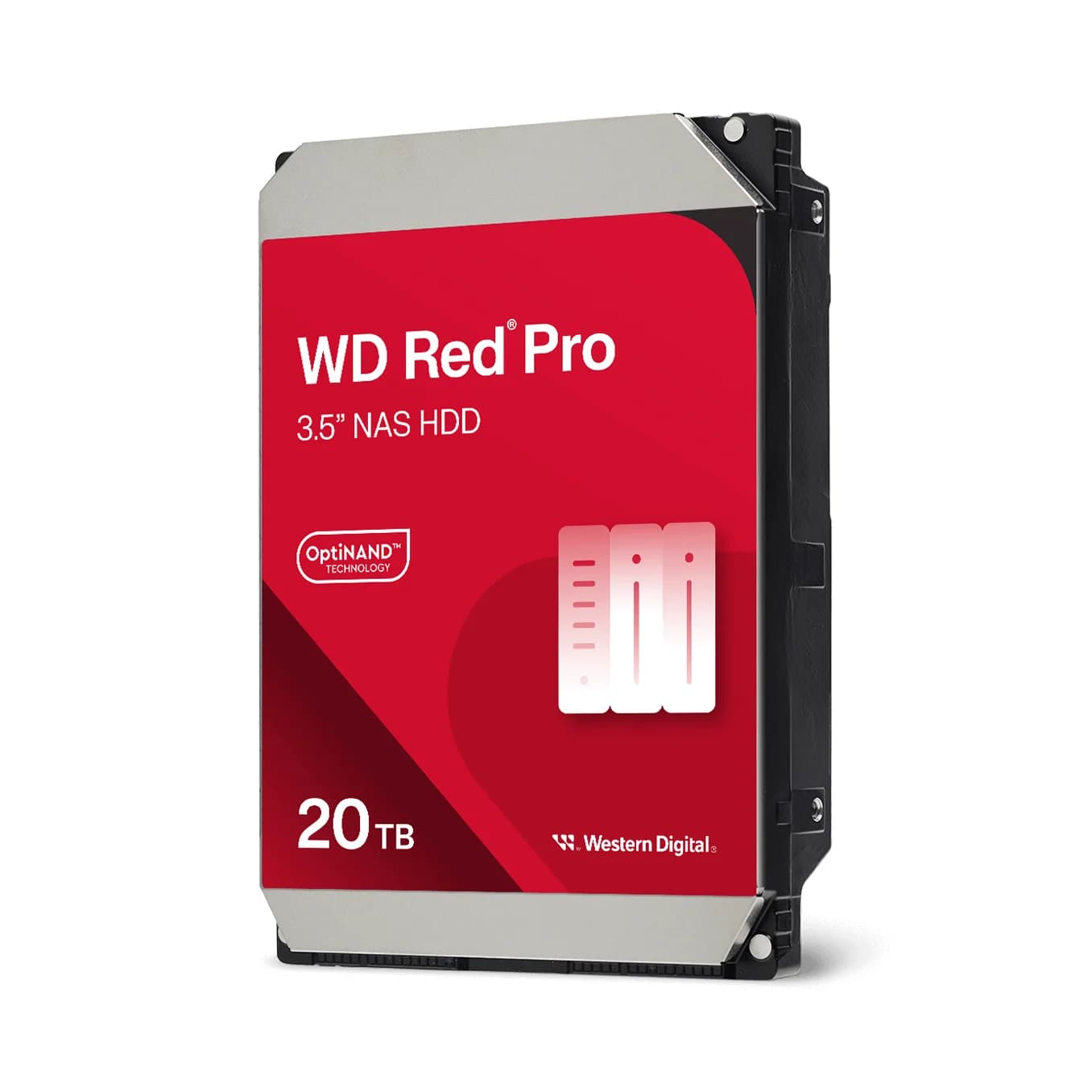
Compare ST20000NT001 and WD202KFGX on workload, cache, warranty and enclosure support, then plan usable capacity and an independent backup.
Comparison · NAS
QNAP TS-464 vs Synology DS425+: Which Four-Bay NAS Should You Buy?
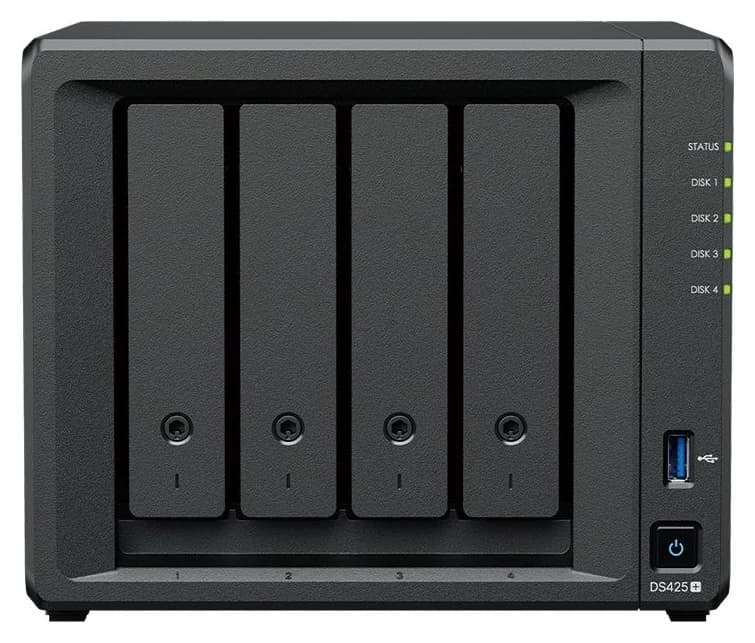
The four-bay TS-464 and DS425+ compared at equal disk capacity: memory, networking, Plex support, backup and recovery, plus a full drive order and disk-order checklist.