

Best picks
Best Routers for Fiber Internet in 2026, by Plan Speed
Routers for fiber chosen by your plan speed and ONT handoff: the WAN port you need, multi-gig LAN ports, cables, adapters and ISP activation steps, checked Nov 4.
By thisPING EditorialUpdated November 5, 202610 min read5 picks

On this page · Our picks at a glance
Our picks at a glance
- 1
1-gigabit fiber
Wi-Fi 7 · BE9700
Choose for: 1-gigabit fiber
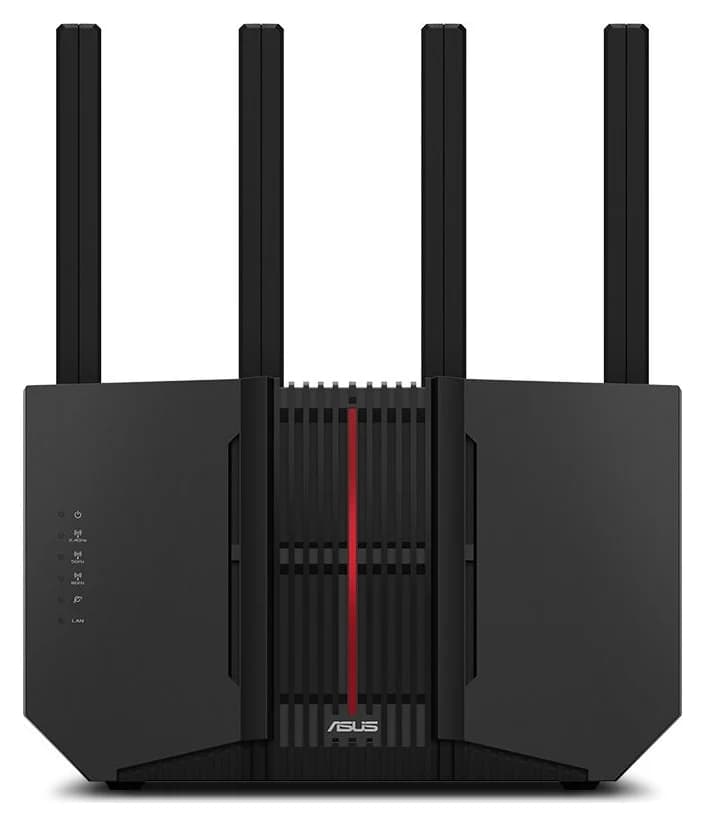
Check before buying: there is no second 10 Gbps LAN port, so a 5 Gig wired desktop tops out at a 2.5 Gbps port.
- 2
2 Gig and faster
Wi-Fi 7 · BE30000
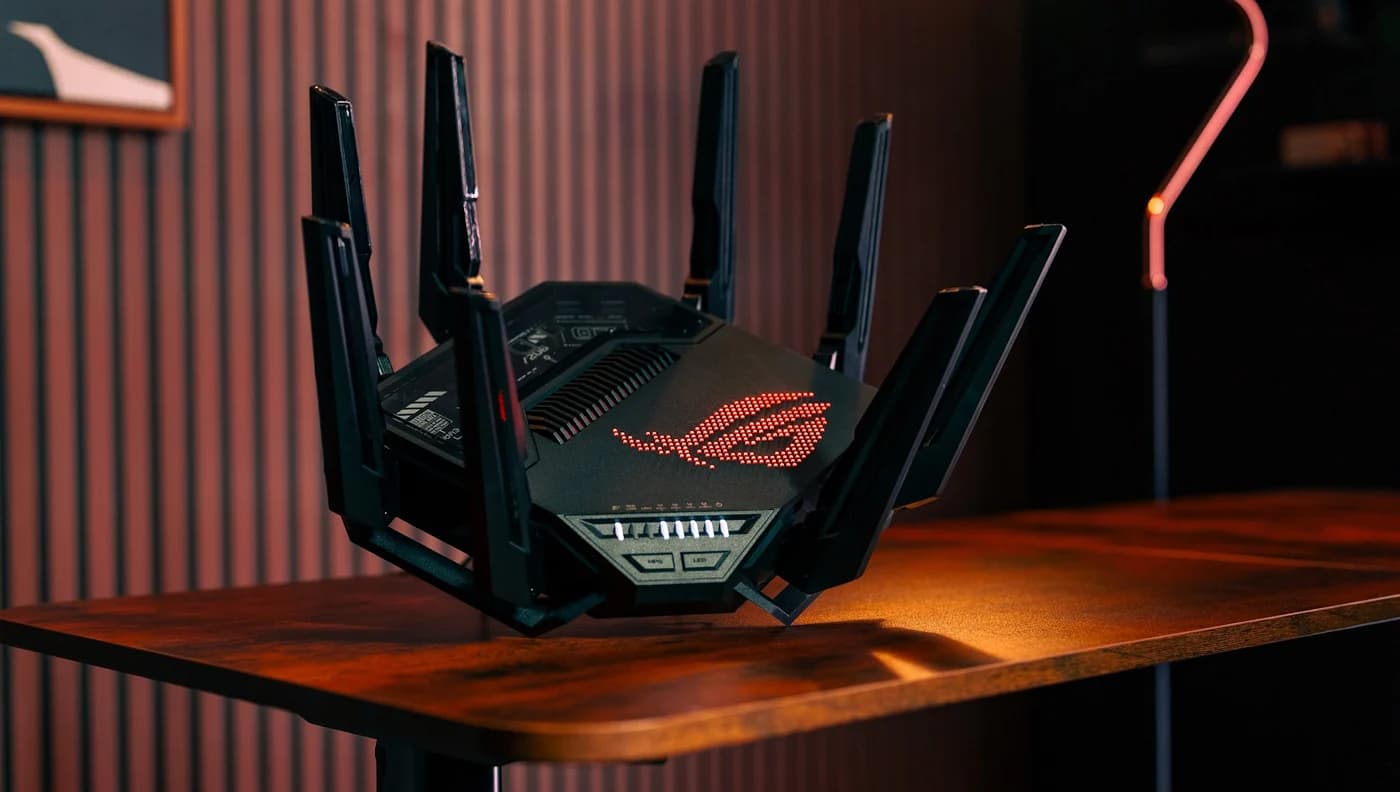
Choose for: 2 Gig and faster
Check before buying: ASUS publishes no coverage figure on the spec page
- 3
Multi-gig mesh
Wi-Fi 7 · 3 bands
Choose for: Multi-gig mesh
Check before buying: setup and management require the eero phone app; there is no web interface.
Show all 5 picks
- 4
Budget 2 Gig
Wi-Fi 7 · BE9300
Choose for: Budget 2 Gig
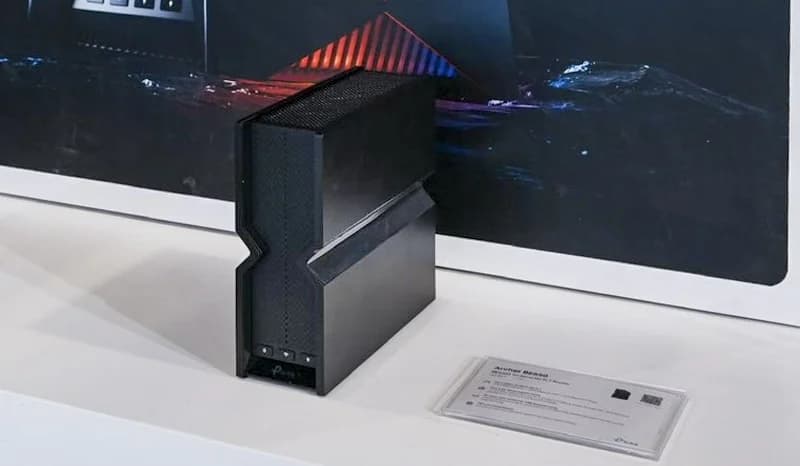
Check before buying: no 10G port, so 5 Gig plans are out.
- 5
Best patch cord from the ONT
Choose for: Best patch cord from the ONT
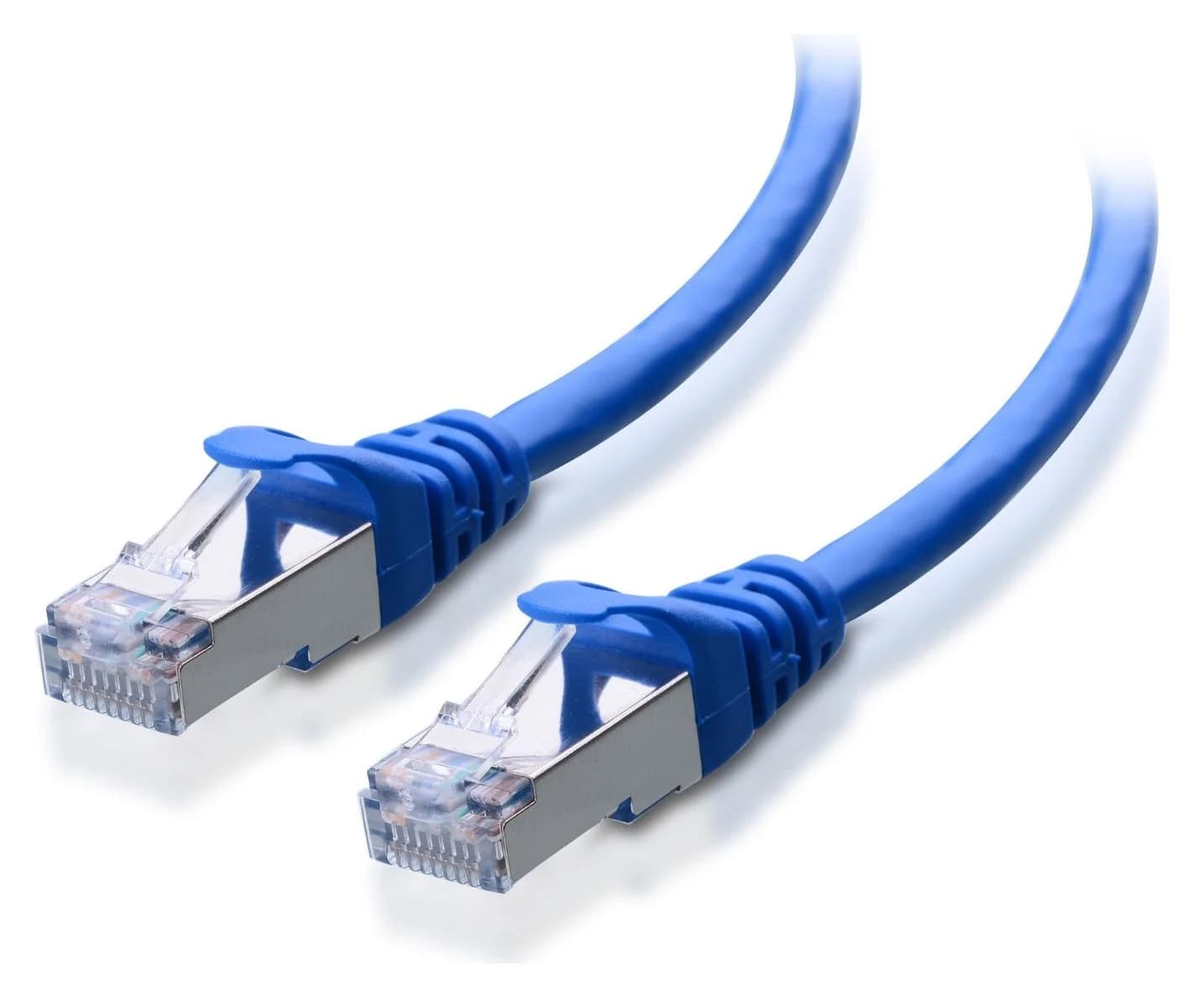
Check before buying: Five-cable pack; check the length and jacket color selected at checkout
Fiber buyers lose speed in three places the BE number on the box never mentions: a gigabit WAN port on a multi-gig plan, gigabit LAN ports on the other side, and a cable or client that can't carry the plan. The ASUS RT-BE92U is the best value router for 1-gigabit fiber: a 10 Gbps WAN/LAN port leaves three dedicated 2.5 Gbps LAN ports plus one 2.5 Gbps WAN/LAN port, so a later plan upgrade doesn't mean a new router. For 2-gigabit and faster fiber, the ASUS ROG Rapture GT-BE98 Pro has two 10 Gbps ports; whole-home coverage favors the eero Max 7 mesh. Ports, speeds and ISP steps checked November 4, 2026.
Every router here is tri-band or quad-band Wi-Fi 7 with a 6 GHz band, and every pick has a 2.5 Gbps or faster WAN path. Start with your plan speed and your provider's handoff, then match the ports.
Quick picks
Compare specifications and all conditions
ASUS RT-BE92U
- Best for
- 1-gigabit fiber
- Internet (WAN) port
- 10 Gbps (WAN/LAN)
- Other Ethernet ports
- 1x 2.5 Gbps (WAN/LAN), 3x 2.5 Gbps
All specifications
- Wi-Fi class
- BE9700 (tri-band)
ASUS ROG Rapture GT-BE98 Pro
- Best for
- 2 Gig and faster
- Internet (WAN) port
- 10 Gbps (WAN/LAN)
- Other Ethernet ports
- 1x 2.5 Gbps (WAN/LAN), 1x 10 Gbps, 3x 2.5 Gbps, 1x 1 Gbps
All specifications
- Wi-Fi class
- BE30000 (quad-band)
eero Max 7
- Best for
- Multi-gig mesh
- Internet (WAN) port
- 10 GbE (auto-sensing)
- Other Ethernet ports
- 1x 10 GbE, 2x 2.5 GbE
All specifications
- Wi-Fi class
- Tri-band Wi-Fi 7
TP-Link Archer BE550
- Best for
- Budget 2 Gig
- Internet (WAN) port
- 2.5 Gbps
- Other Ethernet ports
- 4x 2.5 Gbps
All specifications
- Wi-Fi class
- BE9300 (tri-band)
Full comparison table
Swipe to compare. Row labels stay visible.
| Pick | Best for | Internet (WAN) port | Other Ethernet ports | Wi-Fi class |
|---|---|---|---|---|
| ASUS RT-BE92U | 1-gigabit fiber | 10 Gbps (WAN/LAN) | 1x 2.5 Gbps (WAN/LAN), 3x 2.5 Gbps | BE9700 (tri-band) |
| ASUS ROG Rapture GT-BE98 Pro | 2 Gig and faster | 10 Gbps (WAN/LAN) | 1x 2.5 Gbps (WAN/LAN), 1x 10 Gbps, 3x 2.5 Gbps, 1x 1 Gbps | BE30000 (quad-band) |
| eero Max 7 | Multi-gig mesh | 10 GbE (auto-sensing) | 1x 10 GbE, 2x 2.5 GbE | Tri-band Wi-Fi 7 |
| TP-Link Archer BE550 | Budget 2 Gig | 2.5 Gbps | 4x 2.5 Gbps | BE9300 (tri-band) |
Scroll horizontally to see every column
| Pick | Best for | Internet (WAN) port | Other Ethernet ports | Wi-Fi class |
|---|---|---|---|---|
| ASUS RT-BE92U | 1-gigabit fiber | 10 Gbps (WAN/LAN) | 1x 2.5 Gbps (WAN/LAN), 3x 2.5 Gbps | BE9700 (tri-band) |
| ASUS ROG Rapture GT-BE98 Pro | 2 Gig and faster | 10 Gbps (WAN/LAN) | 1x 2.5 Gbps (WAN/LAN), 1x 10 Gbps, 3x 2.5 Gbps, 1x 1 Gbps | BE30000 (quad-band) |
| eero Max 7 | Multi-gig mesh | 10 GbE (auto-sensing) | 1x 10 GbE, 2x 2.5 GbE | Tri-band Wi-Fi 7 |
| TP-Link Archer BE550 | Budget 2 Gig | 2.5 Gbps | 4x 2.5 Gbps | BE9300 (tri-band) |
The BE numbers are the sum of every band's maximum theoretical rate, not real-world throughput; the Wi-Fi class column identifies the models, the ports decide your wired speed.
Step 0: confirm your handoff and plan speed first
Fiber arrives through an ONT (Optical Network Terminal) the provider installs; it converts the optical signal on the line to Ethernet. eero's Verizon Fios article puts it plainly: "The ONT converts optical signals to electrical signals for your router. It doesn't function as a modem or network bridge." So unlike cable, there is no modem to buy or rent: the router question is your WAN port, your LAN ports and your Wi-Fi.
Two provider rules of thumb, both from official pages:
- Verizon Fios sells 1 Gig (up to 940 Mbps, average wired 750–940 Mbps), 2 Gig (average wired 1.5–2.3 Gbps) and 5 Gig plans (average wired 4.5–5.3 Gbps). A 2 Gig plan needs a 2.5 Gbps WAN port; 5 Gig needs 10 Gbps.
- AT&T Fiber uses its own gateway for the handoff. You keep the gateway and put your router behind it in IP passthrough or bridge mode; eero's AT&T article describes both.
- 2.5WAN port speed (Gbps) a 2 Gig plan needs
- 10WAN port speed (Gbps) a 5 Gig plan needs
- 940Mbps, Verizon's stated 1 Gig top wired speed
Our modem vs router guide explains the box-by-box roles, and the Wi-Fi 7 router guide ranks routers for wireless features rather than the wired fiber path.
Minimum wired path by plan speed
Up to 1 Gbps
- WAN port
- 1 Gbps or faster
- LAN port
- 1 Gbps or faster
- Picks that fit
- All four
All specifications
- Cabling
- Cat 5e or better
Up to 2 Gbps
- WAN port
- 2.5 Gbps or faster
- LAN port
- 2.5 Gbps or faster
- Picks that fit
- All four
All specifications
- Cabling
- Cat 6 or better
Up to 5 Gbps
- WAN port
- 10 Gbps
- LAN port
- 10 Gbps for a full-speed client
- Picks that fit
- GT-BE98 Pro, eero Max 7, RT-BE92U (WAN only)
All specifications
- Cabling
- Cat 6A
Up to 10 Gbps
- WAN port
- 10 Gbps
- LAN port
- 10 Gbps
- Picks that fit
- GT-BE98 Pro, eero Max 7
All specifications
- Cabling
- Cat 6A
Full comparison table
Swipe to compare. Row labels stay visible.
| Your fiber plan | WAN port | LAN port | Picks that fit | Cabling |
|---|---|---|---|---|
| Up to 1 Gbps | 1 Gbps or faster | 1 Gbps or faster | All four | Cat 5e or better |
| Up to 2 Gbps | 2.5 Gbps or faster | 2.5 Gbps or faster | All four | Cat 6 or better |
| Up to 5 Gbps | 10 Gbps | 10 Gbps for a full-speed client | GT-BE98 Pro, eero Max 7, RT-BE92U (WAN only) | Cat 6A |
| Up to 10 Gbps | 10 Gbps | 10 Gbps | GT-BE98 Pro, eero Max 7 | Cat 6A |
Scroll horizontally to see every column
| Your fiber plan | WAN port | LAN port | Picks that fit | Cabling |
|---|---|---|---|---|
| Up to 1 Gbps | 1 Gbps or faster | 1 Gbps or faster | All four | Cat 5e or better |
| Up to 2 Gbps | 2.5 Gbps or faster | 2.5 Gbps or faster | All four | Cat 6 or better |
| Up to 5 Gbps | 10 Gbps | 10 Gbps for a full-speed client | GT-BE98 Pro, eero Max 7, RT-BE92U (WAN only) | Cat 6A |
| Up to 10 Gbps | 10 Gbps | 10 Gbps | GT-BE98 Pro, eero Max 7 | Cat 6A |
Port ratings are the maker's specifications, not throughput measurements. The RT-BE92U's single 10 Gbps port is enough on WAN up to 10 Gbps, but a 5 Gig wired client then has only 2.5 Gbps ports to connect to.
Best router for 1-gigabit fiber: ASUS RT-BE92U
ASUS
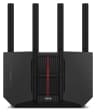
A tri-band Wi-Fi 7 router with a 10G WAN/LAN port, four 2.5G ports and AiMesh support.
Check package and model options
- Wi-Fi 7
- BE9700
- 3 bands
- 10 Gbps port
Most gigabit buyers don't need a 10G router, but the RT-BE92U is the cheapest sensible insurance: the ASUS spec sheet lists a 10 Gbps WAN/LAN port, a 2.5 Gbps WAN/LAN port and three 2.5 Gbps LAN ports. Use the 10G port for the ONT and four multi-gig connections remain, so the router survives a later move to 2 Gig or 5 Gig service. ASUS's product page claims coverage up to 2,750 sq ft (a maker claim, like all coverage figures).
- BE9700: 1032 Mbps (2.4 GHz) + 2882 Mbps (5 GHz) + 5764 Mbps (6 GHz), summed
- 2.0 GHz quad-core processor, 1 GB DDR4 RAM
- AiMesh for adding ASUS mesh nodes later; access-point and media-bridge modes
- Managed in the ASUSWRT web interface or the ASUS Router app
Trade-offs: there is no second 10 Gbps LAN port, so a 5 Gig wired desktop tops out at a 2.5 Gbps port. ASUS publishes no fixed support-period promise; its EOL page lists products whose updates have ended.
Best router for 2-gigabit and faster fiber: ASUS ROG Rapture GT-BE98 Pro
ASUS
A quad-band Wi-Fi 7 gaming router with two 6 GHz bands, two 10G ports and seven Ethernet ports in all.
Check package and model options
- Wi-Fi 7
- BE30000
- 4 bands
- 10 Gbps port
On a 5 Gig plan, at least one wired client should connect at 10 Gbps or the plan's top speed has nowhere to arrive. The GT-BE98 Pro spec sheet lists two 10 Gbps ports: connect one to the ONT and the other to a desktop, NAS or 10G switch, with four 2.5 Gbps ports and one gigabit port left over.
- BE30000 quad-band: two separate 6 GHz bands, each 4x4 with 320 MHz channels
- 2.6 GHz quad-core processor, 2 GB RAM; seven Ethernet ports in total
- USB 3.2 Gen 1 and USB 2.0 ports
- AiMesh router, node, access-point, repeater and media-bridge operating modes
Trade-offs: it is the biggest box here, with eight external antennas and a 2 kg weight. On a 1 Gig plan the extra radios and ports are wasted money; buy the RT-BE92U instead. Our best gaming routers and multi-gig switch guides cover the rest of that network.
Best fiber router for mesh coverage: eero Max 7
eero
eero's top Wi-Fi 7 router, with two 10 GbE and two 2.5 GbE ports, for multi-gig plans and wired mesh backhaul.
Check package and model options
- Wi-Fi 7
- 3 bands
- 10 Gbps port
A single router struggles in long or multi-story homes, and fiber speed is pointless where Wi-Fi doesn't reach. Each eero Max 7 "includes two auto-sensing 10 Gigabit Ethernet ports and two auto-sensing 2.5 Gigabit Ethernet ports" and is "compatible with internet plans up to 10 Gbps." One 10 GbE port takes the ONT feed, and the other makes a wired backhaul link to a second Max 7, which is the fastest way to carry a multi-gig plan across a house.
- Tri-band 2.4, 5 and 6 GHz; wireless speeds up to 4.3 Gbps and wired speeds up to 9.4 Gbps (eero's figures)
- Coverage claim of up to 2,500 sq ft per unit, 250+ devices (maker claims)
- Built-in Thread and Zigbee smart home hub, Matter controller
- Security updates at least through December 31, 2031, or — for devices bought new on eero.com or the Amazon marketplace — five years from purchase, whichever is later (eero policy)
Trade-offs: setup and management require the eero phone app; there is no web interface. Advanced security, ad blocking and VPN features need the eero Plus subscription. The mesh Wi-Fi guide compares whole-home systems.
Budget pick for 2 Gig fiber: TP-Link Archer BE550
TP-Link
A tri-band Wi-Fi 7 router with five 2.5 Gbps Ethernet ports (one WAN, four LAN) and EasyMesh support.
Check package and model options
- Wi-Fi 7
- BE9300
- 3 bands
- 2.5 Gbps port
The Archer BE550 page lists "1× 2.5 Gbps WAN • 4× 2.5 Gbps LAN": a full five-port multi-gig set for a 2 Gig plan, without paying for 10G hardware you can't use. TP-Link's page pitches the WAN port as "up to 2.5× the wired speed of a typical Gigabit Ethernet port."
- BE9300 tri-band Wi-Fi 7 with 6 GHz, 320 MHz channels and MLO
- Six antennas with beamforming; range claim of "4-bedroom houses" (TP-Link)
- EasyMesh-compatible for adding nodes; Tether app or web management
- USB 3.0 with FTP, media and Samba server functions
Trade-offs: no 10G port, so 5 Gig plans are out. Hardware V1 and V2 differ on the 2.4 GHz band, and TP-Link is not on the FCC's router Conditional Approval list; the Wi-Fi 7 router guide explains both issues before you buy.
Best patch cord from the ONT: Cable Matters Cat6A shielded
Cable Matters
A Cat6A equipment patch lead with S/FTP shielding, bare-copper conductors and shielded RJ45 connectors.
Check package and model options
The cable from the ONT to the router is part of the speed path. Cable Matters documents its Cat6A shielded patch cable as supporting "up to 10Gbps data transfer speeds and bandwidth up to 550MHz," with S/FTP shielding, 26 AWG bare-copper conductors and shielded RJ45 connectors. A 10 Gbps WAN port with a gigabit-rated cord quietly drops the link.
- Yes: Cat 6A (this pick): 10Gbps rating, shielded, for multi-gig plans
- Partly: Cat 6: fine through 2.5 Gbps for short runs; not the pick for a 10G ONT link
- No: Damaged or unmarked cords: verify before blaming the router
The Cat 6 vs 6A vs 8 guide covers in-wall wiring; this pick is the short patch lead at the ONT.
Wired client and speed verification: TP-Link TX401
A plan faster than 1 Gbps can only be proven wired. The TX401 page documents a 10GBase-T RJ45 port that negotiates 10/5/2.5/1 Gbps and 100 Mbps, with a 1.5 m Cat6A cable included. TP-Link notes the limits honestly: "Actual network speed may be limited by the rate of the product's Ethernet WAN or LAN port, the rate supported by the network cable, Internet service provider factors and other environmental conditions."
For laptops, the USB 2.5Gb adapters guide lists plug-in options; the 10G network cards guide compares the TX401 with alternatives.
ISP activation: Verizon Fios and AT&T Fiber
Verizon Fios, internet only: eero's Fios setup article says you can connect your own router directly to the ONT, but only after the old router's DHCP lease is released, "because Fios DHCP leases are bound via MAC address to their router." Release it by calling Verizon, through the Fios app, or in the old router's web interface at its IP address (commonly 192.168.1.1 or 192.168.0.1). If your ONT is cabled for coax, eero recommends calling the Verizon Fiber Solutions Center to switch it to Ethernet. Verizon's router FAQ covers the router side of the current Fios plans. Full detail: our Verizon Fios router guide.
Verizon Fios with TV: keep the Verizon router in place and put your router or mesh behind it in bridge mode, per the same eero article.
AT&T Fiber: the gateway stays. eero's AT&T article describes IP passthrough, which "lets you use eero with all advanced features while keeping your AT&T modem/router in the network," or bridge mode when AT&T keeps routing. Full detail: our AT&T Fiber router guide.
Confirm the ONT's Ethernet port and your plan speed
The ONT converts optical to electrical; your router plugs into its Ethernet port.
Release the old router's DHCP lease
Fios leases are MAC-bound; release via the Fios app, a call, the router web interface, or by powering it off for about two hours.
Connect the new router's WAN port with a Cat 6A patch cord
Match the port speed to the plan: 2.5 Gbps for 2 Gig, 10 Gbps for 5 Gig.
Test wired before testing Wi-Fi
Check the negotiated link rate, then run a speed test from a wired multi-gig client.
How we choose
We haven't tested these routers. Ports, radios, band rates and coverage claims come from ASUS's, eero's and TP-Link's own pages, linked in each section; plan speeds from Verizon's Fios plan page; activation steps from eero's Verizon Fios and AT&T setup articles; and the cable and adapter ratings from Cable Matters and TP-Link product pages, all checked November 4, 2026. Picks are sorted by the plan speed each WAN port can carry and the multi-gig LAN ports left over, not by Wi-Fi class numbers. Full method: How we choose.
Buying guide
Match the WAN port to the plan, then count LAN ports. A gigabit WAN port caps a multi-gig plan at 1 Gbps forever; a 2.5 Gbps port covers 2 Gig; 10 Gbps covers 5 Gig with room for a 10G wired client. On the LAN side, count how many devices (desktop, NAS, console) deserve multi-gig ports after the WAN connection is made: four on the RT-BE92U and BE550, five on the GT-BE98 Pro, three per eero Max 7.
Don't buy wireless features for a wired problem. BE numbers sum theoretical band rates. A 2 Gig plan on an old laptop still gets gigabit Wi-Fi at best; a gigabit port anywhere in the wired path caps everything behind it. Fix the port and cable first, then coverage: our mesh guide covers whole-home options.
Verdict
For 1-gigabit fiber, buy the ASUS RT-BE92U: its 10 Gbps WAN port and three remaining dedicated 2.5 Gbps LAN ports support a later 2 Gig upgrade, though a 10 Gbps wired client needs a second 10 Gbps port. On 2 Gig and faster, the ASUS ROG Rapture GT-BE98 Pro is the only pick with two 10 Gbps ports for a full-speed wired client. Choose the eero Max 7 when coverage across rooms matters more than controls, and the TP-Link Archer BE550 when a 2 Gig plan and a lower price point meet. Whatever you buy, run a Cat 6A cord from the ONT and verify the plan wired before judging Wi-Fi.
Frequently asked questions
Do I need a new router for gigabit fiber, or is gigabit Ethernet enough?
For a 1 Gbps plan, a router with gigabit WAN and LAN ports is enough on paper. Buy a 2.5 Gbps port instead if you may upgrade: a gigabit port can never pass a 2 Gig plan, whatever the BE number on the router's box says. The multi-gig picks support later WAN upgrades, but the RT-BE92U has only one 10 Gbps port; after using it for WAN, wired clients are limited to its 2.5 Gbps ports.
Do fiber and cable internet need different routers?
Yes. Cable needs a DOCSIS modem (or a modem-router combo) that your provider certifies. Fiber arrives through an ONT that the provider installs; your router connects to the ONT's Ethernet port, and no modem is involved. Router selection then comes down to the WAN port speed, the LAN ports and Wi-Fi. See our modem versus router guide for the box-by-box roles.
How do I replace my Verizon Fios router with my own?
With Fios internet only, eero documents connecting your router directly to the ONT, after releasing the old router's DHCP lease (Fios leases are bound by MAC address); you can break the lease via the Fios app, by calling Verizon, in the router's web interface at an address such as 192.168.1.1, or by powering off the old router for about two hours so the lease expires. With Fios TV, put the new router behind the Verizon router in bridge mode instead.
Can I replace my AT&T Fiber gateway?
Not for the handoff. AT&T's fiber service uses its own gateway, and the documented approach is to keep it in place and put your router behind it: IP passthrough when your router should route, or bridge/access-point mode when AT&T keeps routing. Start with our AT&T Fiber router guide.
Why does my speed test show less than my plan speed?
First test wired, not over Wi-Fi, and check the negotiated link rate of the Ethernet connection. A speed result below your plan on a wired gigabit port with a multi-gig plan means the port, not Wi-Fi, is the limit. Router-app speed tests measure the gateway-to-internet connection, not your device's Wi-Fi; eero recommends testing with more than one service and device.
What does BE9300 or BE9700 mean on a router box?
It is every band's maximum theoretical Wi-Fi rate added together. ASUS's RT-BE92U, rated BE9700, lists 1032 Mbps on 2.4 GHz, 2882 Mbps on 5 GHz and 5764 Mbps on 6 GHz. No device gets the sum: your phone or laptop's own radio sets its ceiling, and wired speed is a separate question set by the Ethernet ports.
Related guides
Best picks · Wi-Fi Routers
Best Mobile Hotspots in 2026: Dedicated Devices, 5G Picks and the Right Data Plan
Pick the right dedicated mobile hotspot: current 5G models with Wi-Fi 7, Ethernet and antenna ports, a budget 4G option, and the data-plan checks to make first.
Comparison · Wi-Fi Routers
ASUS GT-AXE16000 vs GT-BE98 Pro: Keep or Upgrade?
Keep the GT-AXE16000 or buy the GT-BE98 Pro? Compare US radios, every Ethernet port, NAS wiring, firmware and the GT-BE19000AI alternative before buying.
Comparison · Wi-Fi Routers
ASUS RT-BE92U vs NETGEAR RS300: Best Router for Fiber?
Choose the best router for fiber by tracing your ONT, PC and NAS connections. Compare ASUS RT-BE92U and NETGEAR RS300 ports, Wi-Fi, variants and support.